
$0.99
$0.50
49% Off
Appo KWGT – iOS 18 Inspired
Raj Arya Designs


About the App
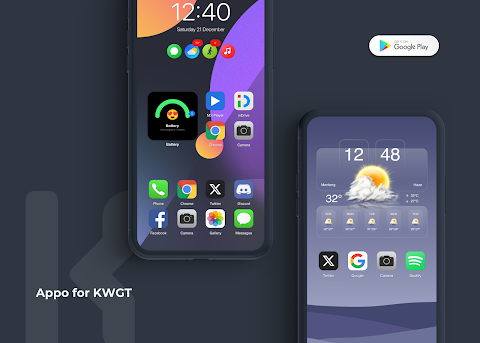
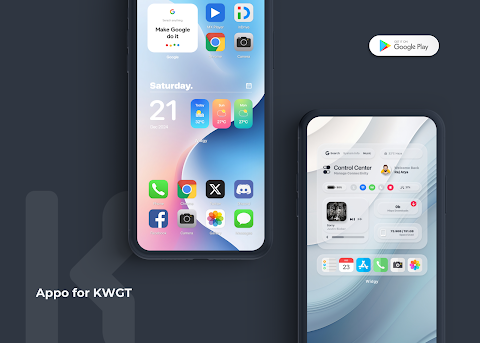
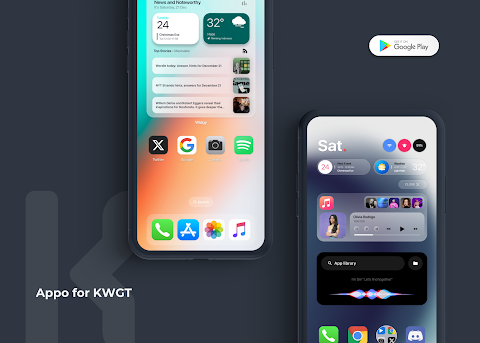
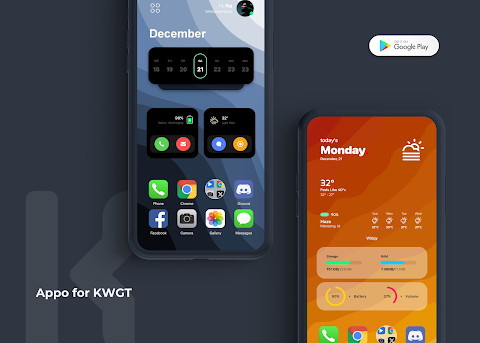
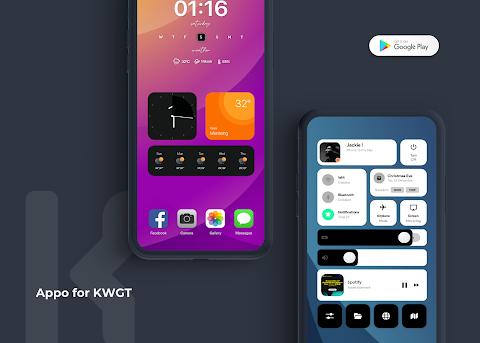
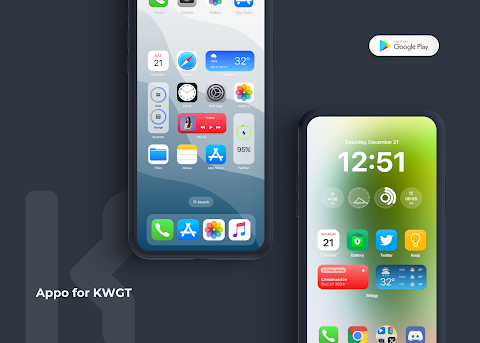
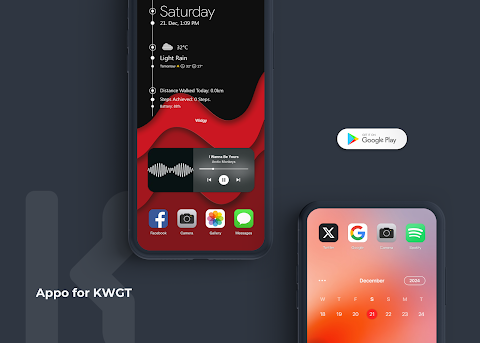
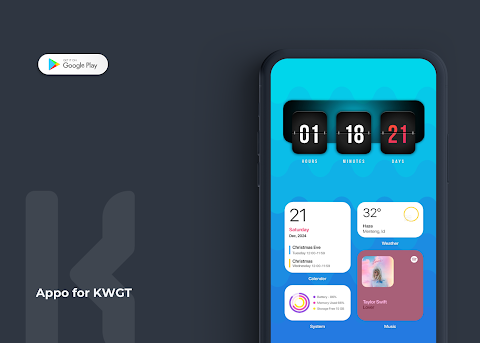
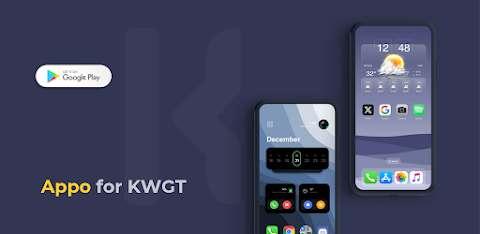
Appo KWGT - iOS 18 Inspired is a fantastic collection of sleek, modern widgets designed to enhance your homescreen experience. These widgets are inspired by premium design and functionality, making your device not only more practical but also visually appealing.
To use Appo, you will need the KWGT PRO application; this is important as Appo for KWGT cannot function as a standalone app. You'll find the KWGT PRO app on the Google Play Store, which is essential for accessing all the features. Additionally, it's helpful to have a custom launcher, like Nova launcher, to get the most out of these widgets.
Installing Appo for KWGT is straightforward. First, download both Appo for KWGT and the KWGT PRO application. Once installed, simply long tap on your homescreen and select "Widget." Choose the KWGT Widget option, and then tap on it to select the installed Appo for KWGT. You can pick any widget you like and place it on your screen. Enjoy the unique designs tailored for your needs!
If the widget doesn't fit your screen perfectly, you can easily use the scaling options in the KWGT settings to adjust the size. For those using Nova launcher, some quick adjustments will optimize your experience. Change your grid size settings to 8x4 and maximize your homescreen side padding for the best layout.
With Appo KWGT, you can personalize your device with amazing modern widgets that focus on homescreen aesthetics and user engagement. Each widget offers customizable options, allowing you to select themes and designs that reflect your style. The user-friendly interface ensures that everyone can make the most out of these features without any technical hassle.
The Appo KWGT collection represents an array of premium widgets optimized for KWGT. Through effective widget management, you can create a homescreen filled with your favorite elements. This application highlights the importance of design functionality and visual appeal, making it enjoyable to use daily.
You are sure to find the perfect home screen widgets that meet your needs and preferences. If you run into any issues or have questions, feel free to reach out before leaving a negative rating. You can contact me on Twitter @RajjAryaa or via email at ✉ keepingtocarry@gmail.com. Enjoy a better homescreen experience with Appo KWGT!
To use Appo, you will need the KWGT PRO application; this is important as Appo for KWGT cannot function as a standalone app. You'll find the KWGT PRO app on the Google Play Store, which is essential for accessing all the features. Additionally, it's helpful to have a custom launcher, like Nova launcher, to get the most out of these widgets.
Installing Appo for KWGT is straightforward. First, download both Appo for KWGT and the KWGT PRO application. Once installed, simply long tap on your homescreen and select "Widget." Choose the KWGT Widget option, and then tap on it to select the installed Appo for KWGT. You can pick any widget you like and place it on your screen. Enjoy the unique designs tailored for your needs!
If the widget doesn't fit your screen perfectly, you can easily use the scaling options in the KWGT settings to adjust the size. For those using Nova launcher, some quick adjustments will optimize your experience. Change your grid size settings to 8x4 and maximize your homescreen side padding for the best layout.
With Appo KWGT, you can personalize your device with amazing modern widgets that focus on homescreen aesthetics and user engagement. Each widget offers customizable options, allowing you to select themes and designs that reflect your style. The user-friendly interface ensures that everyone can make the most out of these features without any technical hassle.
The Appo KWGT collection represents an array of premium widgets optimized for KWGT. Through effective widget management, you can create a homescreen filled with your favorite elements. This application highlights the importance of design functionality and visual appeal, making it enjoyable to use daily.
You are sure to find the perfect home screen widgets that meet your needs and preferences. If you run into any issues or have questions, feel free to reach out before leaving a negative rating. You can contact me on Twitter @RajjAryaa or via email at ✉ keepingtocarry@gmail.com. Enjoy a better homescreen experience with Appo KWGT!
Gathering: Watch Face
Yeei Watch Face
$1.49
$0.75
Pineapple Duck ZKin Watch
ZKin
$1.99

Digital xR Watch Face
amoledwatchfaces™
$1.99
$1.00