
$3.99
$1.99
50% Off
WSwitch for WeMo
Georgios Trigonakis

About the App
WSwitch for WeMo is a handy app that lets you control your smart plugs and lights directly from your iPhone, iPad, or Apple Watch. With just one tap, you can turn on or off your lamp, heater, or even an entire room.
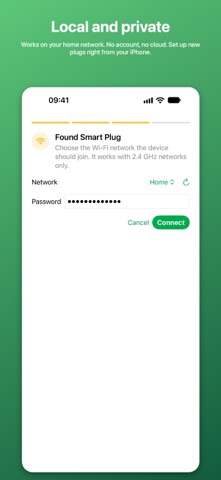
One of the best parts about WSwitch is that everything runs on your home network. You don’t need to create an account or rely on any cloud service, which makes it easy to use.
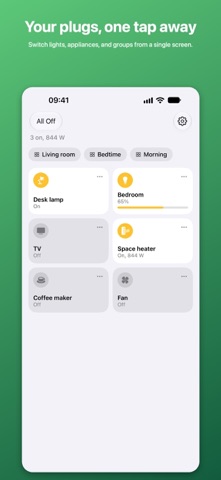
Once you open the app, you'll see a full device overview on the home screen. Here, tiles show each device and its current status—whether it's on or off. You can even dim your LED bulbs right from their tiles. If you have several devices, you can use device group control to switch them on or off at once. For convenience, there's also a feature that lets you turn everything off with a single tap using the All Off command.
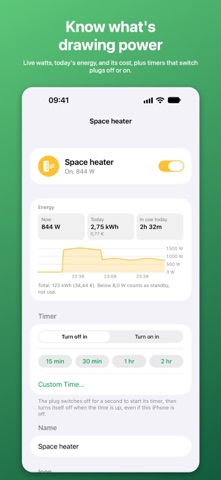
For those using Insight Smart Plugs, WSwitch offers live energy monitoring. This helps you keep track of how much energy your devices are using. You can also enter your electricity price to start energy cost tracking. With these insights, you can make more informed decisions about your energy use.
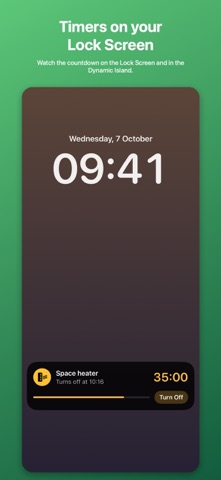
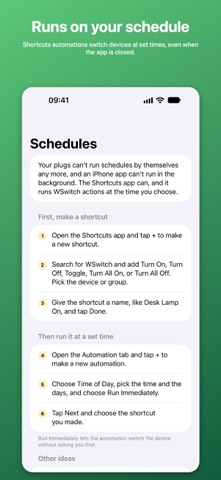
Timers for devices are another useful feature. You can set a plug to stay on for anywhere from 15 minutes to 2 hours, and it will turn itself off even if your iPhone is off. Additionally, you can take advantage of schedules for automation by using shortcut actions. These actions allow you to turn devices on or off, check their status, or quickly toggle them. There are also shortcuts automations that let you switch devices at set times, when you arrive home, or whenever your Focus mode turns on. The app comes with a built-in guide to help you set this up easily.
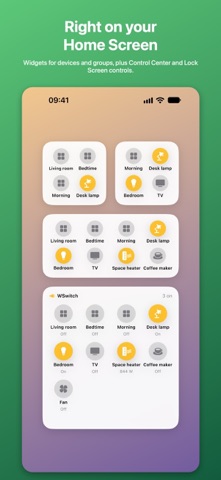
WSwitch also offers home screen widgets in three different sizes, so you have quick access to your devices right on your home screen. You can easily control them using the Control Center integration or from the Lock Screen. Plus, the Apple Watch app lets you switch devices right from your wrist, making it very convenient.
Setting up WSwitch is straightforward, thanks to the Wi-Fi device setup feature. The app can automatically find your devices, or you can manually add one using its IP address. You can also rename your devices, select a unique icon for each one, and choose which devices appear in your widgets and on your Apple Watch.
WSwitch is compatible with several Belkin WeMo devices, including the Insight Smart Plug, Switch Smart Plug, Switch + Motion, and Smart LED Bulbs that work with the WeMo Link. However, it should be noted that it is not compatible with HomeKit-enabled models. To use WSwitch, both your iPhone and the smart devices need to be connected to the same local network.
If you also use a Mac, you can enjoy WSwitch on that platform as well. Remember, WSwitch is an independent app and is not affiliated with Belkin.
In summary, WSwitch for WeMo is a powerful yet user-friendly tool for anyone looking to simplify their home automation. With features like device group control, energy usage reports, and efficient timers, managing your smart plugs and lights has never been easier.
SatFinder Pro HD Dish Pointer
Yuriy Kvasha
$2.99
$1.99

ice sudoku
子诚 王
$1.99

Flying Carpet File Transfer
Theron Spiegl
$0.99