

$4.99
FREE
100% Off
Paprika Recipe Manager 4
Hindsight Labs LLC

About the App
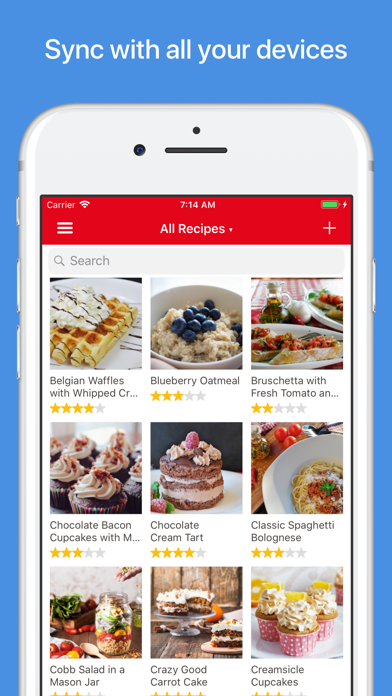
With Paprika Recipe Manager 4, you can easily organize your recipes, create grocery lists, and plan your meals. This app allows you to download recipes directly from your favorite websites, making recipe collection quick and easy. You can sync across devices, so your recipes and plans are always accessible, no matter where you are.
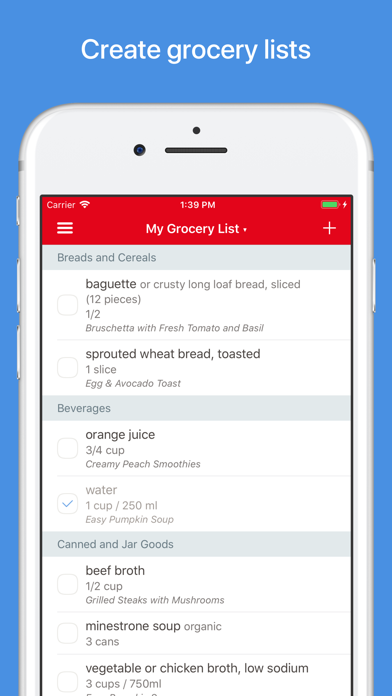
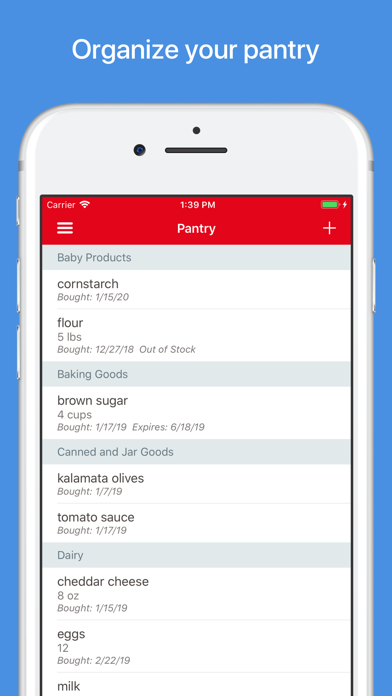
One of the great features of Paprika is its ability to create smart grocery lists. These lists automatically combine ingredients and sort them by aisle, making shopping more efficient. You can also use pantry tracking to keep tabs on what ingredients you have at home, as well as monitor their expiration dates. This means you’ll always know what to buy and when to use what you already have.
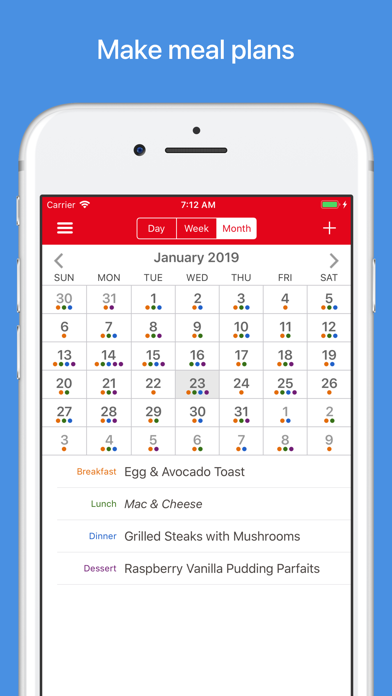
The meal planner is perfect for anyone who wants to plan their meals efficiently. You can set up a daily, weekly, or monthly meal calendar to create a structured eating plan. Additionally, you can save your favorite meal plans as reusable menus, which makes meal planning even easier the next time around.
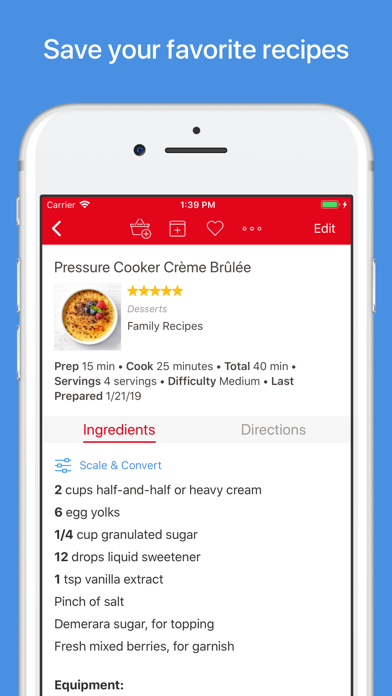
When you’re ready to cook, Paprika helps you adjust ingredient amounts to fit your desired serving size. It also allows you to convert ingredient measurements, so you can easily switch between standard and metric units. Keeping the screen on while you cook is helpful, too. You can cross off ingredients as you use them and highlight your current cooking step, ensuring you stay on track.
Finding recipes is simple with the search functionality. You can search by ingredient or organize your recipes into different categories and subcategories. Timers are another handy feature, as they automatically identify cook times in your directions, allowing you to simply tap to start the timer.
If you have existing recipes in other apps like MacGourmet or Living Cookbook, you can import them into Paprika. Additionally, you can export your meal plans to your calendar or share recipes via email, making it easy to connect with family and friends. For those who love physical copies, you can print recipes, grocery lists, menus, and meal plans in various formats, including generating index card prints.
Extensions make it simple to save recipes right in Safari, while the browser bookmarklet allows you to download recipes directly from any browser into your Paprika Cloud Sync account. With offline access, all of your data is stored locally, meaning you don’t need an internet connection to view your recipes.
Paprika also offers cross-platform support, which means you can access your recipes on multiple devices. Each version is sold separately, allowing you the flexibility to choose the best options for your needs.
In the latest update, Paprika supports the iPhone X and iOS 11, expanding its usability. You can add multiple, full-sized photos to your recipes and even embed photos in the cooking directions. Additionally, you can format recipes with bold and italics for better readability. Custom aisles for your grocery lists let you rearrange items in your preferred order, and you can create multiple grocery lists tailored to different shopping trips.
Tracking ingredient expirations becomes effortless with the added ability to move items between your pantry and grocery list. You can also use custom meal types in the meal planner to suit your culinary preferences. All these features come together to make Paprika Recipe Manager 4 a thoughtful tool that transforms how you prepare and enjoy food.

food with love: Rezepte
Food with love
$3.99

Skinny Desserts
Burleigh Creative
$0.99

Tipease
Shawn Brown
$1.99