

$2.99
FREE
100% Off
iWepPRO
PGD Mobile Development S.L.

About the App
iWepPRO is a handy tool that helps you find WiFi networks around you, check the security of those networks and routers, and keep all your passwords in one place. Best of all, there are no ads and no account is required to use the app.
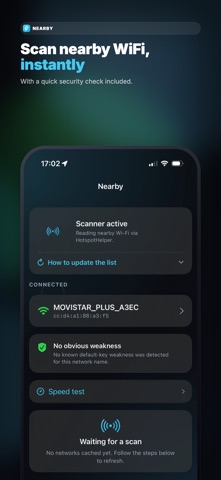
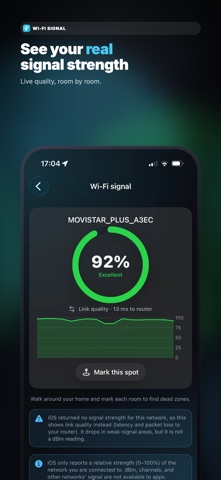
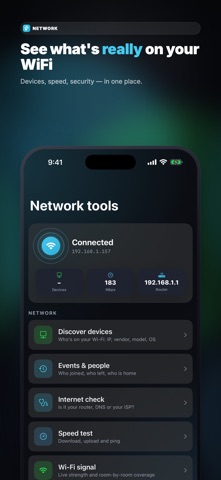
Using iWepPRO is simple. Start by opening the Nearby tab to see the WiFi networks detected by iOS around you. You can view important details like WiFi signal strength and security type for each network. If you tap on any of these networks, iWepPRO helps you understand the router's key-generation method. If it matches a known router family, you can easily calculate the default key, just by entering the network name and MAC address if needed. After that, you can save this result to My Networks or connect directly through the app.
The Nearby WiFi scanner feature allows you to watch as iOS discovers networks in your area. This tool can be especially useful during troubleshooting or when you need to connect to a WiFi network quickly.
iWepPRO also includes a Router key calculator, which supports around 65 router families. This covers popular brands like SpeedTouch, Thomson, Belkin, D-Link, and ZTE, among others. The calculator uses the manufacturer’s own default-key algorithm, so you can trust its accuracy. It also includes six additional generators for routers that do not follow a specific family pattern, covering various digital key generation methods.
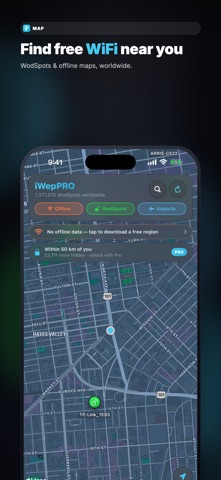
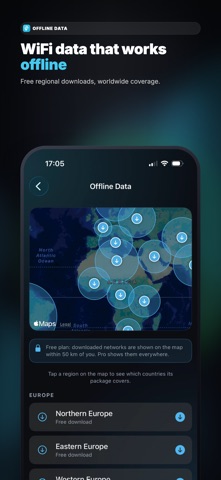
In addition to these features, iWepPRO offers a free hotspots map, which shows WodSpots — community shared hotspots — and airport lounge WiFi information. You can also download offline databases to access this map without needing an internet connection. The app’s free plan lets you see WodSpots and offline points within 50 kilometers of your location, while the Pro version offers worldwide access.
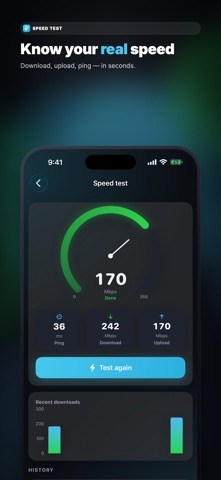
Another great feature of iWepPRO is the speed test measurement. This allows you to measure download and upload speeds, along with ping in just seconds. You can keep a history of every speed test you run, and you can even use Siri Shortcuts integration to request, "Run a speed test with iWepPRO."
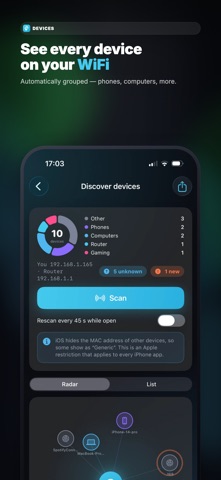
The app can also help you with local network device discovery. You can scan your local network to see which devices are connected, making it a convenient tool for network management.
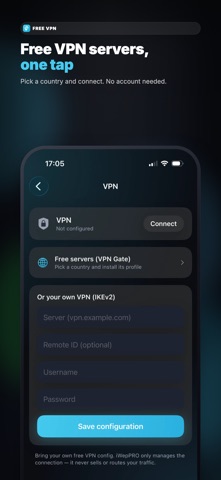
For those looking for a quick, free connection, iWepPRO enables you to connect through public VPN servers, such as VPN Gate and servers from the University of Tsukuba, using iOS's built-in personal VPN. These public servers are shared by the community, so while they're great for quick access, they're not recommended for sensitive traffic.
iWepPRO also features a WiFi QR code scanner. You can scan a QR code to join a network instantly or generate your own QR code to share your network easily with others.
Your privacy is a top priority with iWepPRO. There are no account systems or backend that store your information. The nearby WiFi scan uses built-in features (NEHotspotHelper) and your saved networks are kept only on your device. The app uses your location solely to center the map and measure the free plan radius, and this information is never sent anywhere else.
To use iWepPRO, you need iOS 26 or later on your iPhone or iPad. Keep in mind that features like the nearby WiFi scan and local network device discovery require a real device, as they aren't available in the iOS Simulator.
For those who want even more features, iWepPRO offers an optional, auto-renewing subscription called iWepPRO Pro. This subscription removes the limit on WodSpots and offline database networks beyond 50 kilometers, provides unlimited speed-test history, and allows you to save as many networks as you want. You’ll also receive early access to new Pro features, helping support ongoing development.
The subscription plans are affordable at $9.99 per year or $3.99 per month. Payment is processed through your Apple ID account, and subscriptions renew automatically unless you cancel at least 24 hours before the end of the current period. You can easily manage or cancel your subscription in the settings under your Apple ID.
iWepPRO is a user-friendly app packed with features aimed at making network management easy and efficient. It combines WiFi network detection, router security checks, and user privacy features—all in one place. Whether you're looking to connect to a WiFi network or keep your passwords organized, iWepPRO has got you covered.

Spring for Twitter
Junyu Kuang
$19.99

Tavallod ( یادآور تولد شمسی )
elyas naranjee sani
$1.99

InstantGrid
Thomas Coomer
$2.99