

$14.99
FREE
100% Off
Notes Writer Browser: Nautilus
Kairoos Solutions SL

About the App
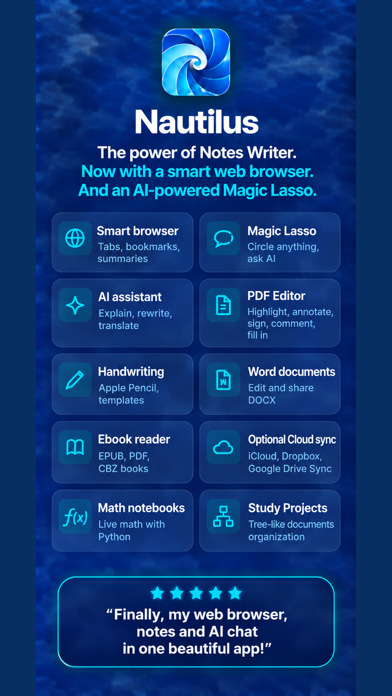
Nautilus is a powerful tool that students, teachers, writers, doctors, journalists, scholars, and business professionals use every day. It's perfect for taking class notes, meeting notes, and working with marked-up PDFs, signed documents, papers, and lectures.
Originally known as Notes Writer Pro, Nautilus builds on the popular Notes Writer app. It carries forward many of the familiar writing and PDF tools while introducing a smart web browser. This feature allows you to research online without switching apps. You also get AI help for reading and research, as well as the innovative Magic Lasso feature.
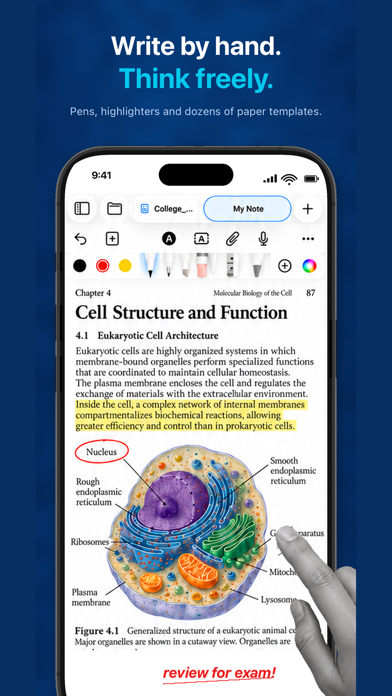
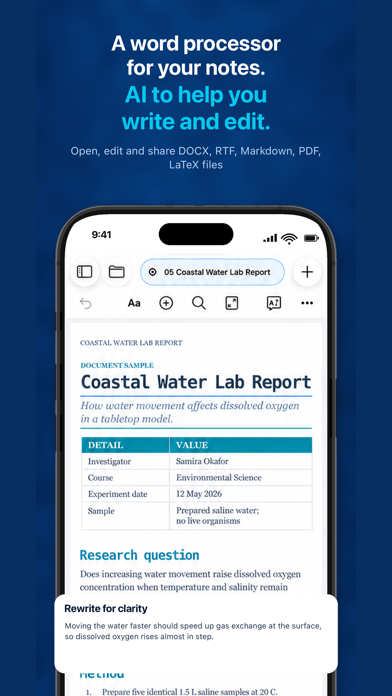
Nautilus is designed to help you write and personalize your notes. You can create notes, papers, and even books with headings and lists. There are options for using colors and highlights as well. You can add images or handwritten notes with Apple Pencil, use the dictation feature to speak your thoughts, and listen back to your writing. You can also track word counts and keep your documents open in tabs, making it easy to manage multiple files. Nautilus works with various formats including MS Word, RTF, Markdown, and plain text files.
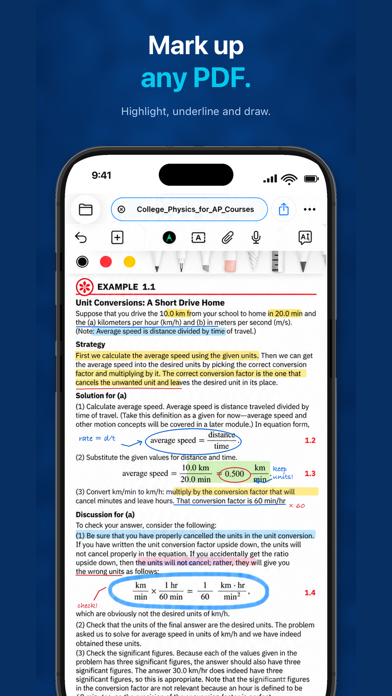
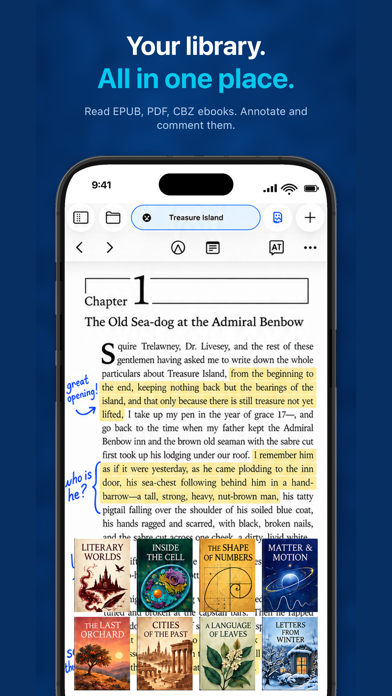
When it comes to reading and marking up PDFs, Nautilus shines. You can read ebooks, articles, and class materials, and write in the margins. Highlight, draw, and add notes, recordings, or signatures to your PDFs. If you need to fill out forms, you can easily do so, and even reorder pages as necessary. The ability to scan paper documents into PDFs is a useful feature, and you can compare two documents side by side. This makes it easy to measure drawings to scale and hide sensitive text before sharing your documents.
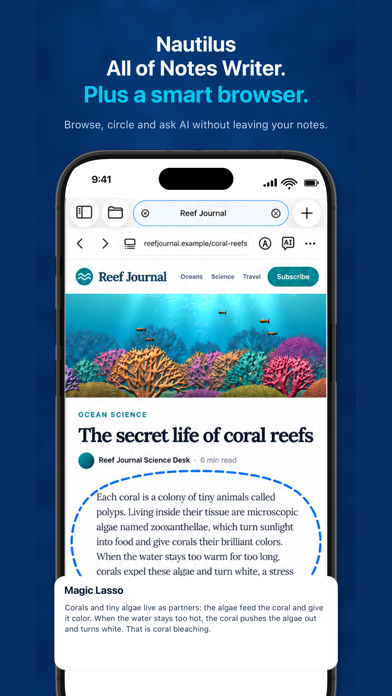
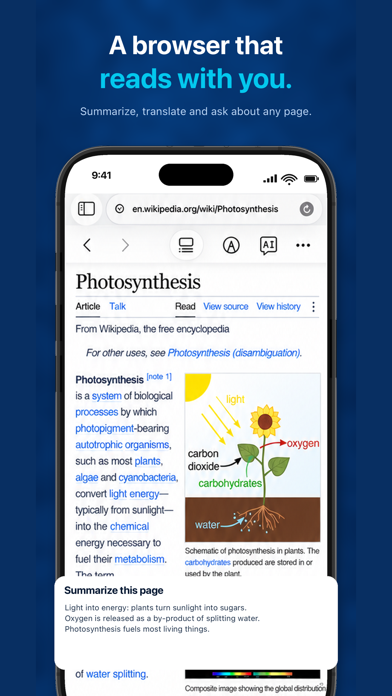
With Nautilus, you can browse and research effectively. The built-in smart web browser allows you to open web pages in tabs and bookmark sites. If you have questions about a webpage, you can ask AI for help to summarize or translate it, or even turn information into concise notes.
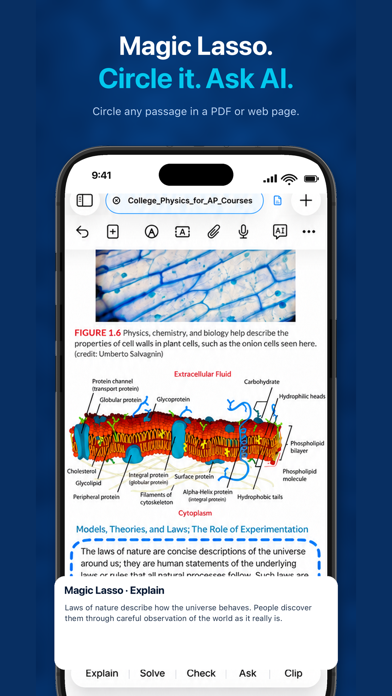
Nautilus enhances your writing experience with the Magic Lasso feature. Simply circle text or other content, then ask AI to explain or summarize what you’ve selected. You can also get assistance in rewriting, simplifying, or correcting your writing. If needed, you can adjust the tone of your text or discuss your ideas with the AI.
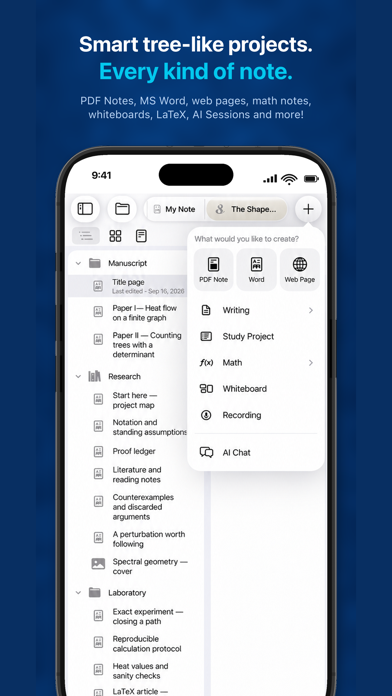
Capturing ideas is easy with Nautilus. You can record lectures, meetings, and your personal thoughts. Later, you can listen back or create a transcript to help you locate important details. You can connect notes, images, and recordings on whiteboards to visualize your ideas. Collect quick thoughts on sticky notes and organize your study plans in outlines. Bring together your research in Study Projects, and plan books or long papers with sections using a visual Corkboard. Keep a list of sources beside your draft, save snapshots as you revise, and compile a finished document or ebook seamlessly.
If you need to keep track of calculations, Nautilus includes the Math Notebooks tool. This feature allows you to work through calculations and explanations in one place, explore formulas, create charts, and preview the finished PDF.
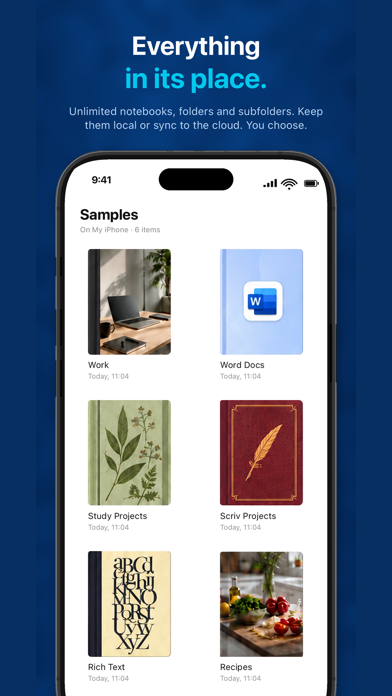
Organizing and sharing your work is straightforward with Nautilus. You can keep your notes organized in folders and notebooks, each with distinct covers for easy identification. The app allows you to scan paper, import documents from Word and other formats, and easily find what you need using the search function. You can export your work to PDF, Word, HTML, EPUB, and more. Plus, you can sync your notes with iCloud, Dropbox, Box, Google Drive, or WebDAV.
Nautilus takes care of your work with features like autosave, document recovery options, and automatic backups to protect your progress. You can also use passcode protection for the app or specific private folders. If you have existing PDF notes and outlines from Notes Writer, you can easily open them in Nautilus.
With all these tools and features, Nautilus is designed to make your note-taking and writing experience smoother and more efficient, meeting a wide range of needs for various professionals and students alike.
Originally known as Notes Writer Pro, Nautilus builds on the popular Notes Writer app. It carries forward many of the familiar writing and PDF tools while introducing a smart web browser. This feature allows you to research online without switching apps. You also get AI help for reading and research, as well as the innovative Magic Lasso feature.
Nautilus is designed to help you write and personalize your notes. You can create notes, papers, and even books with headings and lists. There are options for using colors and highlights as well. You can add images or handwritten notes with Apple Pencil, use the dictation feature to speak your thoughts, and listen back to your writing. You can also track word counts and keep your documents open in tabs, making it easy to manage multiple files. Nautilus works with various formats including MS Word, RTF, Markdown, and plain text files.
When it comes to reading and marking up PDFs, Nautilus shines. You can read ebooks, articles, and class materials, and write in the margins. Highlight, draw, and add notes, recordings, or signatures to your PDFs. If you need to fill out forms, you can easily do so, and even reorder pages as necessary. The ability to scan paper documents into PDFs is a useful feature, and you can compare two documents side by side. This makes it easy to measure drawings to scale and hide sensitive text before sharing your documents.
With Nautilus, you can browse and research effectively. The built-in smart web browser allows you to open web pages in tabs and bookmark sites. If you have questions about a webpage, you can ask AI for help to summarize or translate it, or even turn information into concise notes.
Nautilus enhances your writing experience with the Magic Lasso feature. Simply circle text or other content, then ask AI to explain or summarize what you’ve selected. You can also get assistance in rewriting, simplifying, or correcting your writing. If needed, you can adjust the tone of your text or discuss your ideas with the AI.
Capturing ideas is easy with Nautilus. You can record lectures, meetings, and your personal thoughts. Later, you can listen back or create a transcript to help you locate important details. You can connect notes, images, and recordings on whiteboards to visualize your ideas. Collect quick thoughts on sticky notes and organize your study plans in outlines. Bring together your research in Study Projects, and plan books or long papers with sections using a visual Corkboard. Keep a list of sources beside your draft, save snapshots as you revise, and compile a finished document or ebook seamlessly.
If you need to keep track of calculations, Nautilus includes the Math Notebooks tool. This feature allows you to work through calculations and explanations in one place, explore formulas, create charts, and preview the finished PDF.
Organizing and sharing your work is straightforward with Nautilus. You can keep your notes organized in folders and notebooks, each with distinct covers for easy identification. The app allows you to scan paper, import documents from Word and other formats, and easily find what you need using the search function. You can export your work to PDF, Word, HTML, EPUB, and more. Plus, you can sync your notes with iCloud, Dropbox, Box, Google Drive, or WebDAV.
Nautilus takes care of your work with features like autosave, document recovery options, and automatic backups to protect your progress. You can also use passcode protection for the app or specific private folders. If you have existing PDF notes and outlines from Notes Writer, you can easily open them in Nautilus.
With all these tools and features, Nautilus is designed to make your note-taking and writing experience smoother and more efficient, meeting a wide range of needs for various professionals and students alike.
PDFly: PDF Reader & Viewer
Dowble
$1.89

Team Lineup PRO
Huu Phuoc Loi
$4.99
$3.99

Construction Calculator A1 Pro
Binary and Bricks Pvt. Ltd.
$15.99
$11.99