
$1.99
$0.98
51% Off
Floatify
schurkiedev

About the App
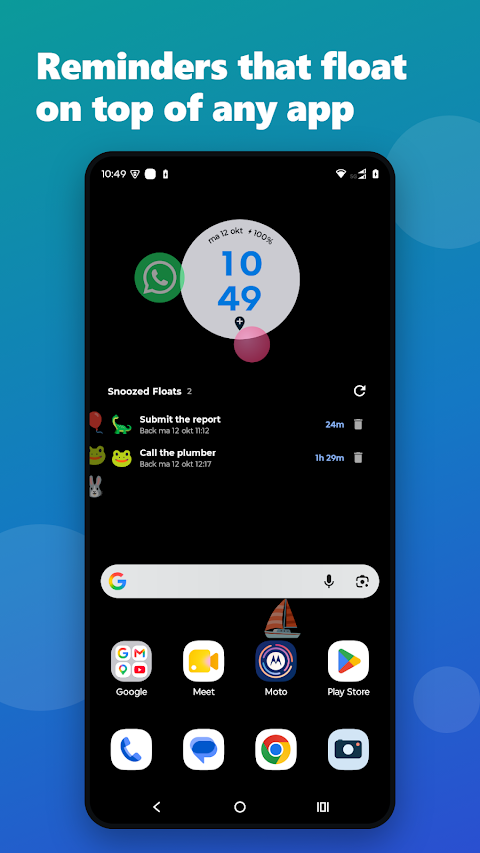
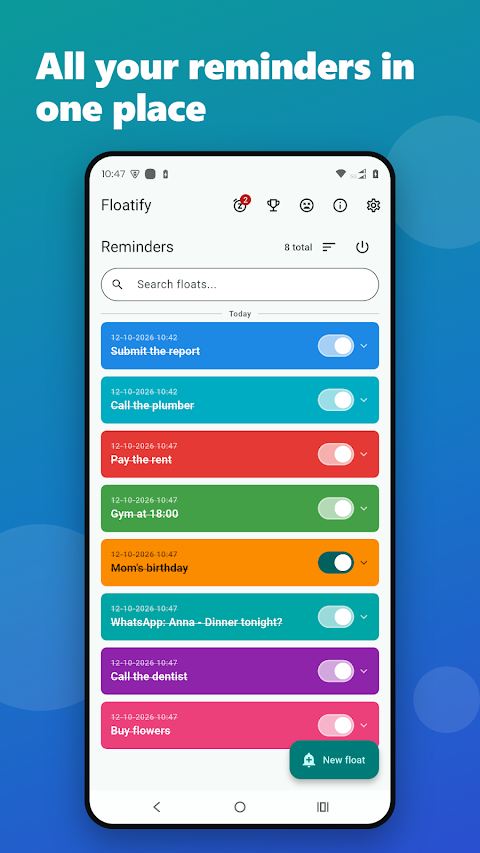
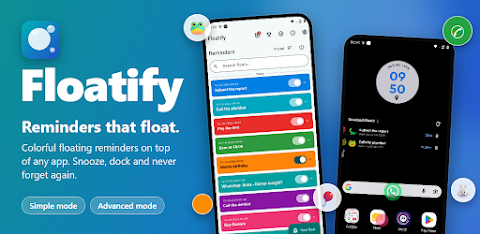
Floatify changes the way you manage notifications. Instead of letting alerts sit quietly in a notification shade, Floatify brings them to the front, floating right over whatever you're doing. This way, you won’t miss important messages or reminders. Whether it’s a WhatsApp from a partner or a reminder to call someone back, these floating reminders ensure you notice them immediately.
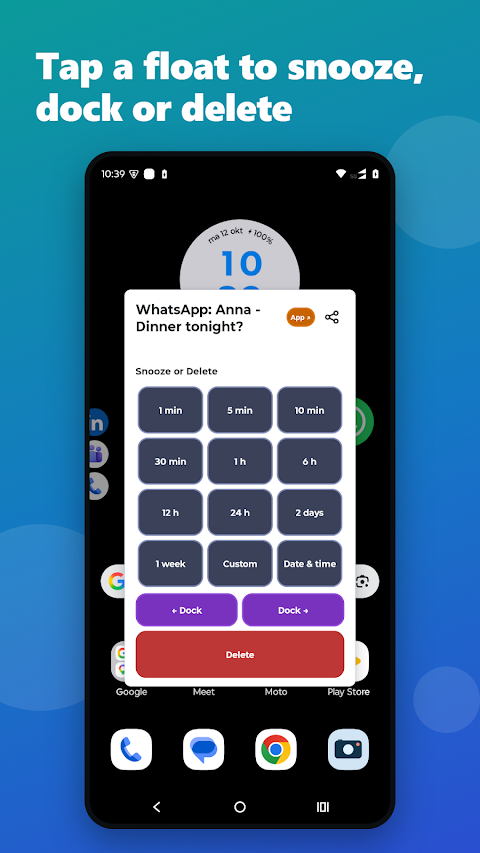
When a notification comes in, it appears as a small bubble that you can tap. This tap gives you options at your fingertips. You can snooze the reminder for a specific amount of time, like 1 minute, 5 minutes, or even a week. If you prefer, you can dock notifications to the edge of your screen, keeping them visible but not intrusive. If it’s a reminder you no longer need, you can easily delete it.
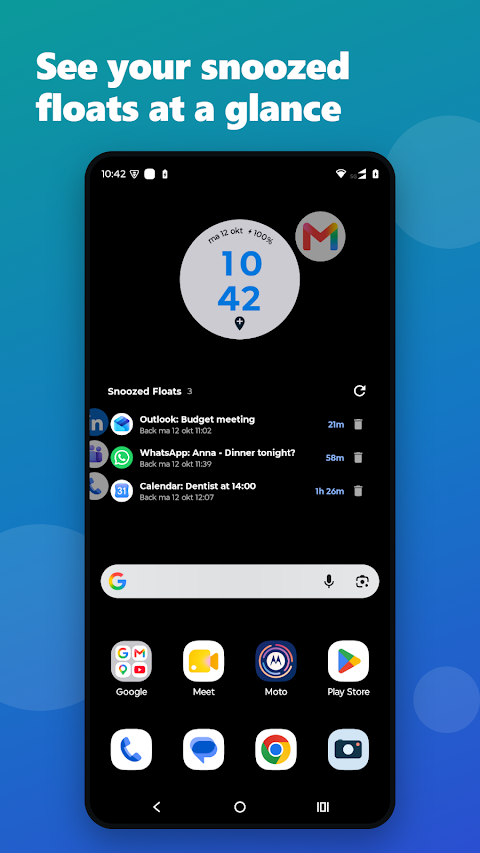
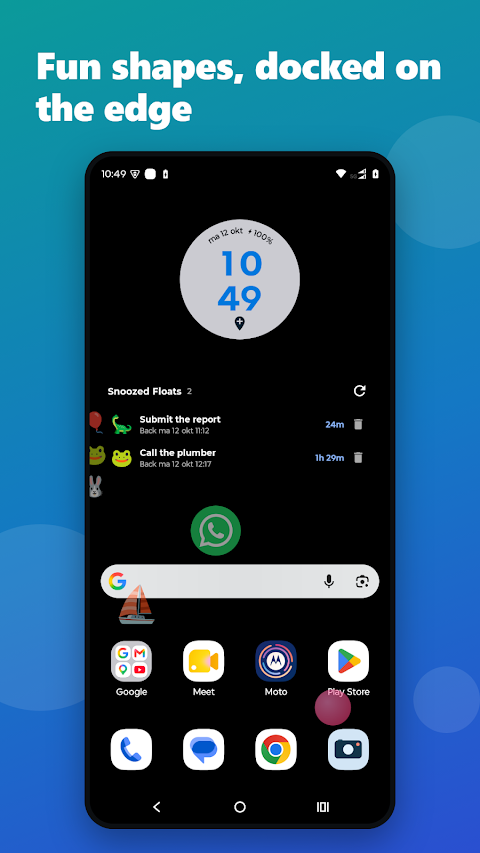
After snoozing a float, it will disappear, only to return when scheduled. You can also check the Snoozed Floats list with its handy home-screen widget to see what’s coming back and when. This feature really helps with notification management.
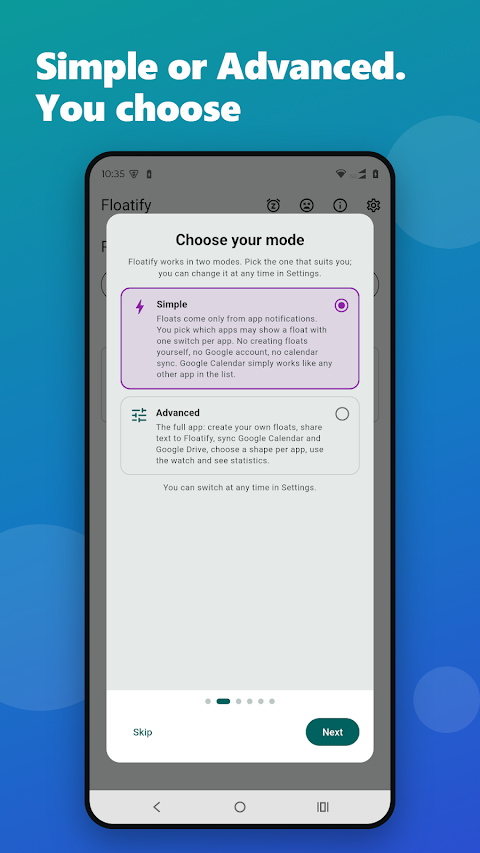
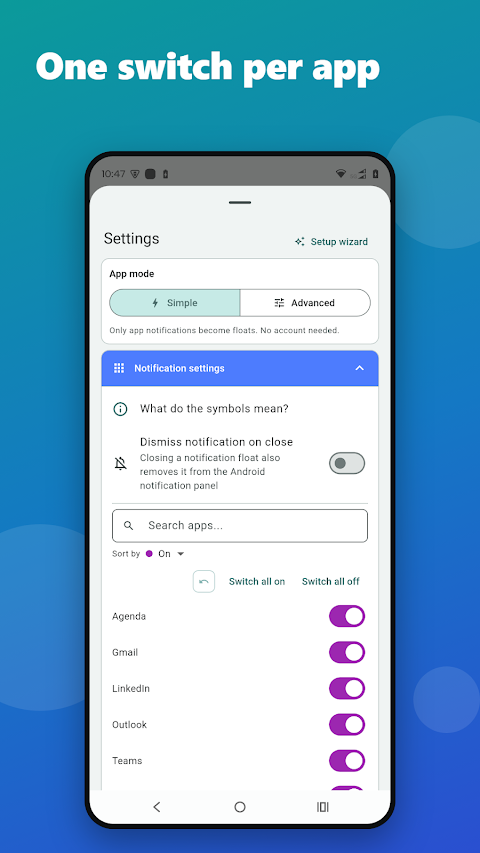
Floatify has two modes to suit different users. In the simple notification mode, every important notification becomes a float. You just pick which apps you want to include, like WhatsApp, email, or your calendar, and leave out the noisy ones. It’s simple and takes less than a minute to set up.
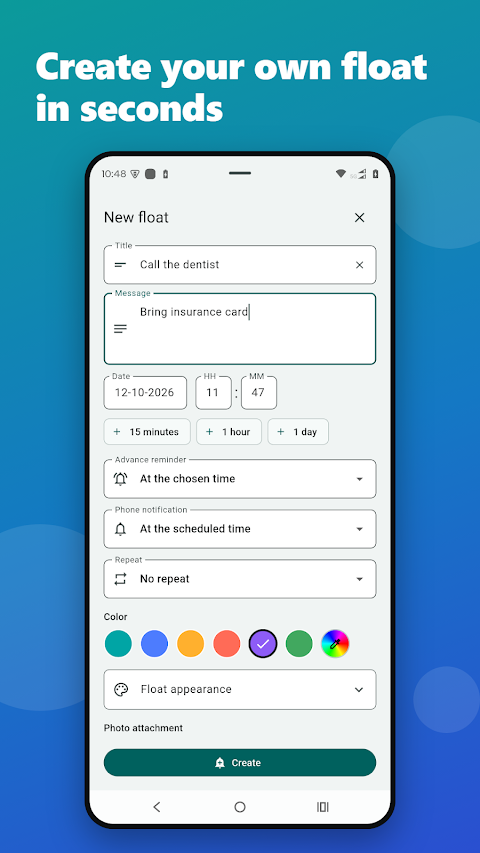
For those looking for more features, the advanced notification toolbox offers additional options. You can create your own floats, share text from any app directly into Floatify, sync your schedule with Google Calendar, and keep all your devices in sync via Google Drive. You can even choose a unique shape for floats from options like balloons, dinosaurs, or even custom emojis. Reminder statistics help you see how well you’re managing your notifications.
Floatify also cares about the little things. You can choose to have your floats docked on the edge of your screen or in a sidebar tab that you can open. There’s a quiet hours feature, so nothing interrupts you at 3 a.m. You have control over the sound too; choose a gentle bubble pop, your ringtone, or silence. With user customization, you can adjust the colors, transparency settings, and speed of the floats to make them distinctly yours.
The notification access feature ensures that Floatify can turn notifications from your chosen apps into floats. Usage access allows it to know which app you are currently using, so it can hide notifications that belong to that app. The setup process will guide you through these steps so you can start using Floatify right away.
Floatify is designed for busy people. It is perfect for those who read a message and think, “I’ll answer later,” only to forget. It helps manage notification overload for anyone struggling to keep track of important alerts. If you like your phone to gently nudge you when it matters, Floatify is for you.
Built by a single developer in Europe, Floatify continues to grow and improve. If you find something that annoys you or feels missing, your feedback is welcome. Remember, this app is about letting your reminders float, so they are always visible when you need them.
With Floatify, you can enjoy an engaging user experience that makes notification prioritization easier. Use reminder widgets for additional support, and never miss an important alert again. Let Floatify change the way you handle notifications, bringing them directly to you in a visually appealing way.
When a notification comes in, it appears as a small bubble that you can tap. This tap gives you options at your fingertips. You can snooze the reminder for a specific amount of time, like 1 minute, 5 minutes, or even a week. If you prefer, you can dock notifications to the edge of your screen, keeping them visible but not intrusive. If it’s a reminder you no longer need, you can easily delete it.
After snoozing a float, it will disappear, only to return when scheduled. You can also check the Snoozed Floats list with its handy home-screen widget to see what’s coming back and when. This feature really helps with notification management.
Floatify has two modes to suit different users. In the simple notification mode, every important notification becomes a float. You just pick which apps you want to include, like WhatsApp, email, or your calendar, and leave out the noisy ones. It’s simple and takes less than a minute to set up.
For those looking for more features, the advanced notification toolbox offers additional options. You can create your own floats, share text from any app directly into Floatify, sync your schedule with Google Calendar, and keep all your devices in sync via Google Drive. You can even choose a unique shape for floats from options like balloons, dinosaurs, or even custom emojis. Reminder statistics help you see how well you’re managing your notifications.
Floatify also cares about the little things. You can choose to have your floats docked on the edge of your screen or in a sidebar tab that you can open. There’s a quiet hours feature, so nothing interrupts you at 3 a.m. You have control over the sound too; choose a gentle bubble pop, your ringtone, or silence. With user customization, you can adjust the colors, transparency settings, and speed of the floats to make them distinctly yours.
The notification access feature ensures that Floatify can turn notifications from your chosen apps into floats. Usage access allows it to know which app you are currently using, so it can hide notifications that belong to that app. The setup process will guide you through these steps so you can start using Floatify right away.
Floatify is designed for busy people. It is perfect for those who read a message and think, “I’ll answer later,” only to forget. It helps manage notification overload for anyone struggling to keep track of important alerts. If you like your phone to gently nudge you when it matters, Floatify is for you.
Built by a single developer in Europe, Floatify continues to grow and improve. If you find something that annoys you or feels missing, your feedback is welcome. Remember, this app is about letting your reminders float, so they are always visible when you need them.
With Floatify, you can enjoy an engaging user experience that makes notification prioritization easier. Use reminder widgets for additional support, and never miss an important alert again. Let Floatify change the way you handle notifications, bringing them directly to you in a visually appealing way.
Main Goals Watch Face
amoledwatchfaces™
$0.99
$0.50

Summit Watch Face
amoledwatchfaces™
$1.79
$0.90

Remote KeyPad and NumPad Pro
Remote Sunrise LTD
$4.00