
$4.99
$3.29
34% Off
AppLock Pro – Lock Apps & PIN
SystemLex Ltd



About the App
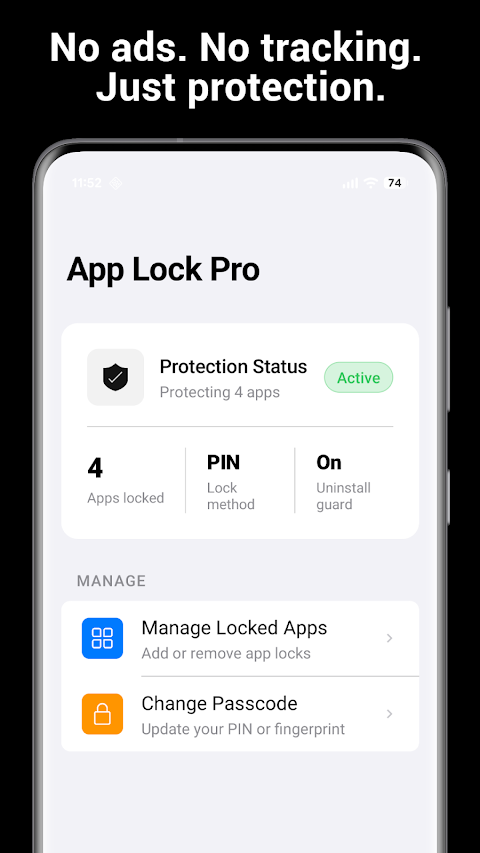
AppLock Pro is a powerful app locker designed for individuals who value their privacy. With this app, you can easily lock any application on your Android phone, including popular ones like WhatsApp, Instagram, Facebook, Gmail, and even banking apps. You can choose to lock these apps instantly using either a fingerprint sensor or a custom PIN. With AppLock Pro, you have full control over your phone and your apps.
Have you ever felt anxious about who might be looking at your phone? AppLock Pro helps you stay worry-free by providing a silent app lock for every important app on your device. There's no clutter from ads, no data leaves your device, and you don’t have to pay ongoing costs. Enjoy clean app locking that you can trust every time.
This app is perfect for anyone who shares their phone with others, like partners, family members, or coworkers. Additionally, it’s a great tool for parents who want to keep their kids away from sensitive apps. If you’ve ever handed your phone to someone only to regret it immediately, AppLock Pro can bring you peace of mind and privacy control.
Unlocking your protected apps is quick and easy. If your Android device has a fingerprint sensor, you can secure your apps using your fingerprint. AppLock Pro integrates seamlessly with Android biometrics for a smooth and private experience. If your device doesn’t support fingerprints, the PIN lock serves as a reliable backup method.
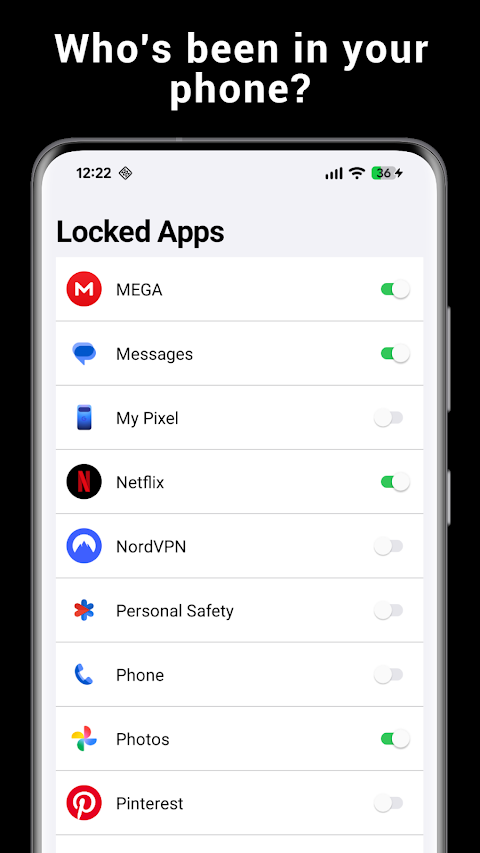
AppLock Pro works as a universal app locker, allowing you to lock any app across your device. With just a single toggle, you can lock apps like Snapchat, Telegram, and Google Photos, along with settings and other system apps. You simply tap to lock and use your fingerprint to unlock.
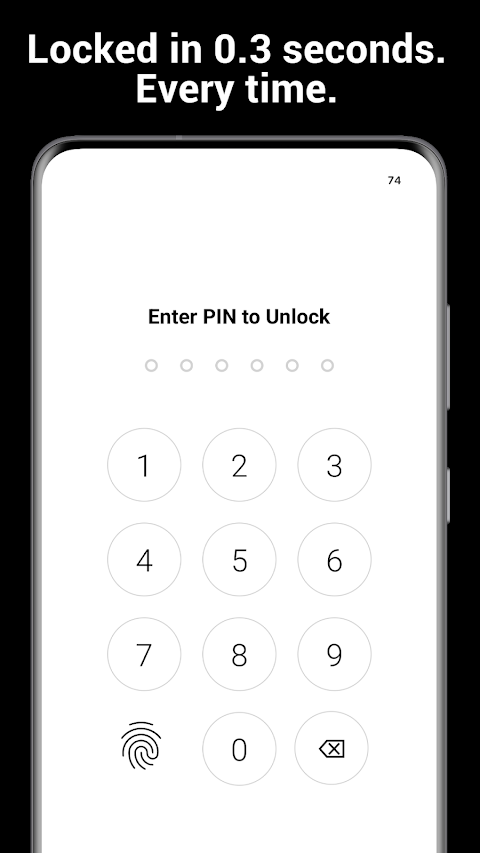
Setting up a custom PIN or password is straightforward. You can use it as your main lock or as a backup to your fingerprint. Each time you open a locked app, a PIN lock screen appears instantly, ensuring that no content is visible until your access is confirmed.
One standout feature of AppLock Pro is its uninstall protection. This feature leverages Android Device Administrator privileges to stop anyone from uninstalling or stopping the app without your PIN. You stay in complete control, ensuring your privacy protection cannot be bypassed.
What’s more, AppLock Pro operates entirely offline. This means there’s zero data collection, and your PIN, locked app list, and usage data remain securely on your device. No internet connection is needed, and you don’t have to worry about cloud syncing or accounts.
The app is also lightweight and designed to be battery efficient. It runs quietly in the background without draining your battery or slowing down your phone. With minimal system resources used, you still get real-time app locking for all your secure apps without any performance impact.
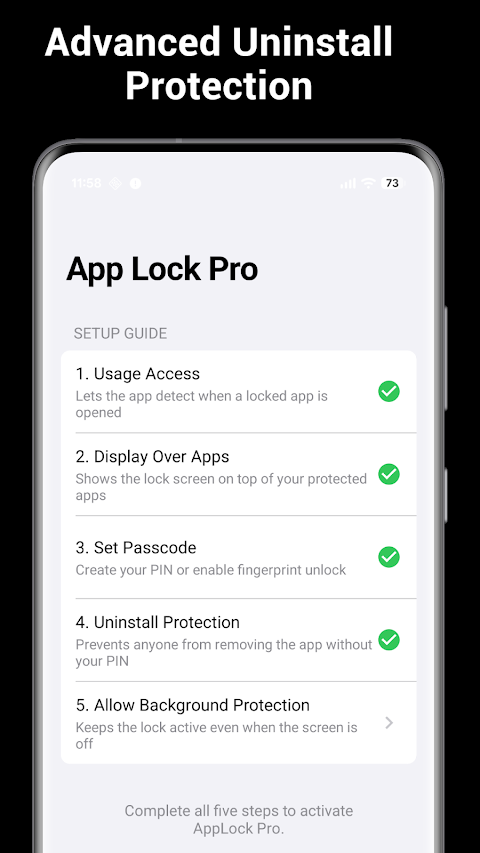
Getting started with AppLock Pro is very easy and can take less than a minute. First, install the app and open it. Then, set your PIN or enable the fingerprint lock. You will need to grant usage access permissions, required for the app to know when a locked app is opened. Enable the display over apps feature so that the lock screen overlay works. Select the apps you wish to protect with a quick toggle. For maximum security, you can also turn on uninstall protection.
Once you complete these steps, every app you chose is locked and secure.
AppLock Pro is transparent with its permissions. It requires package usage stats to know when a locked app starts so the lock screen appears as needed. The device administrator feature is only used for uninstall protection, helping prevent the app from being removed without your PIN. You can turn off this permission anytime in your device settings.
With no need for internet access, camera, microphone, location, contacts, or accounts, AppLock Pro offers straightforward and user-friendly protection for your apps. If you’re tired of apps filled with ads or subscriptions and wish for actual privacy, AppLock Pro is your ideal choice. Just one purchase ensures your privacy is yours forever.
Have you ever felt anxious about who might be looking at your phone? AppLock Pro helps you stay worry-free by providing a silent app lock for every important app on your device. There's no clutter from ads, no data leaves your device, and you don’t have to pay ongoing costs. Enjoy clean app locking that you can trust every time.
This app is perfect for anyone who shares their phone with others, like partners, family members, or coworkers. Additionally, it’s a great tool for parents who want to keep their kids away from sensitive apps. If you’ve ever handed your phone to someone only to regret it immediately, AppLock Pro can bring you peace of mind and privacy control.
Unlocking your protected apps is quick and easy. If your Android device has a fingerprint sensor, you can secure your apps using your fingerprint. AppLock Pro integrates seamlessly with Android biometrics for a smooth and private experience. If your device doesn’t support fingerprints, the PIN lock serves as a reliable backup method.
AppLock Pro works as a universal app locker, allowing you to lock any app across your device. With just a single toggle, you can lock apps like Snapchat, Telegram, and Google Photos, along with settings and other system apps. You simply tap to lock and use your fingerprint to unlock.
Setting up a custom PIN or password is straightforward. You can use it as your main lock or as a backup to your fingerprint. Each time you open a locked app, a PIN lock screen appears instantly, ensuring that no content is visible until your access is confirmed.
One standout feature of AppLock Pro is its uninstall protection. This feature leverages Android Device Administrator privileges to stop anyone from uninstalling or stopping the app without your PIN. You stay in complete control, ensuring your privacy protection cannot be bypassed.
What’s more, AppLock Pro operates entirely offline. This means there’s zero data collection, and your PIN, locked app list, and usage data remain securely on your device. No internet connection is needed, and you don’t have to worry about cloud syncing or accounts.
The app is also lightweight and designed to be battery efficient. It runs quietly in the background without draining your battery or slowing down your phone. With minimal system resources used, you still get real-time app locking for all your secure apps without any performance impact.
Getting started with AppLock Pro is very easy and can take less than a minute. First, install the app and open it. Then, set your PIN or enable the fingerprint lock. You will need to grant usage access permissions, required for the app to know when a locked app is opened. Enable the display over apps feature so that the lock screen overlay works. Select the apps you wish to protect with a quick toggle. For maximum security, you can also turn on uninstall protection.
Once you complete these steps, every app you chose is locked and secure.
AppLock Pro is transparent with its permissions. It requires package usage stats to know when a locked app starts so the lock screen appears as needed. The device administrator feature is only used for uninstall protection, helping prevent the app from being removed without your PIN. You can turn off this permission anytime in your device settings.
With no need for internet access, camera, microphone, location, contacts, or accounts, AppLock Pro offers straightforward and user-friendly protection for your apps. If you’re tired of apps filled with ads or subscriptions and wish for actual privacy, AppLock Pro is your ideal choice. Just one purchase ensures your privacy is yours forever.

Quick Volume Control
Power Mind Apps
$0.99
FREE
NFC ReTag PRO
WidgApp Mobile Solutions
$1.99
$1.00

FF Marco : PRO Settings
FF Marco
$1.09
$0.22