
$3.99
FREE
100% Off
San Fransymbols: SF Symbols
Coding Corner LLP

About the App
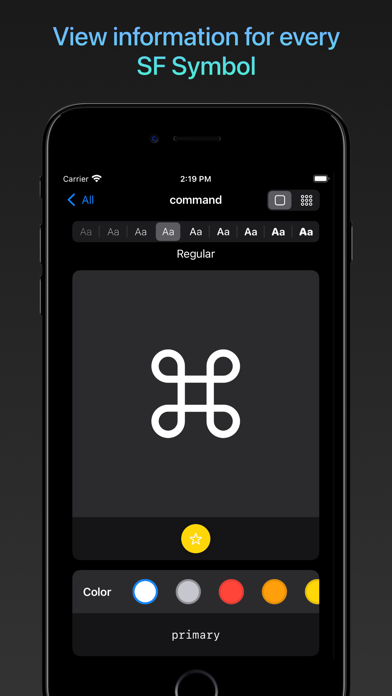
Are you looking for a simple way to find the right symbol for your iOS and Mac app? San Fransymbols is the ideal tool for you. It gives easy access to Apple’s extensive collection of over 7,000 SF Symbols, designed specifically for developers and designers.
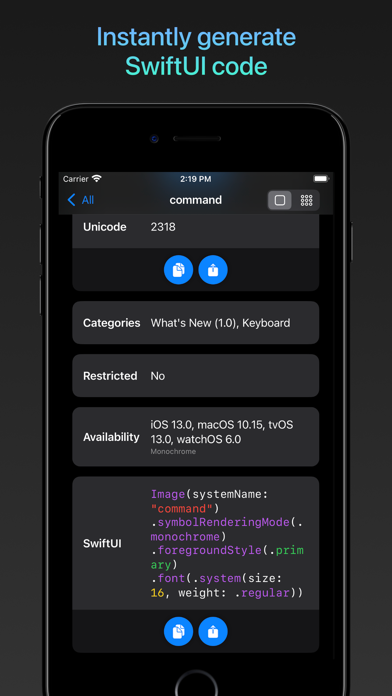
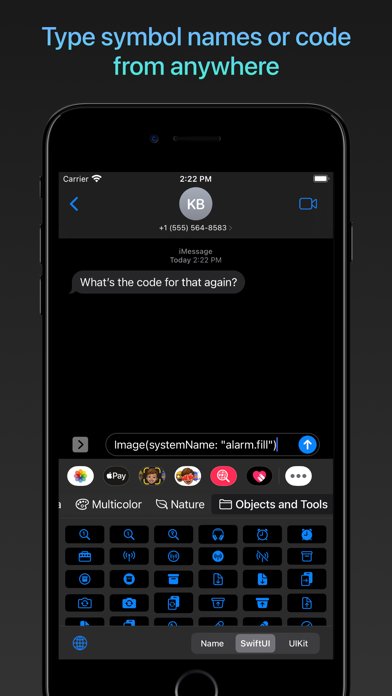
With San Fransymbols, you'll discover features that make browsing symbols enjoyable. One of these is **SwiftUI code generation**, which automatically creates code for each symbol and its weight. If you’re using UIKit, it also supports **UIKit code generation**. This means you can use the symbols effortlessly in your projects. Plus, you can easily drag and drop the generated code into other apps, such as Swift Playgrounds on your iPad.
Finding the perfect symbol is straightforward thanks to the **semantic search functionality**. For instance, if you search for "fly," San Fransymbols will show symbols like "airplane," making it much easier to find what you need. You can also use the **icon preview tool** to see how each symbol looks, ensuring it fits your project.
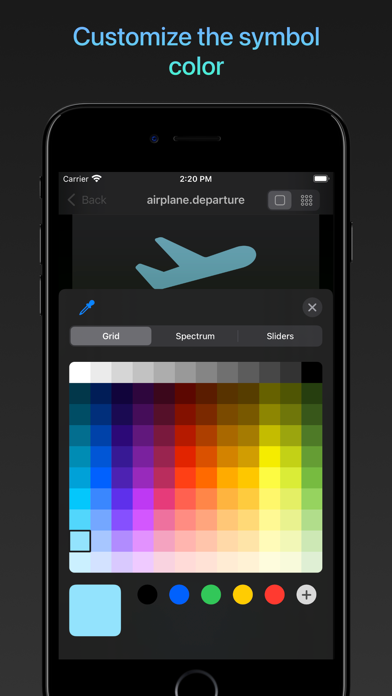
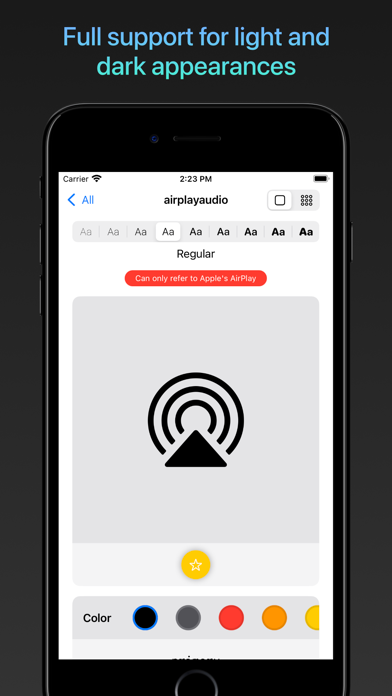
San Fransymbols allows you to preview symbols in different colors using the **color picker**. You can choose from a set of system colors or create your own. Any changes you make in color are automatically reflected in the **auto-generated Swift code**, which helps with **seamless UI prototyping**.
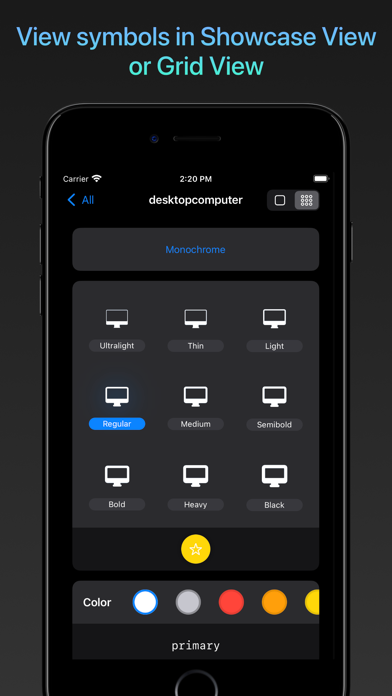
For users who want to see how a symbol performs in different weights, the app makes it easy to do a **symbol weight comparison**. Just tap on the weight you want to see. This feature is perfect when deciding if a symbol looks better in semibold or heavy.
San Fransymbols includes a **favorite symbols feature**, allowing you to tap a yellow star icon under any symbol you like. This helps you keep track of symbols that you plan to use in your projects. Additionally, you can create **custom symbol groups** to organize your selected symbols across different projects. These groups sync automatically via **iCloud synchronization**, so you can access them on any device.
On iPadOS, San Fransymbols offers full **keyboard shortcuts support** and **pointer interactions**. You can change symbol weights quickly using your keyboard or right-click to set favorite symbols. This makes navigating the app smooth and efficient.
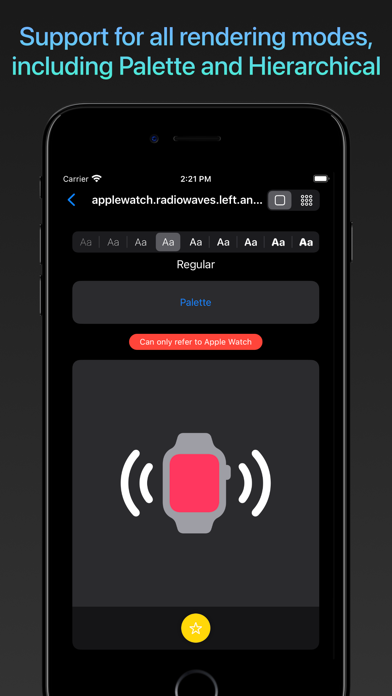
You may also want to be mindful of certain symbols that can only be used for specific Apple services. San Fransymbols clearly shows a red banner for these **restrictive symbol notifications**, ensuring you're using each symbol correctly.
San Fransymbols is perfect for both experienced developers and those just starting with **mobile app UI design**. With its thoughtful design tools, efficient symbol browsing, and comprehensive support, you’ll find it to be an excellent resource for **icon selection** and **app icon management**.
Try San Fransymbols today and experience the benefits for yourself. You'll see why it’s a vital part of your toolkit when working with SF Symbols. Whether you need efficient project symbol organization or multi-device symbol access, San Fransymbols has you covered. Explore the power of symbols with ease!
With San Fransymbols, you'll discover features that make browsing symbols enjoyable. One of these is **SwiftUI code generation**, which automatically creates code for each symbol and its weight. If you’re using UIKit, it also supports **UIKit code generation**. This means you can use the symbols effortlessly in your projects. Plus, you can easily drag and drop the generated code into other apps, such as Swift Playgrounds on your iPad.
Finding the perfect symbol is straightforward thanks to the **semantic search functionality**. For instance, if you search for "fly," San Fransymbols will show symbols like "airplane," making it much easier to find what you need. You can also use the **icon preview tool** to see how each symbol looks, ensuring it fits your project.
San Fransymbols allows you to preview symbols in different colors using the **color picker**. You can choose from a set of system colors or create your own. Any changes you make in color are automatically reflected in the **auto-generated Swift code**, which helps with **seamless UI prototyping**.
For users who want to see how a symbol performs in different weights, the app makes it easy to do a **symbol weight comparison**. Just tap on the weight you want to see. This feature is perfect when deciding if a symbol looks better in semibold or heavy.
San Fransymbols includes a **favorite symbols feature**, allowing you to tap a yellow star icon under any symbol you like. This helps you keep track of symbols that you plan to use in your projects. Additionally, you can create **custom symbol groups** to organize your selected symbols across different projects. These groups sync automatically via **iCloud synchronization**, so you can access them on any device.
On iPadOS, San Fransymbols offers full **keyboard shortcuts support** and **pointer interactions**. You can change symbol weights quickly using your keyboard or right-click to set favorite symbols. This makes navigating the app smooth and efficient.
You may also want to be mindful of certain symbols that can only be used for specific Apple services. San Fransymbols clearly shows a red banner for these **restrictive symbol notifications**, ensuring you're using each symbol correctly.
San Fransymbols is perfect for both experienced developers and those just starting with **mobile app UI design**. With its thoughtful design tools, efficient symbol browsing, and comprehensive support, you’ll find it to be an excellent resource for **icon selection** and **app icon management**.
Try San Fransymbols today and experience the benefits for yourself. You'll see why it’s a vital part of your toolkit when working with SF Symbols. Whether you need efficient project symbol organization or multi-device symbol access, San Fransymbols has you covered. Explore the power of symbols with ease!

iSocketTool
珣 张
$1.99
ShadowTerm ssh & mosh Terminal
Carlos Savcic
$9.99

Mockup Screenshot
Mert Can Kus
$0.99