
$0.69
$0.52
25% Off
Dimmer: Night Screen Overlay
Mehra Foundation

About the App
Dimmer: Night Screen Overlay helps you protect your eyes from bright screen glare during nighttime use. This app is a lightweight and useful tool designed to make night reading and screen time more comfortable.
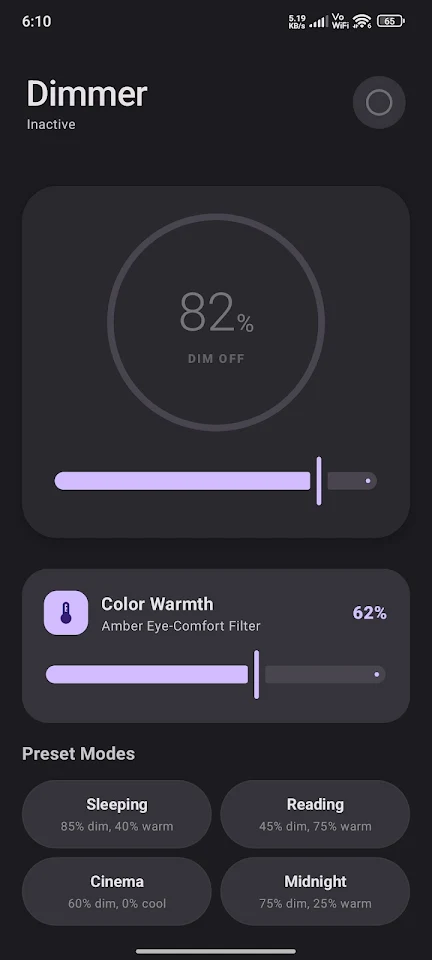
With Dimmer, you can go beyond your device's standard brightness settings. The app applies a customizable dark overlay that is translucent, allowing you to see while reducing eye strain. It also includes a warm amber color filter that helps create a sleep-friendly screen tone.
One of the main features of Dimmer is its extra dimming controls. These controls let you lower your screen's brightness level below the usual minimum, perfect for using your device in pitch-black rooms. You can also benefit from a harsh blue light filter, helping to protect your eyes during late-night use.
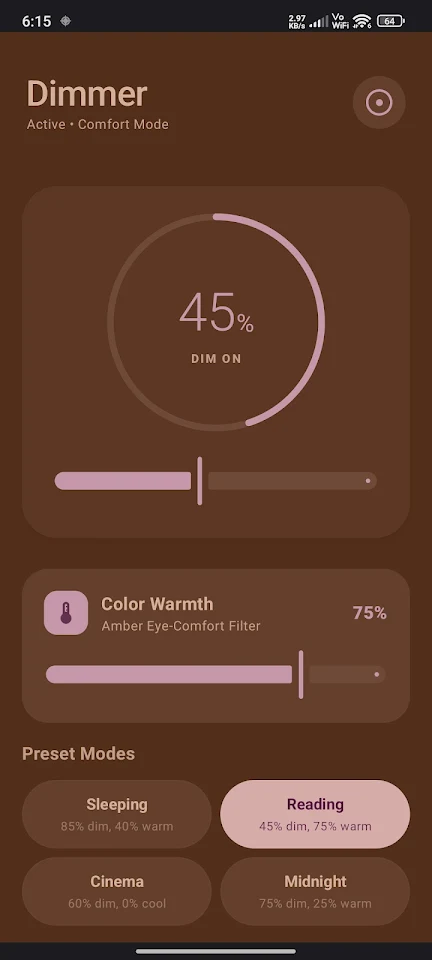
Dimmer offers several optimized modes that you can switch between with just a tap. The ultra-dim sleeping mode provides complete darkness for restful nights. If you enjoy comfortable book reading, the extra warm filter makes it easy on the eyes. For movie lovers, there's a low-glare media playback mode that enhances your viewing experience without straining your sight. You’ll also find a dim balance and tone mode that strikes a perfect mix for general use at night.
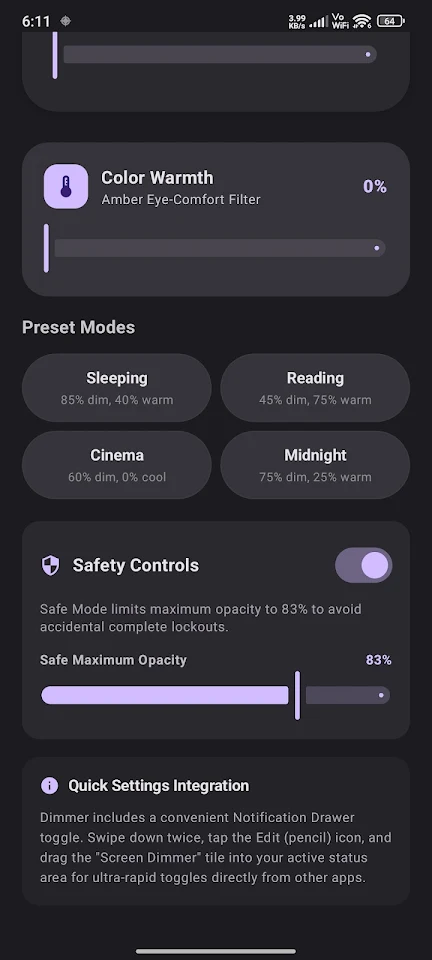
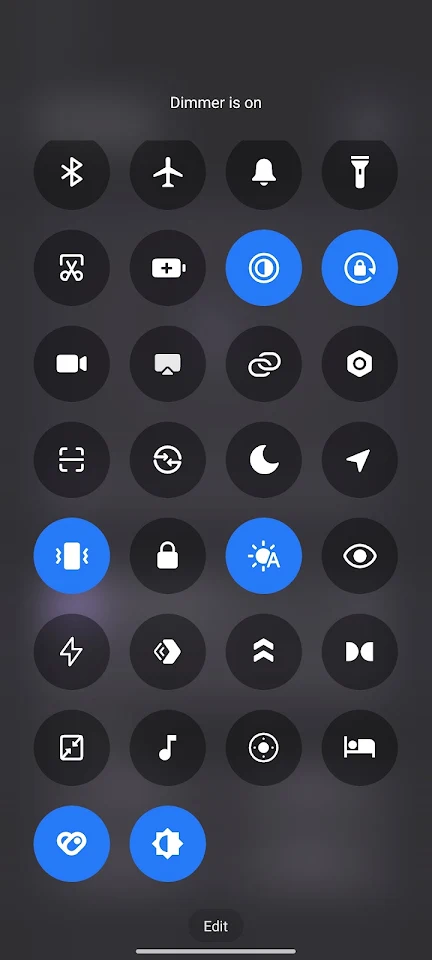
Safety is another essential aspect of Dimmer. The safety caps feature prevents you from accidentally dimming your screen to complete black. This ensures that you won’t lock yourself out of your device when using the app. Additionally, the quick settings tile gives you easy access to toggle the dimmer service directly from your Android notification drawer, so you don’t have to open the app every time.
Your privacy is a top priority with Dimmer. The app operates with no data collection, meaning it does not store or transmit any personal information. You can use it completely offline, providing a clean distraction-free experience without any advertisements.
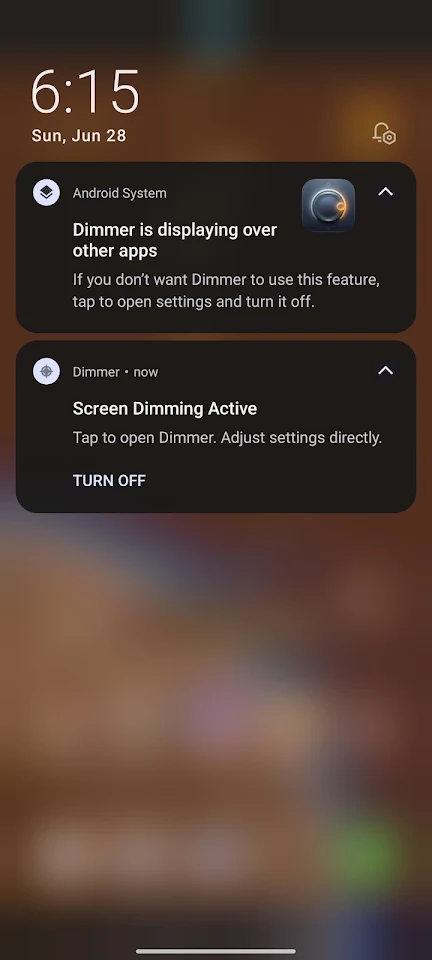
To draw the dimming filter over your screen, Dimmer needs the "Display Over Other Apps" permission. This feature is necessary to apply the overlay across all other applications. If you’re using Android 13 or higher, the app will also require permission to post notifications. This allows a persistent controller notification, enabling you to easily toggle or turn off the dimmer service whenever you want.
Dimmer is a daily utility tool aimed at reducing eye glare and improving your visual comfort. It does not serve to diagnose, cure, or prevent any medical issues, but it is a great addition for anyone looking to enhance their nighttime device use. With Dimmer: Night Screen Overlay, you can enjoy your screen time while keeping your eyes safe and comfortable.
With Dimmer, you can go beyond your device's standard brightness settings. The app applies a customizable dark overlay that is translucent, allowing you to see while reducing eye strain. It also includes a warm amber color filter that helps create a sleep-friendly screen tone.
One of the main features of Dimmer is its extra dimming controls. These controls let you lower your screen's brightness level below the usual minimum, perfect for using your device in pitch-black rooms. You can also benefit from a harsh blue light filter, helping to protect your eyes during late-night use.
Dimmer offers several optimized modes that you can switch between with just a tap. The ultra-dim sleeping mode provides complete darkness for restful nights. If you enjoy comfortable book reading, the extra warm filter makes it easy on the eyes. For movie lovers, there's a low-glare media playback mode that enhances your viewing experience without straining your sight. You’ll also find a dim balance and tone mode that strikes a perfect mix for general use at night.
Safety is another essential aspect of Dimmer. The safety caps feature prevents you from accidentally dimming your screen to complete black. This ensures that you won’t lock yourself out of your device when using the app. Additionally, the quick settings tile gives you easy access to toggle the dimmer service directly from your Android notification drawer, so you don’t have to open the app every time.
Your privacy is a top priority with Dimmer. The app operates with no data collection, meaning it does not store or transmit any personal information. You can use it completely offline, providing a clean distraction-free experience without any advertisements.
To draw the dimming filter over your screen, Dimmer needs the "Display Over Other Apps" permission. This feature is necessary to apply the overlay across all other applications. If you’re using Android 13 or higher, the app will also require permission to post notifications. This allows a persistent controller notification, enabling you to easily toggle or turn off the dimmer service whenever you want.
Dimmer is a daily utility tool aimed at reducing eye glare and improving your visual comfort. It does not serve to diagnose, cure, or prevent any medical issues, but it is a great addition for anyone looking to enhance their nighttime device use. With Dimmer: Night Screen Overlay, you can enjoy your screen time while keeping your eyes safe and comfortable.
File Manager: File Explorer
onTaps
$3.00
$1.99

Frank Harr’s Conversion App
Frank Harr: Printer's Pie
$1.44
Free

Clear Wave – Water Eject Pro
Appchi
$2.49