
$0.99
FREE
100% Off
QR Code Pro: scan, generate
Touch 4 Feel


About the App
QR Code Pro: scan, generate is a handy app that makes it easy to work with QR codes, barcodes, and NFC tags. If you've ever struggled to scan a QR code or wondered if a link is safe, this app is here to help. Just point your camera at any code or NFC tag and QR Code Pro will give you an instant and accurate read. You can even create and customize your own codes quickly and easily.
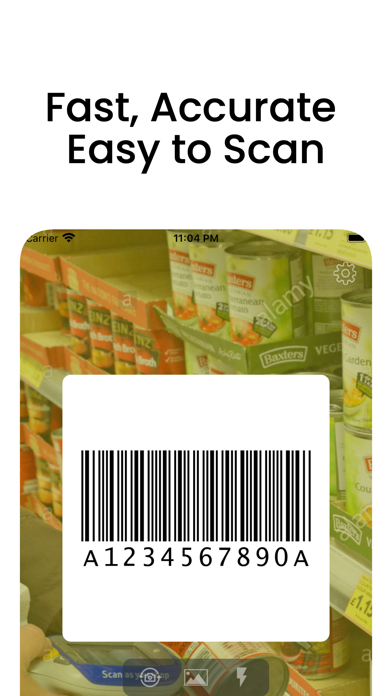
With QR Code Pro, your iPhone transforms into a fast scanner. Simply point the camera or import a photo, and the app recognizes 13 formats in seconds. This includes QR code scanning, Data Matrix codes, Code 128, Code 39, Code 93, EAN-13 format, EAN-8 format, ITF-14 codes, PDF417 format, and UPC-E codes. The ultra-wide camera support ensures you can scan large codes or those that are hard to reach. Plus, the batch scanning feature allows you to capture several codes in one go without stopping for each scan.
One of the best parts about QR Code Pro is its emphasis on safety. The app offers link safety checks before you open a scanned link. It checks for disguised domains, link shorteners, unsecured HTTP connections, and any suspicious link flags, helping you feel confident before tapping through.
The NFC tag reading capability allows you to read compatible NFC tags right from your iPhone. This includes multi-record NFC tags, ensuring every record is displayed fully.
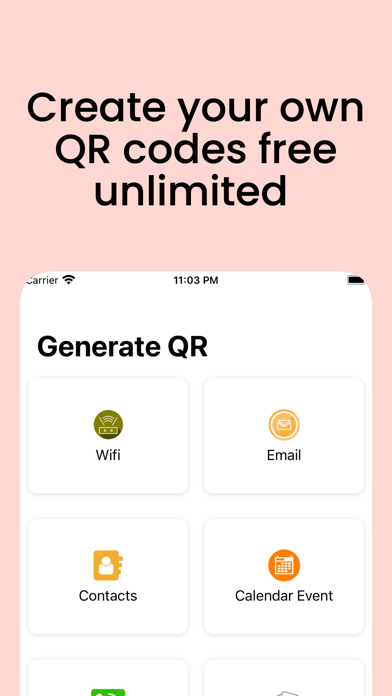
Creating custom QR codes is also simple and straightforward. You can build codes for various purposes like a website, Wi-Fi network, contact information, phone numbers, email addresses, SMS texts, locations, or calendar events. Personalize your codes with custom color QR codes, eye shape customization, pupil styles, and even add your logo for a professional touch—ideal for business cards, menus, classrooms, or events.
Printing QR codes is another useful feature. You can print directly from your iPhone using adjustable layouts. Additionally, you can easily share your codes digitally for packaging, flyers, posters, and product labels.
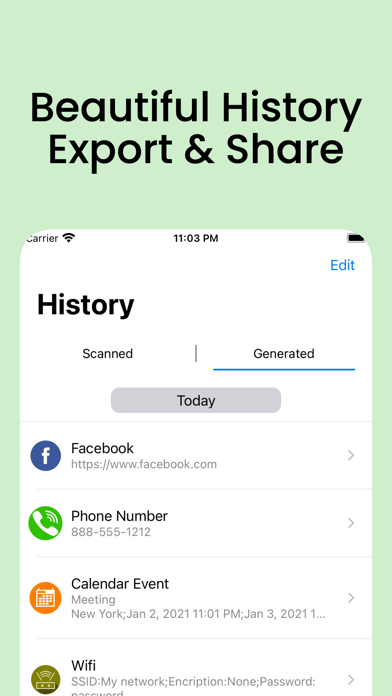
Staying organized is a breeze with QR Code Pro. It offers unlimited scan history, so you can easily access your past scans. The Favorites feature helps you keep track of the codes you use most often. With iCloud sync, you can carry your scan history and created codes across all your Apple devices. You can also choose which tab—Scan, Create, or History—opens first when you launch the app.
QR Code Pro is a one-time purchase app. You get every feature without needing to buy subscriptions or dealing with in-app purchases or ads. Every feature mentioned is available as soon as you install it. You can scan QR and barcode formats, enjoy batch scanning, use the app for link safety checks, read NFC tags including multi-record ones, create and customize QR codes with your logo, print directly, and benefit from unlimited scan history and iCloud sync—all with no ads policy.
People commonly use QR Code Pro to check restaurant menus, verify delivery codes, or build codes for things like Wi-Fi passwords or business cards. It's also great for confirming whether a link is safe before opening it.
With QR Code Pro, you have a robust tool that does it all—scanning, creating, and organizing, making your life just a little easier.
With QR Code Pro, your iPhone transforms into a fast scanner. Simply point the camera or import a photo, and the app recognizes 13 formats in seconds. This includes QR code scanning, Data Matrix codes, Code 128, Code 39, Code 93, EAN-13 format, EAN-8 format, ITF-14 codes, PDF417 format, and UPC-E codes. The ultra-wide camera support ensures you can scan large codes or those that are hard to reach. Plus, the batch scanning feature allows you to capture several codes in one go without stopping for each scan.
One of the best parts about QR Code Pro is its emphasis on safety. The app offers link safety checks before you open a scanned link. It checks for disguised domains, link shorteners, unsecured HTTP connections, and any suspicious link flags, helping you feel confident before tapping through.
The NFC tag reading capability allows you to read compatible NFC tags right from your iPhone. This includes multi-record NFC tags, ensuring every record is displayed fully.
Creating custom QR codes is also simple and straightforward. You can build codes for various purposes like a website, Wi-Fi network, contact information, phone numbers, email addresses, SMS texts, locations, or calendar events. Personalize your codes with custom color QR codes, eye shape customization, pupil styles, and even add your logo for a professional touch—ideal for business cards, menus, classrooms, or events.
Printing QR codes is another useful feature. You can print directly from your iPhone using adjustable layouts. Additionally, you can easily share your codes digitally for packaging, flyers, posters, and product labels.
Staying organized is a breeze with QR Code Pro. It offers unlimited scan history, so you can easily access your past scans. The Favorites feature helps you keep track of the codes you use most often. With iCloud sync, you can carry your scan history and created codes across all your Apple devices. You can also choose which tab—Scan, Create, or History—opens first when you launch the app.
QR Code Pro is a one-time purchase app. You get every feature without needing to buy subscriptions or dealing with in-app purchases or ads. Every feature mentioned is available as soon as you install it. You can scan QR and barcode formats, enjoy batch scanning, use the app for link safety checks, read NFC tags including multi-record ones, create and customize QR codes with your logo, print directly, and benefit from unlimited scan history and iCloud sync—all with no ads policy.
People commonly use QR Code Pro to check restaurant menus, verify delivery codes, or build codes for things like Wi-Fi passwords or business cards. It's also great for confirming whether a link is safe before opening it.
With QR Code Pro, you have a robust tool that does it all—scanning, creating, and organizing, making your life just a little easier.

Santa’s Bag App
Clay Pot Software LLC
$2.99
Free
CompareMe Price Comparison
codedifferent
$2.99

Paid app sales & Promocodes
Yogesh Dama
$0.99
$0.20