
$0.99
$0.50
49% Off
KTdhL
KocaTurk Watch Faces


About the App
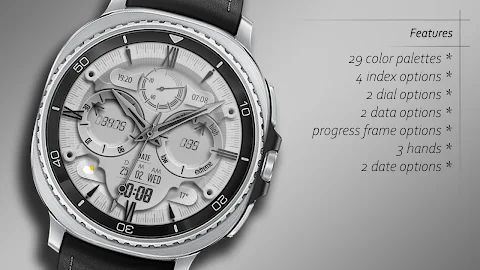
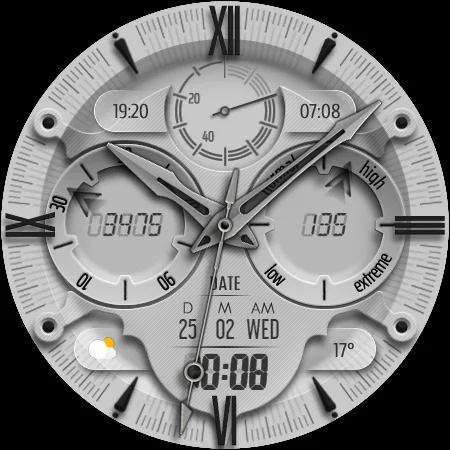
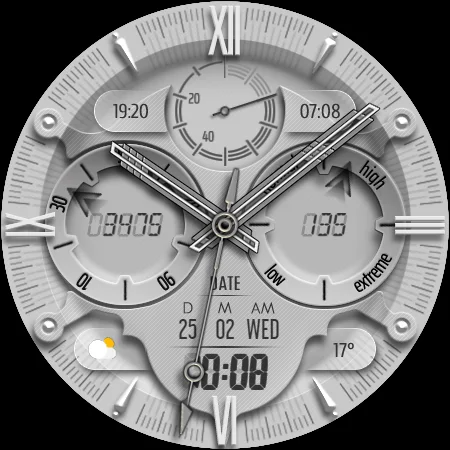
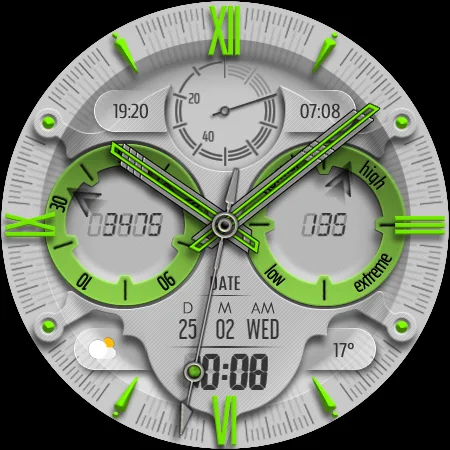
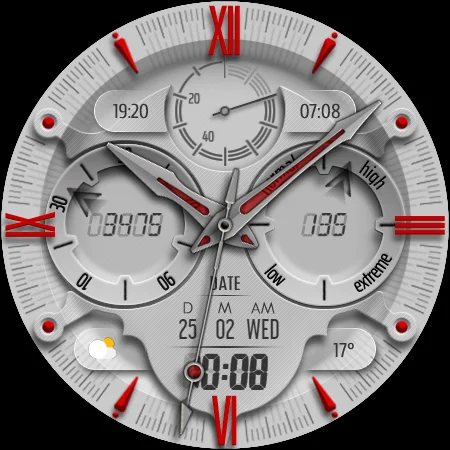
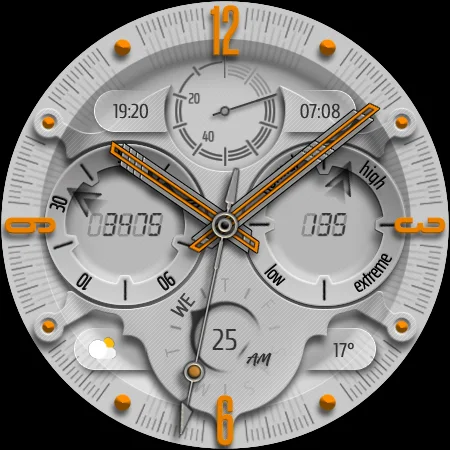
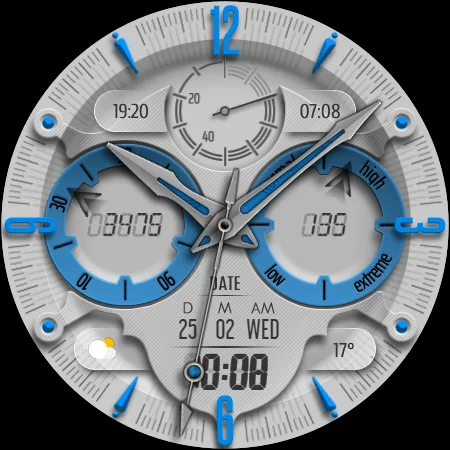
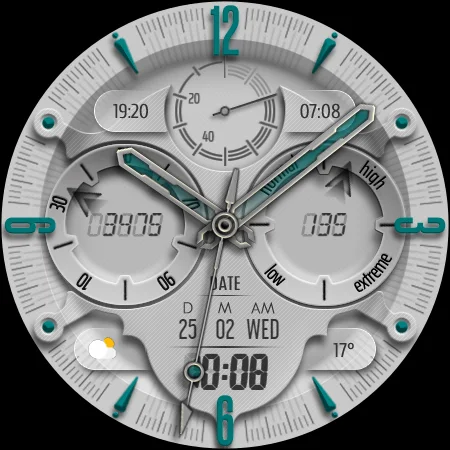
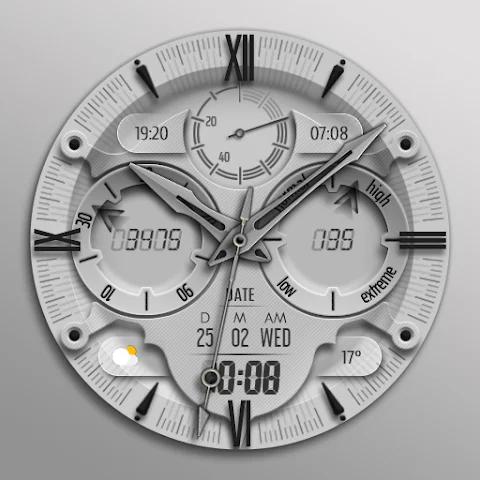
KTdhL is a hybrid watch face designed for Wear OS devices. It offers a variety of features to help you keep track of your daily activities. This app displays important information, including time in both 12 and 24-hour formats, the date, battery progress, and your current heart rate, along with heart rate zones and your daily step count.
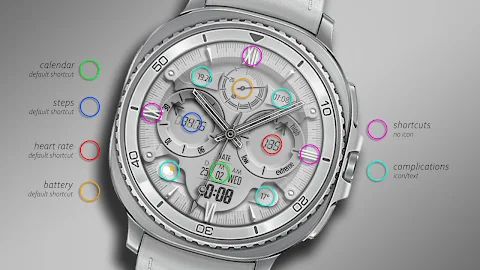
One of the great things about KTdhL is its preset shortcuts. You have easy access to important functions like battery status, your calendar, step tracking, and heart rate monitoring. For added convenience, this app also includes shortcut complications, allowing you to view information at a glance.
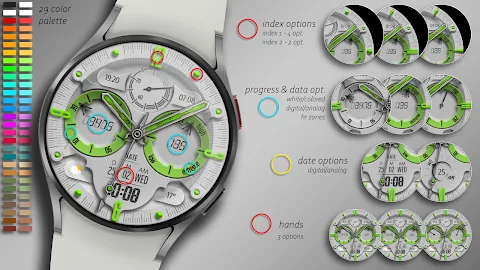
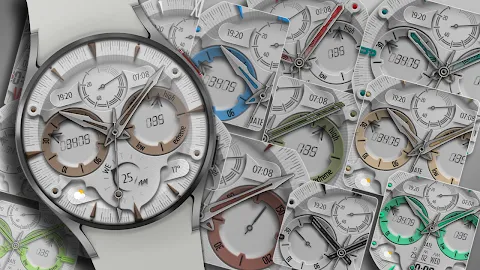
Customization options are a significant feature of KTdhL. You can choose from 29 vibrant color palettes to make your watch face unique. There are also index options to display numbers, Roman numerals, round marks, or pointed designs. Additionally, you can select between two dial styles—round or pointed—and set your data display to either digital or analog formats. The progress frame styles can be colored or white, and you can personalize with three hands and two date display options, combining digital and analog formats.
While customizing your KTdhL watch face, it's essential to note that you may experience some delays or glitches through the wearable app. To make personalization settings directly on your watch, simply press and hold the center of the screen. From there, tap the Customize button, and then swipe left or right to navigate through the elements you can change. By swiping up or down, you can easily alter colors or select different options.
Please be aware that square watch models are currently not supported by KTdhL, and some features may not be available across all devices.
When it comes to installing the app, you'll want to follow these instructions carefully. First, click the arrow next to the Buy button and ensure that your watch is selected from the drop-down menu. Once the download finishes, if you didn't select your watch during installation, a companion app will be installed on your phone. Open this app and tap on the image displayed; this will lead you to the Play Store download screen on your watch. You can check if the download has begun.
After the download is complete, return to the home screen of your watch. Long-press the screen, and you'll see the watch face selection screen. Click on the "add" option on the far right, and find the watch face you purchased to activate it.
Don't worry if you find yourself caught in a payment loop during installation. Only one payment will be processed, even if you're prompted for a second. If this happens, wait five minutes or restart your watch and try again, as there could be a synchronization issue between your device and Google servers.
Please keep in mind that any difficulties you encounter are not related to the developer's control, as they do not have influence over the Play Store functionalities.
Thank you for choosing KTdhL! For discounts and promotions, follow us on our social media channels. You can find us on Facebook, Instagram, and Telegram. Your support is greatly appreciated!
One of the great things about KTdhL is its preset shortcuts. You have easy access to important functions like battery status, your calendar, step tracking, and heart rate monitoring. For added convenience, this app also includes shortcut complications, allowing you to view information at a glance.
Customization options are a significant feature of KTdhL. You can choose from 29 vibrant color palettes to make your watch face unique. There are also index options to display numbers, Roman numerals, round marks, or pointed designs. Additionally, you can select between two dial styles—round or pointed—and set your data display to either digital or analog formats. The progress frame styles can be colored or white, and you can personalize with three hands and two date display options, combining digital and analog formats.
While customizing your KTdhL watch face, it's essential to note that you may experience some delays or glitches through the wearable app. To make personalization settings directly on your watch, simply press and hold the center of the screen. From there, tap the Customize button, and then swipe left or right to navigate through the elements you can change. By swiping up or down, you can easily alter colors or select different options.
Please be aware that square watch models are currently not supported by KTdhL, and some features may not be available across all devices.
When it comes to installing the app, you'll want to follow these instructions carefully. First, click the arrow next to the Buy button and ensure that your watch is selected from the drop-down menu. Once the download finishes, if you didn't select your watch during installation, a companion app will be installed on your phone. Open this app and tap on the image displayed; this will lead you to the Play Store download screen on your watch. You can check if the download has begun.
After the download is complete, return to the home screen of your watch. Long-press the screen, and you'll see the watch face selection screen. Click on the "add" option on the far right, and find the watch face you purchased to activate it.
Don't worry if you find yourself caught in a payment loop during installation. Only one payment will be processed, even if you're prompted for a second. If this happens, wait five minutes or restart your watch and try again, as there could be a synchronization issue between your device and Google servers.
Please keep in mind that any difficulties you encounter are not related to the developer's control, as they do not have influence over the Play Store functionalities.
Thank you for choosing KTdhL! For discounts and promotions, follow us on our social media channels. You can find us on Facebook, Instagram, and Telegram. Your support is greatly appreciated!
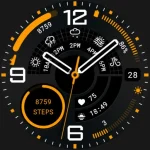
Galaxy 9 Watch Face 173
Lihtnes Watch Faces
$2.89
$0.58
DADAM99: Classic Analog Watch
DADAM Watch Faces
$0.99
$0.50
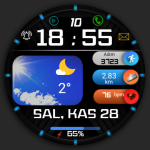
FSW248 digital Watchface
FS Watch face
$1.49
$0.75