

$2.49
$1.25
50% Off
Caelus Black: linear icon pack
One4Studio



About the App
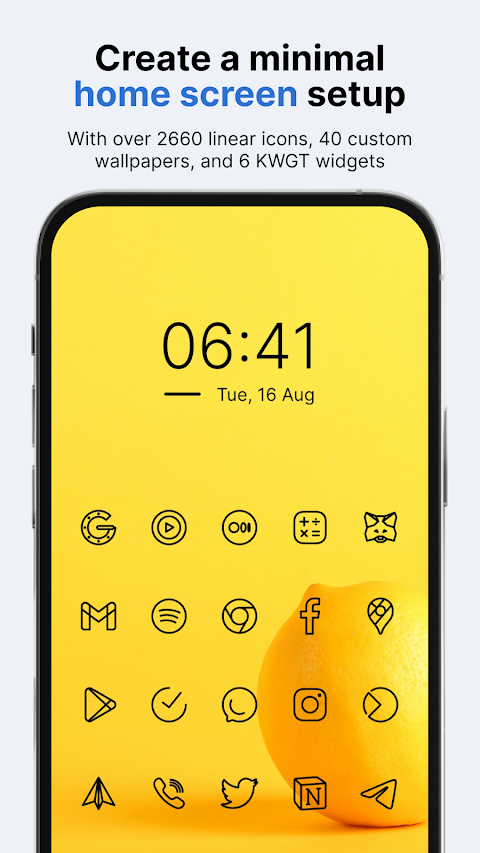
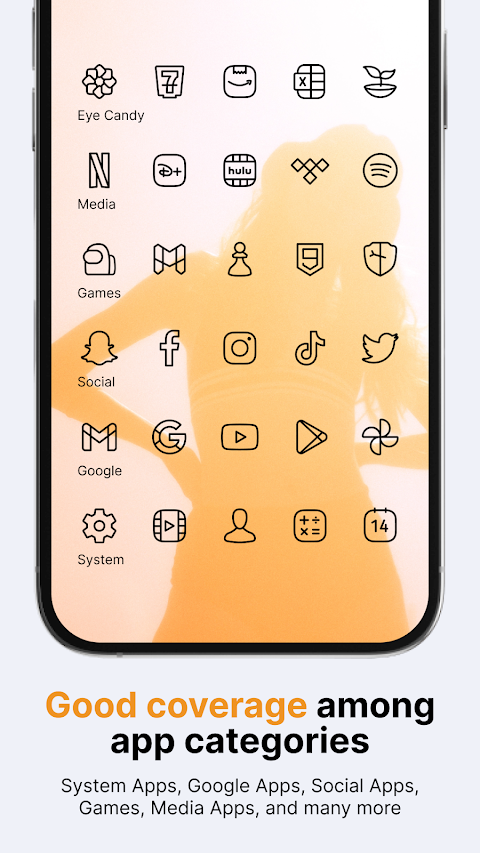
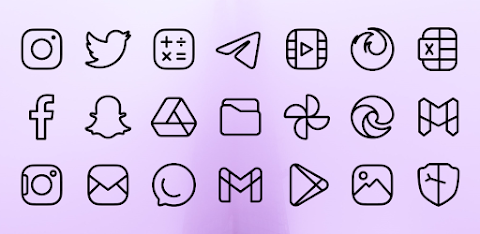
Caelus Black is a striking icon pack featuring a set of custom black linear icons designed to enhance your homescreen and app drawer. You can easily apply these icons on almost any custom launcher, including popular options like Nova launcher, Lawnchair launcher, and Niagara launcher. The pack also supports default launchers such as Samsung OneUI launcher, OnePlus launcher, Oppo Color OS, and Nothing launcher.
Using a custom icon pack like Caelus Black can greatly improve the appearance of your device. Unified icons create a cleaner, more attractive look for your homescreen and app drawer. Since many of us spend hours on our phones each day, a visually appealing layout can make your experience more enjoyable.
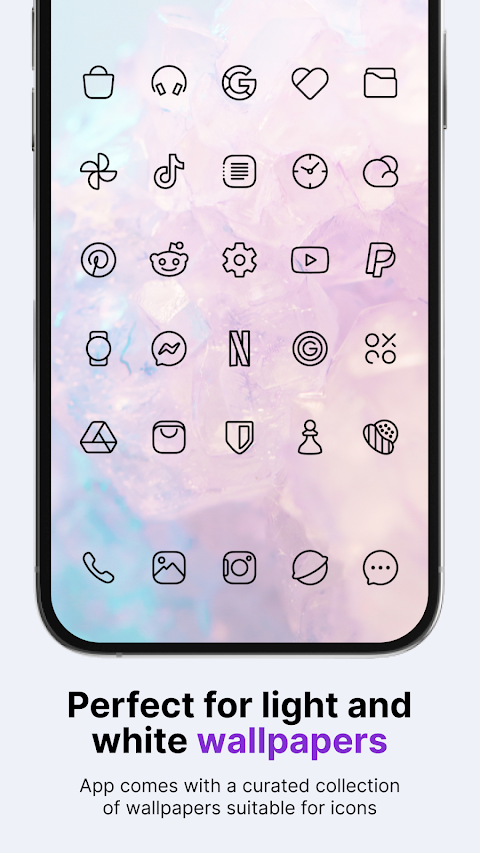
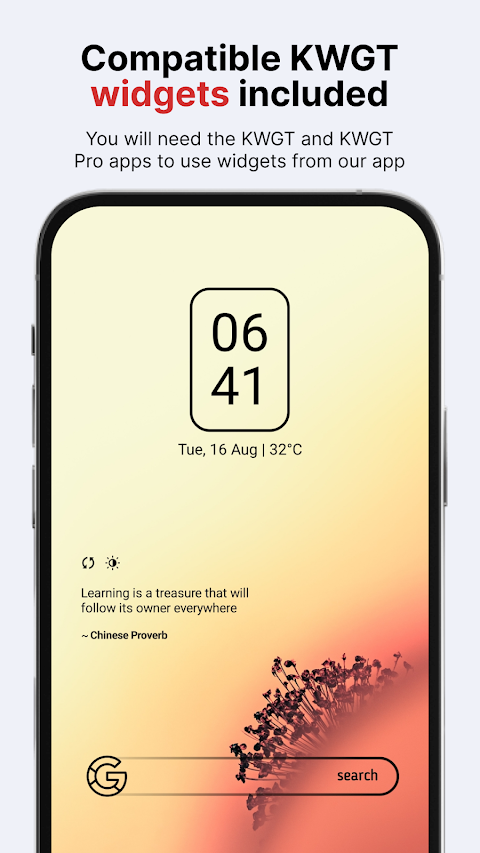
With the Caelus Black icon pack, you get a substantial collection of 4015 icons, 40 custom wallpapers, and 6 KWGT widgets. This means you have everything you need to personalize your phone just the way you like it. The icons in Caelus Black are designed in a linear style and are perfectly black, making them an excellent match for light wallpaper. Each icon is crafted on a 24x24 px grid with a 1 px line thickness, ensuring a consistent and visually pleasing design. To use the KWGT widgets, you will need the KWGT and KWGT Pro apps.
You might wonder what happens if you’re not satisfied with the icons or if you find many of your installed apps lacking themes. No need to worry! Caelus Black offers a 100% refund within the first 24 hours of your purchase, no questions asked. Additionally, the pack is updated every two weeks, which means more icons for your favorite apps will be available soon. If you want to request specific icons right away, the premium icon requests feature lets you submit your suggestions. These will be considered for addition in the next update.
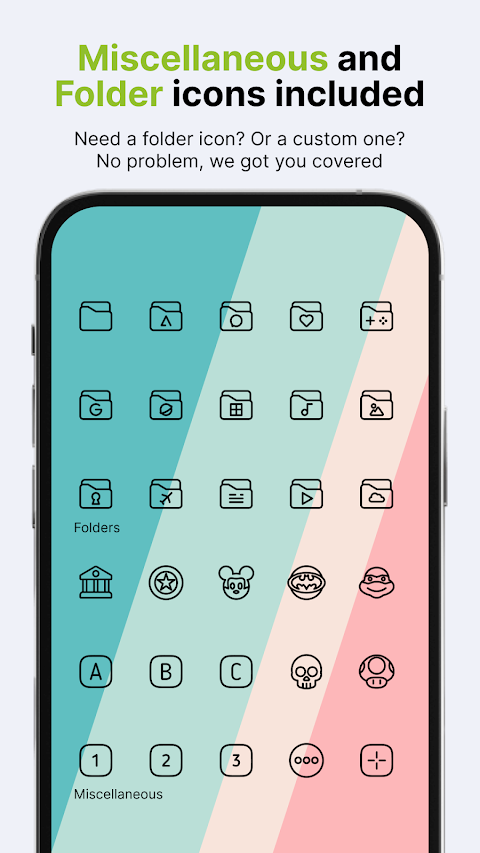
Some notable features of Caelus Black include icons with a resolution of 256 x 256 px, making them perfect for light wallpapers and themes. The pack includes 30 wallpapers to choose from, alternate icons for many popular apps, and a dynamic calendar icon. There’s also support for icon masking for unthemed icons, as well as options for manually applying folders icons and miscellaneous icons.
Submitting an icon request for the Caelus Black icon pack is simple. Just open the app and click on the Request card. You can select the icons you want themed and send your requests with the Floating Send button. A share screen will appear, prompting you to choose Gmail to send your request. Be cautious not to alter the generated zip file or change the subject and text in your email, as doing so may make your request invalid.
Caelus Black supports a wide range of launchers, including Action launcher, ADW Launcher, ADW ex Launcher, Apex Launcher, Go Launcher, Google Now Launcher, Holo Launcher, Holo ICS Launcher, and many more. Other launchers can apply the Caelus Black icons through your launcher settings.
Stay tuned for more information on how to use icon packs properly, as we will soon have a new website with helpful tips.
If you have any questions or special requests, feel free to reach out to us via email or message. We are here to assist you!
Using a custom icon pack like Caelus Black can greatly improve the appearance of your device. Unified icons create a cleaner, more attractive look for your homescreen and app drawer. Since many of us spend hours on our phones each day, a visually appealing layout can make your experience more enjoyable.
With the Caelus Black icon pack, you get a substantial collection of 4015 icons, 40 custom wallpapers, and 6 KWGT widgets. This means you have everything you need to personalize your phone just the way you like it. The icons in Caelus Black are designed in a linear style and are perfectly black, making them an excellent match for light wallpaper. Each icon is crafted on a 24x24 px grid with a 1 px line thickness, ensuring a consistent and visually pleasing design. To use the KWGT widgets, you will need the KWGT and KWGT Pro apps.
You might wonder what happens if you’re not satisfied with the icons or if you find many of your installed apps lacking themes. No need to worry! Caelus Black offers a 100% refund within the first 24 hours of your purchase, no questions asked. Additionally, the pack is updated every two weeks, which means more icons for your favorite apps will be available soon. If you want to request specific icons right away, the premium icon requests feature lets you submit your suggestions. These will be considered for addition in the next update.
Some notable features of Caelus Black include icons with a resolution of 256 x 256 px, making them perfect for light wallpapers and themes. The pack includes 30 wallpapers to choose from, alternate icons for many popular apps, and a dynamic calendar icon. There’s also support for icon masking for unthemed icons, as well as options for manually applying folders icons and miscellaneous icons.
Submitting an icon request for the Caelus Black icon pack is simple. Just open the app and click on the Request card. You can select the icons you want themed and send your requests with the Floating Send button. A share screen will appear, prompting you to choose Gmail to send your request. Be cautious not to alter the generated zip file or change the subject and text in your email, as doing so may make your request invalid.
Caelus Black supports a wide range of launchers, including Action launcher, ADW Launcher, ADW ex Launcher, Apex Launcher, Go Launcher, Google Now Launcher, Holo Launcher, Holo ICS Launcher, and many more. Other launchers can apply the Caelus Black icons through your launcher settings.
Stay tuned for more information on how to use icon packs properly, as we will soon have a new website with helpful tips.
If you have any questions or special requests, feel free to reach out to us via email or message. We are here to assist you!
Oxigen Square – Icon Pack
Cris87
$1.89
$0.39

Halloween – Icon Pack
Panoto Gomo
$0.99
$0.49

DADAM89: Minimal Watch Face
DADAM Watch Faces
$1.89
$0.99