
$4.99
$2.50
50% Off
Lucid Launcher 2
Lucid Dev Team



About the App
Lucid Launcher 2 offers a fresh experience for your Android device, especially for those who loved Lucid Launcher Pro. If you bought the original version before June 16th, you can get Lucid Launcher 2 for free. Just send an email to lucidlauncher@gmail.com with your purchase details to receive a promo code.
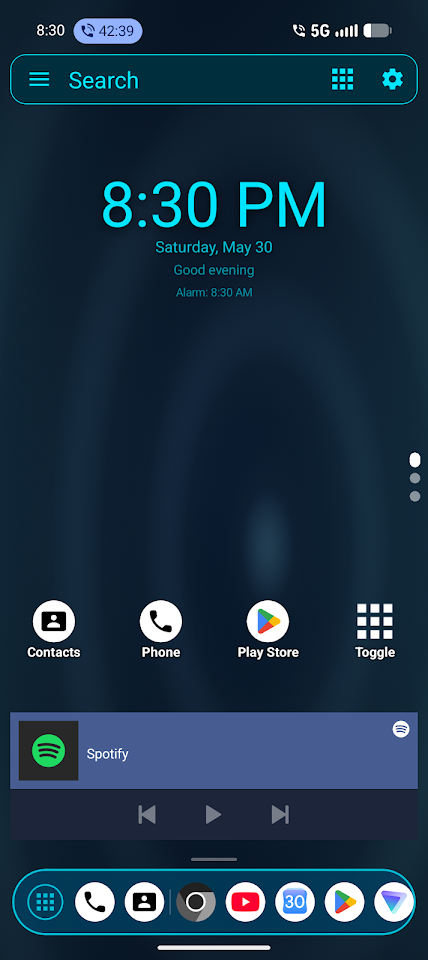
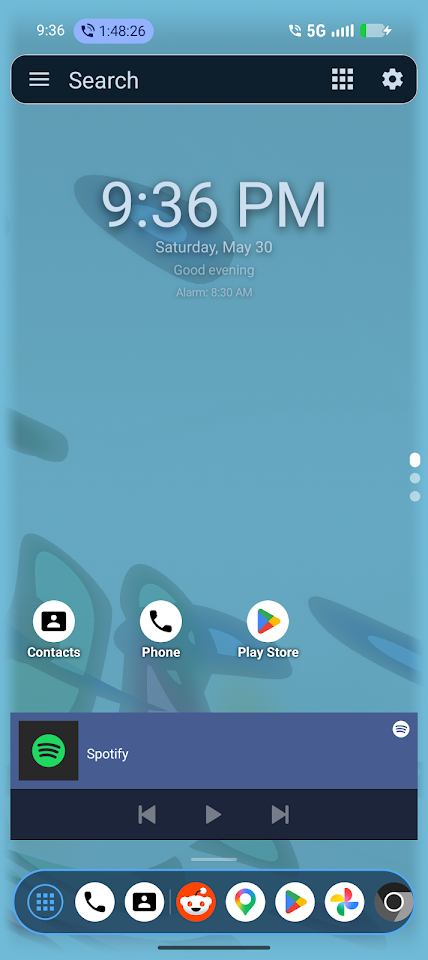
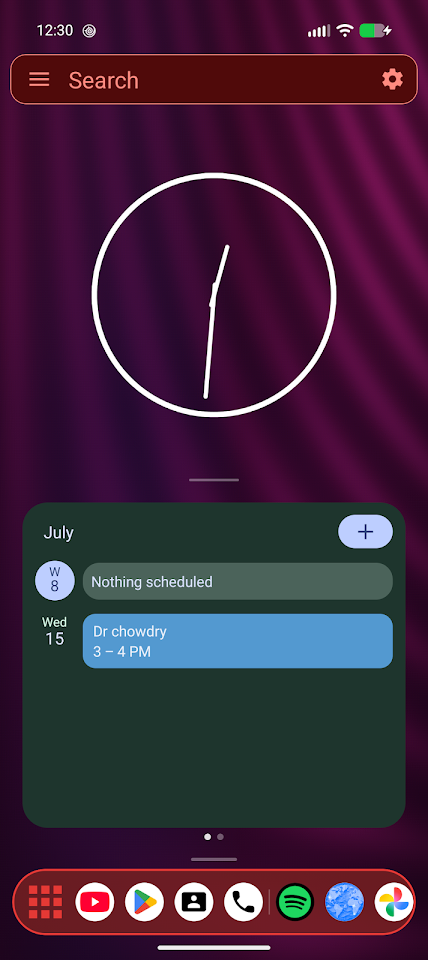
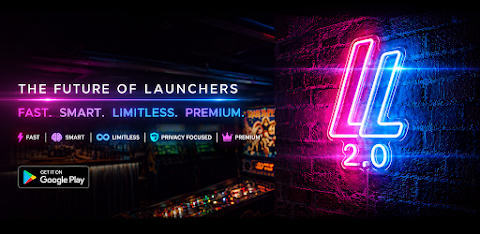
This new version introduces exciting ideas that enhance your home screen experience. Lucid Launcher 2 is an **Android home screen launcher** designed for speed and complete personalization. It is lightweight and provides fast performance, meaning you won’t be slowed down by unnecessary features or ads.
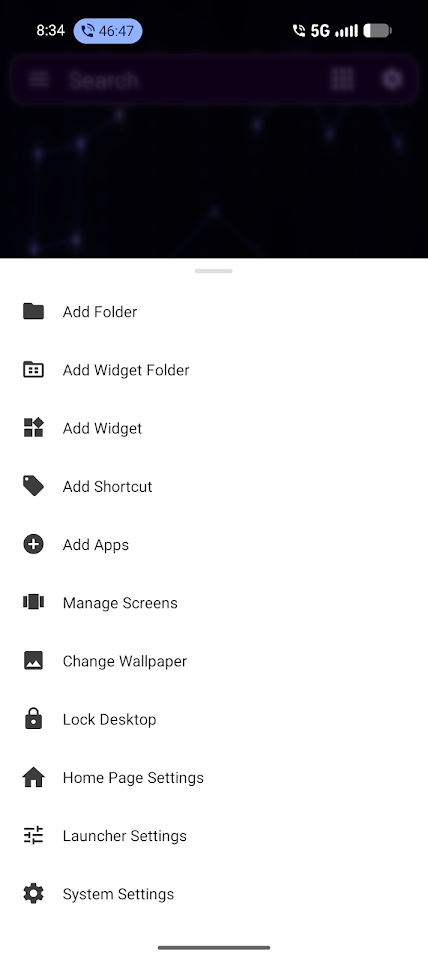
One of the standout features of Lucid Launcher 2 is its **multi-page home screen**. You can create unlimited pages for your home screens, app drawer, and widget pages with just a swipe. Each page can have its own layout with both portrait and landscape options. You can customize the grid layout, choosing anywhere from 2 to 20 columns and rows, making it easy to organize everything exactly how you want.
The **customizable taskbar** serves as a **floating dock for apps**, allowing you to access your recent or favorite apps quickly. This taskbar is scrollable and collapsible, providing a tidy look that you can modify to fit your needs.
With the sidebar feature, you can swipe from the left edge of the screen for quick access to your favorite items. Everything in this sidebar can be customized, so you have all your important apps right where you want them.
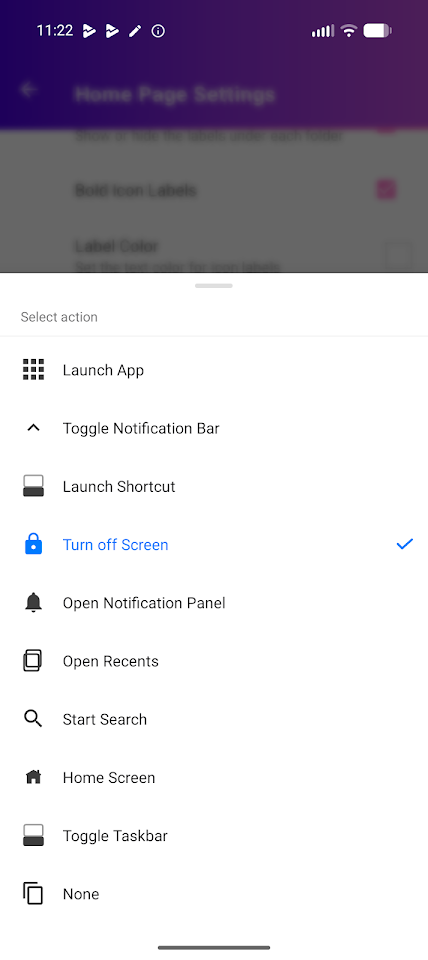
Lucid Launcher 2 also supports **swipe gestures** and **icon gestures functionality**, allowing you to assign actions to different gestures on the home screen. You can open quick settings, lock the screen, or toggle the sidebar simply by swiping or double-tapping.
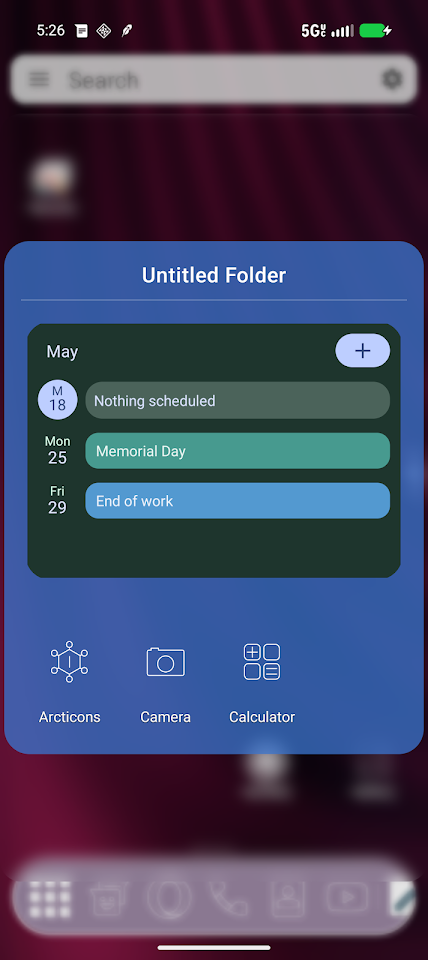
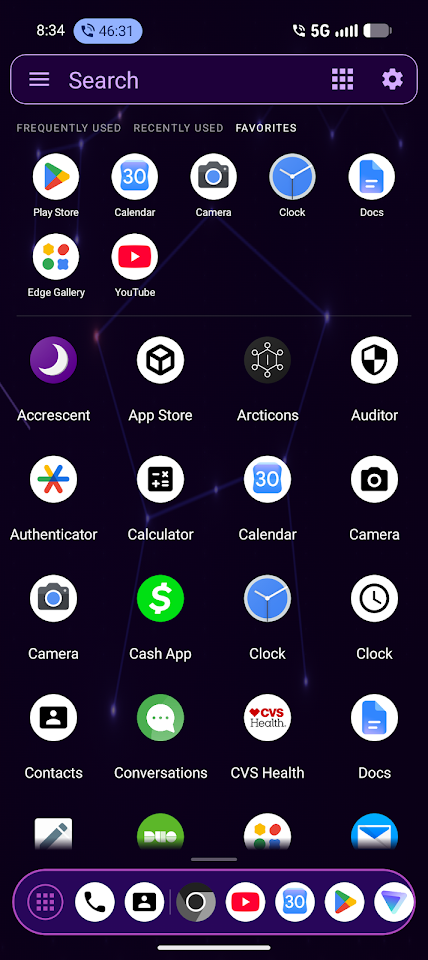
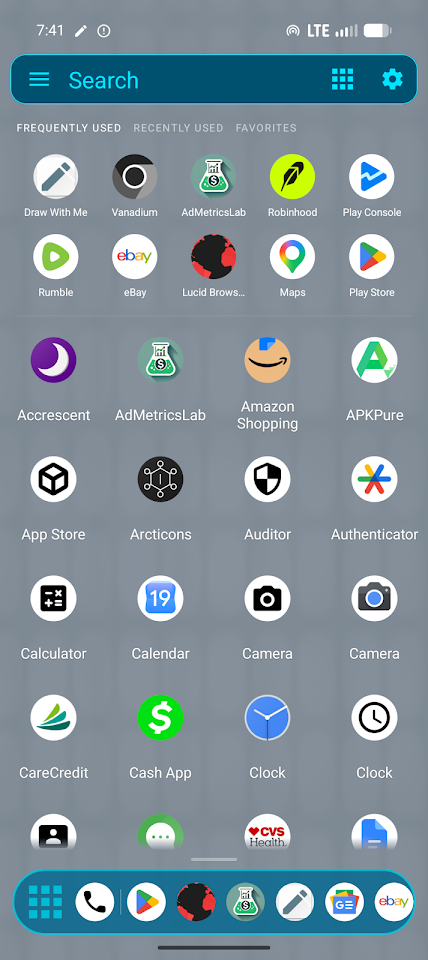
Managing your apps is straightforward with an app drawer that includes sorting options. You can sort apps by name, most used, or recently used, making navigation very efficient. You also have the option to create **folders for app organization**, which helps keep your apps tidy. Additionally, **widget folders support** lets you organize widgets neatly on your home screen.
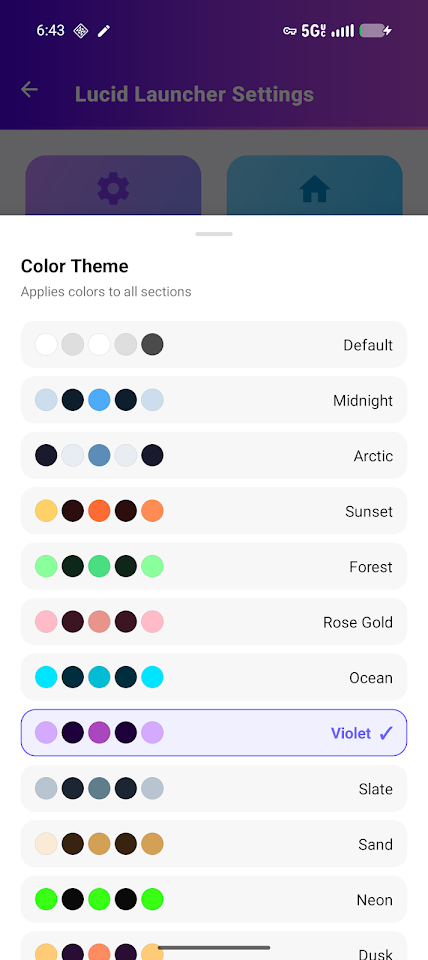
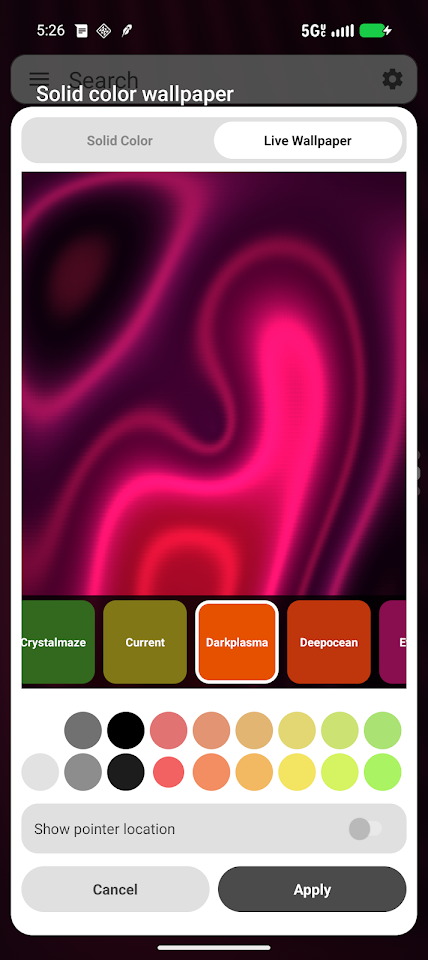
For personalization, Lucid Launcher 2 features a **live wallpaper engine**, which allows you to use vibrant wallpapers. You can also take advantage of third-party icon packs, giving you more choices for how your icons appear on your screen. The launcher supports both dark and light themes, and you can customize the colors of icons, backgrounds, and labels to suit your style.
Enjoy beautiful **page transition animations** that can bring a dynamic feel as you move between different screens. Plus, you’ll find **notification badges for apps**, which can be enabled to show you unread counts directly on app icons.
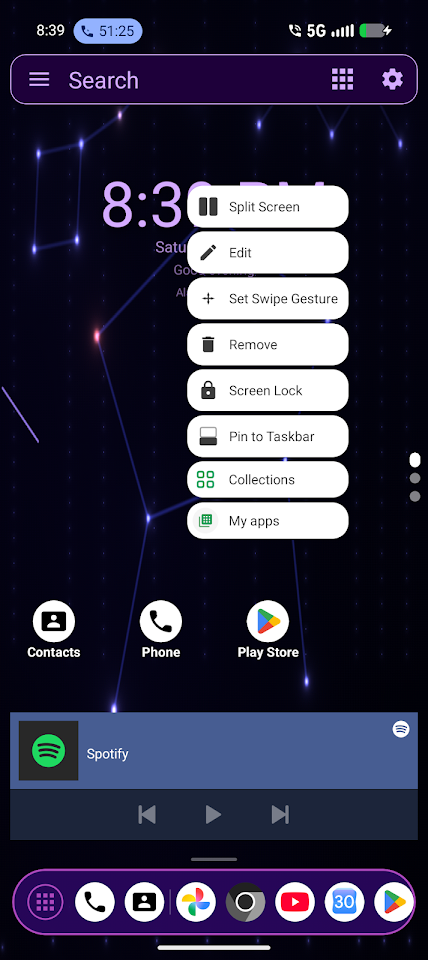
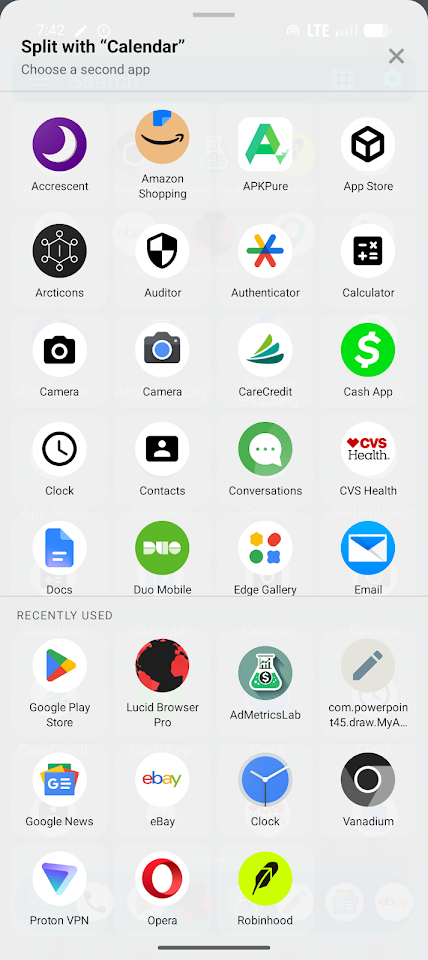
If you often use multiple apps, you’ll appreciate the **split screen functionality**, which lets you run two apps at the same time. You can easily launch any app into split-screen mode directly from the app drawer or home screen.
Security is also a priority with the **screen lock feature**, allowing you to lock apps or folders, keeping your private information safe. For peace of mind, there are **backup and restore options** that enable you to export and import your launcher setup. You can save your settings as a zip file and restore them from internal storage whenever you need.
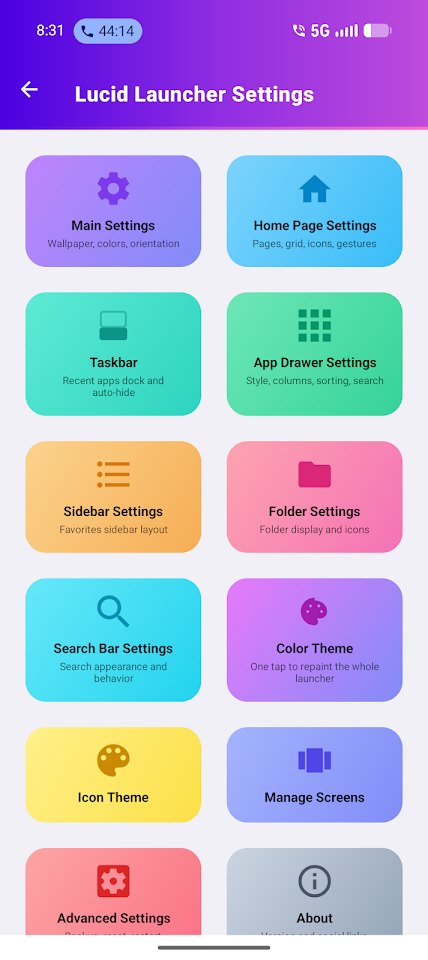
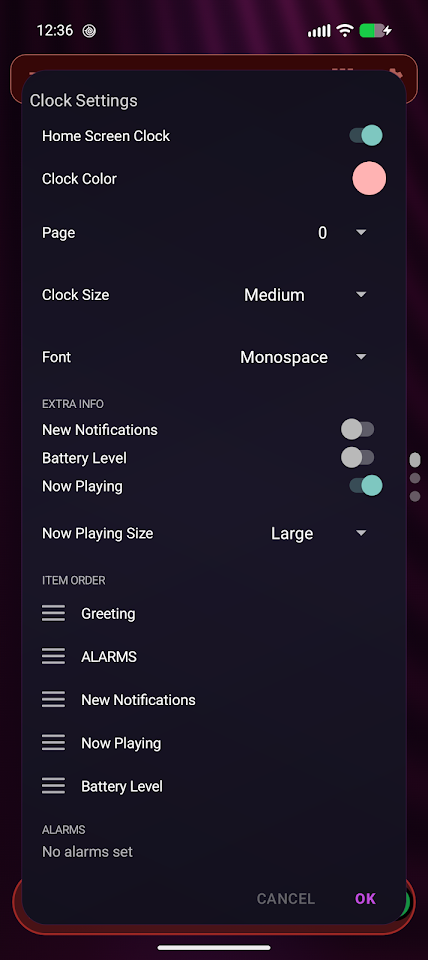
Lucid Launcher 2 offers **fine-grained settings customization**, where you can adjust icon sizes, font sizes, and even label visibility to make your experience truly yours. You can also customize aspects like desktop lock options, providing more control over how your launcher behaves.
Perfect for anyone who desires complete control over their Android home experience, Lucid Launcher 2 is designed to give you tailored layout options, personalized app shortcuts, and the ability to tweak gestures, transitions, colors, and more. Whether you’re a casual user or someone who loves to tweak every detail, this customizable launcher fits the bill.
Join our community on Facebook to connect with other users and share your experiences!
This new version introduces exciting ideas that enhance your home screen experience. Lucid Launcher 2 is an **Android home screen launcher** designed for speed and complete personalization. It is lightweight and provides fast performance, meaning you won’t be slowed down by unnecessary features or ads.
One of the standout features of Lucid Launcher 2 is its **multi-page home screen**. You can create unlimited pages for your home screens, app drawer, and widget pages with just a swipe. Each page can have its own layout with both portrait and landscape options. You can customize the grid layout, choosing anywhere from 2 to 20 columns and rows, making it easy to organize everything exactly how you want.
The **customizable taskbar** serves as a **floating dock for apps**, allowing you to access your recent or favorite apps quickly. This taskbar is scrollable and collapsible, providing a tidy look that you can modify to fit your needs.
With the sidebar feature, you can swipe from the left edge of the screen for quick access to your favorite items. Everything in this sidebar can be customized, so you have all your important apps right where you want them.
Lucid Launcher 2 also supports **swipe gestures** and **icon gestures functionality**, allowing you to assign actions to different gestures on the home screen. You can open quick settings, lock the screen, or toggle the sidebar simply by swiping or double-tapping.
Managing your apps is straightforward with an app drawer that includes sorting options. You can sort apps by name, most used, or recently used, making navigation very efficient. You also have the option to create **folders for app organization**, which helps keep your apps tidy. Additionally, **widget folders support** lets you organize widgets neatly on your home screen.
For personalization, Lucid Launcher 2 features a **live wallpaper engine**, which allows you to use vibrant wallpapers. You can also take advantage of third-party icon packs, giving you more choices for how your icons appear on your screen. The launcher supports both dark and light themes, and you can customize the colors of icons, backgrounds, and labels to suit your style.
Enjoy beautiful **page transition animations** that can bring a dynamic feel as you move between different screens. Plus, you’ll find **notification badges for apps**, which can be enabled to show you unread counts directly on app icons.
If you often use multiple apps, you’ll appreciate the **split screen functionality**, which lets you run two apps at the same time. You can easily launch any app into split-screen mode directly from the app drawer or home screen.
Security is also a priority with the **screen lock feature**, allowing you to lock apps or folders, keeping your private information safe. For peace of mind, there are **backup and restore options** that enable you to export and import your launcher setup. You can save your settings as a zip file and restore them from internal storage whenever you need.
Lucid Launcher 2 offers **fine-grained settings customization**, where you can adjust icon sizes, font sizes, and even label visibility to make your experience truly yours. You can also customize aspects like desktop lock options, providing more control over how your launcher behaves.
Perfect for anyone who desires complete control over their Android home experience, Lucid Launcher 2 is designed to give you tailored layout options, personalized app shortcuts, and the ability to tweak gestures, transitions, colors, and more. Whether you’re a casual user or someone who loves to tweak every detail, this customizable launcher fits the bill.
Join our community on Facebook to connect with other users and share your experiences!

Cubic Light – 3D Icon Pack
GomoTheGom
$1.49
FREE
ART032 Summer Vibes Watch Face
DB Watch Face
$0.49
$0.25
Glass 3D Icon Pack
Olivera Onias Design
$1.49
$0.30