

$0.99
$0.29
71% Off
Eggplant – Purple icon pack
Panoto Gomo







About the App
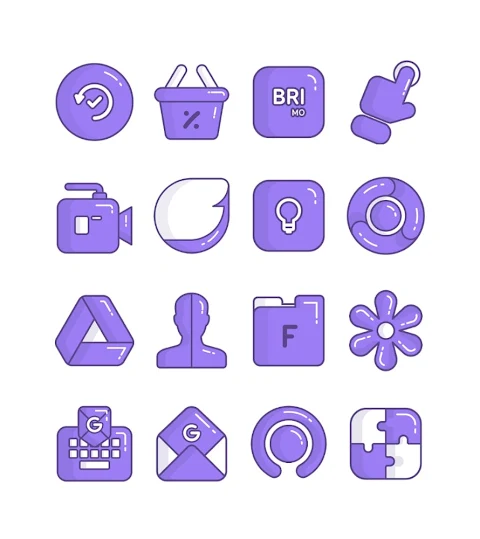
Eggplant is a colorful purple icon pack designed in a fun cartoon style. With over 3000 icons and more being added, Eggplant offers a vast collection to personalize your device. Each icon has a high-definition resolution of 256x256 pixels, making them look sharp and clear on your screen.
One of the great features of the Eggplant purple icon pack is its icon request option. If you don’t find the icon you’re looking for, you can ask for it to be added. This way, users can enjoy a truly customizable experience, tailored to their preferences.
To use the Eggplant purple icon pack, you will first need a compatible launcher. This icon pack supports popular options like Nova Launcher, Evie Launcher, Apex Launcher, ADW Launcher, ABC Launcher, Next Launcher, Holo Launcher, Lucid Launcher, M Launcher, Action Launcher, Smart Launcher, Go Launcher, and Zero Launcher. Each of these launchers allows you to apply your new icons easily.
To apply the Eggplant purple icon pack, simply open the app and navigate to the "Apply Icon Pack" screen. The app will display a list of the supported launchers on your device. After selecting the Nova Launcher or any of your installed options, the app will automatically apply the icons for you.
If your chosen launcher does not appear in the list when trying to apply the pack, you can also apply the icons directly from the launcher itself. Just follow the specific steps for your launcher for a smooth experience.
For Sony Xperia Home Launcher users, the Eggplant purple icon pack may not show up initially in the app, but you can still use the Eggplant purple lines icon pack with different settings. To do this, long-press on the main screen, open the settings, scroll down to appearance settings, and choose the Eggplant purple icon pack from there. Make sure you are using version 10.0.A.0.8 or higher of the Sony Xperia Home Launcher for compatibility.
The Eggplant purple icon pack provides an easy and user-friendly interface for everyone looking to enhance their device's look. With a minimalistic design and unique aesthetics, users can enjoy visual customization that reflects their personal style.
As you explore the colorful icon collection, don't forget to check out the additional design information shared on social media platforms like Google+, Instagram, and Twitter. This way, you can stay updated on new designs and features for your Eggplant purple icon pack.
In summary, whether you love vibrant visuals or prefer something more understated, the Eggplant purple icon pack can help you create personalized themes. Enjoy the freedom of customizing your launcher and enhancing your Android experience with a wide variety of icons.
One of the great features of the Eggplant purple icon pack is its icon request option. If you don’t find the icon you’re looking for, you can ask for it to be added. This way, users can enjoy a truly customizable experience, tailored to their preferences.
To use the Eggplant purple icon pack, you will first need a compatible launcher. This icon pack supports popular options like Nova Launcher, Evie Launcher, Apex Launcher, ADW Launcher, ABC Launcher, Next Launcher, Holo Launcher, Lucid Launcher, M Launcher, Action Launcher, Smart Launcher, Go Launcher, and Zero Launcher. Each of these launchers allows you to apply your new icons easily.
To apply the Eggplant purple icon pack, simply open the app and navigate to the "Apply Icon Pack" screen. The app will display a list of the supported launchers on your device. After selecting the Nova Launcher or any of your installed options, the app will automatically apply the icons for you.
If your chosen launcher does not appear in the list when trying to apply the pack, you can also apply the icons directly from the launcher itself. Just follow the specific steps for your launcher for a smooth experience.
For Sony Xperia Home Launcher users, the Eggplant purple icon pack may not show up initially in the app, but you can still use the Eggplant purple lines icon pack with different settings. To do this, long-press on the main screen, open the settings, scroll down to appearance settings, and choose the Eggplant purple icon pack from there. Make sure you are using version 10.0.A.0.8 or higher of the Sony Xperia Home Launcher for compatibility.
The Eggplant purple icon pack provides an easy and user-friendly interface for everyone looking to enhance their device's look. With a minimalistic design and unique aesthetics, users can enjoy visual customization that reflects their personal style.
As you explore the colorful icon collection, don't forget to check out the additional design information shared on social media platforms like Google+, Instagram, and Twitter. This way, you can stay updated on new designs and features for your Eggplant purple icon pack.
In summary, whether you love vibrant visuals or prefer something more understated, the Eggplant purple icon pack can help you create personalized themes. Enjoy the freedom of customizing your launcher and enhancing your Android experience with a wide variety of icons.

Lenyo Icons
myAP Devs
$0.99
$0.59

Sinfonia Minimal Icon Pack
OSheden Design
$0.99
FREE

Animated Weather 3 Days Data
Modern & Minimalist Digital Designs
$1.99