

$1.49
FREE
100% Off
Pixel Cubic 3D – Icon Pack
GomoTheGom


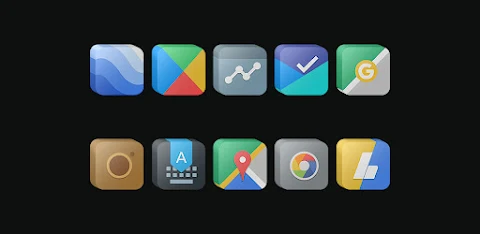
About the App
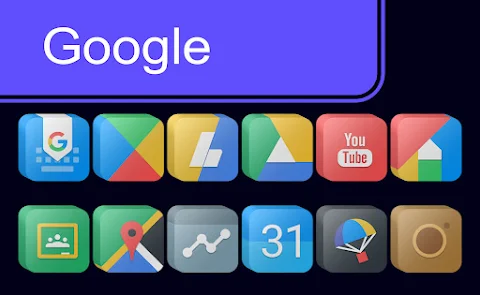
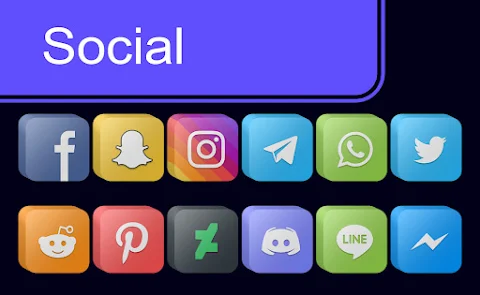
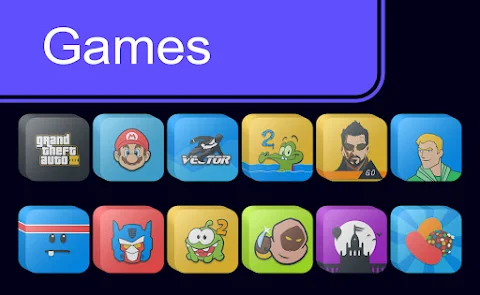
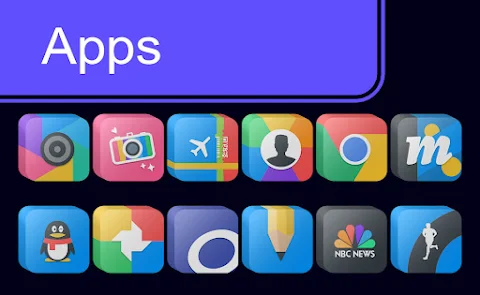
Pixel Cubic 3D is an exciting icon pack designed to enhance the look of your Android device. It supports many popular launchers, including Nova Launcher, Evie Launcher, Apex Launcher, ADW Launcher, ABC Launcher, Next Launcher, Holo Launcher, Lucid Launcher, M Launcher, Action Launcher, Sony Xperia Home Launcher, Aviate Launcher, Smart Launcher, Go Launcher, and Zero Launcher. With Pixel Cubic 3D, you can easily customize your icons and give your phone a fresh, stylish appearance.
To apply the Pixel Cubic 3D Icon Pack, you can follow a few simple steps. First, open the Pixel Cubic 3D app on your device. Then, navigate to the Apply Icon Pack Screen. Here, you will see a list of supported launchers. If you have Nova Launcher installed, select it to apply icons from this pack automatically. If you're using a different launcher and it does not show in the app, don’t worry! You can often apply the icons directly from the launcher's settings.
For users of the Sony Xperia Home Launcher, which may not appear in the app, you can still apply Pixel Cubic 3D icons by using a different set of steps. Simply long press on the main screen, open the settings, scroll down to the appearance icon setting, and choose the Pixel Cubic 3D icon pack. It’s that easy!
One important note is that the icon pack only supports the Sony Xperia Home Launcher version 10.0.A.0.8 or higher, so be sure your device is up to date.
Pixel Cubic 3D comes with over 5000 icons and continues to grow. This vast library ensures you'll find the perfect icons for your apps. If any of your icons are unthemed, the pack includes an Iconback feature to help keep your design cohesive. You also get access to over 36 HD Wallpapers that can beautifully complement your new icons. Plus, there are alternate icons available if you want to switch things up.
If you have specific icons in mind that you'd like to see added, there's an Icon Request feature that allows you to submit your requests.
Each icon in the Pixel Cubic 3D package is made with HD Icon resolution of 192x192px, ensuring they look crisp and clear on your screen.
You can find more design inspiration and updates by following Pixel Cubic 3D on social media platforms like Google+, Instagram, and Twitter. The community is active and always shares new designs and ideas to help you customize your device further.
In summary, Pixel Cubic 3D is perfect for anyone looking to enhance their Android experience through fun and sleek customization. With its wide compatibility across various launchers and its extensive collection of icons and wallpapers, you can truly make your device your own. Enjoy the world of Android customization with Pixel Cubic 3D!
To apply the Pixel Cubic 3D Icon Pack, you can follow a few simple steps. First, open the Pixel Cubic 3D app on your device. Then, navigate to the Apply Icon Pack Screen. Here, you will see a list of supported launchers. If you have Nova Launcher installed, select it to apply icons from this pack automatically. If you're using a different launcher and it does not show in the app, don’t worry! You can often apply the icons directly from the launcher's settings.
For users of the Sony Xperia Home Launcher, which may not appear in the app, you can still apply Pixel Cubic 3D icons by using a different set of steps. Simply long press on the main screen, open the settings, scroll down to the appearance icon setting, and choose the Pixel Cubic 3D icon pack. It’s that easy!
One important note is that the icon pack only supports the Sony Xperia Home Launcher version 10.0.A.0.8 or higher, so be sure your device is up to date.
Pixel Cubic 3D comes with over 5000 icons and continues to grow. This vast library ensures you'll find the perfect icons for your apps. If any of your icons are unthemed, the pack includes an Iconback feature to help keep your design cohesive. You also get access to over 36 HD Wallpapers that can beautifully complement your new icons. Plus, there are alternate icons available if you want to switch things up.
If you have specific icons in mind that you'd like to see added, there's an Icon Request feature that allows you to submit your requests.
Each icon in the Pixel Cubic 3D package is made with HD Icon resolution of 192x192px, ensuring they look crisp and clear on your screen.
You can find more design inspiration and updates by following Pixel Cubic 3D on social media platforms like Google+, Instagram, and Twitter. The community is active and always shares new designs and ideas to help you customize your device further.
In summary, Pixel Cubic 3D is perfect for anyone looking to enhance their Android experience through fun and sleek customization. With its wide compatibility across various launchers and its extensive collection of icons and wallpapers, you can truly make your device your own. Enjoy the world of Android customization with Pixel Cubic 3D!

Galaxy Pack
maxelus.net
$1.49
$1.19

CUTE Iconpack
JustNewDesigns
$0.99
$0.49

Lines Live Wallpaper
DotCode Apps
$3.99
$1.20