
$1.49
$0.29
81% Off
Flat 3D – Icon Pack
GomoTheGom

About the App
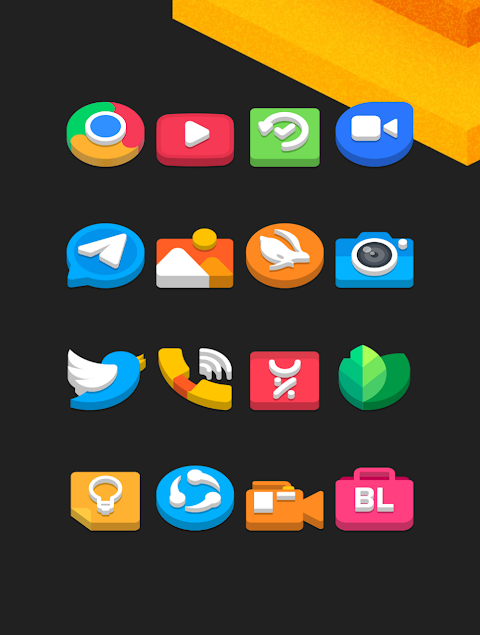
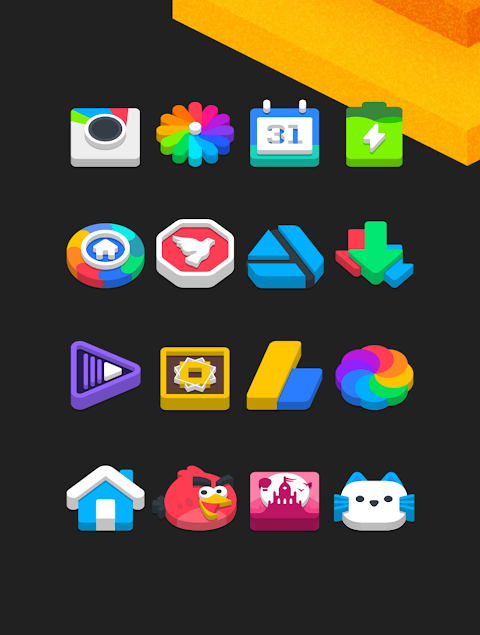
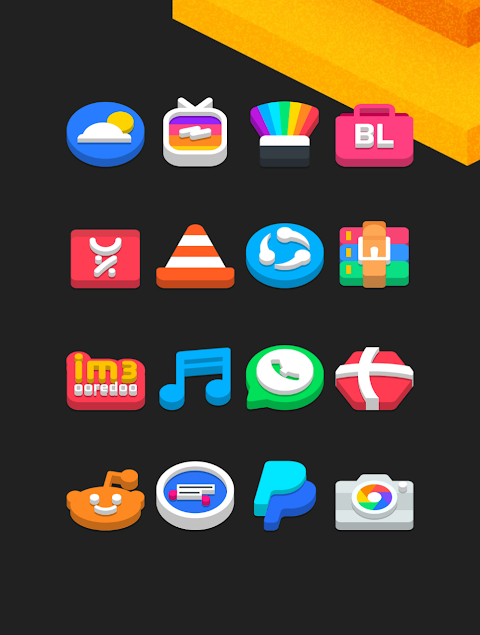
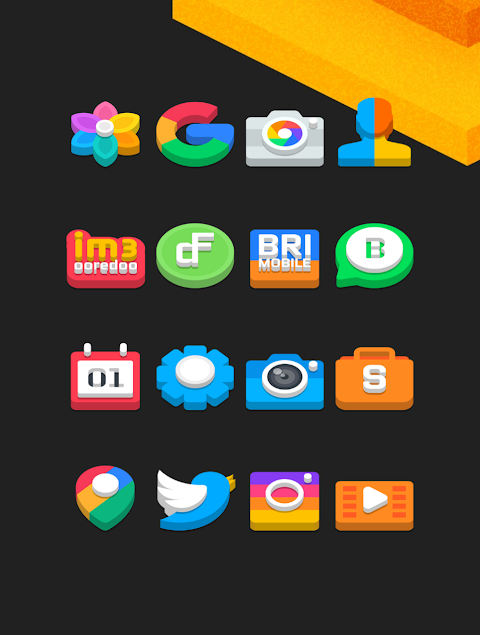
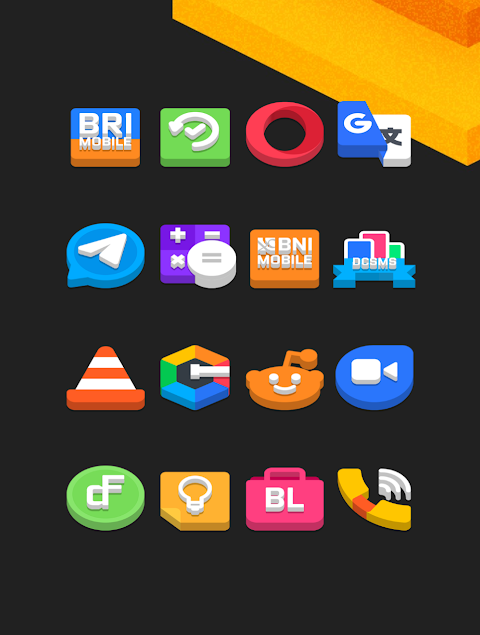
Flat 3D - Icon Pack is a great tool for anyone looking to personalize their mobile device. With over 3000 icons available and counting, this app allows users to change their app icons to a flat design that looks modern and fresh. Each icon comes in HD icon resolution of 256x256 pixels, ensuring that they look sharp on your screen.
The Flat 3D Icon Pack also has an icon request feature. This allows users to suggest specific icons they would like to see added, making it easy for everyone to find what they need. In addition to the extensive library of icons, the pack includes alternate icons for even more customization options.
Using the Flat 3D Icon Pack is straightforward. It supports many popular launchers, including Nova Launcher, Evie Launcher, Apex Launcher, and more. Here’s how you can apply it:
1. Open the Flat 3D Icon Pack app on your phone.
2. Go to the Apply Icon Pack screen within the app.
3. The app will list the supported launchers, like Nova Launcher and Evie Launcher. Select the launcher installed on your phone to use the icons from Flat 3D.
4. The app will automatically apply the new icons for you.
If you don’t see your launcher in the app, you can try applying the icons directly from that launcher. For users of the Sony Xperia Home Launcher, it’s also possible to use the Flat 3D icon pack, but you need to follow a slightly different process.
To apply it on Sony Xperia, do the following:
1. Long press on the main screen.
2. Open the settings.
3. Scroll down to find the appearance icon settings.
4. Choose the Flat 3D icon pack.
5. Once you select it, your Sony Xperia will have the Flat 3D icons applied.
Please note that the icon pack is only supported on Sony Xperia Home Launcher version 10.0.A.0.8 or later.
Flat 3D Icon Pack is compatible with many launchers, including Apex Launcher, ADW Launcher, ABC Launcher, Next Launcher, Holo Launcher, Lucid Launcher, M Launcher, Action Launcher, Aviate Launcher, Smart Launcher, Go Launcher (with some icon masking restrictions), and Zero Launcher (also with icon masking restrictions).
This icon pack not only enhances your mobile theme but also provides detailed usage instructions, making it easy for anyone to customize their experience. Whether you want to refresh your app look or find new custom launcher icons, Flat 3D is here to help.
For more design inspiration, you can follow the Flat 3D Icon Pack on social platforms like Google+, Instagram, and Twitter. Special thanks to Dani Mahardika for the Candybar Dashboard, which helps make this app possible.
Overall, Flat 3D - Icon Pack is an excellent choice for mobile users wanting to elevate their device with beautiful, high-resolution icons and various customization options.
The Flat 3D Icon Pack also has an icon request feature. This allows users to suggest specific icons they would like to see added, making it easy for everyone to find what they need. In addition to the extensive library of icons, the pack includes alternate icons for even more customization options.
Using the Flat 3D Icon Pack is straightforward. It supports many popular launchers, including Nova Launcher, Evie Launcher, Apex Launcher, and more. Here’s how you can apply it:
1. Open the Flat 3D Icon Pack app on your phone.
2. Go to the Apply Icon Pack screen within the app.
3. The app will list the supported launchers, like Nova Launcher and Evie Launcher. Select the launcher installed on your phone to use the icons from Flat 3D.
4. The app will automatically apply the new icons for you.
If you don’t see your launcher in the app, you can try applying the icons directly from that launcher. For users of the Sony Xperia Home Launcher, it’s also possible to use the Flat 3D icon pack, but you need to follow a slightly different process.
To apply it on Sony Xperia, do the following:
1. Long press on the main screen.
2. Open the settings.
3. Scroll down to find the appearance icon settings.
4. Choose the Flat 3D icon pack.
5. Once you select it, your Sony Xperia will have the Flat 3D icons applied.
Please note that the icon pack is only supported on Sony Xperia Home Launcher version 10.0.A.0.8 or later.
Flat 3D Icon Pack is compatible with many launchers, including Apex Launcher, ADW Launcher, ABC Launcher, Next Launcher, Holo Launcher, Lucid Launcher, M Launcher, Action Launcher, Aviate Launcher, Smart Launcher, Go Launcher (with some icon masking restrictions), and Zero Launcher (also with icon masking restrictions).
This icon pack not only enhances your mobile theme but also provides detailed usage instructions, making it easy for anyone to customize their experience. Whether you want to refresh your app look or find new custom launcher icons, Flat 3D is here to help.
For more design inspiration, you can follow the Flat 3D Icon Pack on social platforms like Google+, Instagram, and Twitter. Special thanks to Dani Mahardika for the Candybar Dashboard, which helps make this app possible.
Overall, Flat 3D - Icon Pack is an excellent choice for mobile users wanting to elevate their device with beautiful, high-resolution icons and various customization options.
ZKin Watch Warm Light Quartz
ZKin
$2.99
$1.49

Pixel Cubic 3D – Icon Pack
GomoTheGom
$1.49
FREE

Wallpaper Auto Changer
NormaDev
$1.99