
$59.99
FREE
100% Off
Remote for roku
john-v-vicari

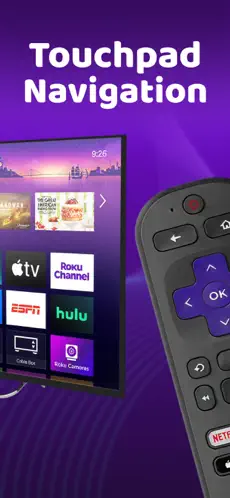
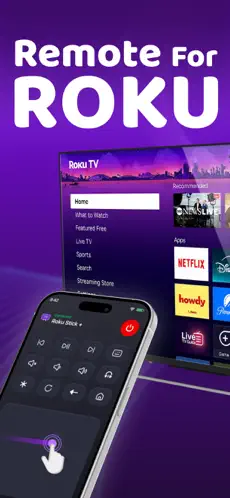
About the App
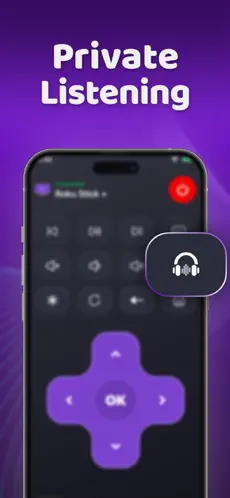
Remote for Roku is a smart TV remote app, Roku remote control, streaming device remote, Wi-Fi remote, TV controller, touchpad remote, media remote, playback controller, and iPhone/iPad remote app designed to make controlling your compatible television or streaming device simple and fast. Connect your iPhone or iPad to the same network as your Roku or supported smart TV and use your phone as an everyday remote control.
Use the responsive touchpad remote to swipe, scroll, navigate menus, move through apps, and select content with familiar gestures. The clean interface makes it easier to browse streaming channels, open apps, move through settings, and control your television without searching for the physical remote.
Remote for Roku includes essential media playback controls such as play, pause, fast-forward, rewind, volume adjustment, mute, navigation, back, home, and selection controls. Whether you are watching movies, TV shows, live television, YouTube, Netflix, Disney+, Prime Video, Hulu, or other streaming services available on your device, the app gives you quick access to the controls you use most.
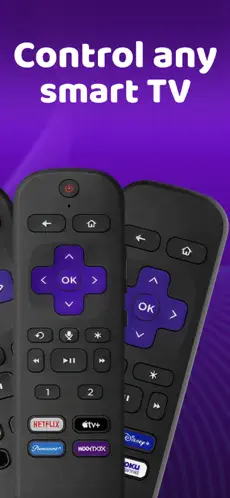
The app can work as a replacement remote, backup remote, universal-style Roku controller, streaming player remote, television remote, media player remote, and smart home entertainment controller. It is useful when your original remote is lost, damaged, out of batteries, or simply out of reach.
Support for multiple devices makes it easier to control more than one compatible television or streaming player from the same iPhone or iPad. Switch between different TVs or Roku devices around your home without needing a separate physical remote for each screen.
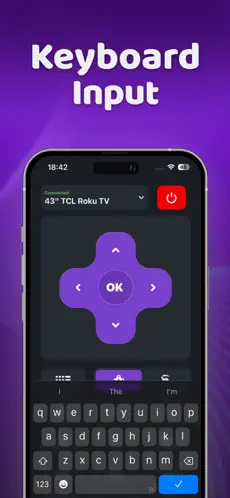
A built-in keyboard and text input experience can make entering search terms, usernames, passwords, movie titles, channel names, and other text faster than using an on-screen TV keyboard. This is especially useful when searching streaming apps, browsing content libraries, or signing into supported services.
Remote for Roku is optimized for iOS with a clean, minimal, responsive interface designed for quick access to navigation, playback, volume, touchpad, keyboard, and device controls. The layout keeps important actions easy to reach so you can control your entertainment without unnecessary menus or clutter.
The app is useful for people searching for a Roku remote app, Roku TV remote, smart TV remote, streaming remote, Wi-Fi TV remote, universal remote app, TV remote for iPhone, TV remote for iPad, mobile remote control, streaming player controller, replacement Roku remote, Roku touchpad remote, media controller, television controller, or home entertainment remote.
Whether you need to navigate Roku menus, control streaming playback, adjust volume, search for movies and shows, manage multiple Roku devices, or replace a missing physical remote, Remote for Roku turns your iPhone or iPad into a convenient entertainment controller.
Use the responsive touchpad remote to swipe, scroll, navigate menus, move through apps, and select content with familiar gestures. The clean interface makes it easier to browse streaming channels, open apps, move through settings, and control your television without searching for the physical remote.
Remote for Roku includes essential media playback controls such as play, pause, fast-forward, rewind, volume adjustment, mute, navigation, back, home, and selection controls. Whether you are watching movies, TV shows, live television, YouTube, Netflix, Disney+, Prime Video, Hulu, or other streaming services available on your device, the app gives you quick access to the controls you use most.
The app can work as a replacement remote, backup remote, universal-style Roku controller, streaming player remote, television remote, media player remote, and smart home entertainment controller. It is useful when your original remote is lost, damaged, out of batteries, or simply out of reach.
Support for multiple devices makes it easier to control more than one compatible television or streaming player from the same iPhone or iPad. Switch between different TVs or Roku devices around your home without needing a separate physical remote for each screen.
A built-in keyboard and text input experience can make entering search terms, usernames, passwords, movie titles, channel names, and other text faster than using an on-screen TV keyboard. This is especially useful when searching streaming apps, browsing content libraries, or signing into supported services.
Remote for Roku is optimized for iOS with a clean, minimal, responsive interface designed for quick access to navigation, playback, volume, touchpad, keyboard, and device controls. The layout keeps important actions easy to reach so you can control your entertainment without unnecessary menus or clutter.
The app is useful for people searching for a Roku remote app, Roku TV remote, smart TV remote, streaming remote, Wi-Fi TV remote, universal remote app, TV remote for iPhone, TV remote for iPad, mobile remote control, streaming player controller, replacement Roku remote, Roku touchpad remote, media controller, television controller, or home entertainment remote.
Whether you need to navigate Roku menus, control streaming playback, adjust volume, search for movies and shows, manage multiple Roku devices, or replace a missing physical remote, Remote for Roku turns your iPhone or iPad into a convenient entertainment controller.
Watch Tuner Lite
Bartlomiej Swiatek
$0.99
Timer for Workouts – Repeat
Applorium Ltd
$5.99

Bro Code
Aniruddha Kadam
$0.99
Free