
$2.99
FREE
100% Off
EXIF Viewer by Fluntro
Fluntro



About the App
EXIF Viewer by Fluntro is a great app for anyone involved in iPhone photography, especially professional photographers. It's designed to help you view, manage, and edit EXIF metadata easily. This user-friendly tool gives you access to important details about your photos, such as ISO, shutter speed, and camera settings. You can enjoy this app across all your iOS devices, including iPhones, iPads, and iPod Touches.
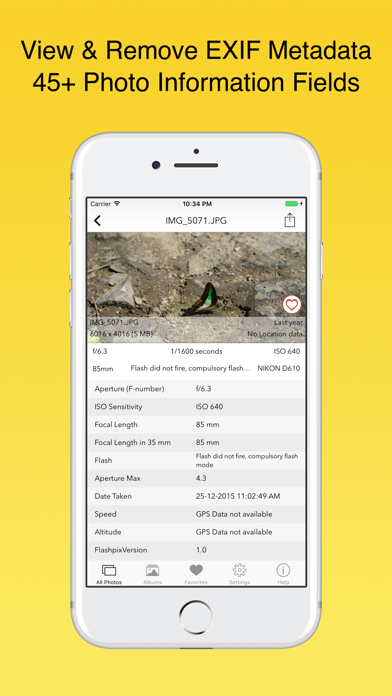
One of the standout features of EXIF Viewer by Fluntro is its ability to remove geotagging. This means you can easily delete GPS location metadata from your photos, offering a strong sense of privacy protection. You can also view detailed EXIF data for each photo stored on your device or in iCloud. This access is crucial for understanding how each picture was taken.
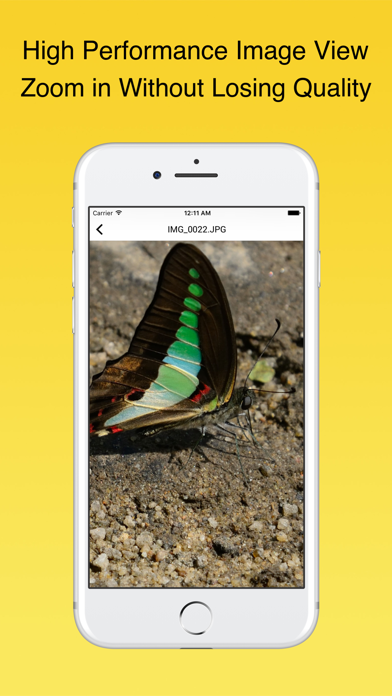
The app also lets you zoom in on large photos, which can be as big as 80 MB. This means you can enjoy high-resolution images with crystal clarity. When it comes to managing your EXIF tags, you'll find customizable options. You can reorder the tags, hide ones you don’t need, or choose your preferred date format to make your viewing experience unique.
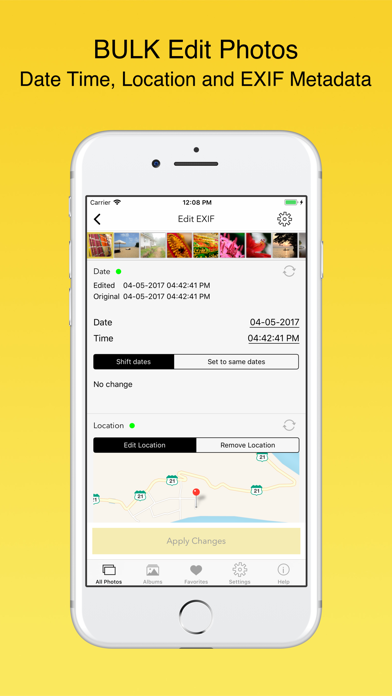
Navigation within EXIF Viewer by Fluntro is seamless. You can swipe left or right to move between photos on the detail screen quickly. Additionally, the map view visualization feature allows you to see where your photos were taken by tapping on them. If you’re looking to edit multiple images, you can easily bulk edit photos. This includes updating metadata like date and location for several pictures at once.
Sharing photos is straightforward with EXIF Viewer by Fluntro. You can choose to share photos securely via email, AirDrop, or other methods, with or without EXIF metadata. If you need to copy any EXIF data, doing so across apps is simple and efficient. Plus, when you send photos through Mail or AirDrop, they retain their EXIF metadata, which is not the case with most social media apps.
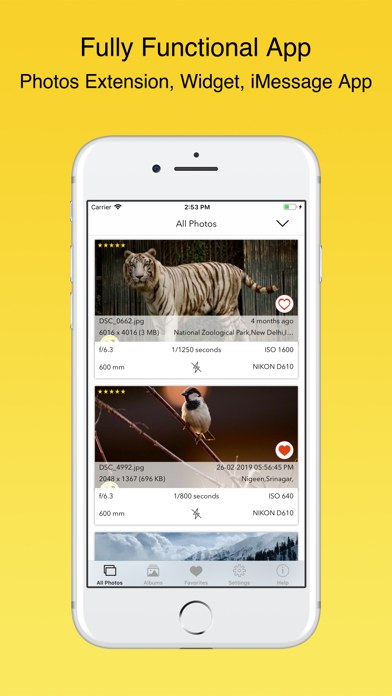
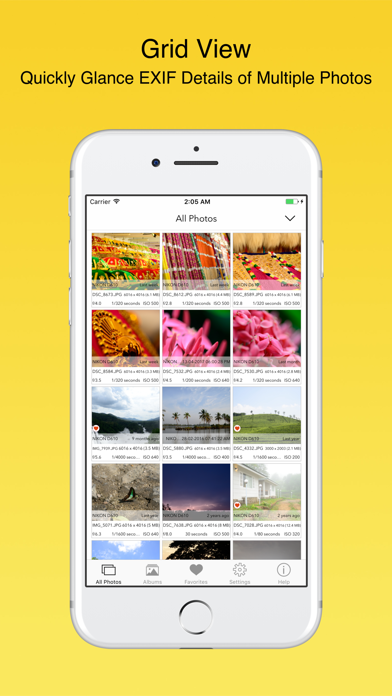
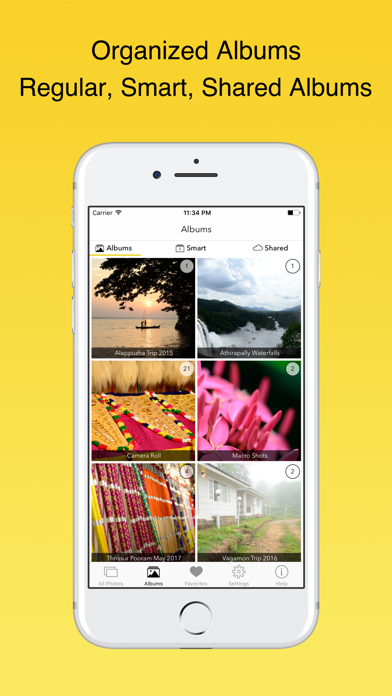
For those who appreciate quick access, the app offers 3D Touch support on supported iPhones. This means you can quickly reach actions like Favorites, Albums, or All Photos with ease. EXIF Viewer is optimized for all iOS devices, including the latest iPad Pro, iPhone SE, and iPhone 8. The app works perfectly in both landscape and portrait modes, providing multiple viewing options. You can choose between an EXIF Cards List View, Grid View, or Map View based on your preference.
Want to access EXIF data directly? The Photos extension integration allows you to view this information right within the native Photos app or even third-party apps by simply selecting your photo and tapping on the Share button. There’s also iMessage app support that makes it easy to view and share EXIF data with friends in messages.
When it comes to editing, you can perform bulk edits on multiple photos by selecting them and tapping “Edit EXIF” to update the necessary data. For those wanting to remove EXIF metadata, you have two choices: overwrite the original photo to eliminate all metadata or create a duplicate photo without EXIF data and choose to delete the original.
EXIF metadata stands for EXchangeable Image File Format, which stores settings like ISO, focal length, and GPS data within each image. This information is crucial for both beginners and seasoned photographers to analysis their work. Choosing EXIF Viewer by Fluntro means no in-app purchases. You get all current and future features with just one upfront cost—there are no hidden fees.
The app is crafted specifically for professional photographers, helping you gain insights into your work while maintaining privacy. Your photos are securely stored locally on your phone, never uploaded to servers, ensuring safety and confidentiality.
If you are satisfied with EXIF Viewer by Fluntro, your 5-star reviews are appreciated. Your feedback helps us improve and enrich the experience for all users. Enjoy a complete photography tool designed specifically for you, with a one-time purchase and lifetime access—no subscription required!
One of the standout features of EXIF Viewer by Fluntro is its ability to remove geotagging. This means you can easily delete GPS location metadata from your photos, offering a strong sense of privacy protection. You can also view detailed EXIF data for each photo stored on your device or in iCloud. This access is crucial for understanding how each picture was taken.
The app also lets you zoom in on large photos, which can be as big as 80 MB. This means you can enjoy high-resolution images with crystal clarity. When it comes to managing your EXIF tags, you'll find customizable options. You can reorder the tags, hide ones you don’t need, or choose your preferred date format to make your viewing experience unique.
Navigation within EXIF Viewer by Fluntro is seamless. You can swipe left or right to move between photos on the detail screen quickly. Additionally, the map view visualization feature allows you to see where your photos were taken by tapping on them. If you’re looking to edit multiple images, you can easily bulk edit photos. This includes updating metadata like date and location for several pictures at once.
Sharing photos is straightforward with EXIF Viewer by Fluntro. You can choose to share photos securely via email, AirDrop, or other methods, with or without EXIF metadata. If you need to copy any EXIF data, doing so across apps is simple and efficient. Plus, when you send photos through Mail or AirDrop, they retain their EXIF metadata, which is not the case with most social media apps.
For those who appreciate quick access, the app offers 3D Touch support on supported iPhones. This means you can quickly reach actions like Favorites, Albums, or All Photos with ease. EXIF Viewer is optimized for all iOS devices, including the latest iPad Pro, iPhone SE, and iPhone 8. The app works perfectly in both landscape and portrait modes, providing multiple viewing options. You can choose between an EXIF Cards List View, Grid View, or Map View based on your preference.
Want to access EXIF data directly? The Photos extension integration allows you to view this information right within the native Photos app or even third-party apps by simply selecting your photo and tapping on the Share button. There’s also iMessage app support that makes it easy to view and share EXIF data with friends in messages.
When it comes to editing, you can perform bulk edits on multiple photos by selecting them and tapping “Edit EXIF” to update the necessary data. For those wanting to remove EXIF metadata, you have two choices: overwrite the original photo to eliminate all metadata or create a duplicate photo without EXIF data and choose to delete the original.
EXIF metadata stands for EXchangeable Image File Format, which stores settings like ISO, focal length, and GPS data within each image. This information is crucial for both beginners and seasoned photographers to analysis their work. Choosing EXIF Viewer by Fluntro means no in-app purchases. You get all current and future features with just one upfront cost—there are no hidden fees.
The app is crafted specifically for professional photographers, helping you gain insights into your work while maintaining privacy. Your photos are securely stored locally on your phone, never uploaded to servers, ensuring safety and confidentiality.
If you are satisfied with EXIF Viewer by Fluntro, your 5-star reviews are appreciated. Your feedback helps us improve and enrich the experience for all users. Enjoy a complete photography tool designed specifically for you, with a one-time purchase and lifetime access—no subscription required!

HOPE Meme Maker
3DTOPO Inc.
$1.99

PXL – mosaic art
Norikazu Muramoto
$3.99

Waterlogue: Photo to Painting
Tinrocket, LLC
$4.99
Free