
$1.99
$0.49
75% Off
Glyph Icons and Widgets
NARIK DESIGN

About the App
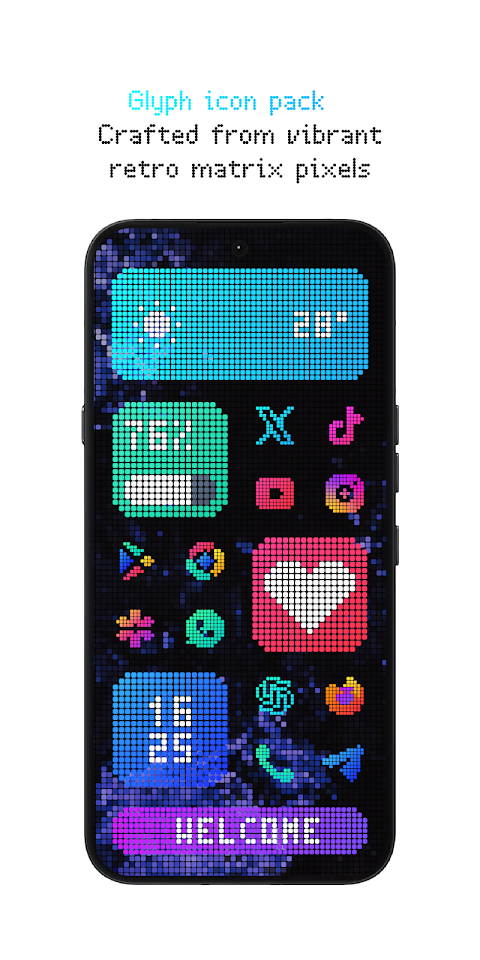
Glyph Icons and Widgets offers a fun way to personalize your device. With vibrant pixel art icons and custom-built native widgets, it transforms your home screen into a striking visual experience, especially if you love a retro aesthetic or use a dark mode interface.
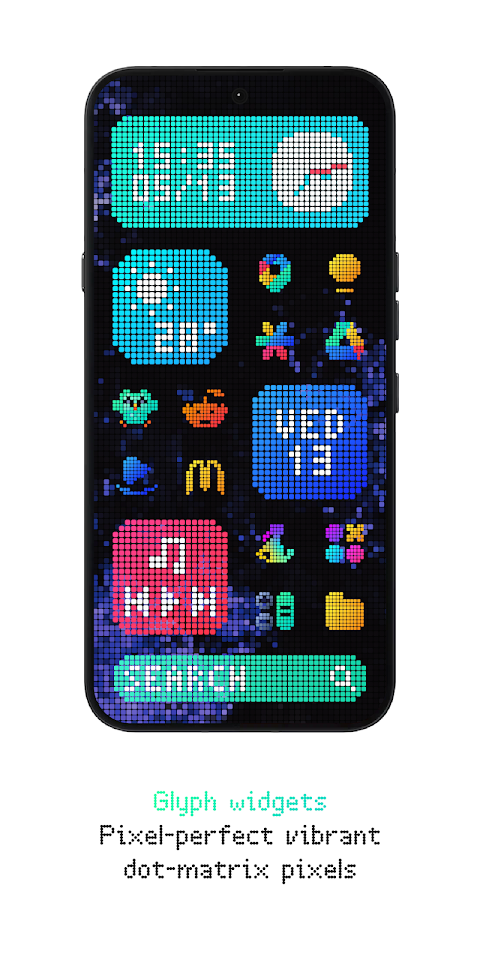
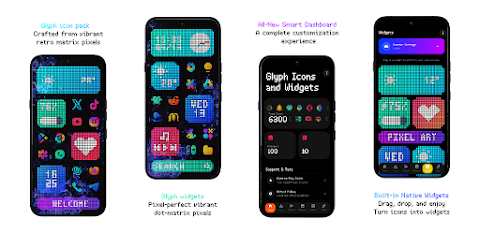
Upgrade your setup with over 6,300 high-quality icons that are meticulously crafted for a perfectly symmetrical design. Whether you adore retro pixel art or just want an organized look, Glyph has something for everyone. The app comes with 10 unique widgets that work entirely standalone, so you don’t need any third-party apps like KWGT.
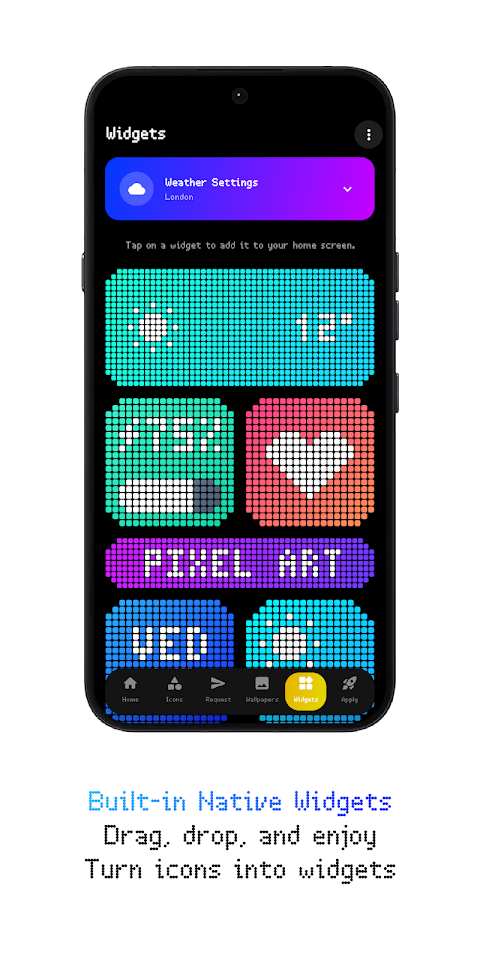
You can keep track of your daily activities using beautiful weather widgets, clock widgets, calendar widgets, battery widgets, and music widgets. Want to add some flair? Use standalone app icons to personalize your home screen even further. The app also features animated live wallpapers that breathe life into your display.
You'll find cloud-based wallpapers that are designed to match perfectly with dark setups, giving your device a polished appearance. If some of your desired icons are missing, the premium icon requests feature allows you to request them easily, ensuring you get what you need. You can also utilize the free icon request tool for any icons you want, making Glyph incredibly user-friendly.
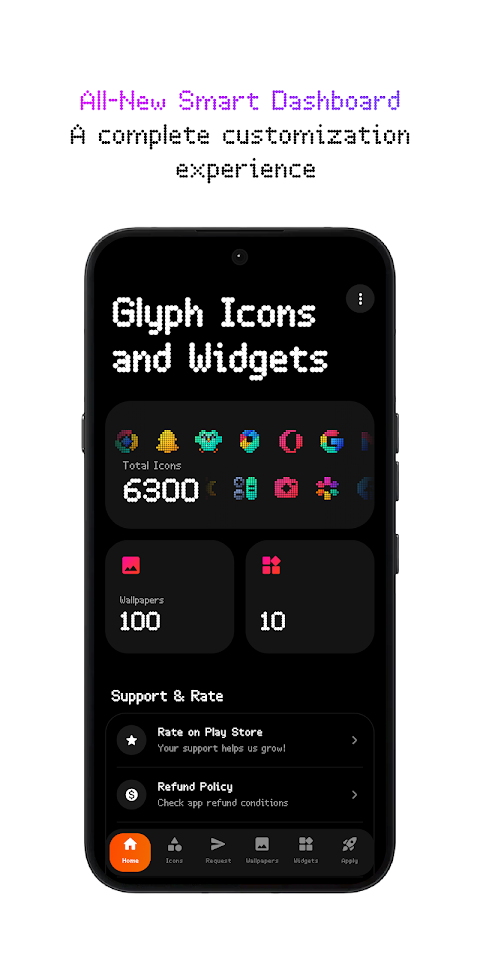
The app is equipped with an all-new dashboard that sports a fresh UI for the smoothest user experience. Regular updates ensure that you’ll always have access to new icons and widgets, keeping your device looking fresh.
To get started, install a supported launcher like Nothing Launcher, Nova Launcher, Lawnchair Launcher, Niagara Launcher, Smart Launcher 6, Octopi Launcher, Microsoft Launcher, Shade Launcher, Lean Launcher, Hyperion Launcher, Posidon Launcher, Action Launcher, Stario Launcher, and others. Simply open Glyph Icons and Widgets, go to the "Apply" section, and select your launcher to apply your new icons. If your launcher isn't in the list, you can still use the in-app icon widgets feature to add your custom designs.
Keep in mind that a supported launcher is necessary for using this icon pack. For unsupported launchers, you can make use of the in-app features. If you have a Stock One UI Launcher, remember to use Theme Park for the best results.
For any questions, you can check out the tutorials section within the app, which provides answers to a lot of common queries.
Experience the upgrade that Glyph Icons and Widgets brings to your device and express your unique style today!
Upgrade your setup with over 6,300 high-quality icons that are meticulously crafted for a perfectly symmetrical design. Whether you adore retro pixel art or just want an organized look, Glyph has something for everyone. The app comes with 10 unique widgets that work entirely standalone, so you don’t need any third-party apps like KWGT.
You can keep track of your daily activities using beautiful weather widgets, clock widgets, calendar widgets, battery widgets, and music widgets. Want to add some flair? Use standalone app icons to personalize your home screen even further. The app also features animated live wallpapers that breathe life into your display.
You'll find cloud-based wallpapers that are designed to match perfectly with dark setups, giving your device a polished appearance. If some of your desired icons are missing, the premium icon requests feature allows you to request them easily, ensuring you get what you need. You can also utilize the free icon request tool for any icons you want, making Glyph incredibly user-friendly.
The app is equipped with an all-new dashboard that sports a fresh UI for the smoothest user experience. Regular updates ensure that you’ll always have access to new icons and widgets, keeping your device looking fresh.
To get started, install a supported launcher like Nothing Launcher, Nova Launcher, Lawnchair Launcher, Niagara Launcher, Smart Launcher 6, Octopi Launcher, Microsoft Launcher, Shade Launcher, Lean Launcher, Hyperion Launcher, Posidon Launcher, Action Launcher, Stario Launcher, and others. Simply open Glyph Icons and Widgets, go to the "Apply" section, and select your launcher to apply your new icons. If your launcher isn't in the list, you can still use the in-app icon widgets feature to add your custom designs.
Keep in mind that a supported launcher is necessary for using this icon pack. For unsupported launchers, you can make use of the in-app features. If you have a Stock One UI Launcher, remember to use Theme Park for the best results.
For any questions, you can check out the tutorials section within the app, which provides answers to a lot of common queries.
Experience the upgrade that Glyph Icons and Widgets brings to your device and express your unique style today!
PRADO 51 Classic Gold & Silver
PRADO DESIGN ® Watch Faces
$1.99
$0.80
Voron HALLOWEEN GATE
Voron Watch Design
$0.99
$0.10
AD SleeK – Watch Face
Albuquerque Design
$1.49
$0.52