

$1.49
$1.00
33% Off
OneYou Three Accent Icons
PashaPuma Design


About the App
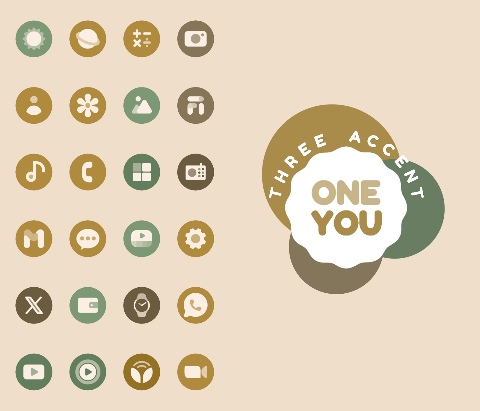
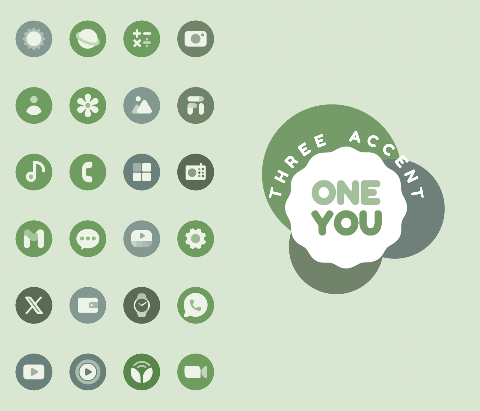
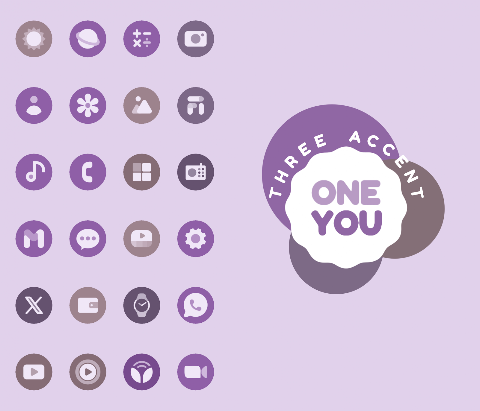
OneYou Three Accent Icons is an icon pack inspired by One Ui 8.5 and includes Monet Three Accent support, perfect for Android 12 and above. This app provides a wide range of dynamic icons, offering over 27,000 options for you to customize your device. The icons work well with various custom launchers and automatically change color to match your wallpaper or system accent.
To get started with OneYou Three Accent Icons, you'll first need to open the application to check your license. Once that’s done, you can enjoy all the features it offers.
If you want to change the colors of your icons, you simply need to change your wallpaper or the accent color in your system settings. After that, reapply the icon pack to see the updates. You can also switch to another icon pack and then revert back to OneYou Three Accent Icons to refresh the colors. There are some launchers that will automatically update the icons, so check if yours is one of them.
If you use a Samsung device, activating Monet is simple. First, go to your system settings, navigate to Wallpaper and Styles, and choose your wallpaper. After selecting your wallpaper, set your system color palette. Then, go into your launcher settings and select a Monet-supported icon pack. For stock Samsung launchers, you will need to use the Theme Park app to apply your icons.
For best results, make sure you have the Google application and Google Lens installed. This will help with the search widgets available in the OneYou Three Accent Icons app.
If you’re using a Pixel device, the process is a bit different. For users without root access, you can set icons only on your home screen using the Shortcut Maker application. For those with rooted devices, the Pixel Launcher Mods app allows you to change icons in both the home screen and the app drawer.
Here are some recommended launchers that work well with OneYou Three Accent Icons: Nova Launcher, Smart Launcher, Hyperion Launcher, Niagara Launcher, AIO Launcher, Stario Launcher, Action Launcher, Ruthless Launcher, and Lawnchair. Most of these launchers support the feature to change colors automatically in Android 12 and above. For users who prefer the stock Samsung launcher, remember to use Theme Park to adjust colors.
If something doesn’t work as expected, there is a technical support group available on Telegram. You can reach out for assistance, and someone will be there to help you resolve any issues.
OneYou Three Accent Icons makes icon customization easy and fun. With the ability to adapt icons based on your wallpaper and system colors, you can truly make your device your own. Enjoy exploring all the user customization options and dynamic icons available to enhance your Android experience!
To get started with OneYou Three Accent Icons, you'll first need to open the application to check your license. Once that’s done, you can enjoy all the features it offers.
If you want to change the colors of your icons, you simply need to change your wallpaper or the accent color in your system settings. After that, reapply the icon pack to see the updates. You can also switch to another icon pack and then revert back to OneYou Three Accent Icons to refresh the colors. There are some launchers that will automatically update the icons, so check if yours is one of them.
If you use a Samsung device, activating Monet is simple. First, go to your system settings, navigate to Wallpaper and Styles, and choose your wallpaper. After selecting your wallpaper, set your system color palette. Then, go into your launcher settings and select a Monet-supported icon pack. For stock Samsung launchers, you will need to use the Theme Park app to apply your icons.
For best results, make sure you have the Google application and Google Lens installed. This will help with the search widgets available in the OneYou Three Accent Icons app.
If you’re using a Pixel device, the process is a bit different. For users without root access, you can set icons only on your home screen using the Shortcut Maker application. For those with rooted devices, the Pixel Launcher Mods app allows you to change icons in both the home screen and the app drawer.
Here are some recommended launchers that work well with OneYou Three Accent Icons: Nova Launcher, Smart Launcher, Hyperion Launcher, Niagara Launcher, AIO Launcher, Stario Launcher, Action Launcher, Ruthless Launcher, and Lawnchair. Most of these launchers support the feature to change colors automatically in Android 12 and above. For users who prefer the stock Samsung launcher, remember to use Theme Park to adjust colors.
If something doesn’t work as expected, there is a technical support group available on Telegram. You can reach out for assistance, and someone will be there to help you resolve any issues.
OneYou Three Accent Icons makes icon customization easy and fun. With the ability to adapt icons based on your wallpaper and system colors, you can truly make your device your own. Enjoy exploring all the user customization options and dynamic icons available to enhance your Android experience!
SamWatch Signature Active
Samtree
$3.49
FREE

Nomad Watch Face
amoledwatchfaces™
$1.79
FREE
TVV Workout 3 Watch Face
ThemeVerse Visuals
$1.49
$0.49