
$9.99
FREE
100% Off
ShadowTerm ssh & mosh Terminal
Carlos Savcic

About the App
ShadowTerm is a versatile SSH terminal and Mosh Mobile Shell designed specifically for iPhone and iPad users. It allows you to manage servers and debug code with ease, ensuring that your tmux session support remains active across different networks. With a desktop-quality terminal and a specially designed keyboard, you can work efficiently on the go.
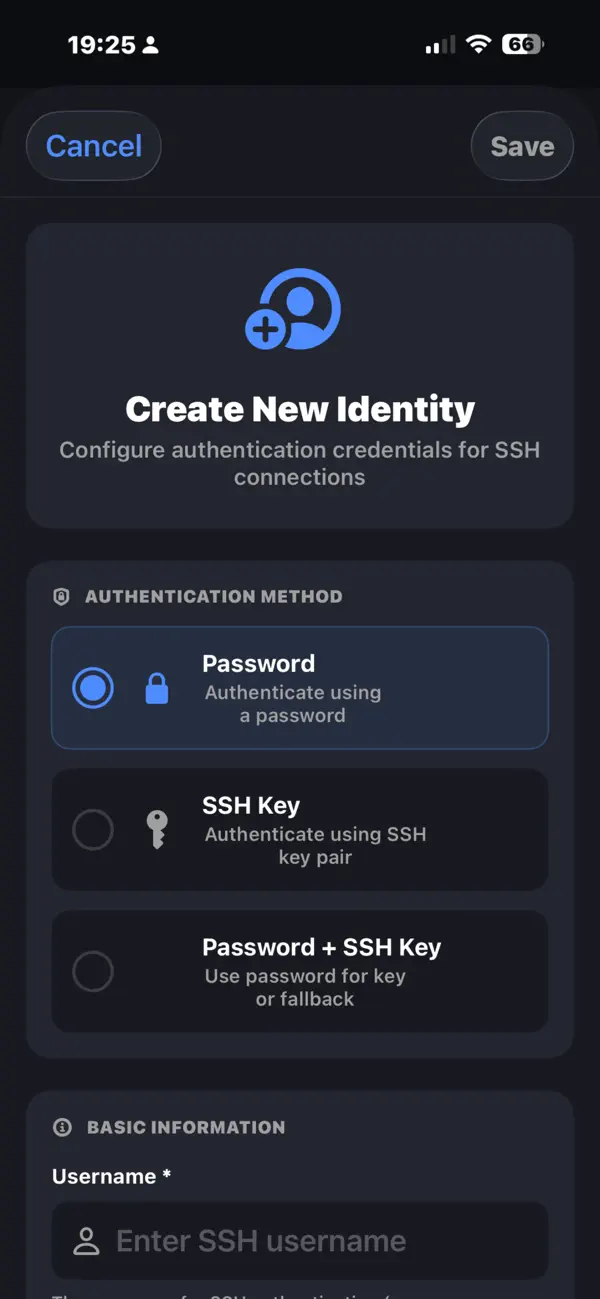
One of the standout features of ShadowTerm is its ability to maintain connections that survive interruptions. You can use SSH with various methods, including passwords and SSH keys, allowing for secure server management. The Mosh Mobile Shell enables roaming connections, so if you lose your network or your app goes into the background, your connection won't drop. Additionally, smart port forwarding makes secure tunneling simple and effective.
ShadowTerm offers an auto-connect feature, which automatically connects you on launch. You can also take advantage of geofence-based connections that activate based on your location. Background connection monitoring provides notifications and Live Activities, ensuring you are always informed about your sessions.
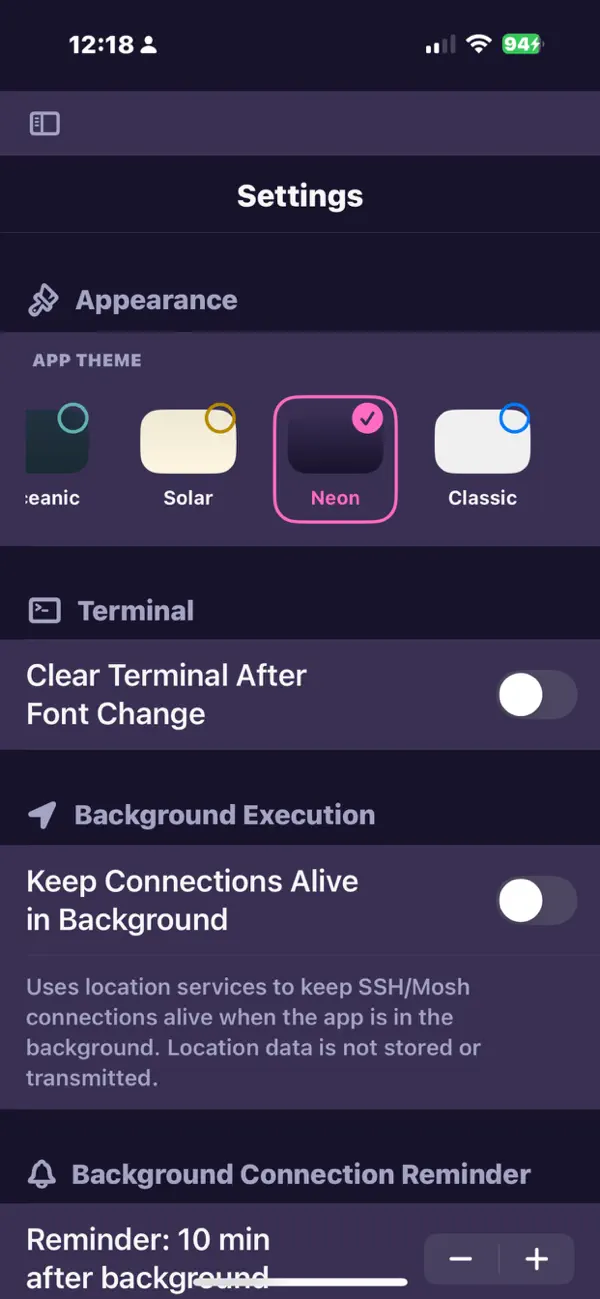
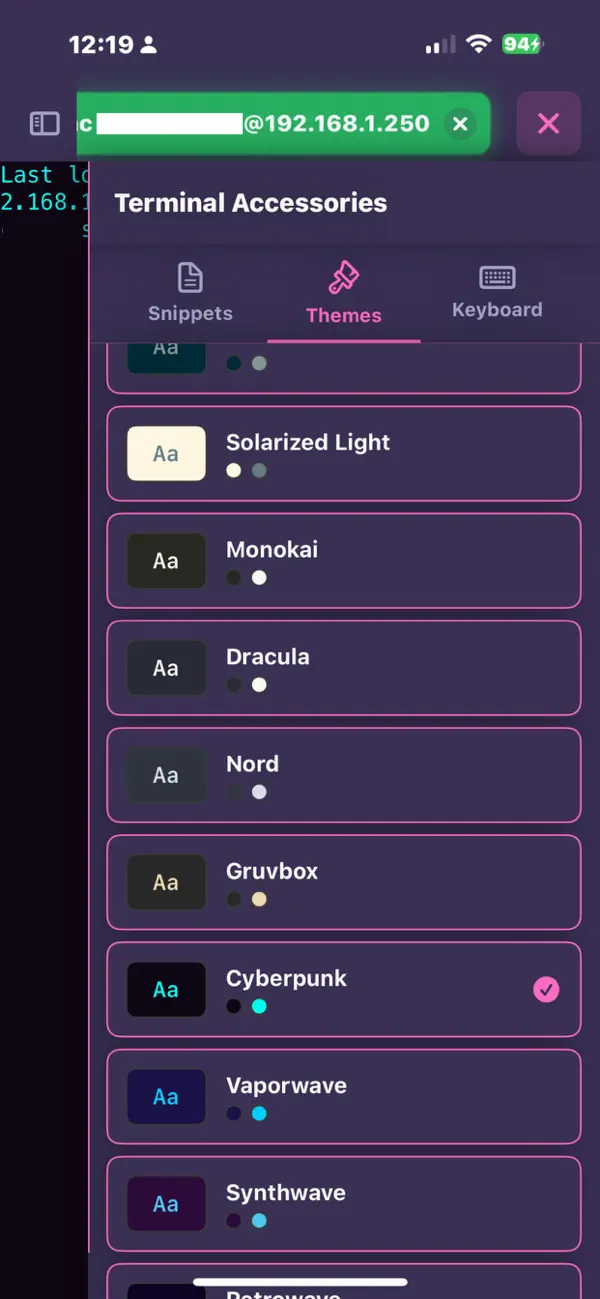
For a rich terminal experience, ShadowTerm is powered by native SwiftTerm and supports xterm-256 color compatibility. The app includes multi-window support on iPadOS, letting you open Terminal, Files, Monitor, and a Markdown or Text Editor in separate windows. You can choose from five distinct themes for your terminal and enjoy features like pinch-to-zoom font sizing and live cursor-tracked scrolling.
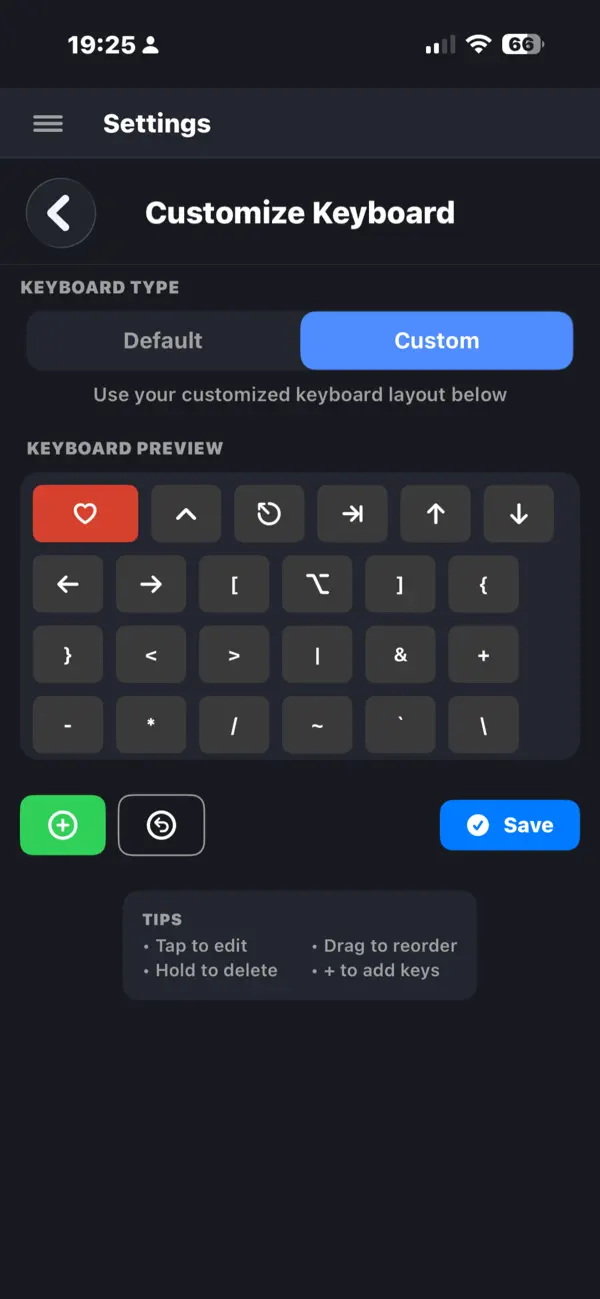
Custom keyboard layouts are a vital feature of ShadowTerm. The app includes 14 built-in layouts tailored for different tasks like tmux, Screen, and DevOps. You can easily edit your keyboard using drag-and-drop keys, and even set up voice-to-text command entry for smooth workflow. The app also allows smart keyboard switching when a tmux session is detected. An interactive test pad helps you adjust settings for Ctrl and Alt locking.
For file management, ShadowTerm provides a full SFTP browser, enabling you to copy, move, or delete files in bulk. You can even paste screenshots or images directly into the input bar to upload them to your server instantly. The built-in text editor features syntax highlighting and a Markdown preview, making it easy to edit code on the fly. A transfer progress HUD shows the status of your file uploads, and you can create per-host startup snippets for convenience.
ShadowTerm also integrates an AI command helper that supports multiple models like OpenAI, Anthropic, and Google Gemini. This inline AI assistant helps you refine your commands in real-time. It includes a safety validator that blocks dangerous commands such as fork bombs and rm -rf / before they can cause harm.
You can control remote actions using Claude Code through notification polling for permissions. This feature lets you approve or deny actions from your iPhone or iPad, making it easier to manage workflows. You can even use session templates for repeatable tasks, enhancing your productivity.
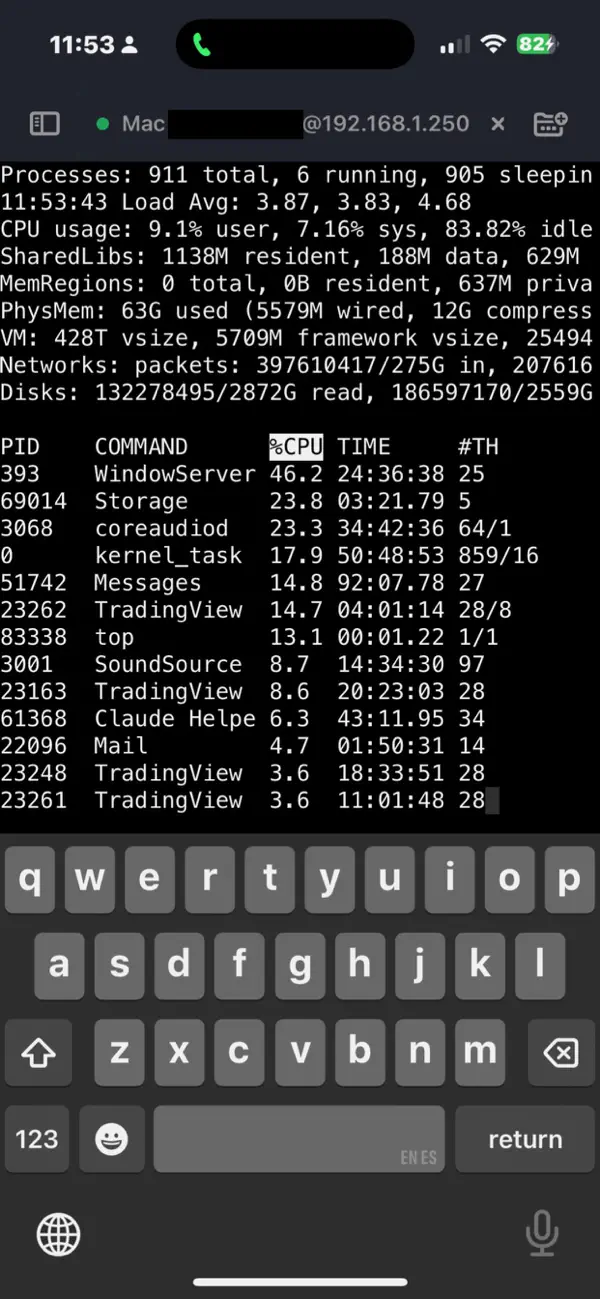
Live server monitoring is another important aspect of ShadowTerm. It keeps track of CPU and memory usage, network statistics, and other vital system metrics. If your server has an Nvidia GPU, you can monitor those metrics as well, ensuring you have everything under control. Background updates keep your metrics current, with optional notifications to alert you to any changes.
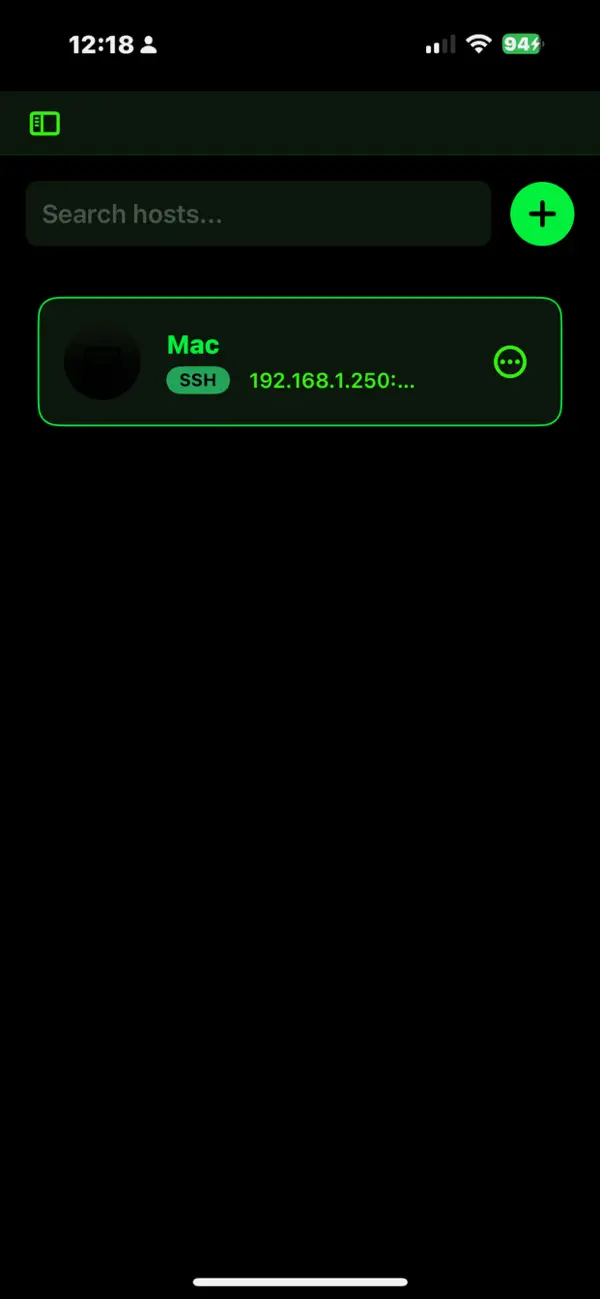
ShadowTerm boosts productivity with its snippet library that allows batch execution of commands. It also features recent connections for quick reconnections and Quick Actions available on the app icon. You can check server status and recent hosts through iOS widgets, and your settings remain easily searchable, with options for auto-expand and live-tunable preferences. Universal clipboard sync offers seamless integration across devices.
For your privacy and security, ShadowTerm uses CloudKit for cloud sync, allowing you to access your machines, identities, and keyboard layouts across devices. Credential storage is encrypted with iOS Keychain support, ensuring your information is safe. AI requests can run with your own API keys or be processed locally using Ollama. Remarkably, the app does not collect any data or use telemetry.
ShadowTerm is crafted by a developer who is an active user of tmux on the iPad, ensuring that every keyboard layout, gesture, and detail is well thought out. If you've struggled with mobile SSH apps that disconnect or feel cramped, ShadowTerm promises a different experience that enhances your mobile SSH journey.
One of the standout features of ShadowTerm is its ability to maintain connections that survive interruptions. You can use SSH with various methods, including passwords and SSH keys, allowing for secure server management. The Mosh Mobile Shell enables roaming connections, so if you lose your network or your app goes into the background, your connection won't drop. Additionally, smart port forwarding makes secure tunneling simple and effective.
ShadowTerm offers an auto-connect feature, which automatically connects you on launch. You can also take advantage of geofence-based connections that activate based on your location. Background connection monitoring provides notifications and Live Activities, ensuring you are always informed about your sessions.
For a rich terminal experience, ShadowTerm is powered by native SwiftTerm and supports xterm-256 color compatibility. The app includes multi-window support on iPadOS, letting you open Terminal, Files, Monitor, and a Markdown or Text Editor in separate windows. You can choose from five distinct themes for your terminal and enjoy features like pinch-to-zoom font sizing and live cursor-tracked scrolling.
Custom keyboard layouts are a vital feature of ShadowTerm. The app includes 14 built-in layouts tailored for different tasks like tmux, Screen, and DevOps. You can easily edit your keyboard using drag-and-drop keys, and even set up voice-to-text command entry for smooth workflow. The app also allows smart keyboard switching when a tmux session is detected. An interactive test pad helps you adjust settings for Ctrl and Alt locking.
For file management, ShadowTerm provides a full SFTP browser, enabling you to copy, move, or delete files in bulk. You can even paste screenshots or images directly into the input bar to upload them to your server instantly. The built-in text editor features syntax highlighting and a Markdown preview, making it easy to edit code on the fly. A transfer progress HUD shows the status of your file uploads, and you can create per-host startup snippets for convenience.
ShadowTerm also integrates an AI command helper that supports multiple models like OpenAI, Anthropic, and Google Gemini. This inline AI assistant helps you refine your commands in real-time. It includes a safety validator that blocks dangerous commands such as fork bombs and rm -rf / before they can cause harm.
You can control remote actions using Claude Code through notification polling for permissions. This feature lets you approve or deny actions from your iPhone or iPad, making it easier to manage workflows. You can even use session templates for repeatable tasks, enhancing your productivity.
Live server monitoring is another important aspect of ShadowTerm. It keeps track of CPU and memory usage, network statistics, and other vital system metrics. If your server has an Nvidia GPU, you can monitor those metrics as well, ensuring you have everything under control. Background updates keep your metrics current, with optional notifications to alert you to any changes.
ShadowTerm boosts productivity with its snippet library that allows batch execution of commands. It also features recent connections for quick reconnections and Quick Actions available on the app icon. You can check server status and recent hosts through iOS widgets, and your settings remain easily searchable, with options for auto-expand and live-tunable preferences. Universal clipboard sync offers seamless integration across devices.
For your privacy and security, ShadowTerm uses CloudKit for cloud sync, allowing you to access your machines, identities, and keyboard layouts across devices. Credential storage is encrypted with iOS Keychain support, ensuring your information is safe. AI requests can run with your own API keys or be processed locally using Ollama. Remarkably, the app does not collect any data or use telemetry.
ShadowTerm is crafted by a developer who is an active user of tmux on the iPad, ensuring that every keyboard layout, gesture, and detail is well thought out. If you've struggled with mobile SSH apps that disconnect or feel cramped, ShadowTerm promises a different experience that enhances your mobile SSH journey.

Global Store Go
吉帅 仇
$0.99

My IP Address Location
Tamara Dudarenko
$2.49
$1.99

Mockup Screenshot
Mert Can Kus
$0.99