
$1.49
$0.75
50% Off
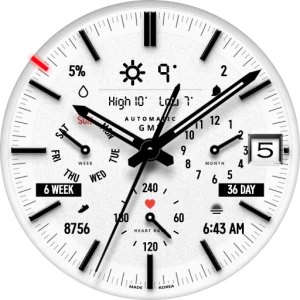
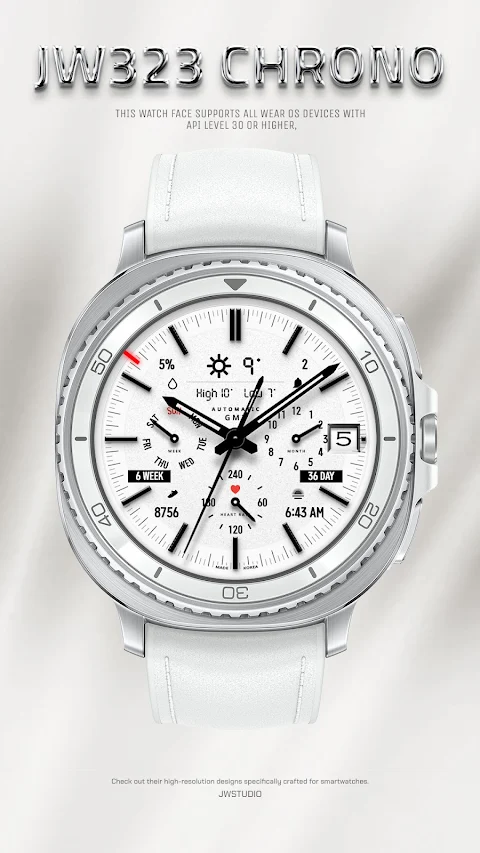
JW323 CHRONO
JWstudio




About the App
JW323 CHRONO is a versatile watch face designed for WearOS 5 devices. If you own a Samsung Galaxy Watch 4, Galaxy Watch 5, Galaxy Watch 6, Galaxy Watch 7, Galaxy Watch 8, or even a Pixel Watch, this app is for you. It supports devices with API level 34 or higher, making it compatible with the latest models in the market.
Installing JW323 CHRONO is straightforward. Before you make any payment, ensure that your watch is selected. You can do this by clicking the small triangle next to the payment button. Once you've selected your watch, navigate to the top right of the Play Store app. Here, tap on the three dots to share, choose the Chrome browser, and select “Install on other devices.” After choosing Clock and proceeding, you'll be on your way to a personalized watch experience.
Once JW323 CHRONO is installed, go to your download list to find it. Don't forget to register it as a favorite, so you can use it easily. You can view your download list by clicking on the 'Add Watch Screen' feature that appears on the far right when you tap the watch screen.
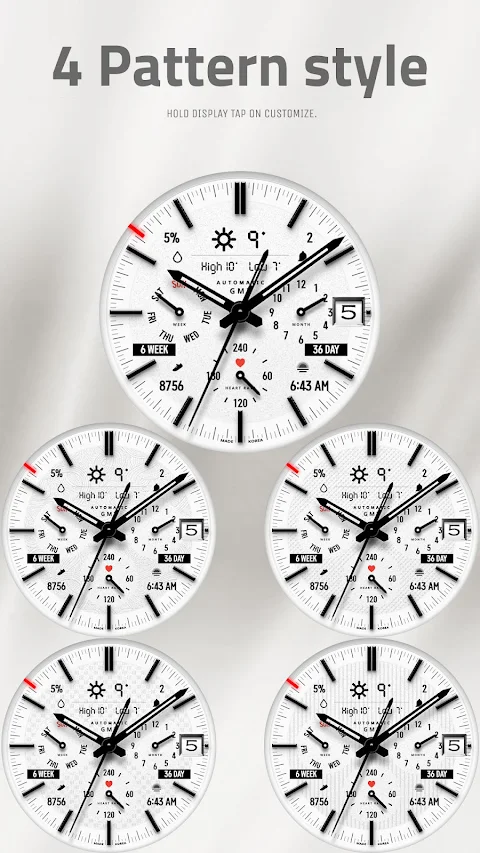
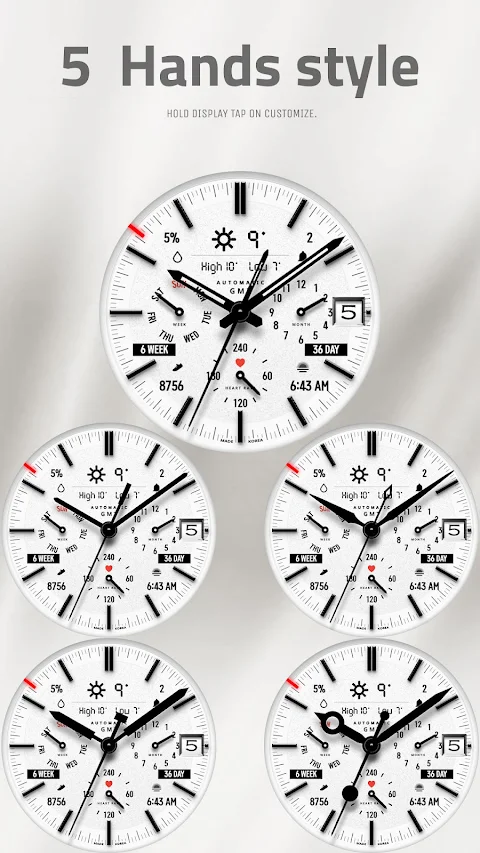
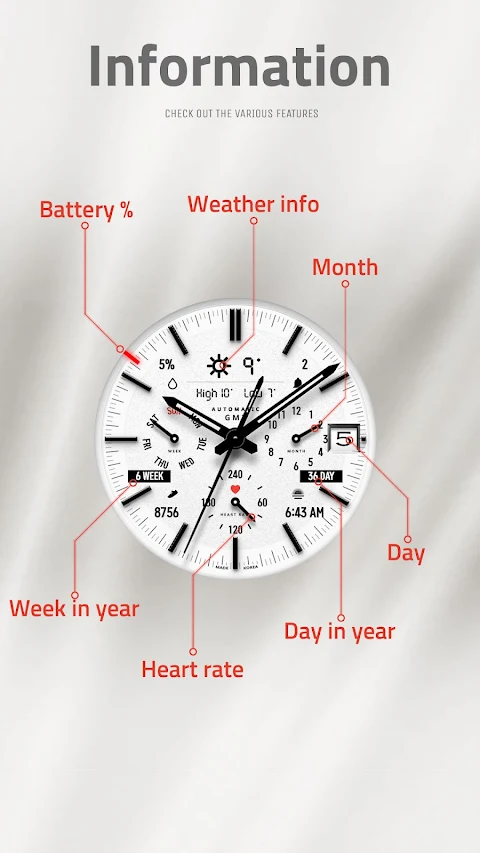
This watch face comes packed with features. You can choose from 16 color set options to match your style. There are 5 index style options, 4 pattern style options, and 5 hands style options. If you prefer a cleaner look, you can also use the border effect hide feature. For those who like to stay updated on the go, there's a weather information display included too. JW323 CHRONO even has an AOD simple mode for quick access.
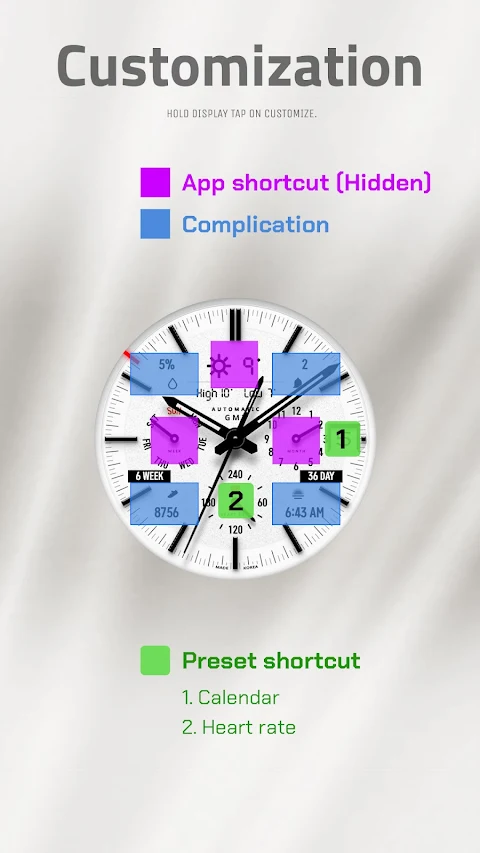
In terms of functionality, JW323 CHRONO provides 2 preset app shortcuts, which allow you to access your favorite apps directly. You can also take advantage of 3 customizable shortcut keys to set up the watch face just the way you like it. There are 4 customizable fields so you can choose what information you want to display.
Customizing JW323 CHRONO is easy. To get started, simply touch and hold the display. After that, tap on the custom options settings to explore all the ways you can personalize your watch face.
This app offers a seamless smartwatch user experience. Whether you want to express your style through color customization for watches or enjoy the interactive watch display, JW323 CHRONO makes it easy to elevate your wearable device personalization. If you have questions or need help, feel free to reach out via email at jenniferwatches@gmail.com.
Installing JW323 CHRONO is straightforward. Before you make any payment, ensure that your watch is selected. You can do this by clicking the small triangle next to the payment button. Once you've selected your watch, navigate to the top right of the Play Store app. Here, tap on the three dots to share, choose the Chrome browser, and select “Install on other devices.” After choosing Clock and proceeding, you'll be on your way to a personalized watch experience.
Once JW323 CHRONO is installed, go to your download list to find it. Don't forget to register it as a favorite, so you can use it easily. You can view your download list by clicking on the 'Add Watch Screen' feature that appears on the far right when you tap the watch screen.
This watch face comes packed with features. You can choose from 16 color set options to match your style. There are 5 index style options, 4 pattern style options, and 5 hands style options. If you prefer a cleaner look, you can also use the border effect hide feature. For those who like to stay updated on the go, there's a weather information display included too. JW323 CHRONO even has an AOD simple mode for quick access.
In terms of functionality, JW323 CHRONO provides 2 preset app shortcuts, which allow you to access your favorite apps directly. You can also take advantage of 3 customizable shortcut keys to set up the watch face just the way you like it. There are 4 customizable fields so you can choose what information you want to display.
Customizing JW323 CHRONO is easy. To get started, simply touch and hold the display. After that, tap on the custom options settings to explore all the ways you can personalize your watch face.
This app offers a seamless smartwatch user experience. Whether you want to express your style through color customization for watches or enjoy the interactive watch display, JW323 CHRONO makes it easy to elevate your wearable device personalization. If you have questions or need help, feel free to reach out via email at jenniferwatches@gmail.com.
Glyph Icons and Widgets
NARIK DESIGN
$1.99
$0.49

HD Video Live Wallpapers
Power Mind Apps
$0.99
Vera Outline White Icon Pack
One4Studio
$3.49
$1.75