

$1.29
$0.19
85% Off
LineX Adaptive IconPack
JustNewDesigns


About the App
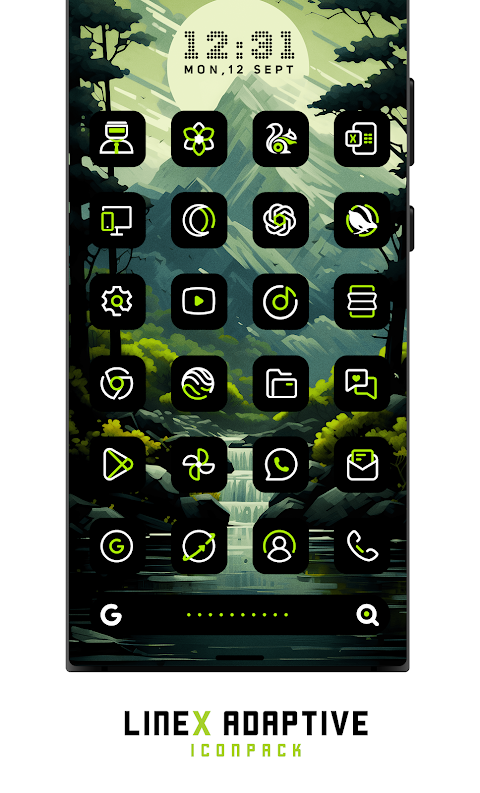
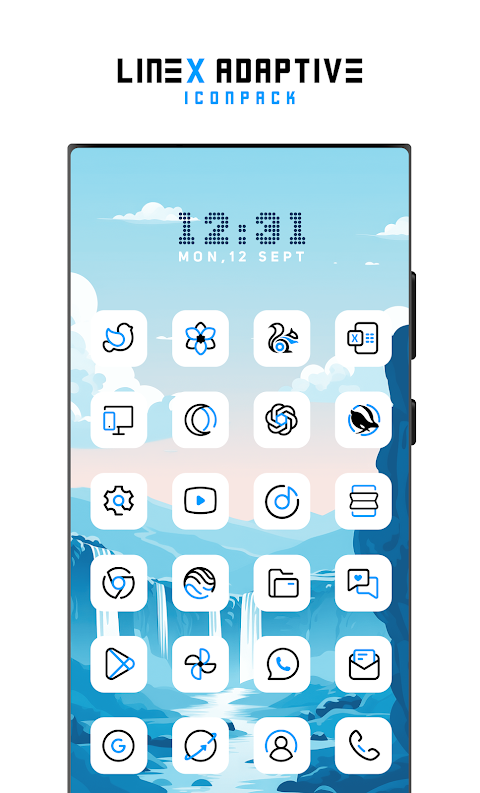
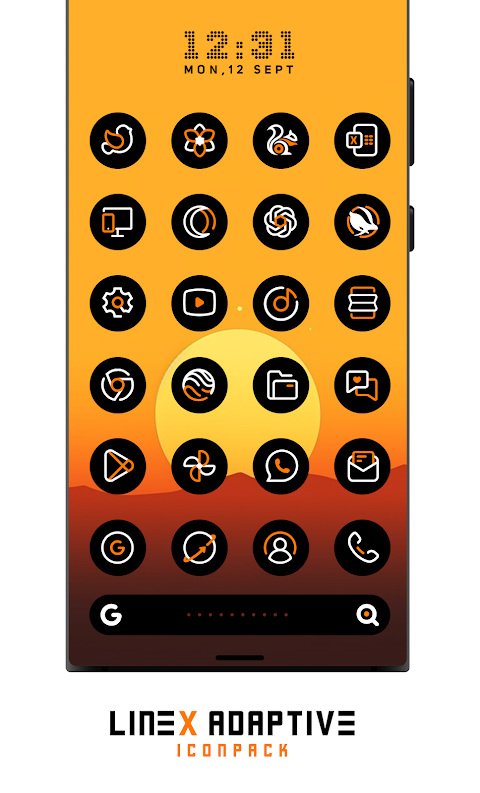
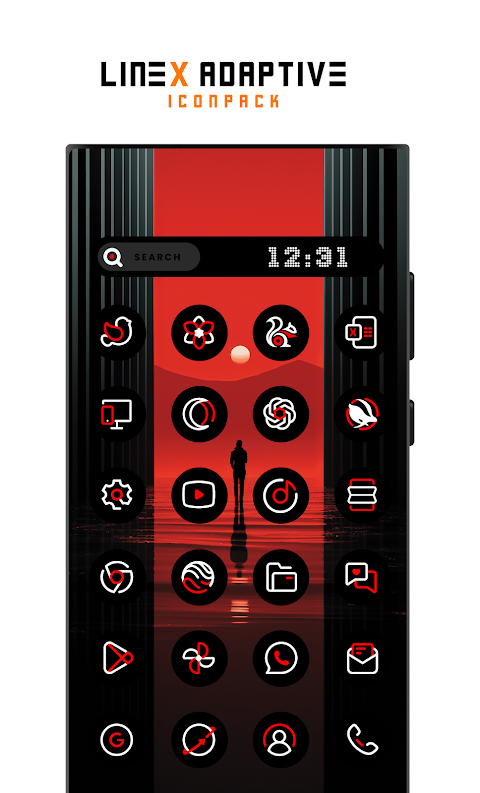
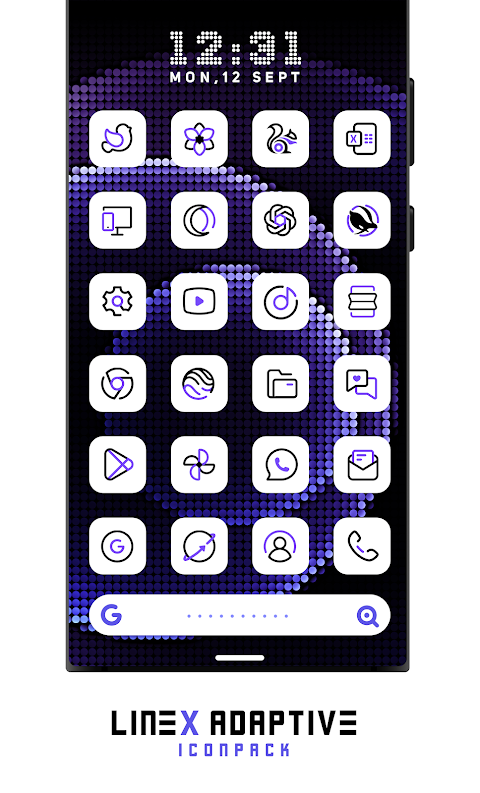
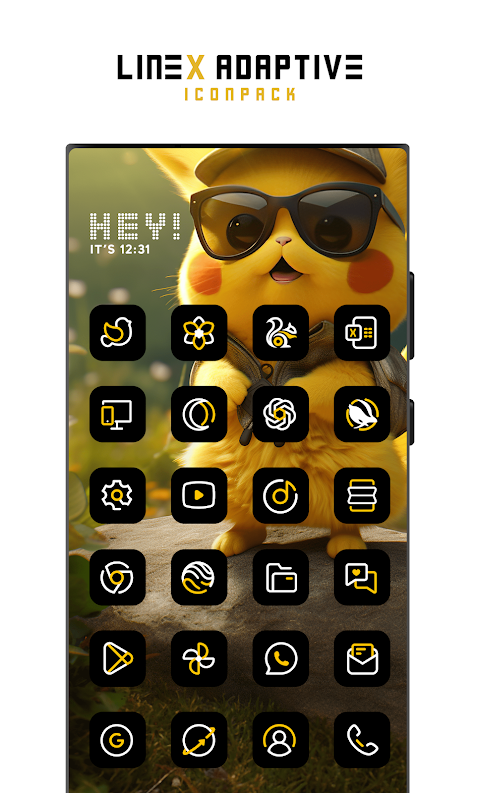
Elevate the look of your mobile screen with the LineX Adaptive IconPack. This adaptive icon pack features over 5800 high-quality icons, each meticulously crafted to blend creativity and functionality. The icons are designed to add a touch of bliss to your device, making it stand out from any basic setup.
Using the LineX Adaptive IconPack is simple. First, make sure you have a supported launcher. If your default launcher cannot use icon packs, you'll need to download one. Open the LineX Adaptive IconPack, go to the Apply section, and choose your launcher. If your launcher isn’t on the list, you can still apply the icons through your launcher’s settings.
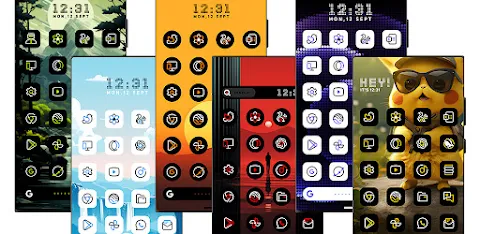
So why should you choose the LineX Adaptive IconPack over other packs? Besides the impressive collection of over 5800 icons, this pack offers dynamic calendar support. The icons change colors based on your wallpaper, creating harmonious icon color schemes that look great on your screen. Enjoy a modern linear design that focuses on unique icon shapes. You'll also get access to 100+ matching wallpapers and 10+ KWGT widgets, keeping your device fresh and stylish.
The LineX Adaptive IconPack has useful features like icon preview functionality, which makes it easy to see what your icons will look like. You’ll find a material dashboard interface that simplifies user-friendly customization, allowing you to personalize your screen aesthetics in no time. There's also a custom icon request system, so you can suggest any missing icons, and we'll keep improving the pack with frequent updates.
If you’re worried about satisfaction, there's a risk-free trial offer. If you don't love the pack, you can request a 100% refund within 12 hours of purchase. This commitment to quality ensures you get the best icon pack for Android.
Keep in mind that color changing works perfectly on devices running Android 12 and later. In some cases, you might need to reapply the icon pack to see color changes. If you prefer icons with stock colors that remain unchanged, check out our other offerings.
The LineX Adaptive IconPack works seamlessly with many popular launchers. These include Nova Launcher and Lawnchair, both highly recommended for their compatibility. Other known supported launchers are Action Launcher, Smart Launcher, and Hyperion, among others. You may also find it works with additional launchers not listed here.
For specific setups like OneUI, you can utilize Theme Park to customize colors and icons further. If you use Pixel Launcher, it also integrates well with Shortcut Maker for extra convenience.
If you face any challenges while using the LineX Adaptive IconPack, feel free to get in touch with us via email at justnewdesigns@gmail.com. We're here to help you make the most of your icon pack experience.
Every time you unlock your device, let the beauty and creativity of the LineX Adaptive IconPack delight you. With its stunning design and personalized options, it's a perfect choice for customization enthusiasts looking to transform their screens. Don't wait—experience the joy of vibrant icons with the LineX Adaptive IconPack today!
Using the LineX Adaptive IconPack is simple. First, make sure you have a supported launcher. If your default launcher cannot use icon packs, you'll need to download one. Open the LineX Adaptive IconPack, go to the Apply section, and choose your launcher. If your launcher isn’t on the list, you can still apply the icons through your launcher’s settings.
So why should you choose the LineX Adaptive IconPack over other packs? Besides the impressive collection of over 5800 icons, this pack offers dynamic calendar support. The icons change colors based on your wallpaper, creating harmonious icon color schemes that look great on your screen. Enjoy a modern linear design that focuses on unique icon shapes. You'll also get access to 100+ matching wallpapers and 10+ KWGT widgets, keeping your device fresh and stylish.
The LineX Adaptive IconPack has useful features like icon preview functionality, which makes it easy to see what your icons will look like. You’ll find a material dashboard interface that simplifies user-friendly customization, allowing you to personalize your screen aesthetics in no time. There's also a custom icon request system, so you can suggest any missing icons, and we'll keep improving the pack with frequent updates.
If you’re worried about satisfaction, there's a risk-free trial offer. If you don't love the pack, you can request a 100% refund within 12 hours of purchase. This commitment to quality ensures you get the best icon pack for Android.
Keep in mind that color changing works perfectly on devices running Android 12 and later. In some cases, you might need to reapply the icon pack to see color changes. If you prefer icons with stock colors that remain unchanged, check out our other offerings.
The LineX Adaptive IconPack works seamlessly with many popular launchers. These include Nova Launcher and Lawnchair, both highly recommended for their compatibility. Other known supported launchers are Action Launcher, Smart Launcher, and Hyperion, among others. You may also find it works with additional launchers not listed here.
For specific setups like OneUI, you can utilize Theme Park to customize colors and icons further. If you use Pixel Launcher, it also integrates well with Shortcut Maker for extra convenience.
If you face any challenges while using the LineX Adaptive IconPack, feel free to get in touch with us via email at justnewdesigns@gmail.com. We're here to help you make the most of your icon pack experience.
Every time you unlock your device, let the beauty and creativity of the LineX Adaptive IconPack delight you. With its stunning design and personalized options, it's a perfect choice for customization enthusiasts looking to transform their screens. Don't wait—experience the joy of vibrant icons with the LineX Adaptive IconPack today!
Night Core 04 Modern Face
Nighty Watch Faces
$2.49
$1.00
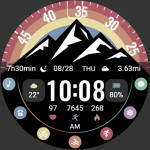
【Animated】Mountain Rainbow
ZKin
$2.99
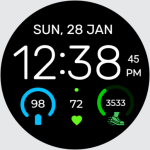
Watch Face Digital EasyRead D1
Devration
$3.99
FREE