

$1.99
FREE
100% Off
Pixel Resizer: Custom Metadata
Bad Assassin Games

About the App
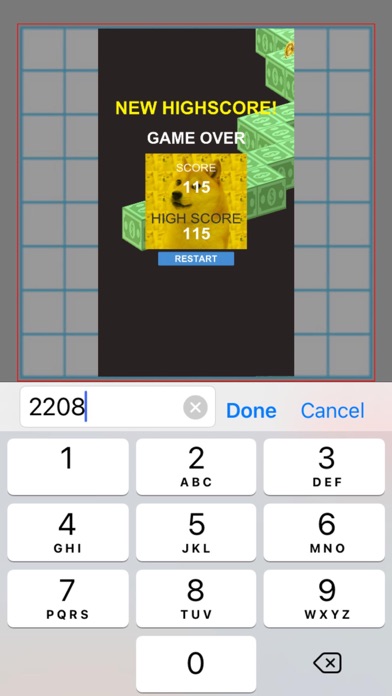
Pixel Resizer: Custom Metadata is a handy tool that helps you scale images to any exact pixel dimensions you need. Whether you want to resize photos for social media, developer screenshots, or even your app's marketing materials, this app has you covered. You can specify dimensions up to 4,000 x 4,000 pixels without worrying about locked aspect ratios.
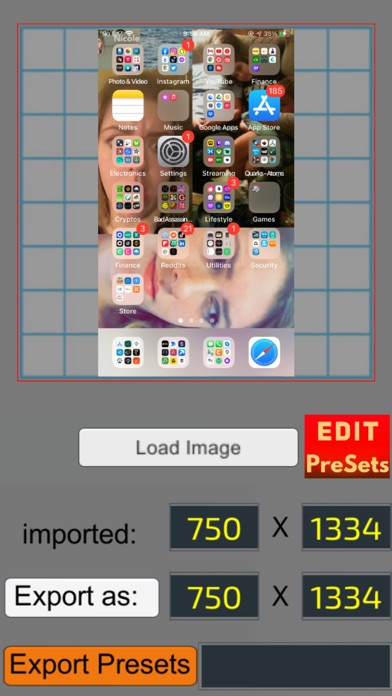
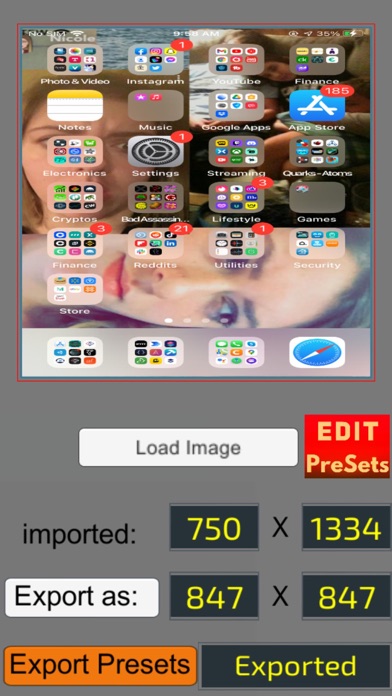
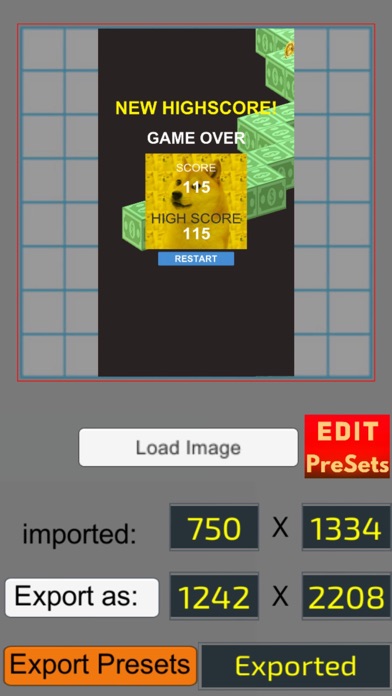
Using Pixel Resizer is straightforward. Start by importing your images, change the output dimension pixels to your desired size, and then export them immediately. One of the best features of this app is its ability to provide immediate image export, so you don't have to deal with lag time. This efficiency makes it ideal for iOS developer screenshots, especially for those using Xcode.
For developers working with App Store Connect, Pixel Resizer offers a quick solution. Simply set the required dimensions for your screenshots, and you can export multiple screenshots at once. This is particularly useful if you have the same visual content for various screenshot pixel ratios required for app submissions.
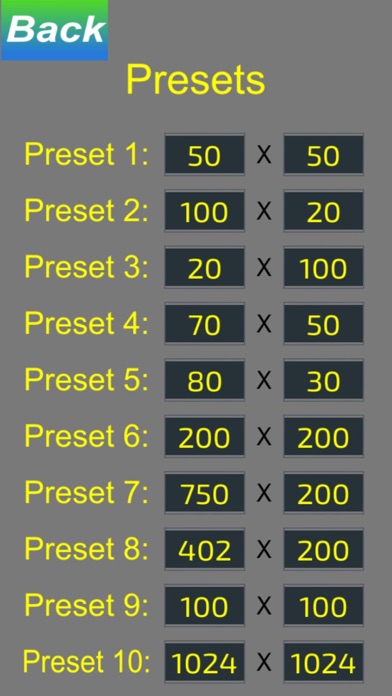
Additionally, Pixel Resizer comes with preset size options. You can save these settings to quickly adjust multiple images at once. This preset save functionality is perfect for keeping your workflow smooth. If you need support for selfies, this app works just as well, helping you resize personal photos for Instagram, Facebook, and other platforms.
The app excels in image dimension conversion and does so with pixel-perfect adjustments. Its user-friendly image management makes it easy to handle different sizes and formats. You can customize output settings based on your preferences, making it highly versatile for image export options.
Furthermore, if you're looking for a quick image resizing tool, Pixel Resizer fits the bill. It allows for dynamic image resizing while optimizing screen resolution for the best viewing experience. This capability is essential for maintaining optimal image formats, ensuring that your visuals look great no matter where you use them.
In summary, Pixel Resizer: Custom Metadata is the best tool for app screenshots and other resizing needs. Its efficient screenshot management and simple interface make it a go-to choice for iOS developers and anyone needing custom screenshot sizes. With its powerful features and straightforward usage, this app is perfect for anyone looking to create visually appealing content.
Using Pixel Resizer is straightforward. Start by importing your images, change the output dimension pixels to your desired size, and then export them immediately. One of the best features of this app is its ability to provide immediate image export, so you don't have to deal with lag time. This efficiency makes it ideal for iOS developer screenshots, especially for those using Xcode.
For developers working with App Store Connect, Pixel Resizer offers a quick solution. Simply set the required dimensions for your screenshots, and you can export multiple screenshots at once. This is particularly useful if you have the same visual content for various screenshot pixel ratios required for app submissions.
Additionally, Pixel Resizer comes with preset size options. You can save these settings to quickly adjust multiple images at once. This preset save functionality is perfect for keeping your workflow smooth. If you need support for selfies, this app works just as well, helping you resize personal photos for Instagram, Facebook, and other platforms.
The app excels in image dimension conversion and does so with pixel-perfect adjustments. Its user-friendly image management makes it easy to handle different sizes and formats. You can customize output settings based on your preferences, making it highly versatile for image export options.
Furthermore, if you're looking for a quick image resizing tool, Pixel Resizer fits the bill. It allows for dynamic image resizing while optimizing screen resolution for the best viewing experience. This capability is essential for maintaining optimal image formats, ensuring that your visuals look great no matter where you use them.
In summary, Pixel Resizer: Custom Metadata is the best tool for app screenshots and other resizing needs. Its efficient screenshot management and simple interface make it a go-to choice for iOS developers and anyone needing custom screenshot sizes. With its powerful features and straightforward usage, this app is perfect for anyone looking to create visually appealing content.

ASCII Charts
Alexander Kaessner
$4.99
$1.99

Inspire Pro
snowCanoe
$9.99
$1.99

Inspire
snowCanoe
$4.99
$0.99