
$3.99
FREE
100% Off
ImgRef
文荣 李


About the App
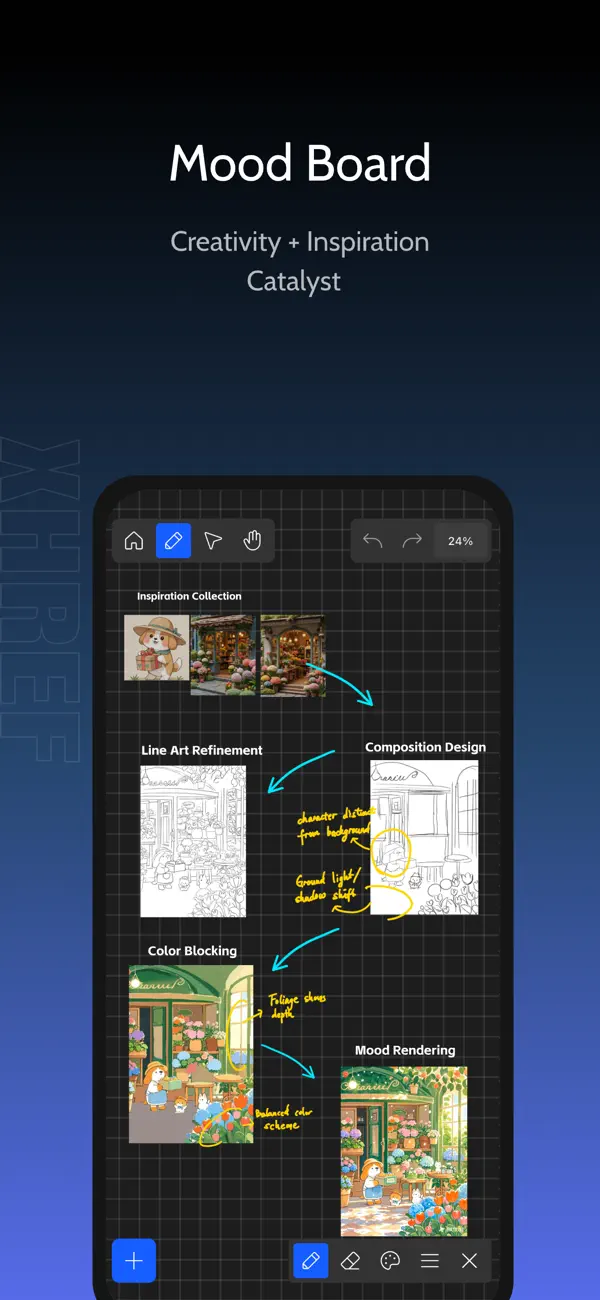
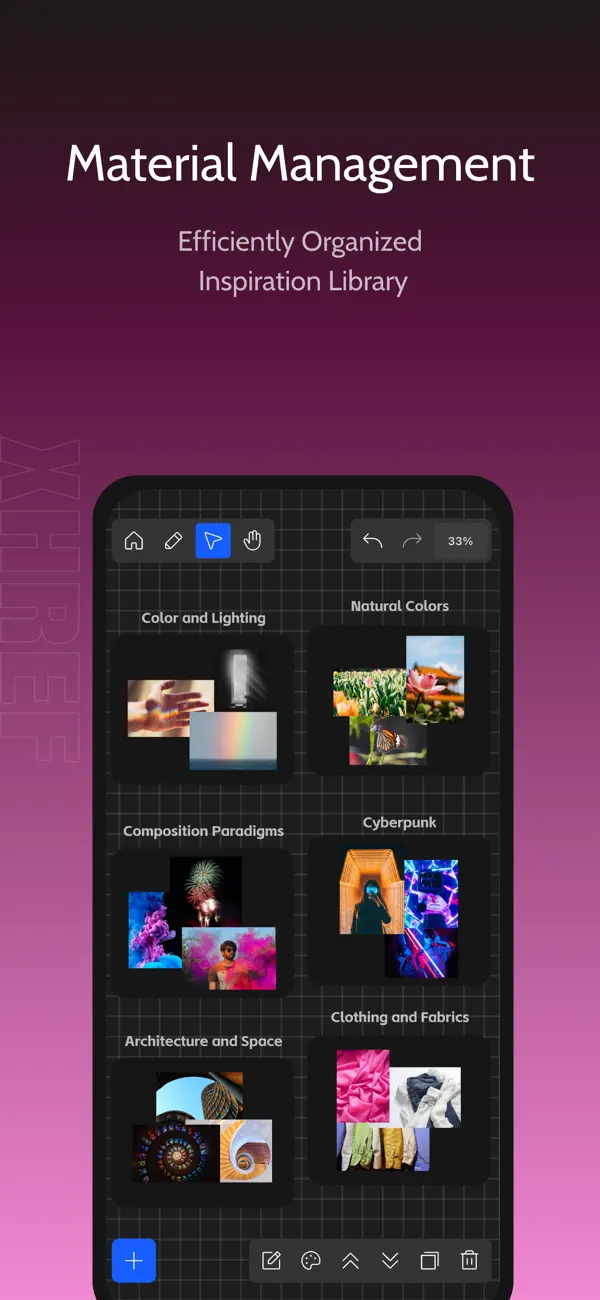
ImgRef is a versatile app designed to enhance your creative workflow. Selected as an "App Store Editor's Choice" and boasting an impressive 98% 5-star rating, ImgRef works seamlessly across iPhone, iPad, and MacOS. This all-in-one tool is perfect for creating mood boards and managing reference images. With its smart asset management features, you can easily keep track of your creative ideas.
Whether you’re involved in UI design workflows, brand illustration, photography references, architecture design, or video storyboarding, ImgRef serves as your professional reference image and inspiration board. It combines essential tools for color picking and free-form collaging, making it an invaluable resource for any creative individual.
One of the standout features of ImgRef is the unlimited canvas. This allows for massive long-term storage of your projects, benefiting from smart caching and smooth browsing. You can use multi-select batch processing to choose multiple images at once. The app adapts to your needs, offering adaptive scaling techniques and uniform sizing with just one tap.
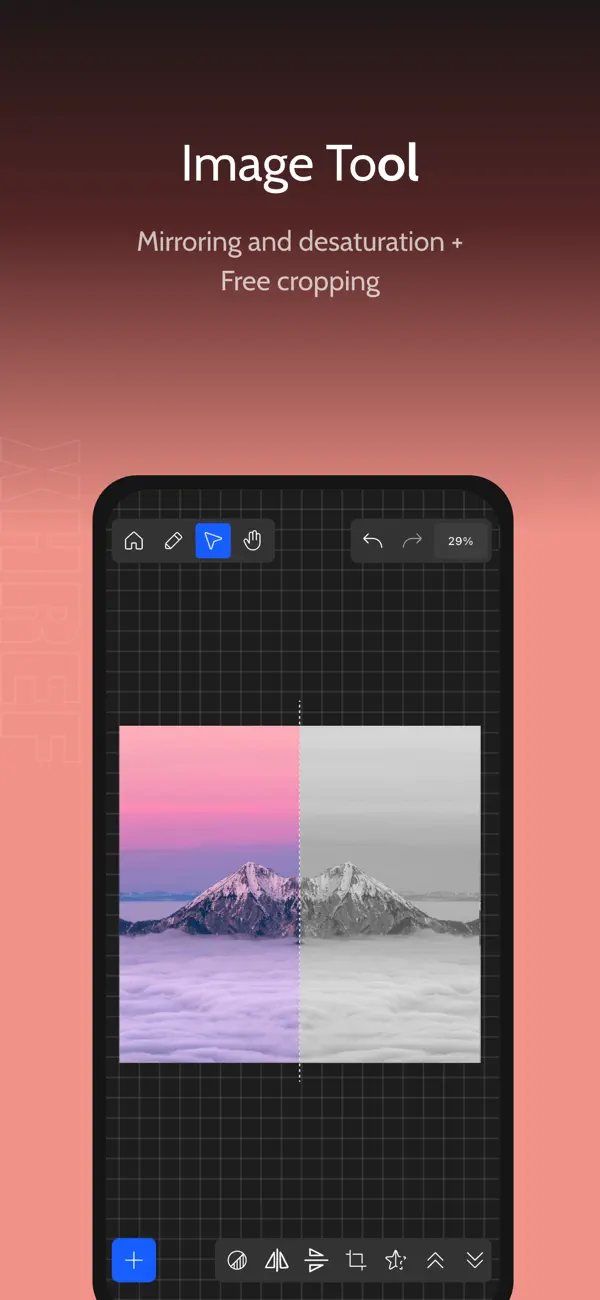
For those who prefer working efficiently, ImgRef provides complete keyboard shortcuts. These shortcuts are mapped for Mac and iPad keyboards, ensuring that high-frequency operations are seamless. The image editing features let you rotate, crop, desaturate, and even apply layers and scaling, giving you full control over your visuals.
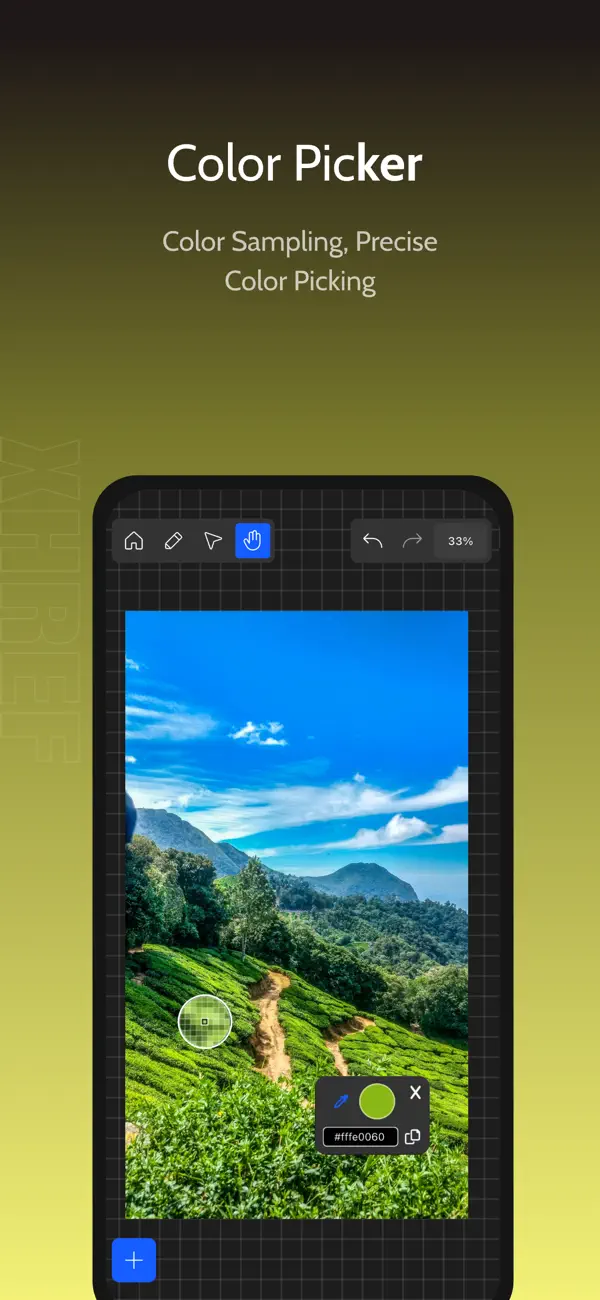
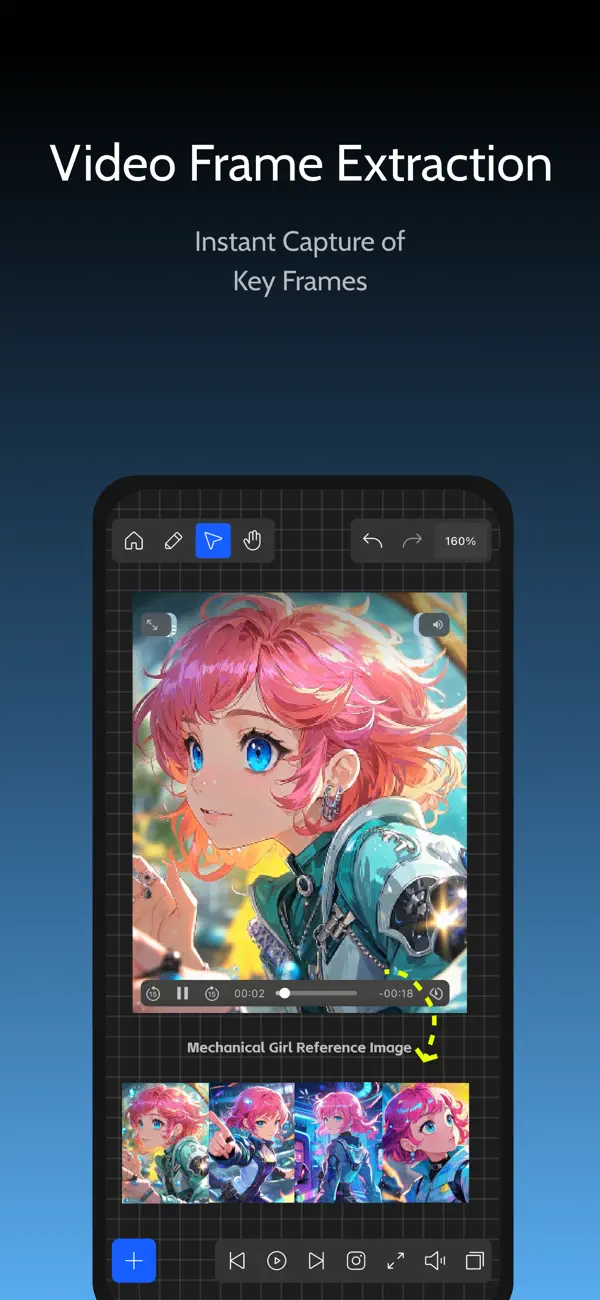
Another useful feature is the dynamic color picker. It enables real-time color extraction from anywhere on the canvas, allowing you to identify common color codes quickly. If you're working with video, ImgRef includes MP4 playback support and 4K still frame extraction for faster storyboarding and reference.
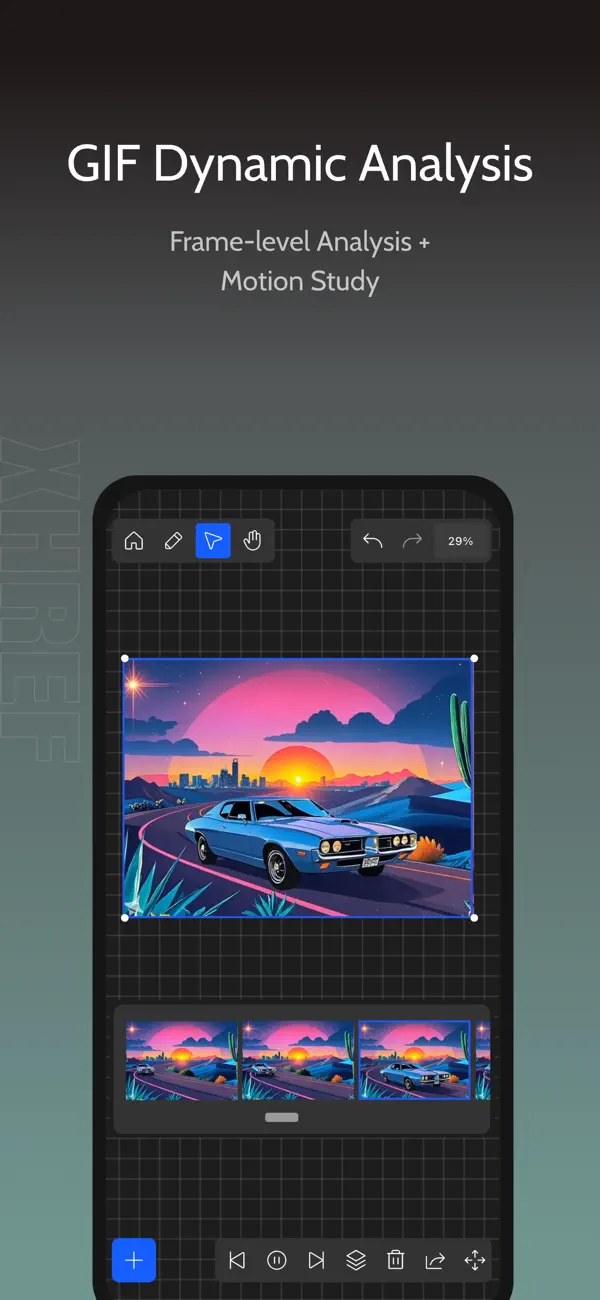
The app also offers stylized text options for clearer annotations, titles, and labels. With magnetic guides for alignment, you will benefit from alignment hints and smart snapping, helping to create precise layouts. In addition, ImgRef supports GIF decomposition, which allows for one-tap frame-by-frame breaks of animations for easy referencing.
When it comes to managing assets, ImgRef has various import methods—from clipboard and photo library to drag and drop from popular image sites like Pinterest, ArtStation, Midjourney, Pixiv, and Instagram. For sharing your work, you can use the export methods to send scene exports or image groups with ease.
ImgRef also features multiple modes for viewing, locking, and editing, so you can keep your browsing and editing activities separate. The app’s brush tools support annotation and highlighting, making communication intuitive. It supports full backup capabilities, ensuring you can recover your data whenever necessary. You'll also find file search functionality, allowing you to locate your files quickly.
For those using the ImgRef Pro membership, additional enhancements include the image notes feature, which lets you capture key ideas. The clean preview mode allows for focused viewing without distractions, while advanced cropping options help you fit different aspect ratios. You can also apply image blur processing for privacy and create richer visual layering.
Furthermore, ImgRef offers high-resolution exports, making it easy to share your full scenes as HD PNG files. With file favorites management, you can access frequently used files faster, enhancing your creative workflow. The category tagging system helps organize files by project, status, or use, making it easier to filter or locate them.
The app includes a canvas grayscale view that lets you focus on tone and composition, while image color analysis intelligently extracts dominant colors to provide quick insight into palette relationships.
You can subscribe to ImgRef Pro membership, and your iTunes account will be billed accordingly. The subscription renews automatically unless canceled at least 24 hours before the current period ends. Managing your plan is straightforward via the iTunes Store.
Discover the smoothest creative tool for your projects with ImgRef. Thank you for exploring this app! For questions or support, feel free to contact us via email at xunhuaref@163.com.
Whether you’re involved in UI design workflows, brand illustration, photography references, architecture design, or video storyboarding, ImgRef serves as your professional reference image and inspiration board. It combines essential tools for color picking and free-form collaging, making it an invaluable resource for any creative individual.
One of the standout features of ImgRef is the unlimited canvas. This allows for massive long-term storage of your projects, benefiting from smart caching and smooth browsing. You can use multi-select batch processing to choose multiple images at once. The app adapts to your needs, offering adaptive scaling techniques and uniform sizing with just one tap.
For those who prefer working efficiently, ImgRef provides complete keyboard shortcuts. These shortcuts are mapped for Mac and iPad keyboards, ensuring that high-frequency operations are seamless. The image editing features let you rotate, crop, desaturate, and even apply layers and scaling, giving you full control over your visuals.
Another useful feature is the dynamic color picker. It enables real-time color extraction from anywhere on the canvas, allowing you to identify common color codes quickly. If you're working with video, ImgRef includes MP4 playback support and 4K still frame extraction for faster storyboarding and reference.
The app also offers stylized text options for clearer annotations, titles, and labels. With magnetic guides for alignment, you will benefit from alignment hints and smart snapping, helping to create precise layouts. In addition, ImgRef supports GIF decomposition, which allows for one-tap frame-by-frame breaks of animations for easy referencing.
When it comes to managing assets, ImgRef has various import methods—from clipboard and photo library to drag and drop from popular image sites like Pinterest, ArtStation, Midjourney, Pixiv, and Instagram. For sharing your work, you can use the export methods to send scene exports or image groups with ease.
ImgRef also features multiple modes for viewing, locking, and editing, so you can keep your browsing and editing activities separate. The app’s brush tools support annotation and highlighting, making communication intuitive. It supports full backup capabilities, ensuring you can recover your data whenever necessary. You'll also find file search functionality, allowing you to locate your files quickly.
For those using the ImgRef Pro membership, additional enhancements include the image notes feature, which lets you capture key ideas. The clean preview mode allows for focused viewing without distractions, while advanced cropping options help you fit different aspect ratios. You can also apply image blur processing for privacy and create richer visual layering.
Furthermore, ImgRef offers high-resolution exports, making it easy to share your full scenes as HD PNG files. With file favorites management, you can access frequently used files faster, enhancing your creative workflow. The category tagging system helps organize files by project, status, or use, making it easier to filter or locate them.
The app includes a canvas grayscale view that lets you focus on tone and composition, while image color analysis intelligently extracts dominant colors to provide quick insight into palette relationships.
You can subscribe to ImgRef Pro membership, and your iTunes account will be billed accordingly. The subscription renews automatically unless canceled at least 24 hours before the current period ends. Managing your plan is straightforward via the iTunes Store.
Discover the smoothest creative tool for your projects with ImgRef. Thank you for exploring this app! For questions or support, feel free to contact us via email at xunhuaref@163.com.

TinType – Wet Plate Camera
Hipstamatic, LLC
$0.99
PXL – mosaic art
Norikazu Muramoto
$3.99

Clear Skin AI: Face Editor
Innovative Software Solutions, LLC
$1.99