

$7.99
$0.80
90% Off
Emulaitor – Retro emulator
ABAFE

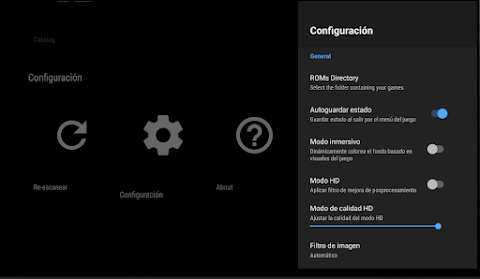
About the App
Experience the golden age of video games with Emulaitor, your go-to retro emulator. This app turns your Android device—be it an Android TV, tablet, or smartphone—into a robust gaming console. Emulaitor isn’t just another emulator; it’s a polished and powerful hub for your retro entertainment, designed with you in mind.
One of the best reasons to choose Emulaitor is the premium experience it offers. You can enjoy your games without interruptions, thanks to zero ads and no hidden purchases. With a simple one-time payment, you unlock a professional gaming experience that is hard to beat.
For those on the go, the cloud synchronization feature lets you play anywhere. Whether you’re on the bus or relaxing at home on your Android TV, you can automatically sync your saved games via Google Drive. This means you won’t lose progress, and your game will be waiting for you whenever you are ready to play.
Emulaitor boasts multi-device support, with different user interfaces tailored to each type of device. Whether you are using a tablet, smartphone, or Android TV, you will find the interface optimized for controller navigation. Unlike other applications, awkward touch controls on your TV are a thing of the past. If you prefer a smartphone or tablet, the touch experience is equally pleasant, thanks to an adapted UI.
Speaking of controllers, Emulaitor offers impressive controller compatibility. You can connect almost any Bluetooth controller, including popular options like PS4, PS5, Xbox, and 8BitDo, as well as USB and generic controllers. This makes it easy to tailor your gaming setup to your preferences.
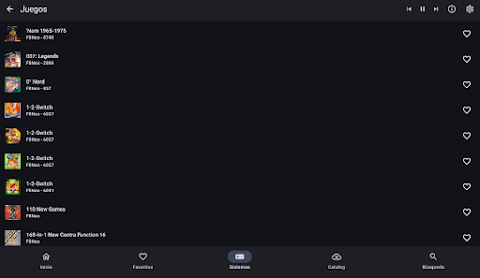
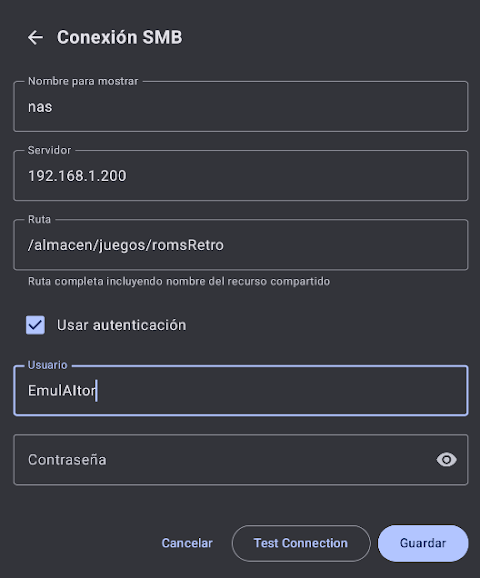
If you have your game collection stored on a server, Emulaitor offers NAS and SMB support. You won’t need to fill up your phone’s memory; instead, you can play your games directly over your local Wi-Fi network at maximum speed. This makes accessing your favorite titles more convenient than ever.
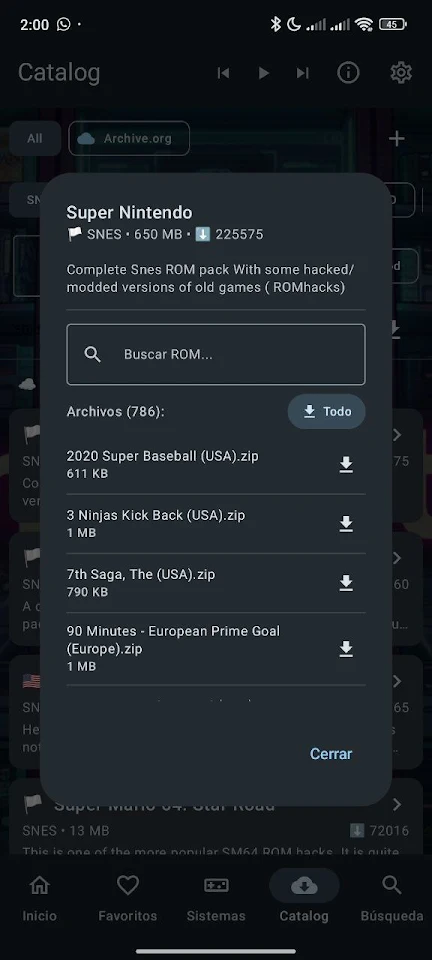
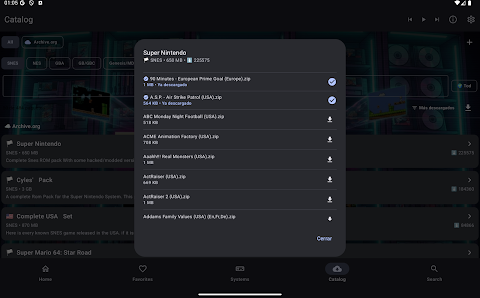
With Emulaitor, you also gain access to digital preservation. The app connects directly to public libraries, such as archive.org, allowing you to legally download homebrew and public domain titles. This feature helps you preserve gaming history while enjoying classic games.
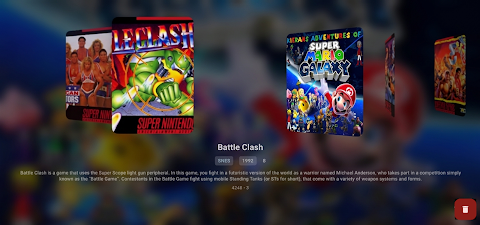
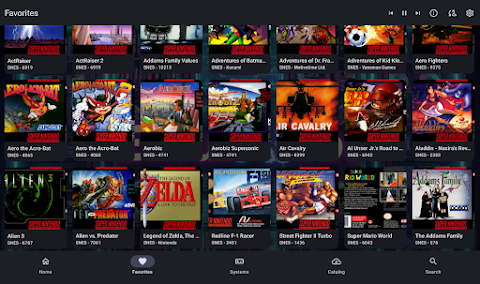
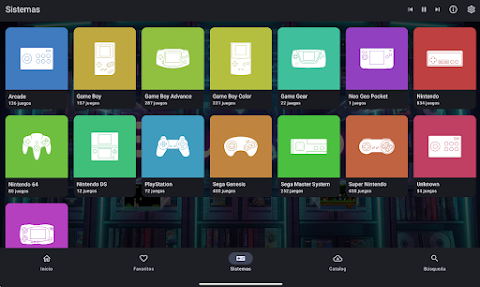
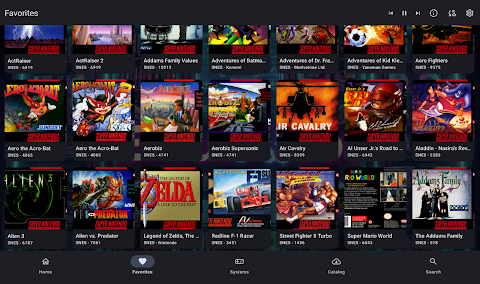
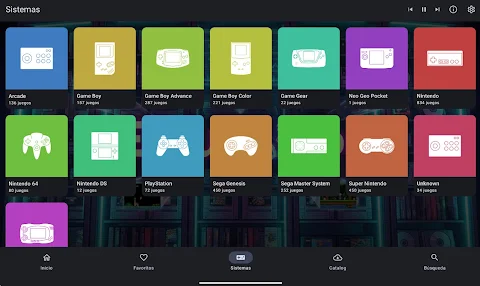
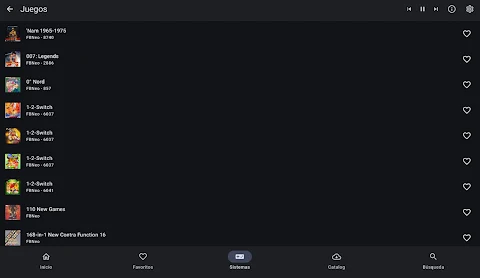
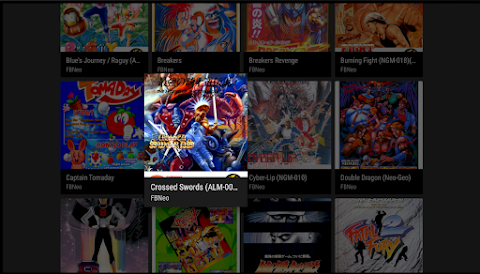
The main features of Emulaitor are truly impressive. It supports multiple systems, allowing you to play games from NES, SNES, GBA, PSX, PSP, N64, Genesis, and many more. The smart library scans your device, automatically identifying your games. It even downloads cover art and information for you, making your gaming experience more organized and visually appealing.
If you find yourself struggling with a tough level, the replay feature allows you to rewind time and try again. Died in that tricky jump? Simply rewind and give it another shot. You can also enjoy vintage CRT simulation and portable LCD effects with high-quality filters that enhance your gaming visuals.
Local multiplayer is another exciting aspect of Emulaitor. You can connect multiple controllers and enjoy games with friends on the same device. This feature adds a social element to your gaming sessions, making it a great way to bond over classic titles.
When it comes to privacy and security, Emulaitor is open-source and transparent. You can rest easy knowing that your data is safe and not collected.
It's important to note that Emulaitor does not include games or BIOS files. Users must provide their own backup copies of legally purchased games, ensuring a responsible gaming environment.
With Emulaitor, enjoy a seamless gaming experience that brings your favorite retro games to life. Whether you’re interested in high-quality image enhancement, persistent game saves, or a nostalgic look back at classic gaming, this app has you covered. Emulaitor is here to transform your device into a comprehensive retro gaming hub.
One of the best reasons to choose Emulaitor is the premium experience it offers. You can enjoy your games without interruptions, thanks to zero ads and no hidden purchases. With a simple one-time payment, you unlock a professional gaming experience that is hard to beat.
For those on the go, the cloud synchronization feature lets you play anywhere. Whether you’re on the bus or relaxing at home on your Android TV, you can automatically sync your saved games via Google Drive. This means you won’t lose progress, and your game will be waiting for you whenever you are ready to play.
Emulaitor boasts multi-device support, with different user interfaces tailored to each type of device. Whether you are using a tablet, smartphone, or Android TV, you will find the interface optimized for controller navigation. Unlike other applications, awkward touch controls on your TV are a thing of the past. If you prefer a smartphone or tablet, the touch experience is equally pleasant, thanks to an adapted UI.
Speaking of controllers, Emulaitor offers impressive controller compatibility. You can connect almost any Bluetooth controller, including popular options like PS4, PS5, Xbox, and 8BitDo, as well as USB and generic controllers. This makes it easy to tailor your gaming setup to your preferences.
If you have your game collection stored on a server, Emulaitor offers NAS and SMB support. You won’t need to fill up your phone’s memory; instead, you can play your games directly over your local Wi-Fi network at maximum speed. This makes accessing your favorite titles more convenient than ever.
With Emulaitor, you also gain access to digital preservation. The app connects directly to public libraries, such as archive.org, allowing you to legally download homebrew and public domain titles. This feature helps you preserve gaming history while enjoying classic games.
The main features of Emulaitor are truly impressive. It supports multiple systems, allowing you to play games from NES, SNES, GBA, PSX, PSP, N64, Genesis, and many more. The smart library scans your device, automatically identifying your games. It even downloads cover art and information for you, making your gaming experience more organized and visually appealing.
If you find yourself struggling with a tough level, the replay feature allows you to rewind time and try again. Died in that tricky jump? Simply rewind and give it another shot. You can also enjoy vintage CRT simulation and portable LCD effects with high-quality filters that enhance your gaming visuals.
Local multiplayer is another exciting aspect of Emulaitor. You can connect multiple controllers and enjoy games with friends on the same device. This feature adds a social element to your gaming sessions, making it a great way to bond over classic titles.
When it comes to privacy and security, Emulaitor is open-source and transparent. You can rest easy knowing that your data is safe and not collected.
It's important to note that Emulaitor does not include games or BIOS files. Users must provide their own backup copies of legally purchased games, ensuring a responsible gaming environment.
With Emulaitor, enjoy a seamless gaming experience that brings your favorite retro games to life. Whether you’re interested in high-quality image enhancement, persistent game saves, or a nostalgic look back at classic gaming, this app has you covered. Emulaitor is here to transform your device into a comprehensive retro gaming hub.

Tap Rush – Reflex Game
Eggies
$2.49
FREE

Infinity Tank Battle – 8 bit
UnknownProjectX
$9.99

I.F.O: Casual Retro Shooter
종합밧데리(Total Battery)
$3.49
$1.99