

$4.99
$2.50
50% Off
OPNsense Manager
Double Trouble(shooting)



About the App
OPNsense Manager is a versatile mobile application designed to help you manage multiple OPNsense instances right from your phone. With this app, you can easily keep track of all your firewall settings and network activity in one place.
One of the great features is the Demo Mode. This allows you to explore the app without any initial setup. You can try all the features using realistic sample data before you connect to your actual firewall.
Security is a top priority with OPNsense Manager. It includes Secure API Authentication, ensuring your data is safe. It uses API key and secret-based authentication, and your information is stored securely using platform-specific Keychain or Keystore options.
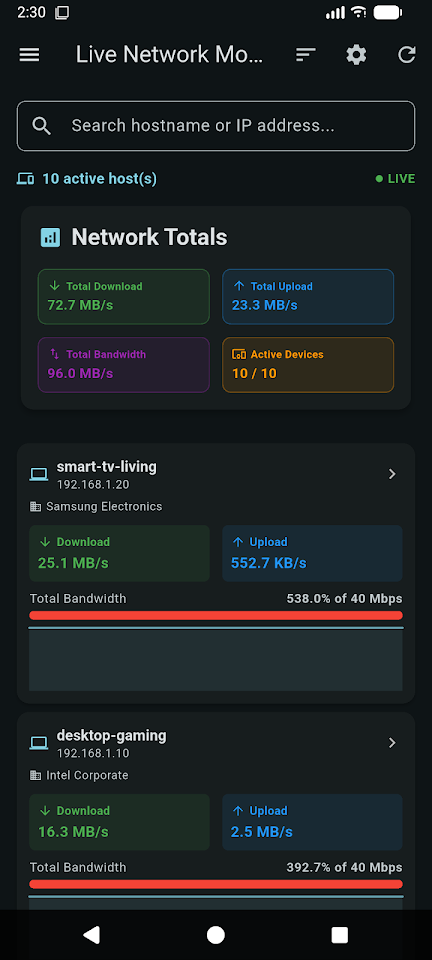
Managing multiple OPNsense instances is seamless with the Multiple Profile Management feature. You can switch between various firewall configurations effortlessly. Users benefit from real-time network visibility, which lets you see all network activity as it happens. The app also supports automatic device discovery, making it easy to identify all devices connected to your network.
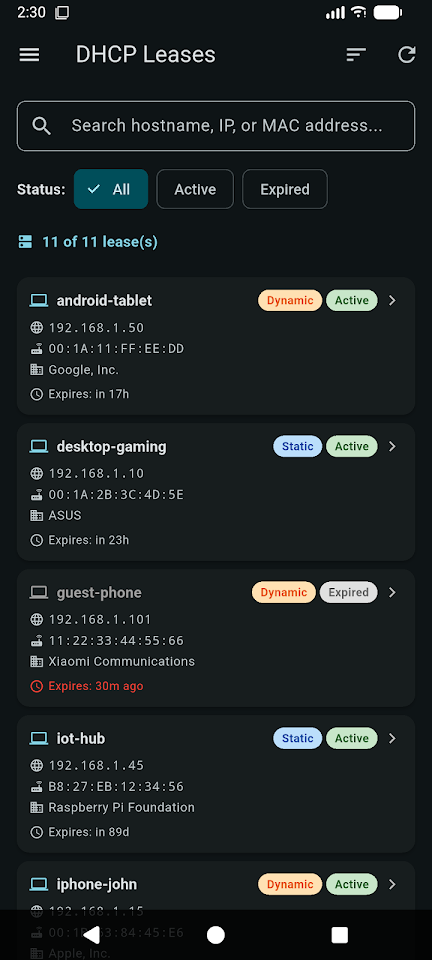
You can view important connection details such as IPs, ports, protocols, and data rates. If you want to restrict network access, you can block unwanted devices directly from the monitor. The app also allows you to view all active DHCP leases, providing complete device information like IP addresses, MAC addresses, hostnames, and lease times.
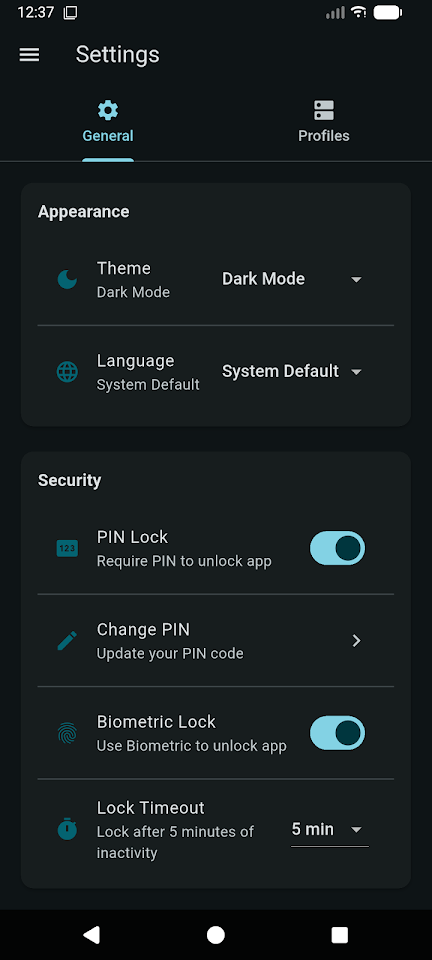
Security is further enhanced with the PIN Lock and Biometric Authentication options. This allows you to secure access to the app with a 4-6 digit PIN code, along with support for Face ID, Touch ID, or Fingerprint recognition.
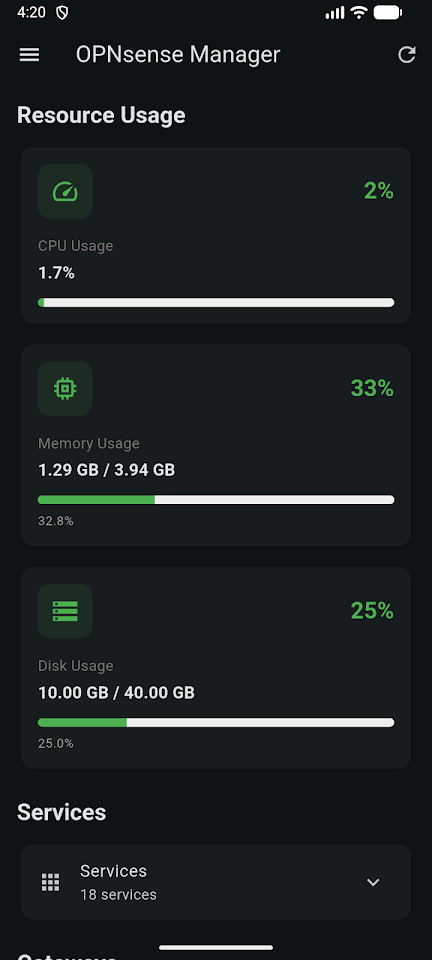
The Real-time Dashboard helps you monitor system status, including CPU memory usage, gateway health, and uptime. It features an auto-refresh capability, so the information stays current. You can manage your firewall rules through Firewall Rule Management, where you can view, create, edit, delete, and toggle firewall rules with a variety of configuration options.
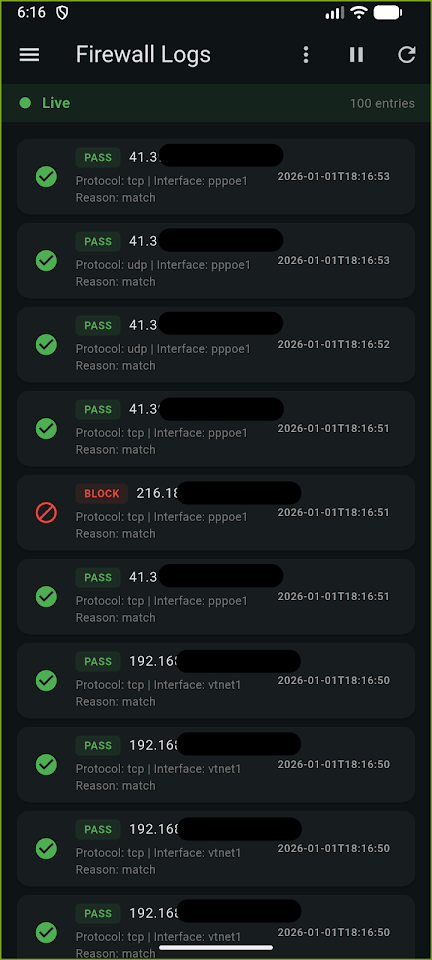
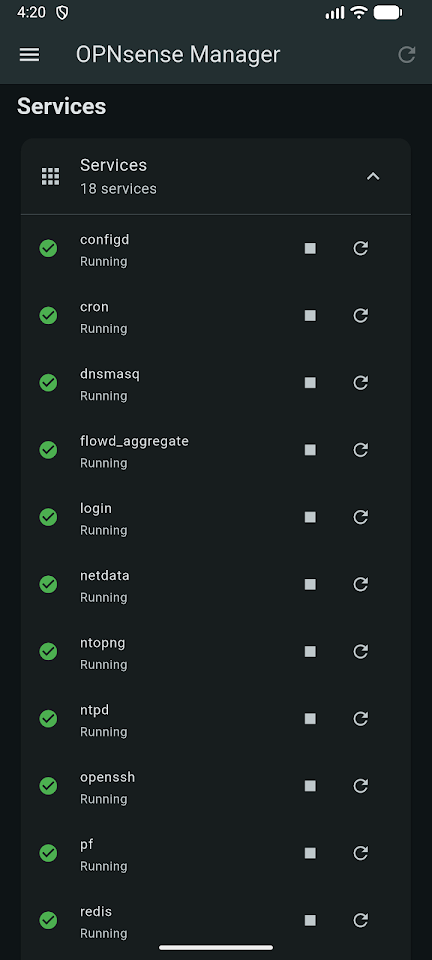
In addition, the app provides Live Firewall Logs, allowing real-time log viewing. You can filter logs by action—like Pass, Block, or Reject—and use search functionality for detailed packet information. The Service Management feature lets you start, stop, and restart system services with real-time status indicators.
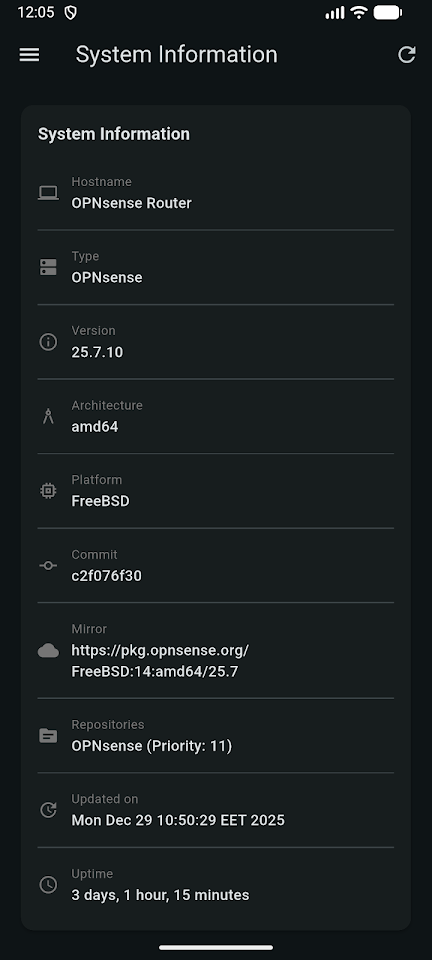
System Information is another key feature. You can view detailed firmware details, version information, architecture, and repository details all from your device. The VPN Connection Management feature allows you to manage OpenVPN and Tailscale connections directly within the app.
For added convenience, OPNsense Manager supports Remote Firewall Reboot, enabling you to safely reboot your OPNsense firewall from a distance with confirmation. The app also offers Multi-language Support, making it accessible for users in English, Arabic, Spanish, French, and German.
You can easily handle connection profiles with the Profile Import Export feature, allowing you to backup and share connection profiles as JSON files. The Auto-Lock features enhance security with configurable automatic locking, which can be set between 1 to 60 minutes.
You can also toggle between dark and light modes with the Dark Light Theme for comfortable viewing. With the Pull-to-Refresh feature, you can update data instantly with a simple swipe gesture. The app uses Material Design 3, providing a modern and beautiful UI optimized for various screen sizes.
If you face any network connectivity issues, OPNsense Manager offers Offline Support, ensuring a graceful handling of such situations. You’ll be pleased to know that the app supports self-signed certificates per profile, allowing for flexible deployment options.
In summary, OPNsense Manager is the perfect mobile application for anyone looking to manage their OPNsense instances with convenience and security. You'll appreciate the range of features that let you monitor your network and firewall settings with ease. Whether you’re an IT professional or just someone managing home network devices, this app provides a comprehensive toolkit to assist you.
One of the great features is the Demo Mode. This allows you to explore the app without any initial setup. You can try all the features using realistic sample data before you connect to your actual firewall.
Security is a top priority with OPNsense Manager. It includes Secure API Authentication, ensuring your data is safe. It uses API key and secret-based authentication, and your information is stored securely using platform-specific Keychain or Keystore options.
Managing multiple OPNsense instances is seamless with the Multiple Profile Management feature. You can switch between various firewall configurations effortlessly. Users benefit from real-time network visibility, which lets you see all network activity as it happens. The app also supports automatic device discovery, making it easy to identify all devices connected to your network.
You can view important connection details such as IPs, ports, protocols, and data rates. If you want to restrict network access, you can block unwanted devices directly from the monitor. The app also allows you to view all active DHCP leases, providing complete device information like IP addresses, MAC addresses, hostnames, and lease times.
Security is further enhanced with the PIN Lock and Biometric Authentication options. This allows you to secure access to the app with a 4-6 digit PIN code, along with support for Face ID, Touch ID, or Fingerprint recognition.
The Real-time Dashboard helps you monitor system status, including CPU memory usage, gateway health, and uptime. It features an auto-refresh capability, so the information stays current. You can manage your firewall rules through Firewall Rule Management, where you can view, create, edit, delete, and toggle firewall rules with a variety of configuration options.
In addition, the app provides Live Firewall Logs, allowing real-time log viewing. You can filter logs by action—like Pass, Block, or Reject—and use search functionality for detailed packet information. The Service Management feature lets you start, stop, and restart system services with real-time status indicators.
System Information is another key feature. You can view detailed firmware details, version information, architecture, and repository details all from your device. The VPN Connection Management feature allows you to manage OpenVPN and Tailscale connections directly within the app.
For added convenience, OPNsense Manager supports Remote Firewall Reboot, enabling you to safely reboot your OPNsense firewall from a distance with confirmation. The app also offers Multi-language Support, making it accessible for users in English, Arabic, Spanish, French, and German.
You can easily handle connection profiles with the Profile Import Export feature, allowing you to backup and share connection profiles as JSON files. The Auto-Lock features enhance security with configurable automatic locking, which can be set between 1 to 60 minutes.
You can also toggle between dark and light modes with the Dark Light Theme for comfortable viewing. With the Pull-to-Refresh feature, you can update data instantly with a simple swipe gesture. The app uses Material Design 3, providing a modern and beautiful UI optimized for various screen sizes.
If you face any network connectivity issues, OPNsense Manager offers Offline Support, ensuring a graceful handling of such situations. You’ll be pleased to know that the app supports self-signed certificates per profile, allowing for flexible deployment options.
In summary, OPNsense Manager is the perfect mobile application for anyone looking to manage their OPNsense instances with convenience and security. You'll appreciate the range of features that let you monitor your network and firewall settings with ease. Whether you’re an IT professional or just someone managing home network devices, this app provides a comprehensive toolkit to assist you.

Smart Pdf Pro – All In One App
Ankit_Singh
$2.69
$0.59

PDF Editor Tools & PDF Reader
GEO SOFTECH
$1.99
$0.99

Macro Fire Sensi FF Game Mode
MaxFrame Tech
$2.49
$0.49