

$1.59
$0.19
88% Off
Gem Icon Pack
JustNewDesigns






About the App
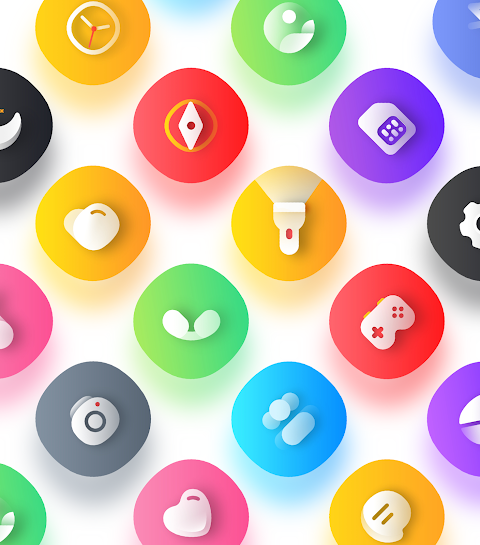
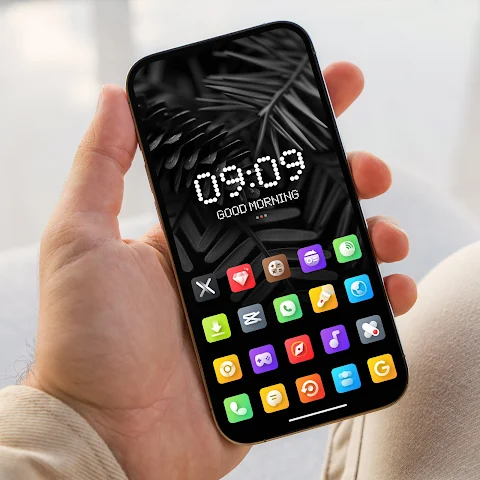
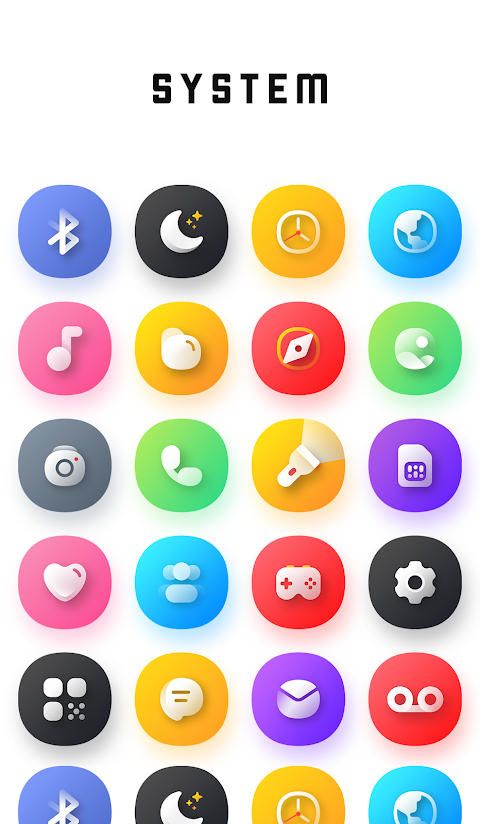
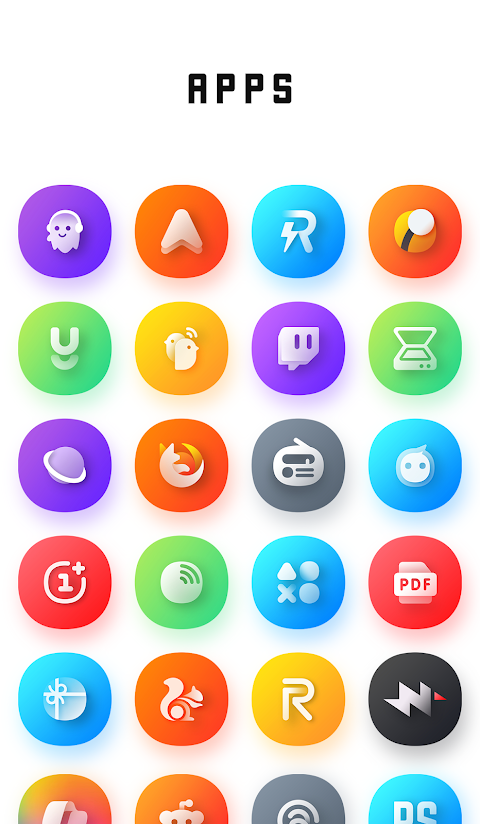
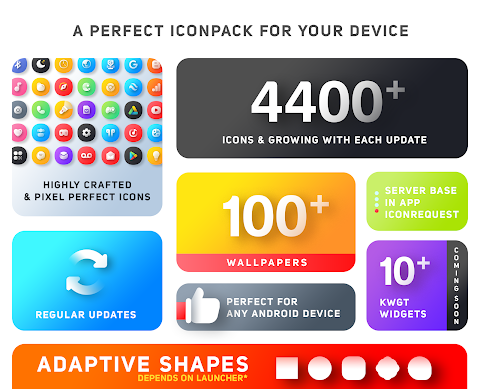
Transform your mobile experience with the Gem Icon Pack. This pack features adorable 3D-style icons brought to life against vibrant backgrounds. With more than 4400 icons and over 100 exclusive wallpapers, Gem Icon Pack stands out as a top-tier choice for anyone looking to enhance their device's interface.
Each icon is carefully crafted to deliver a unique and immersive digital experience. If you enjoy cute designs or want to give your phone a fresh look, the Gem Icon Pack is the perfect solution. It’s not just an icon pack; it’s a complete mobile interface makeover that blends fun, style, and functionality seamlessly.
Customization is at your fingertips with the Gem Icon Pack. You can choose custom icon shapes to match your personal style, selecting from circles, squares, ovals, hexagons, and more. Just keep in mind that the options for icon shaping depend on the launcher you’re using. Most popular launchers, like Nova and Niagara, support this feature, allowing you to fully enjoy icon customization and shaping.
The Gem Icon Pack offers a delightful range of features. You can easily preview and search for icons, use dynamic calendar icons, and benefit from a material dashboard. The pack also includes custom folder icons, category-based icons, and app drawer icons, making it user-friendly for everyone. If you have requests for specific icons, you can use the easy icon request feature, ensuring that your collection can be personalized even further.
Moreover, the frequent updates to the Gem Icon Pack keep your collection fresh and exciting, with alternative icon options available to suit various tastes. It is perfect for fans of both cute designs and serious customizers looking to refresh their phone appearance.
For those curious about additional features, the Gem Icon Pack will soon include 8 KWGT widgets and more frequent updates to keep your mobile experience engaging. If you ever experience issues or need help with the icon pack, customer support is available. Simply email at justnewdesigns@gmail.com for assistance.
Getting started with the Gem Icon Pack is easy. First, you need to install a supported theme launcher. After doing that, open the Gem Icon Pack and navigate to the Apply section to select your launcher. If your launcher isn’t listed, make sure to apply it from your launcher settings.
Keep in mind that a supported launcher is necessary for the Gem Icon Pack to function properly. Some devices, like those from Nothing, OnePlus, and Poco, can apply the icon pack without a launcher. If you find yourself missing an icon, don’t hesitate to send an icon request, and we’ll do our best to update the pack with your needs.
The Gem Icon Pack is recognized for its cute 3D-style icons and top-notch quality. If for any reason you’re not satisfied, we offer a straightforward refund policy to ensure your satisfaction.
Experience the magic of personalization and transform your mobile device with the Gem Icon Pack. Download it today and give your phone the gem-like sparkle it deserves!
Each icon is carefully crafted to deliver a unique and immersive digital experience. If you enjoy cute designs or want to give your phone a fresh look, the Gem Icon Pack is the perfect solution. It’s not just an icon pack; it’s a complete mobile interface makeover that blends fun, style, and functionality seamlessly.
Customization is at your fingertips with the Gem Icon Pack. You can choose custom icon shapes to match your personal style, selecting from circles, squares, ovals, hexagons, and more. Just keep in mind that the options for icon shaping depend on the launcher you’re using. Most popular launchers, like Nova and Niagara, support this feature, allowing you to fully enjoy icon customization and shaping.
The Gem Icon Pack offers a delightful range of features. You can easily preview and search for icons, use dynamic calendar icons, and benefit from a material dashboard. The pack also includes custom folder icons, category-based icons, and app drawer icons, making it user-friendly for everyone. If you have requests for specific icons, you can use the easy icon request feature, ensuring that your collection can be personalized even further.
Moreover, the frequent updates to the Gem Icon Pack keep your collection fresh and exciting, with alternative icon options available to suit various tastes. It is perfect for fans of both cute designs and serious customizers looking to refresh their phone appearance.
For those curious about additional features, the Gem Icon Pack will soon include 8 KWGT widgets and more frequent updates to keep your mobile experience engaging. If you ever experience issues or need help with the icon pack, customer support is available. Simply email at justnewdesigns@gmail.com for assistance.
Getting started with the Gem Icon Pack is easy. First, you need to install a supported theme launcher. After doing that, open the Gem Icon Pack and navigate to the Apply section to select your launcher. If your launcher isn’t listed, make sure to apply it from your launcher settings.
Keep in mind that a supported launcher is necessary for the Gem Icon Pack to function properly. Some devices, like those from Nothing, OnePlus, and Poco, can apply the icon pack without a launcher. If you find yourself missing an icon, don’t hesitate to send an icon request, and we’ll do our best to update the pack with your needs.
The Gem Icon Pack is recognized for its cute 3D-style icons and top-notch quality. If for any reason you’re not satisfied, we offer a straightforward refund policy to ensure your satisfaction.
Experience the magic of personalization and transform your mobile device with the Gem Icon Pack. Download it today and give your phone the gem-like sparkle it deserves!
Oxigen Circle – Icon Pack
Cris87
$2.89
$0.39

Big Digital: Watch face
amoledwatchfaces™
$0.99
$0.30

Granza Analog Watch Face
Time Flies Watch Faces
$1.99
$0.99