

$9.99
$5.00
50% Off
Auto TTS
digiXMAS



About the App
Auto TTS is a handy app designed for anyone who listens to eBooks and websites in different languages. If you often find switching between text-to-speech (TTS) engines boring or difficult, this app can make your experience much smoother. It’s especially useful for blind and vision-impaired users who rely on TalkBack to interact with their devices. Many people face challenges when they need to switch TTS engines each time they encounter content in a different language, and Auto TTS addresses this hassle.
This app features a smart auto language detection feature that automatically identifies the language of the input text. It then switches to the appropriate TTS engine without you having to do it manually. This is especially helpful for developers working on multilingual applications who may be confused about managing different TTS engines and their supported languages. With Auto TTS, you can rest assured that your content will be read accurately, whatever the language.
Auto TTS is fully compatible with the standard Android Text To Speech Interface. It works seamlessly with TalkBack and other TTS engines, as well as various web readers and eBook readers. You won’t run into any problems using it with these services.
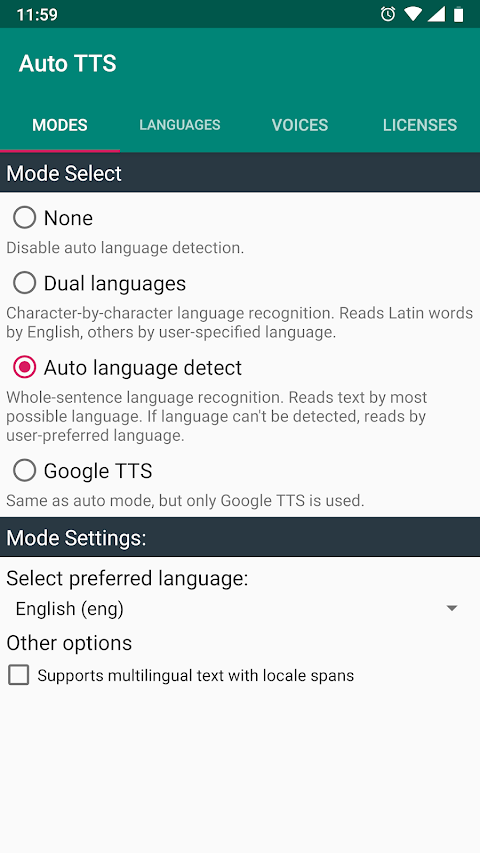
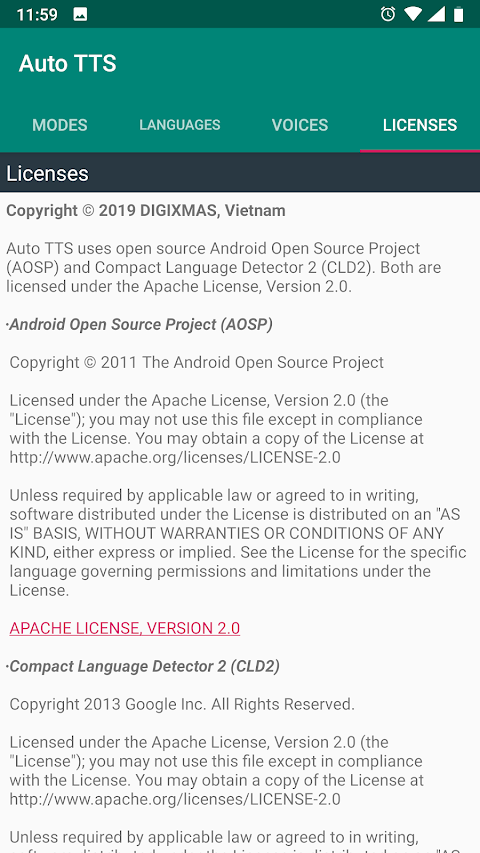
To get started with Auto TTS, you simply need to install it from the Play Store. After installation, open the app and choose your preferred mode for language detection. You can pick "None" to disable auto language detection, "Dual Languages" for word-by-word language recognition—like using English for Latin words and another user-specified language for the rest—or "Automatic Language Detect," which lets the app read by identifying the whole-sentence language automatically.
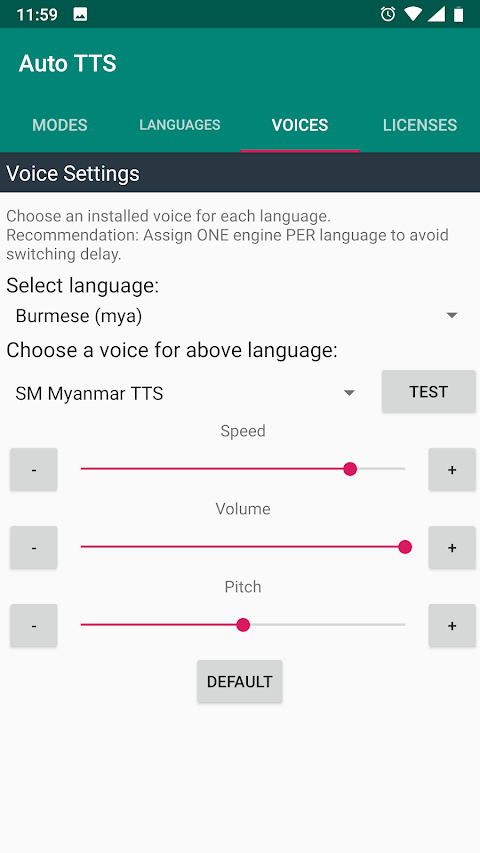
You can also select a language for your chosen mode. In Auto Mode, you set a preferred language for cases where the input text's language can't be detected. In Dual Mode, you're able to choose a secondary language. Auto TTS allows for preferred voice selection as well. To do this, click "Go to Voice Settings" and pick your preferred voice from the available TTS engines on your system. Don’t forget to test each voice before using it to ensure it sounds right for you.
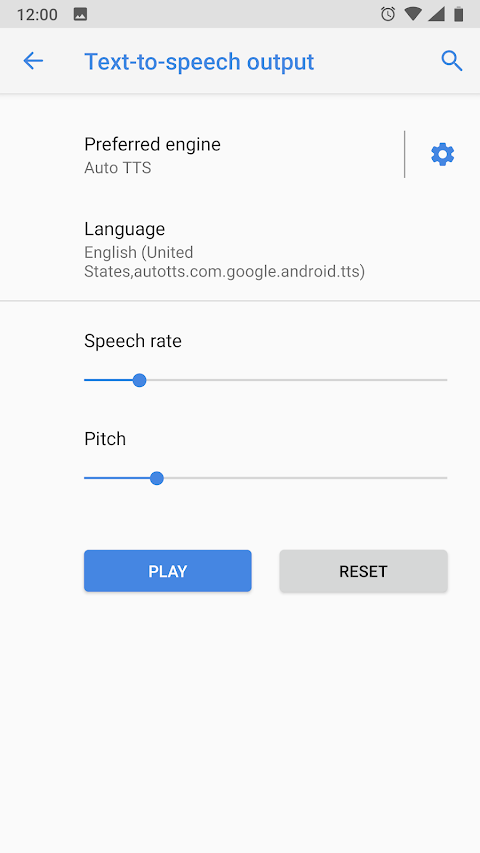
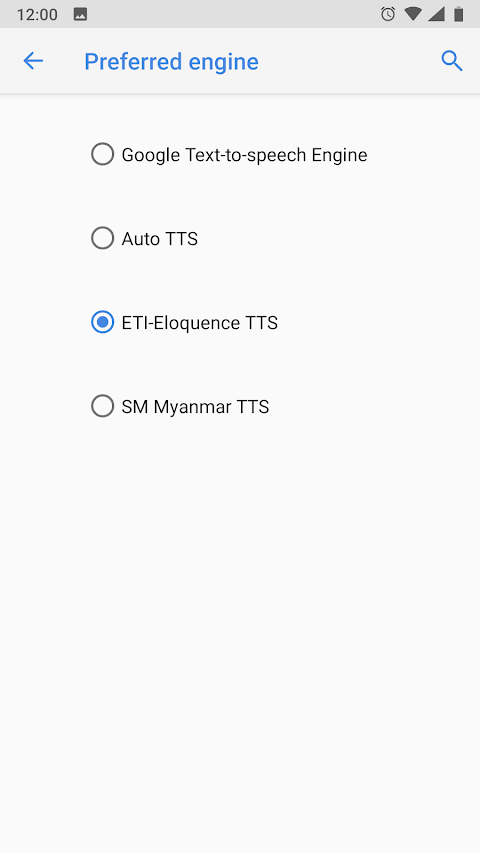
In the system settings, you should select Auto TTS as your preferred TTS engine. This is done by going to Settings, then System, language and Input, and finally Text-To-Speech output. If you are a developer, you can choose "No linguistics content" (Locale "zxx-US") to enable the auto language detection feature for input text, even if this feature is turned off in your settings.
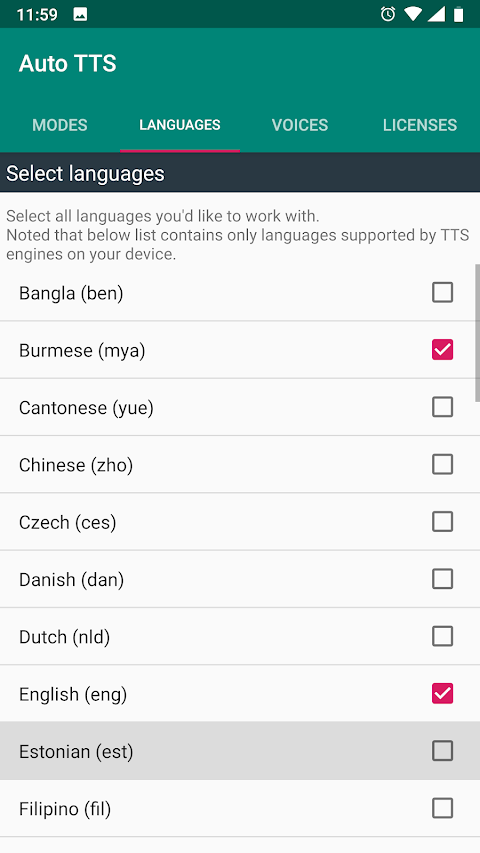
Auto TTS supports all languages that your system TTS engines can handle. Most Android devices come with Google TTS, which provides high quality voices for nearly 20 languages. For users needing Vietnamese support, installing vnSpeak TTS is recommended.
Keep in mind that when you switch languages within a single TTS engine, it may cause some delay. You can avoid this by assigning one TTS engine per language. For example, set Google TTS for English, Samsung TTS for French, Ivona TTS for Polish, and vnSpeak TTS for Vietnamese. If you add a new TTS engine, you will need to restart Auto TTS. This can be done either by restarting your device or by switching to another TTS engine and then back to Auto TTS in the system settings.
A quick note: the new mixed mode feature might not work on some devices. If you are having issues, try using the different modes available until we resolve any problems. We apologize for any inconvenience this may cause.
Finally, we want to thank our user, Abdelghani Zehroune, for translating Auto TTS into French and Arabic. Your contributions help make the app accessible to even more users.
In summary, Auto TTS simplifies text-to-speech interactions by using powerful features designed specifically for multilingual needs, making it easier for everyone, especially blind and vision-impaired users, to access a wide range of content in their preferred languages.
This app features a smart auto language detection feature that automatically identifies the language of the input text. It then switches to the appropriate TTS engine without you having to do it manually. This is especially helpful for developers working on multilingual applications who may be confused about managing different TTS engines and their supported languages. With Auto TTS, you can rest assured that your content will be read accurately, whatever the language.
Auto TTS is fully compatible with the standard Android Text To Speech Interface. It works seamlessly with TalkBack and other TTS engines, as well as various web readers and eBook readers. You won’t run into any problems using it with these services.
To get started with Auto TTS, you simply need to install it from the Play Store. After installation, open the app and choose your preferred mode for language detection. You can pick "None" to disable auto language detection, "Dual Languages" for word-by-word language recognition—like using English for Latin words and another user-specified language for the rest—or "Automatic Language Detect," which lets the app read by identifying the whole-sentence language automatically.
You can also select a language for your chosen mode. In Auto Mode, you set a preferred language for cases where the input text's language can't be detected. In Dual Mode, you're able to choose a secondary language. Auto TTS allows for preferred voice selection as well. To do this, click "Go to Voice Settings" and pick your preferred voice from the available TTS engines on your system. Don’t forget to test each voice before using it to ensure it sounds right for you.
In the system settings, you should select Auto TTS as your preferred TTS engine. This is done by going to Settings, then System, language and Input, and finally Text-To-Speech output. If you are a developer, you can choose "No linguistics content" (Locale "zxx-US") to enable the auto language detection feature for input text, even if this feature is turned off in your settings.
Auto TTS supports all languages that your system TTS engines can handle. Most Android devices come with Google TTS, which provides high quality voices for nearly 20 languages. For users needing Vietnamese support, installing vnSpeak TTS is recommended.
Keep in mind that when you switch languages within a single TTS engine, it may cause some delay. You can avoid this by assigning one TTS engine per language. For example, set Google TTS for English, Samsung TTS for French, Ivona TTS for Polish, and vnSpeak TTS for Vietnamese. If you add a new TTS engine, you will need to restart Auto TTS. This can be done either by restarting your device or by switching to another TTS engine and then back to Auto TTS in the system settings.
A quick note: the new mixed mode feature might not work on some devices. If you are having issues, try using the different modes available until we resolve any problems. We apologize for any inconvenience this may cause.
Finally, we want to thank our user, Abdelghani Zehroune, for translating Auto TTS into French and Arabic. Your contributions help make the app accessible to even more users.
In summary, Auto TTS simplifies text-to-speech interactions by using powerful features designed specifically for multilingual needs, making it easier for everyone, especially blind and vision-impaired users, to access a wide range of content in their preferred languages.

Contacts Widget – Speed Dial
Power Mind Apps
$0.99
FREE
Private Browser : Fast & Safe
AVS Family Pvt. Ltd.
$3.09

Block Guard: Spam Call Blocker
RadStorm Technologies
$6.99
$4.99