

$0.49
FREE
100% Off
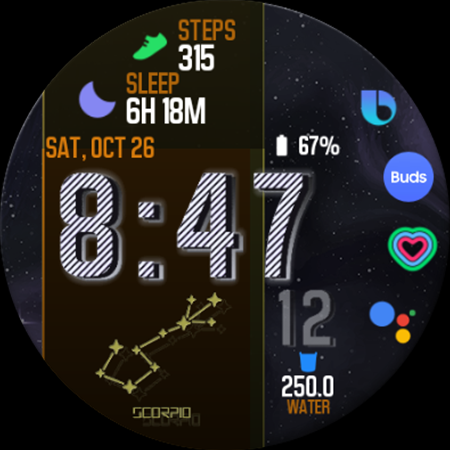
RW83 Zodiac Space
rens watchfaces


About the App
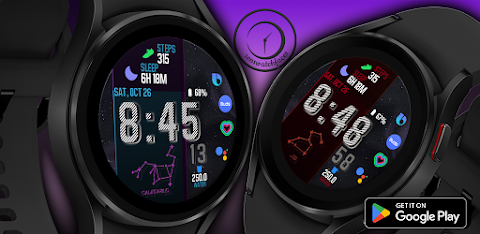
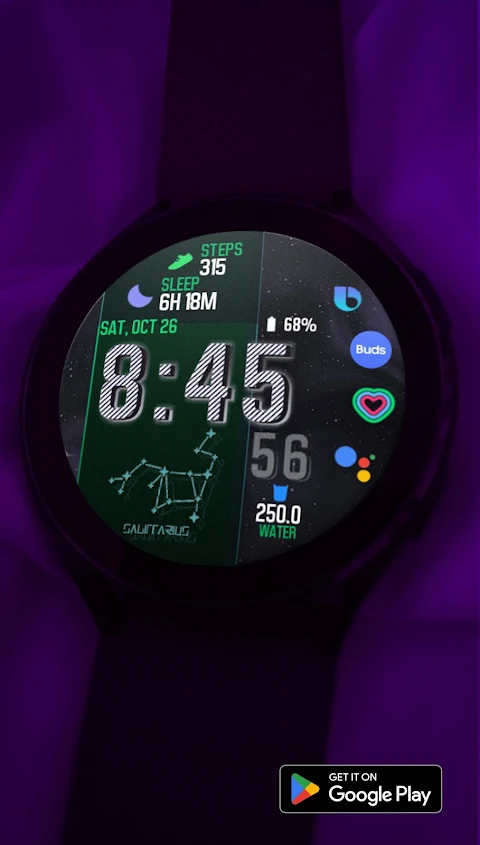
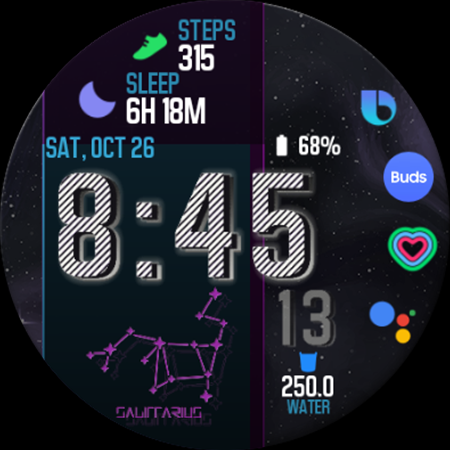
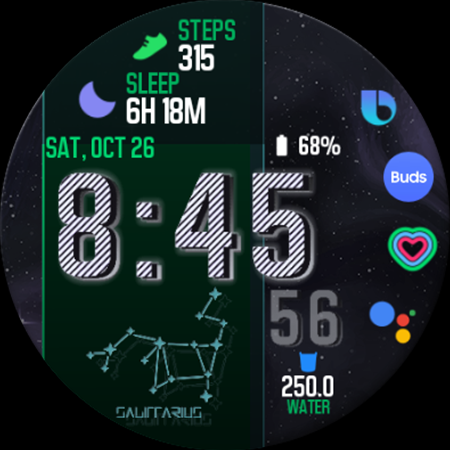
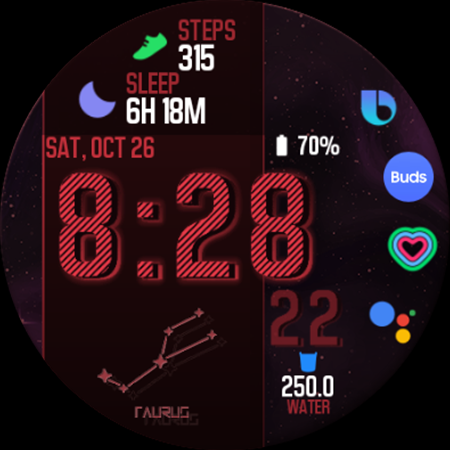
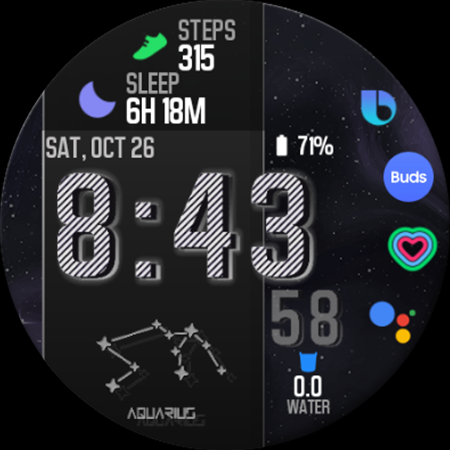
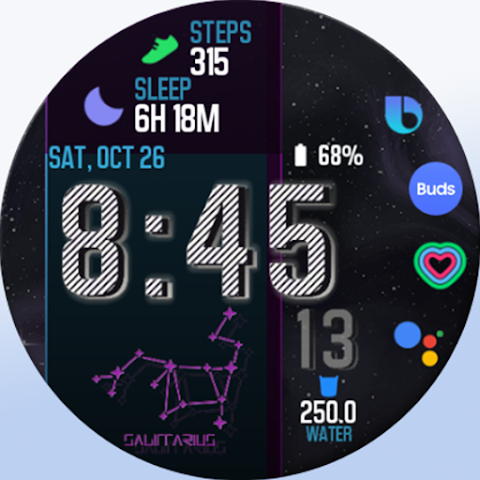
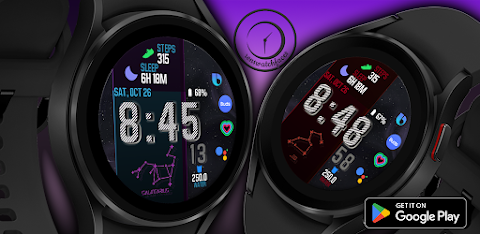
RW83 Zodiac Space is a Wear OS watch face designed for users who enjoy customizing their smartwatch displays. This app aims to provide a diverse range of styles and features, allowing you to find the perfect watch face for your needs.
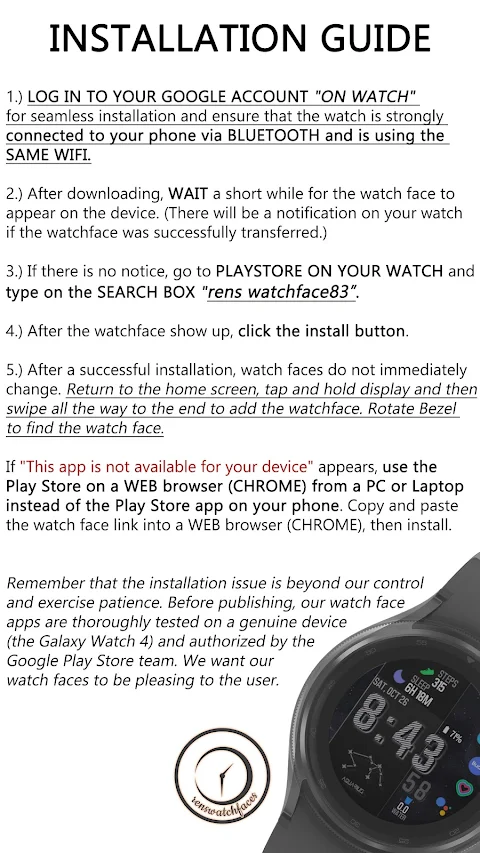
If you see the message "This app is not available for your device," there's a simple workaround. Instead of using the Play Store app on your phone, you can use a PC or Laptop web browser, like Chrome, or a phone web browser. Just copy and paste the watch face link into the browser, and you’ll be able to install it easily.
To start using RW83 Zodiac Space, make sure to log in to your Google account directly on your watch. A strong Bluetooth connection between your watch and phone is essential, and both devices should be on the same Wi-Fi network. After downloading the watch face, wait a moment for it to appear on your watch. You will see a notification once the watch face has been successfully transferred to your device.
If you don't receive a notification, you can go to the Play Store on your watch. Simply type "rens watchface83" into the search box to find and install it. Once installed, the watch face may not appear immediately. To add your new watch face, return to the home screen, tap and hold the display, then swipe all the way to the end. You can rotate your bezel to find and select the new watch face.
It's important to be patient during the installation process, as some issues may be beyond our control. Our apps are thoroughly tested on genuine devices, including the Galaxy Watch 4, and are authorized by the Google Play Store team. We want to ensure that our watch faces are enjoyable for all users.
The RW83 Zodiac Space app also serves as a helpful installation guide for watches, making it easy for you to manage your setup. Remember, the phone app is just a placeholder to help you install the Wear OS version, and you can uninstall it after installation.
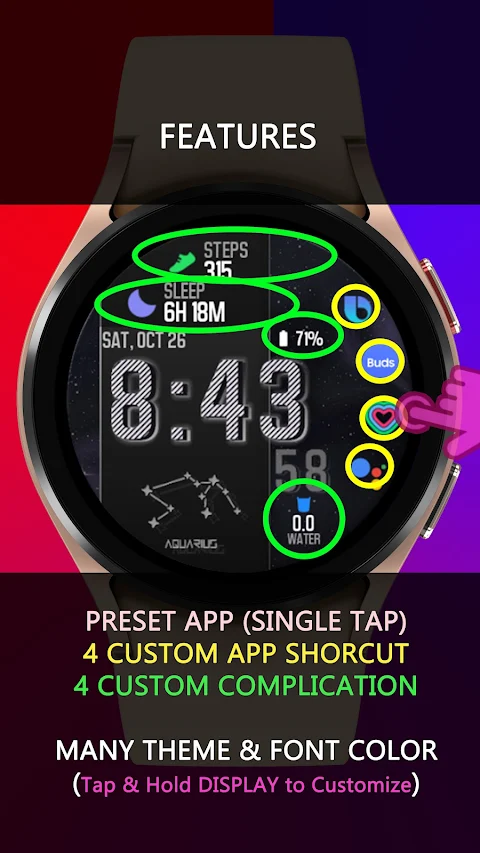
This watch face offers features that enhance your smartwatch experience. It includes custom complication features, allowing you to personalize your display further. There are also four custom app shortcuts for navigation convenience. The app supports an always-on display feature and provides many theme color combinations, so you can tap and hold the display to customize it to your liking.
You will need to allow all permissions from the settings menu to ensure smooth operation. Additionally, for any support, you can reach out via email at renswatchface@gmail.com. We're here to help if you have questions or encounter issues, including requests for refunds.
You can explore the full Rens watchfaces collection to find even more stylish options. The installation process and customization options help make RW83 Zodiac Space a versatile choice for users who want to enhance their smartwatch functionality.
In summary, RW83 Zodiac Space is a user-friendly app designed for customizing Wear OS watch faces. Whether you are interested in unique designs or functional features like custom complications and navigation shortcuts, this app caters to a wide range of preferences. Enjoy customizing your watch display while understanding the importance of patience during the installation process.
If you see the message "This app is not available for your device," there's a simple workaround. Instead of using the Play Store app on your phone, you can use a PC or Laptop web browser, like Chrome, or a phone web browser. Just copy and paste the watch face link into the browser, and you’ll be able to install it easily.
To start using RW83 Zodiac Space, make sure to log in to your Google account directly on your watch. A strong Bluetooth connection between your watch and phone is essential, and both devices should be on the same Wi-Fi network. After downloading the watch face, wait a moment for it to appear on your watch. You will see a notification once the watch face has been successfully transferred to your device.
If you don't receive a notification, you can go to the Play Store on your watch. Simply type "rens watchface83" into the search box to find and install it. Once installed, the watch face may not appear immediately. To add your new watch face, return to the home screen, tap and hold the display, then swipe all the way to the end. You can rotate your bezel to find and select the new watch face.
It's important to be patient during the installation process, as some issues may be beyond our control. Our apps are thoroughly tested on genuine devices, including the Galaxy Watch 4, and are authorized by the Google Play Store team. We want to ensure that our watch faces are enjoyable for all users.
The RW83 Zodiac Space app also serves as a helpful installation guide for watches, making it easy for you to manage your setup. Remember, the phone app is just a placeholder to help you install the Wear OS version, and you can uninstall it after installation.
This watch face offers features that enhance your smartwatch experience. It includes custom complication features, allowing you to personalize your display further. There are also four custom app shortcuts for navigation convenience. The app supports an always-on display feature and provides many theme color combinations, so you can tap and hold the display to customize it to your liking.
You will need to allow all permissions from the settings menu to ensure smooth operation. Additionally, for any support, you can reach out via email at renswatchface@gmail.com. We're here to help if you have questions or encounter issues, including requests for refunds.
You can explore the full Rens watchfaces collection to find even more stylish options. The installation process and customization options help make RW83 Zodiac Space a versatile choice for users who want to enhance their smartwatch functionality.
In summary, RW83 Zodiac Space is a user-friendly app designed for customizing Wear OS watch faces. Whether you are interested in unique designs or functional features like custom complications and navigation shortcuts, this app caters to a wide range of preferences. Enjoy customizing your watch display while understanding the importance of patience during the installation process.
Lena Icon Pack Shapeless Icons
One4Studio
$3.49
$1.75
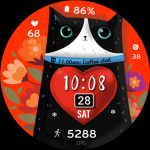
ML2U 389 Purrfect Heart
ML2U
$1.60

Comics – Cartoon Icon Pack
Creativepixels
$1.59
$0.59