
$1.49
$0.60
60% Off
Weather 3D v2
VG Faces







About the App
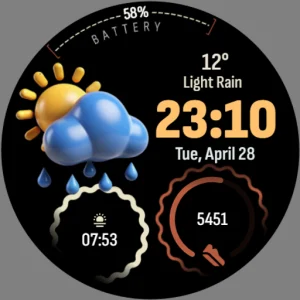
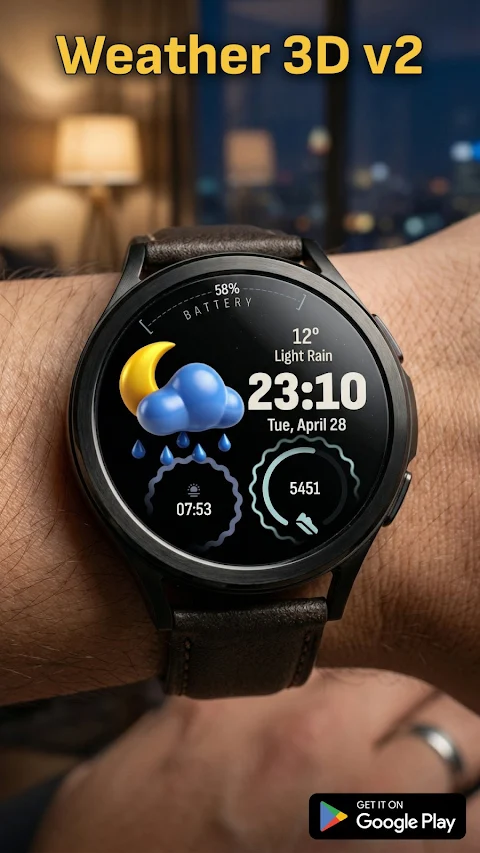
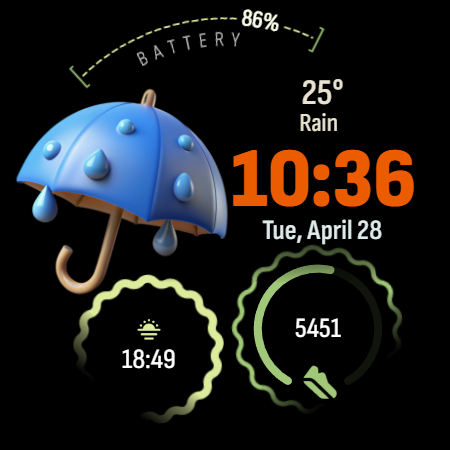
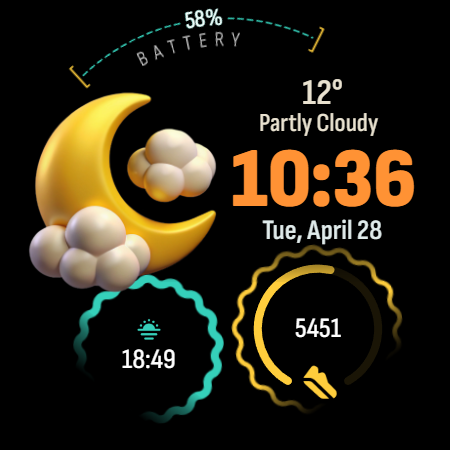
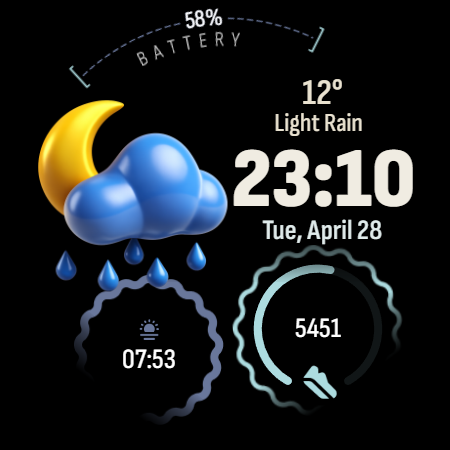
Bring your smartwatch to life with Weather 3D v2, a digital watch face designed for Wear OS. This app features stunning 3D weather icons that beautifully represent the current weather conditions. You can see high-quality icons for sunny days, rain, thunderstorms, and even snow right on your wrist.
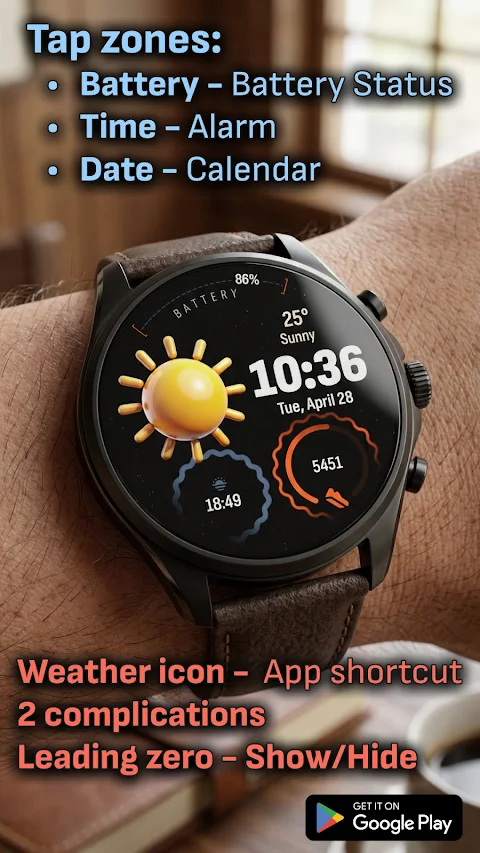
Weather 3D v2 allows for extensive smartwatch customization. You can personalize your experience with customizable complications. It has two circular slots at the bottom where you can display your preferred daily data. There's also an option for color customization, letting you change the colors of the complications and accents to match your unique style. A leading zero control feature allows you to choose whether to show or hide the leading zero on the hour digit, giving you more control over your watch's appearance.
One of the key features of Weather 3D v2 is its clean AOD mode. This battery-saving display keeps the digital time visible in a sleek, minimalist style while conserving energy.
Navigating your watch is easy with the smart shortcut system. It includes integrated tap zones that let you quickly access useful features. For example, tapping on the time opens the alarm shortcut, tapping the date brings up the calendar shortcut, and tapping the battery shows the battery status shortcut. Additionally, tapping the weather icon allows you to set a custom app shortcut, making your experience more convenient.
Installing Weather 3D v2 is a simple process. First, ensure your watch is connected via Bluetooth. Then, you can download the app from the Google Play Store. To apply the watch face, just long-press your watch screen, scroll to the end, and select Weather 3D v2.
This watch face has been designed for Wear OS 5 devices, guaranteeing compatibility with many newer models. Some compatible devices include the Samsung Galaxy Watch 8 and the Google Pixel Watch 4.
With Weather 3D v2, you get a stylish watch design that enhances your device's aesthetics. It offers a user-friendly navigation system that makes it easy to find what you need at a glance. The watch face personalization features allow you to tailor the display to your aesthetic preferences, making it truly your own.
Overall, Weather 3D v2 combines stunning smartwatch visuals with modern features, giving you an interactive watch face that is both beautiful and functional. Whether you want to display the time and date or show pertinent weather condition representations, this app fits seamlessly into your daily life. Enjoy the perfect blend of style and utility on your smartwatch with Weather 3D v2.
Weather 3D v2 allows for extensive smartwatch customization. You can personalize your experience with customizable complications. It has two circular slots at the bottom where you can display your preferred daily data. There's also an option for color customization, letting you change the colors of the complications and accents to match your unique style. A leading zero control feature allows you to choose whether to show or hide the leading zero on the hour digit, giving you more control over your watch's appearance.
One of the key features of Weather 3D v2 is its clean AOD mode. This battery-saving display keeps the digital time visible in a sleek, minimalist style while conserving energy.
Navigating your watch is easy with the smart shortcut system. It includes integrated tap zones that let you quickly access useful features. For example, tapping on the time opens the alarm shortcut, tapping the date brings up the calendar shortcut, and tapping the battery shows the battery status shortcut. Additionally, tapping the weather icon allows you to set a custom app shortcut, making your experience more convenient.
Installing Weather 3D v2 is a simple process. First, ensure your watch is connected via Bluetooth. Then, you can download the app from the Google Play Store. To apply the watch face, just long-press your watch screen, scroll to the end, and select Weather 3D v2.
This watch face has been designed for Wear OS 5 devices, guaranteeing compatibility with many newer models. Some compatible devices include the Samsung Galaxy Watch 8 and the Google Pixel Watch 4.
With Weather 3D v2, you get a stylish watch design that enhances your device's aesthetics. It offers a user-friendly navigation system that makes it easy to find what you need at a glance. The watch face personalization features allow you to tailor the display to your aesthetic preferences, making it truly your own.
Overall, Weather 3D v2 combines stunning smartwatch visuals with modern features, giving you an interactive watch face that is both beautiful and functional. Whether you want to display the time and date or show pertinent weather condition representations, this app fits seamlessly into your daily life. Enjoy the perfect blend of style and utility on your smartwatch with Weather 3D v2.
Watch Face Digital EasyRead D1
Devration
$3.99
FREE
DADAM89: Minimal Watch Face
DADAM Watch Faces
$1.89
$0.99

DADAM86: Digital Watch Face
DADAM Watch Faces
$0.99
$0.50