
$1.99
FREE
100% Off
DrawTextPath
多智 吴

About the App
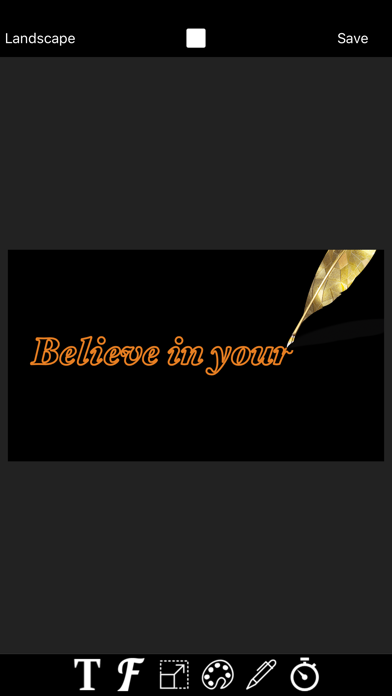
DrawTextPath is a helpful tool that lets you create text path tracing animation videos quickly and easily. With just one click, you can generate stunning animations that make it look like the text is being written by hand, stroke by stroke. This effect, known as the stroke animation effect, gives your videos a personal touch that stands out.
Using DrawTextPath is simple. You start by inputting your text. Then you can adjust various settings to get the look you want. You can customize font options, set the text size, and choose text color. If you want, you can also adjust text spacing and select a background color. All these adjustments are easy to manage, making the process straightforward for anyone.
The app allows you to control other features too. You can configure edge width and brush size to refine how your text appears. Moreover, DrawTextPath offers pen style customization so you can give your text the perfect finish. If you are looking to change how the animation flows, you can easily set the edge animation duration to fit your needs. You also have the option to choose between horizontal screen mode and vertical screen mode, depending on your video format.
Once you’ve created your animated video, you can take things further. The videos generated with DrawTextPath can be integrated as green screen videos into various video editing apps, like MovieSpirit. This enables you to mix the animation with other video and photo materials for video synthesis.
With DrawTextPath, you can achieve colorful text animations and dynamic visual effects that can enhance your videos. It's designed to be user-friendly, making the simple animation creation process enjoyable. Whether you're a beginner or a seasoned creator, this draw text animation tool helps you make videos that capture viewers' attention.
The quick video generation feature ensures that you’re not held back during your creative process. You can play around with all the customizable text effects to find the combination that works best for your project. With realistic pen stroke effects and the ability to create path animation videos, DrawTextPath offers a plethora of options for anyone looking to produce unique and engaging content.
Using DrawTextPath is simple. You start by inputting your text. Then you can adjust various settings to get the look you want. You can customize font options, set the text size, and choose text color. If you want, you can also adjust text spacing and select a background color. All these adjustments are easy to manage, making the process straightforward for anyone.
The app allows you to control other features too. You can configure edge width and brush size to refine how your text appears. Moreover, DrawTextPath offers pen style customization so you can give your text the perfect finish. If you are looking to change how the animation flows, you can easily set the edge animation duration to fit your needs. You also have the option to choose between horizontal screen mode and vertical screen mode, depending on your video format.
Once you’ve created your animated video, you can take things further. The videos generated with DrawTextPath can be integrated as green screen videos into various video editing apps, like MovieSpirit. This enables you to mix the animation with other video and photo materials for video synthesis.
With DrawTextPath, you can achieve colorful text animations and dynamic visual effects that can enhance your videos. It's designed to be user-friendly, making the simple animation creation process enjoyable. Whether you're a beginner or a seasoned creator, this draw text animation tool helps you make videos that capture viewers' attention.
The quick video generation feature ensures that you’re not held back during your creative process. You can play around with all the customizable text effects to find the combination that works best for your project. With realistic pen stroke effects and the ability to create path animation videos, DrawTextPath offers a plethora of options for anyone looking to produce unique and engaging content.

Photo Adjust Pro
Fyodor Siverski
$1.99

LÒMÒGRAPH
LI HUNG WANG
$1.99

RAW Cam: Open Gate DNG Video
Lead the way, vl. Sebastijan Grabar
$11.99
$4.99