

$0.49
FREE
100% Off
TimeSignal Alarm clock
hideo nakamura


About the App
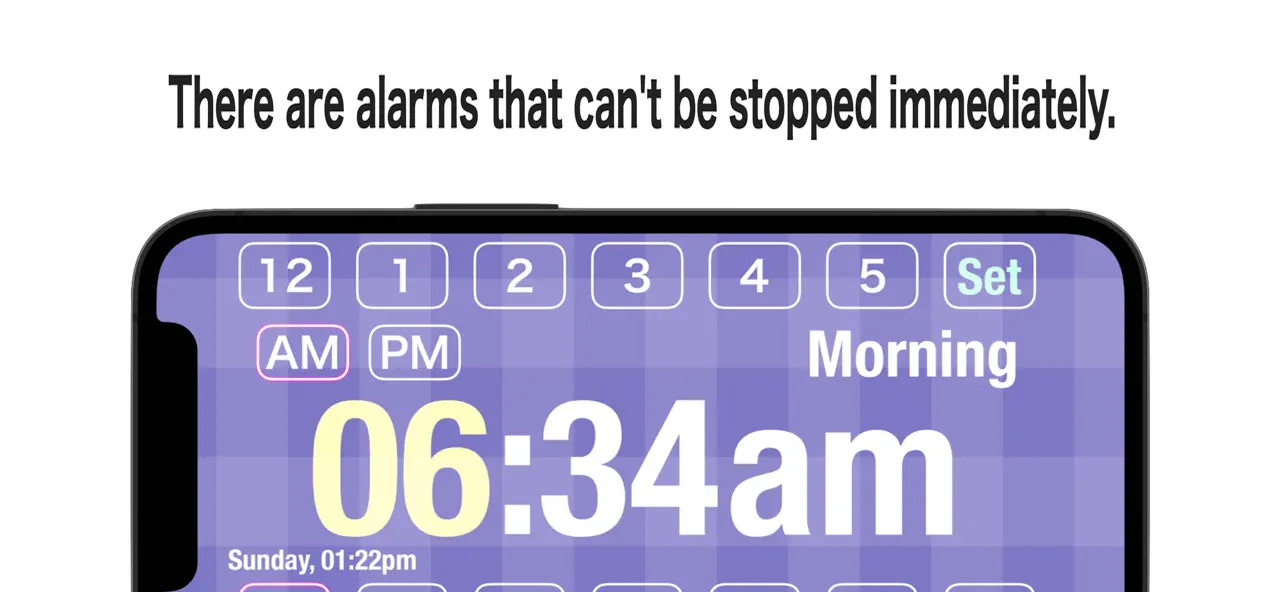
TimeSignal Alarm Clock is designed to help you wake up with sounds and time chimes that are hard to ignore. Imagine a doorbell ringing repeatedly—can you really ignore that? This app will sound alarms and provide elapsed time announcements at one-minute intervals. It will also let you know the time on the hour and at five-minute marks, ensuring you stay aware.
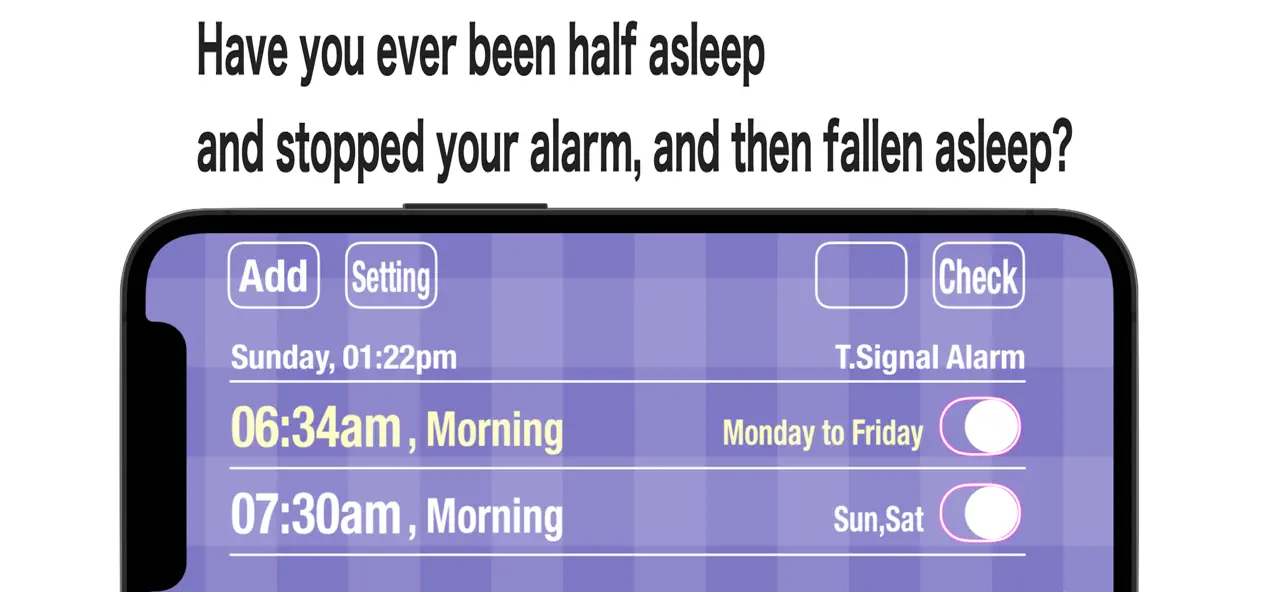
Using TimeSignal Alarm Clock is straightforward. You simply set your desired alarm time and then close the app. Once the time has arrived, you will receive a voice notification to wake you up. If you don’t interact with the app, the alarm will continue to ring for 30 minutes.
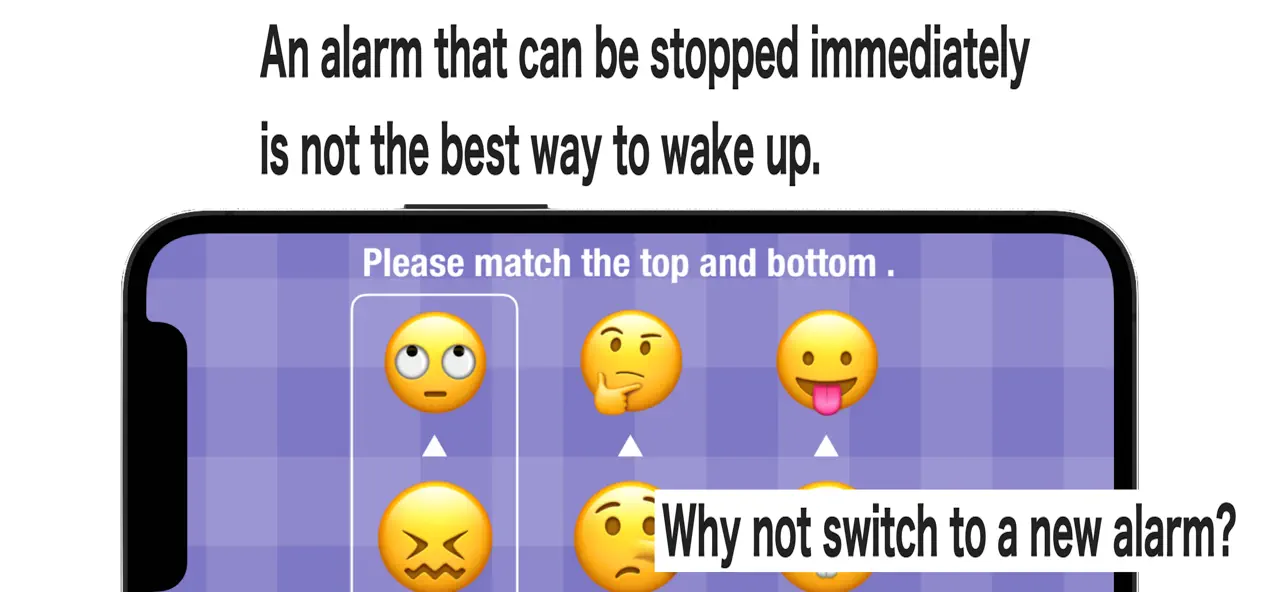
To stop the alarm, you’ll need to play a picture matching game. This involves matching pictures in pairs, specifically top and bottom. After you successfully match all three pairs, wait 2-3 seconds, and a stop alarm button will appear. Remember, matching pictures in a horizontal row does not stop the alarm.
You can customize the game to fit your skill level by changing the difficulty. There’s also a simple option to stop the alarm with just one button if you prefer. To help you out, you can test the alarm operation first, which is beneficial for understanding how it works before setting it for real.
The TimeSignal Alarm Clock allows you to register up to eight frequent alarm settings, making it convenient to set your preferred times ahead of time.
There are a few important notes to keep in mind. The app uses the voice notification function built into iPhone and iPad devices. If you don’t allow notifications, the alarm will not function properly when the app is closed. Additionally, if you leave the alarm on the lock screen for 30 minutes, it will not sound again until you launch the app. This app also doesn’t play music; it focuses solely on being an effective alarm clock, emitting sounds for a maximum of 30 minutes.
It’s important to know that waking up can be tricky. Since humans go through cycles of deep and light sleep, an alarm cannot solely depend on sounds to wake you up during deep sleep. For better results, consider using multiple alarms as part of your wake-up strategies, especially if you want to be up 30 minutes earlier than normal.
For Apple Watch users, you may need to adjust the notifications settings. Go to the Notifications tab in the Watch app on your iPhone and ensure that TimeSignal Alarm Clock notifications do not get sent to your Apple Watch. If these settings are not adjusted, the app may not work as it should.
Overall, TimeSignal Alarm Clock is a powerful tool that integrates various features for effective time management. Whether you’re using it on an iPhone or iPad, you'll find it straightforward to navigate. The interactive alarm features make it unique while allowing for full customizability to fit your personal needs.
Using TimeSignal Alarm Clock is straightforward. You simply set your desired alarm time and then close the app. Once the time has arrived, you will receive a voice notification to wake you up. If you don’t interact with the app, the alarm will continue to ring for 30 minutes.
To stop the alarm, you’ll need to play a picture matching game. This involves matching pictures in pairs, specifically top and bottom. After you successfully match all three pairs, wait 2-3 seconds, and a stop alarm button will appear. Remember, matching pictures in a horizontal row does not stop the alarm.
You can customize the game to fit your skill level by changing the difficulty. There’s also a simple option to stop the alarm with just one button if you prefer. To help you out, you can test the alarm operation first, which is beneficial for understanding how it works before setting it for real.
The TimeSignal Alarm Clock allows you to register up to eight frequent alarm settings, making it convenient to set your preferred times ahead of time.
There are a few important notes to keep in mind. The app uses the voice notification function built into iPhone and iPad devices. If you don’t allow notifications, the alarm will not function properly when the app is closed. Additionally, if you leave the alarm on the lock screen for 30 minutes, it will not sound again until you launch the app. This app also doesn’t play music; it focuses solely on being an effective alarm clock, emitting sounds for a maximum of 30 minutes.
It’s important to know that waking up can be tricky. Since humans go through cycles of deep and light sleep, an alarm cannot solely depend on sounds to wake you up during deep sleep. For better results, consider using multiple alarms as part of your wake-up strategies, especially if you want to be up 30 minutes earlier than normal.
For Apple Watch users, you may need to adjust the notifications settings. Go to the Notifications tab in the Watch app on your iPhone and ensure that TimeSignal Alarm Clock notifications do not get sent to your Apple Watch. If these settings are not adjusted, the app may not work as it should.
Overall, TimeSignal Alarm Clock is a powerful tool that integrates various features for effective time management. Whether you’re using it on an iPhone or iPad, you'll find it straightforward to navigate. The interactive alarm features make it unique while allowing for full customizability to fit your personal needs.

PARAVOX ITC SYSTEM 4 PRO
EION Development, LLC
$14.99
$9.99

Toilets Paris – Restroom Paris
P. UNG
$1.59

myAge
Alexander Rutkowskij
$0.99