
$1.99
$0.49
75% Off
Moon on Wear
kroegerama


About the App
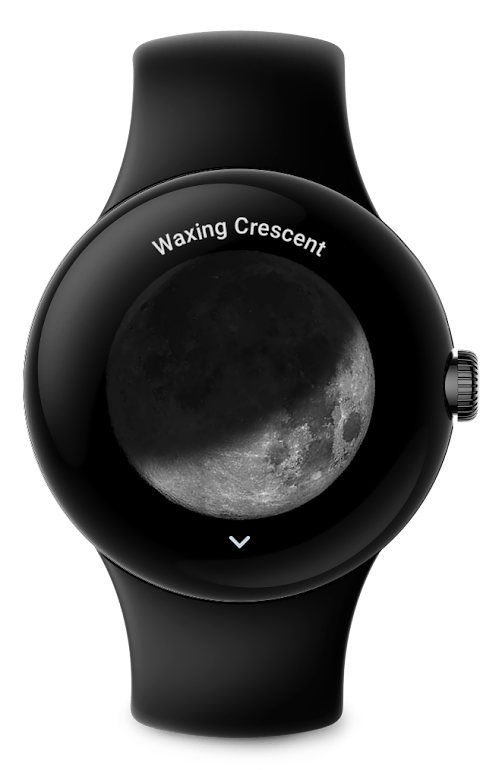
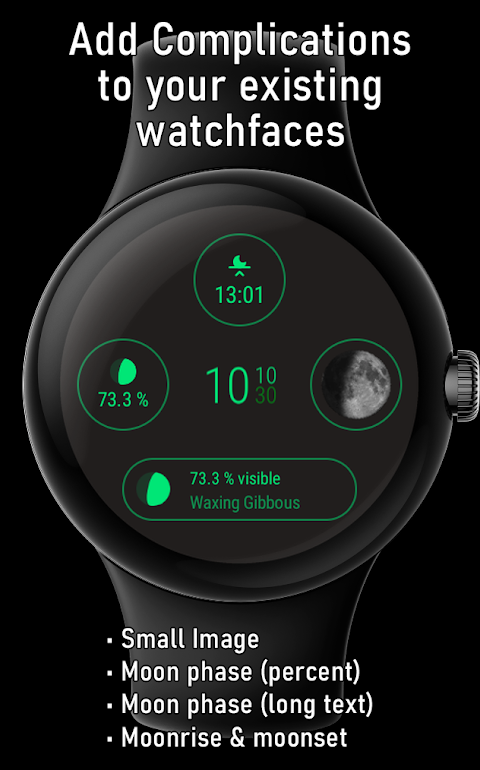
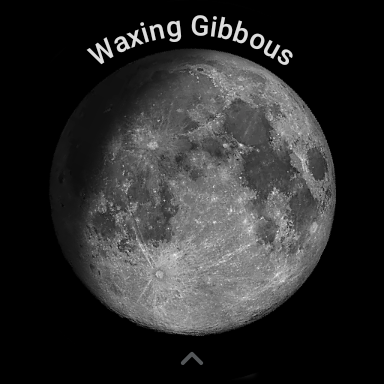
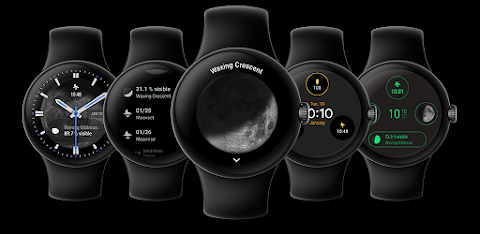
Moon on Wear is an app designed for Wear OS that displays a large, realistic moon tailored to your location. This means you can see the moon's correct rotation based on where you are. The app not only offers a stunning visual but also several watch complications to enhance your watchface.
One of the cool features is the moon phase percentage. You can easily see how much of the moon is illuminated. There’s also a moon phase description that gives you more context about what phase the moon is currently in. For those who like images, you can add small and large images as complications. If your watch face supports it, the large image can even be set as a beautiful lunar wallpaper.
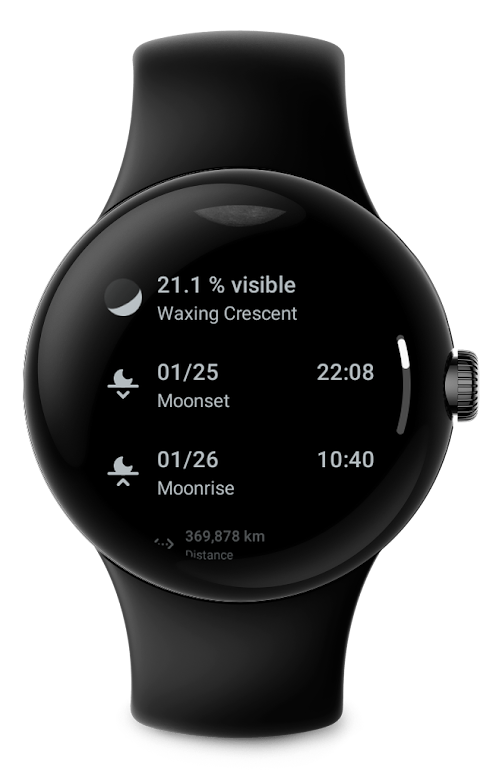
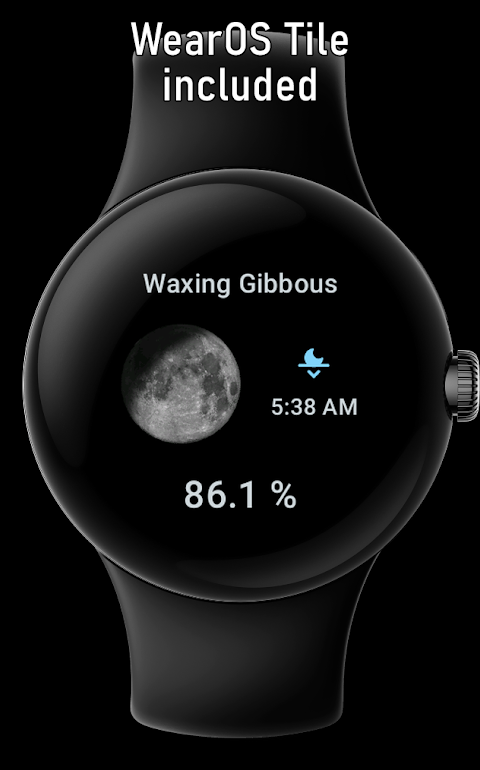
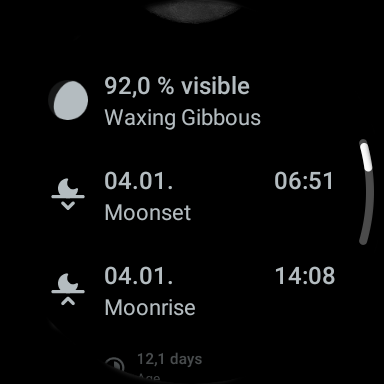
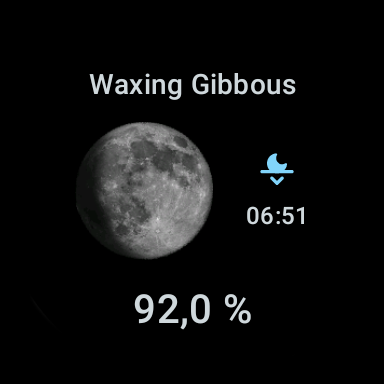
The Moon on Wear app provides essential information, including upcoming moon phases, moonrise and moonset times, and the moon cycle age in days. You’ll also receive alerts for upcoming supermoons, ensuring you never miss a significant lunar event. The app's moon-tile feature allows you to place a quick view of these details next to your main watchface for easy access.
Accuracy is important, and the app uses efficient algorithms to provide precise calculations while saving battery life. Although slight inaccuracies can happen, the values you see are generally comparable to trusted websites. If you’re curious about why the app shows different values compared to others, it’s because it presents the illuminated area of the lunar disk in percentage, unlike other apps that may report differently.
To benefit fully from Moon on Wear, you might want to enable location permission, which is optional. This permission helps calculate the exact rotation of the moon based on your approximate location. Rest assured that all calculations are done offline, so your information is not shared online. If you granted permission and your location isn’t detected immediately, don’t worry—it may take some time due to battery-saving measures.
If you wish to set the moon as your watchface background, make sure your watch face supports a special complication type known as 'large image.' This integration allows for a richer, custom watch face experience. The choice of complication types depends on your watch face developer. They decide where and how different types—like text, icon, and image—can be displayed.
Moon on Wear helps you track the moon's visibility, making it the perfect lunar observation companion. With features like lunar events notifications and moon phase descriptions, it elevates your stargazing experience. Whether you’re looking for moonrise predictions, moonset predictions, or simply interested in moon tracking information, this app covers it all.
Thanks to the offline calculations and battery-saving approach, you can enjoy this remarkable realistic moon display without worrying about draining your smartwatch’s battery. Moon on Wear is your go-to app for an immersive lunar experience, offering everything you need to stay connected to the moon above.
One of the cool features is the moon phase percentage. You can easily see how much of the moon is illuminated. There’s also a moon phase description that gives you more context about what phase the moon is currently in. For those who like images, you can add small and large images as complications. If your watch face supports it, the large image can even be set as a beautiful lunar wallpaper.
The Moon on Wear app provides essential information, including upcoming moon phases, moonrise and moonset times, and the moon cycle age in days. You’ll also receive alerts for upcoming supermoons, ensuring you never miss a significant lunar event. The app's moon-tile feature allows you to place a quick view of these details next to your main watchface for easy access.
Accuracy is important, and the app uses efficient algorithms to provide precise calculations while saving battery life. Although slight inaccuracies can happen, the values you see are generally comparable to trusted websites. If you’re curious about why the app shows different values compared to others, it’s because it presents the illuminated area of the lunar disk in percentage, unlike other apps that may report differently.
To benefit fully from Moon on Wear, you might want to enable location permission, which is optional. This permission helps calculate the exact rotation of the moon based on your approximate location. Rest assured that all calculations are done offline, so your information is not shared online. If you granted permission and your location isn’t detected immediately, don’t worry—it may take some time due to battery-saving measures.
If you wish to set the moon as your watchface background, make sure your watch face supports a special complication type known as 'large image.' This integration allows for a richer, custom watch face experience. The choice of complication types depends on your watch face developer. They decide where and how different types—like text, icon, and image—can be displayed.
Moon on Wear helps you track the moon's visibility, making it the perfect lunar observation companion. With features like lunar events notifications and moon phase descriptions, it elevates your stargazing experience. Whether you’re looking for moonrise predictions, moonset predictions, or simply interested in moon tracking information, this app covers it all.
Thanks to the offline calculations and battery-saving approach, you can enjoy this remarkable realistic moon display without worrying about draining your smartwatch’s battery. Moon on Wear is your go-to app for an immersive lunar experience, offering everything you need to stay connected to the moon above.

Psalms for Worship
Act Five Software
$9.99
$5.00

Moon+ Reader Pro
Moon+
$11.99
$6.00

PlantFile Pro
PlantFile
$6.38