

$1.49
$0.49
67% Off
Ballozi STRATOS Hybrid Analog
BALLOZI Watch Faces






About the App
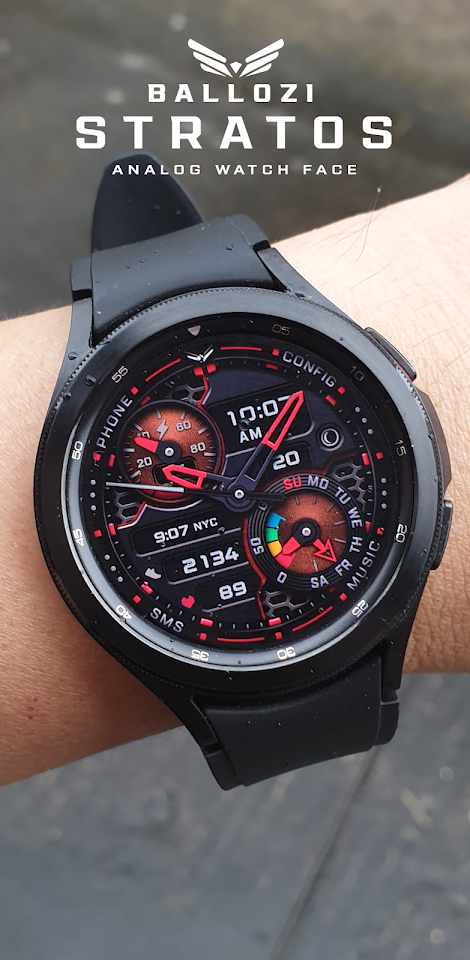
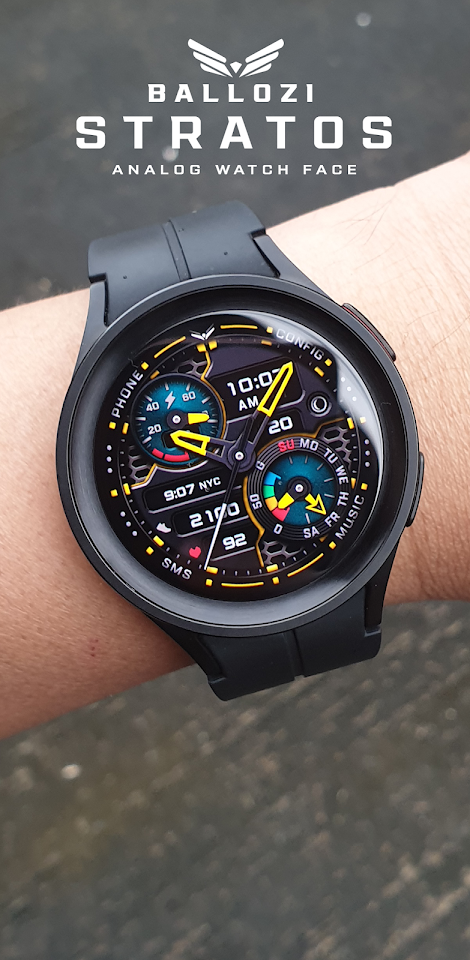
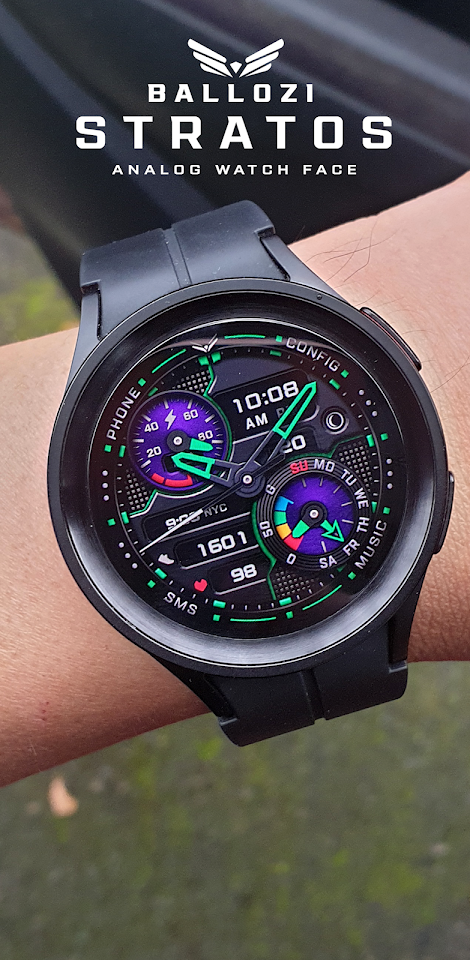
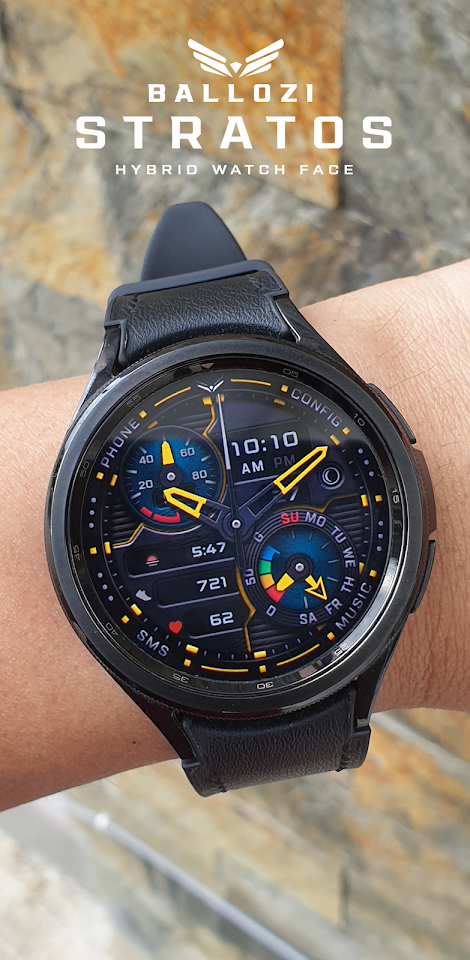
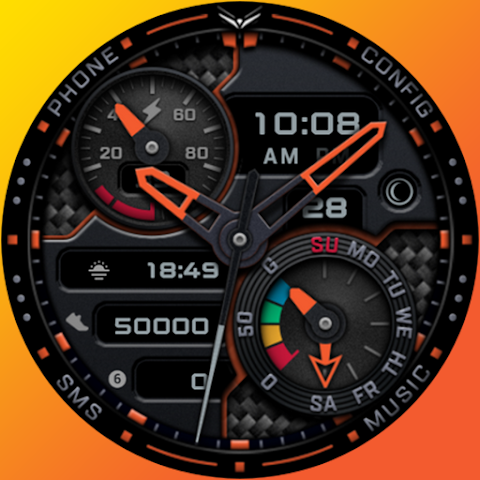
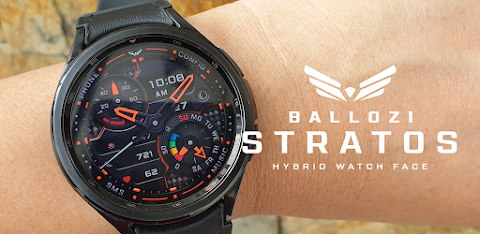
Ballozi Stratos is a modern hybrid watch face designed for Wear OS. It works beautifully on round smartwatches, but it is not suitable for rectangular or square watch designs.
To install Ballozi Stratos, start by keeping your watch connected to your phone. You can install the app on your phone, and right after the installation, check the watch face list on your smartwatch. To do this, press and hold the display, then swipe to the end and select "Add watch face." You’ll find the newly installed watch face there, ready to activate.
If you own a Samsung watch, you should check the Galaxy Wearable app on your phone after installation. Under the "Watch faces" section, you will find "Downloaded." Here, you can apply your new watch face to the connected watch if it’s not already set. For users of other smartwatch brands or Wear OS devices, you can find the new watch face in the watch face gallery or list of the app that came with your smartwatch.
When installing the watch face, you might want to learn more about options for adding Wear OS watch faces. You can find useful information at [Samsung's developer blog](https://developer.samsung.com/sdp/blog/en-us/2022/11/15/install-watch-faces-for-galaxy-watch5-and-one-ui-watch-45).
For any support or questions, feel free to email me at balloziwatchface@gmail.com.
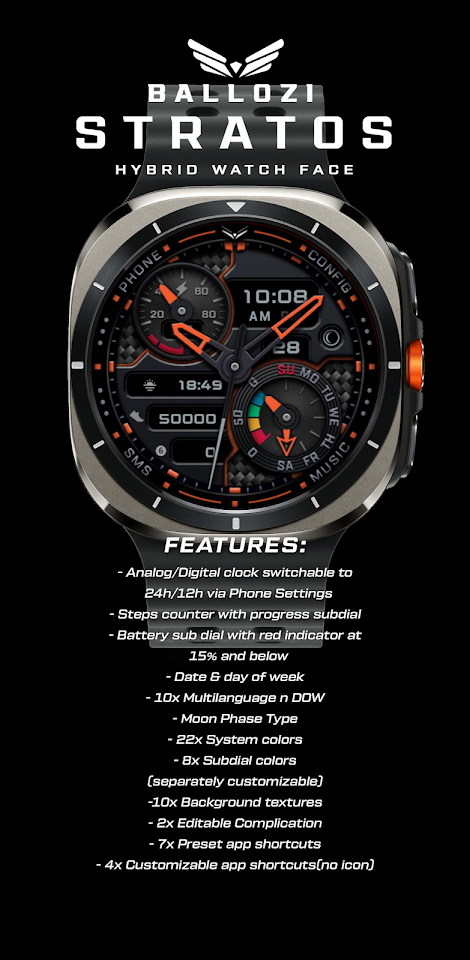
Ballozi Stratos has a range of features to enhance your user experience. You can switch between analog and digital clock displays easily, and you can set the time format to 12-hour or 24-hour through your phone settings. The watch face includes a steps counter with a subdial indicating your progress toward a goal of 10,000 steps. It also features a battery sub dial, which turns red when your battery level drops below 15%.
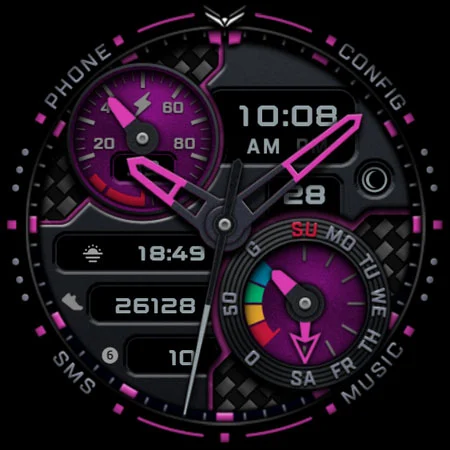
This watch face shows the date and day of the week, along with a moon phase indicator. It supports multiple languages for the day of the week, ensuring everyone can use it comfortably. You can choose from 22 different system colors for subdial pointers, 8 separately customizable subdial colors, and 10 background textures to make Ballozi Stratos truly your own. There’s also one editable complication to further tailor your watch face.
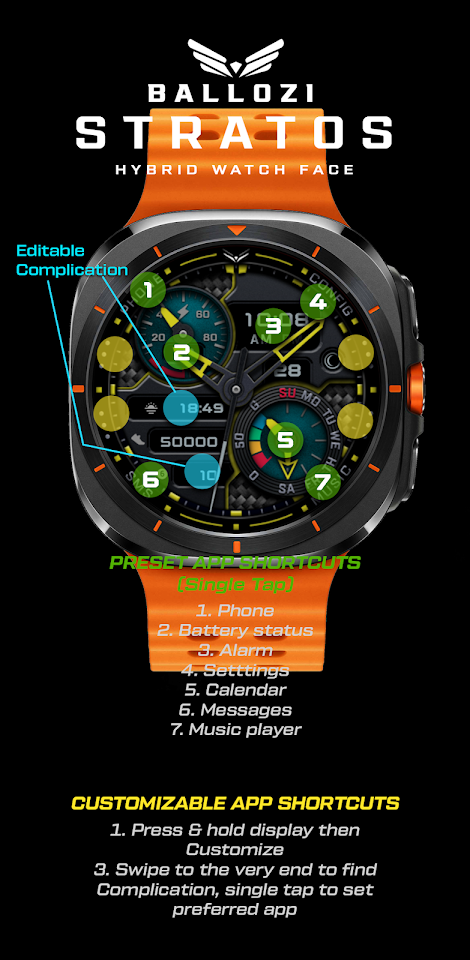
Ballozi Stratos includes both preset app shortcuts and customizable app shortcuts. The preset options feature quick access to your phone, battery status, alarm, settings, calendar, messages, music player, and heart rate. For customization, simply press and hold the display, select "Customize," then swipe left or right to see what you can modify. You can swipe up and down to choose from the available options and hit "OK" when finished.
If you encounter issues, such as the heart rate feature showing as 0, this could be due to permissions not being granted during installation. To fix this, try switching to another watch face and then back again to enable the required permissions. You can also check settings under Apps > Permissions to allow access for this watch face. Sometimes, tapping the display can refresh the heart rate readings, especially if your watch face is in manual refresh mode.
Ballozi Stratos is compatible with various devices, including the Samsung Galaxy Watch5 Pro, Samsung Galaxy Watch4, Mobvoi TicWatch Pro, Fossil Gen 6, and more. Brands like TAG Heuer and Montblanc, along with other Wear OS devices, also support this watch face, making it versatile for different users.
For updates and more information, join the Ballozi community on Telegram, follow our Facebook page, Instagram, and check out our YouTube channel for tips and news. You can also visit our Pinterest for more visuals.
For any help or inquiries, just drop me an email at balloziwatchface@gmail.com. Enjoy the dynamic and customizable experience of Ballozi Stratos, a perfect match for your smartwatch needs!
To install Ballozi Stratos, start by keeping your watch connected to your phone. You can install the app on your phone, and right after the installation, check the watch face list on your smartwatch. To do this, press and hold the display, then swipe to the end and select "Add watch face." You’ll find the newly installed watch face there, ready to activate.
If you own a Samsung watch, you should check the Galaxy Wearable app on your phone after installation. Under the "Watch faces" section, you will find "Downloaded." Here, you can apply your new watch face to the connected watch if it’s not already set. For users of other smartwatch brands or Wear OS devices, you can find the new watch face in the watch face gallery or list of the app that came with your smartwatch.
When installing the watch face, you might want to learn more about options for adding Wear OS watch faces. You can find useful information at [Samsung's developer blog](https://developer.samsung.com/sdp/blog/en-us/2022/11/15/install-watch-faces-for-galaxy-watch5-and-one-ui-watch-45).
For any support or questions, feel free to email me at balloziwatchface@gmail.com.
Ballozi Stratos has a range of features to enhance your user experience. You can switch between analog and digital clock displays easily, and you can set the time format to 12-hour or 24-hour through your phone settings. The watch face includes a steps counter with a subdial indicating your progress toward a goal of 10,000 steps. It also features a battery sub dial, which turns red when your battery level drops below 15%.
This watch face shows the date and day of the week, along with a moon phase indicator. It supports multiple languages for the day of the week, ensuring everyone can use it comfortably. You can choose from 22 different system colors for subdial pointers, 8 separately customizable subdial colors, and 10 background textures to make Ballozi Stratos truly your own. There’s also one editable complication to further tailor your watch face.
Ballozi Stratos includes both preset app shortcuts and customizable app shortcuts. The preset options feature quick access to your phone, battery status, alarm, settings, calendar, messages, music player, and heart rate. For customization, simply press and hold the display, select "Customize," then swipe left or right to see what you can modify. You can swipe up and down to choose from the available options and hit "OK" when finished.
If you encounter issues, such as the heart rate feature showing as 0, this could be due to permissions not being granted during installation. To fix this, try switching to another watch face and then back again to enable the required permissions. You can also check settings under Apps > Permissions to allow access for this watch face. Sometimes, tapping the display can refresh the heart rate readings, especially if your watch face is in manual refresh mode.
Ballozi Stratos is compatible with various devices, including the Samsung Galaxy Watch5 Pro, Samsung Galaxy Watch4, Mobvoi TicWatch Pro, Fossil Gen 6, and more. Brands like TAG Heuer and Montblanc, along with other Wear OS devices, also support this watch face, making it versatile for different users.
For updates and more information, join the Ballozi community on Telegram, follow our Facebook page, Instagram, and check out our YouTube channel for tips and news. You can also visit our Pinterest for more visuals.
For any help or inquiries, just drop me an email at balloziwatchface@gmail.com. Enjoy the dynamic and customizable experience of Ballozi Stratos, a perfect match for your smartwatch needs!
Key WF35 Digital Watch Face
Key Watch Face
$0.49
$0.25

Dropicon Cut – Icon Pack
GomoTheGom
$1.49
Key WF62 Tuxedo Analog Watch
Key Watch Face
$0.99
$0.49