
$3.99
FREE
100% Off
PaperCal
Johan Burgler




About the App
PaperCal is a unique iPhone calendar app that takes the idea of a traditional paper calendar and gives it a modern twist. It is designed to be simple, clear, and easy to use. With beautiful widgets for your home and lock screen, PaperCal makes it quick to check your schedule at any time.
One of the standout features of PaperCal is its clean, paper-inspired layouts. You can see your entire schedule at a glance, which helps you stay organized. The app allows you to manage tasks and events all in one place. This means you won't need to juggle multiple apps. You can easily add and organize your activities instantly.
PaperCal offers different calendar views to suit your needs. You can switch between a yearly calendar view, monthly calendar view, weekly calendar view, and daily calendar view. If you love the feel of flipping through pages, this app captures that experience perfectly while maintaining a distraction-free interface.
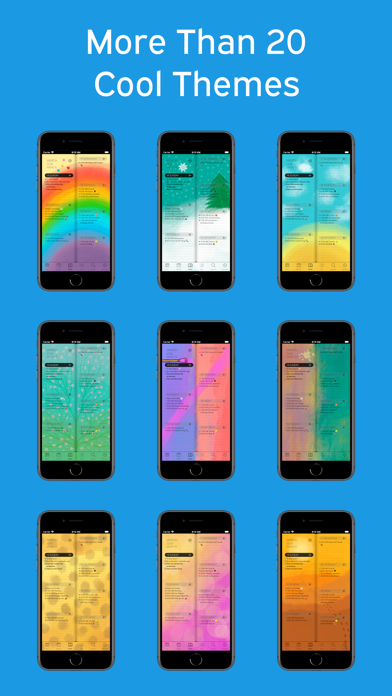
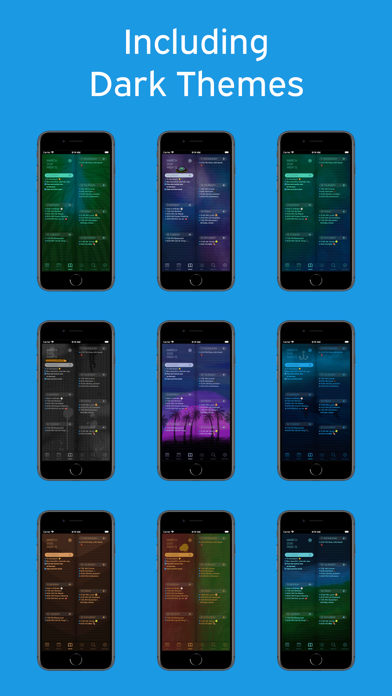
Customization is also a key aspect of PaperCal. With over 20 beautifully designed themes from illustrator Jojo Falk, you can make the calendar truly yours. You can add color tags for events, allowing for quick visual organization. The easy-to-read widgets help you quickly search your schedule and view week numbers or day counts, making everything even more accessible.
This app is built for your devices. PaperCal works seamlessly on your iPhone, iPad, Apple Watch, and Mac, ensuring you have your calendar with you wherever you go. Thanks to its compatibility with various devices, one purchase gives you access across all your Apple gadgets.
Users love the app for its simplicity and reliability. Many appreciate how they can see their whole week at a glance or use it like a planner. With a high rating of 4.7+ from users worldwide, it’s clear that PaperCal is making a positive impact.
PaperCal is also designed based on years of feedback, making it a fast performance calendar that prioritizes a simplified user experience. Whether you need a calendar app for planning your tasks or scheduling your events, PaperCal is a great choice.
Start using PaperCal today and experience a fresh, organized way to manage your time.
One of the standout features of PaperCal is its clean, paper-inspired layouts. You can see your entire schedule at a glance, which helps you stay organized. The app allows you to manage tasks and events all in one place. This means you won't need to juggle multiple apps. You can easily add and organize your activities instantly.
PaperCal offers different calendar views to suit your needs. You can switch between a yearly calendar view, monthly calendar view, weekly calendar view, and daily calendar view. If you love the feel of flipping through pages, this app captures that experience perfectly while maintaining a distraction-free interface.
Customization is also a key aspect of PaperCal. With over 20 beautifully designed themes from illustrator Jojo Falk, you can make the calendar truly yours. You can add color tags for events, allowing for quick visual organization. The easy-to-read widgets help you quickly search your schedule and view week numbers or day counts, making everything even more accessible.
This app is built for your devices. PaperCal works seamlessly on your iPhone, iPad, Apple Watch, and Mac, ensuring you have your calendar with you wherever you go. Thanks to its compatibility with various devices, one purchase gives you access across all your Apple gadgets.
Users love the app for its simplicity and reliability. Many appreciate how they can see their whole week at a glance or use it like a planner. With a high rating of 4.7+ from users worldwide, it’s clear that PaperCal is making a positive impact.
PaperCal is also designed based on years of feedback, making it a fast performance calendar that prioritizes a simplified user experience. Whether you need a calendar app for planning your tasks or scheduling your events, PaperCal is a great choice.
Start using PaperCal today and experience a fresh, organized way to manage your time.

Wipr 2
Kaylee Calderolla
$4.99
$2.99

Level – Spirit level
Dominic Rodemer
$0.99
ScanKit: Doc & QR Scanner
Dowble
$1.89