
$11.99
$4.99
58% Off
RAW Cam: Open Gate DNG Video
Lead the way, vl. Sebastijan Grabar


About the App
RAW Cam: Open Gate DNG Video lets you capture the highest-quality RAW video your iPhone can achieve. It’s a simple one-time purchase, with no subscriptions needed. Once you buy it, you have full access to all features.
This app turns your iPhone into a cinema camera, allowing you to shoot stunning RAW video with complete creative control. It is designed for filmmakers and creators who demand the best image quality.
With RAW Cam, you can shoot in DNG or MCRAW file formats. These formats offer high dynamic range and enhanced color depth, giving your videos a professional look. You have options for full sensor recording, or you can choose to record at half resolution or in the classic 16:9 aspect ratio. This means you can work with 4K or Full HD video easily.
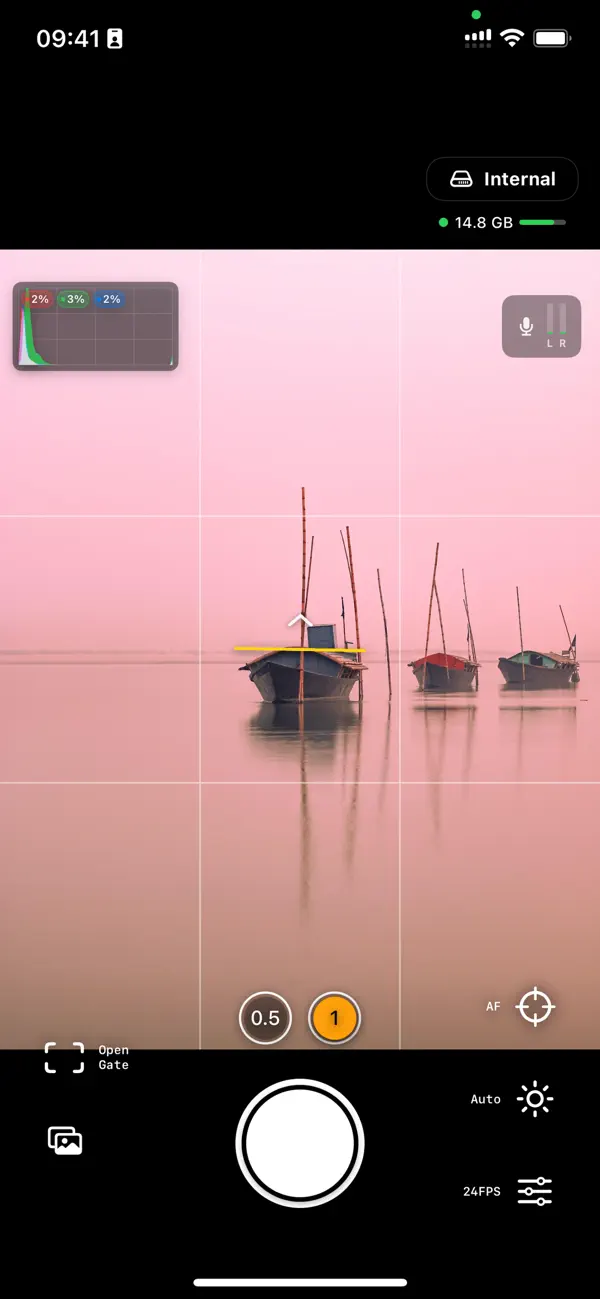
When filming, you can select video frame rates of 18, 24, 25, or 30 fps. This flexibility helps you achieve a true film look. If you need to make adjustments in post-production, highlight reconstruction is available in your editing suite, giving you more control over your videos. All DNG files come with recording timecode, making it easier to sync audio and video later.
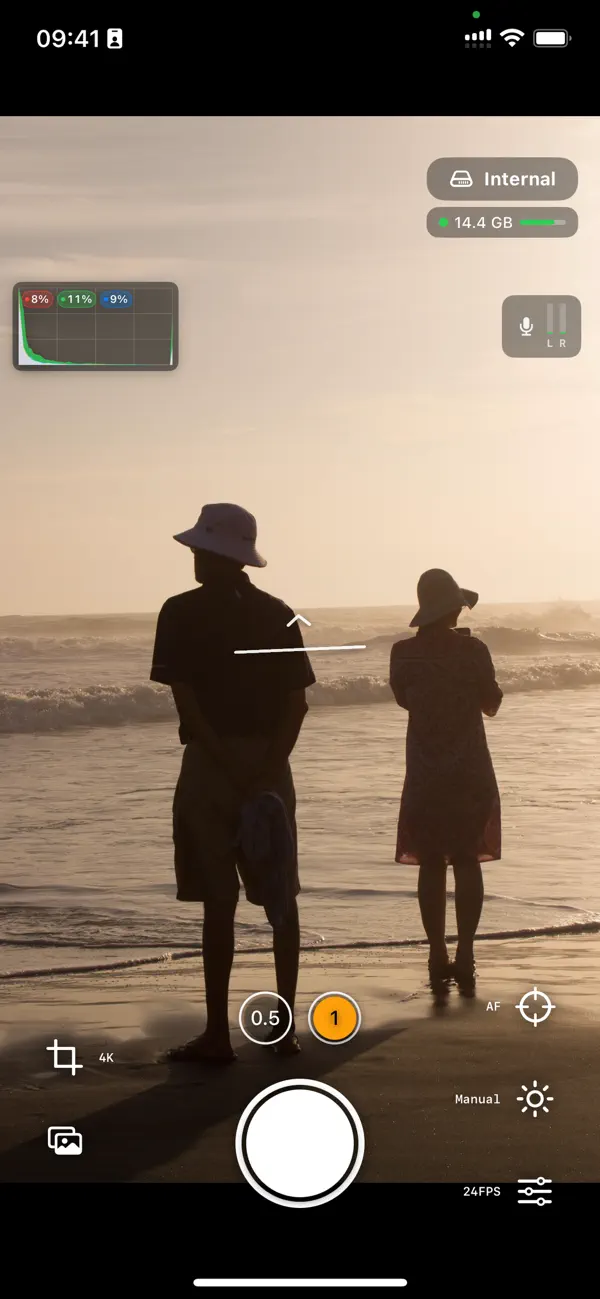
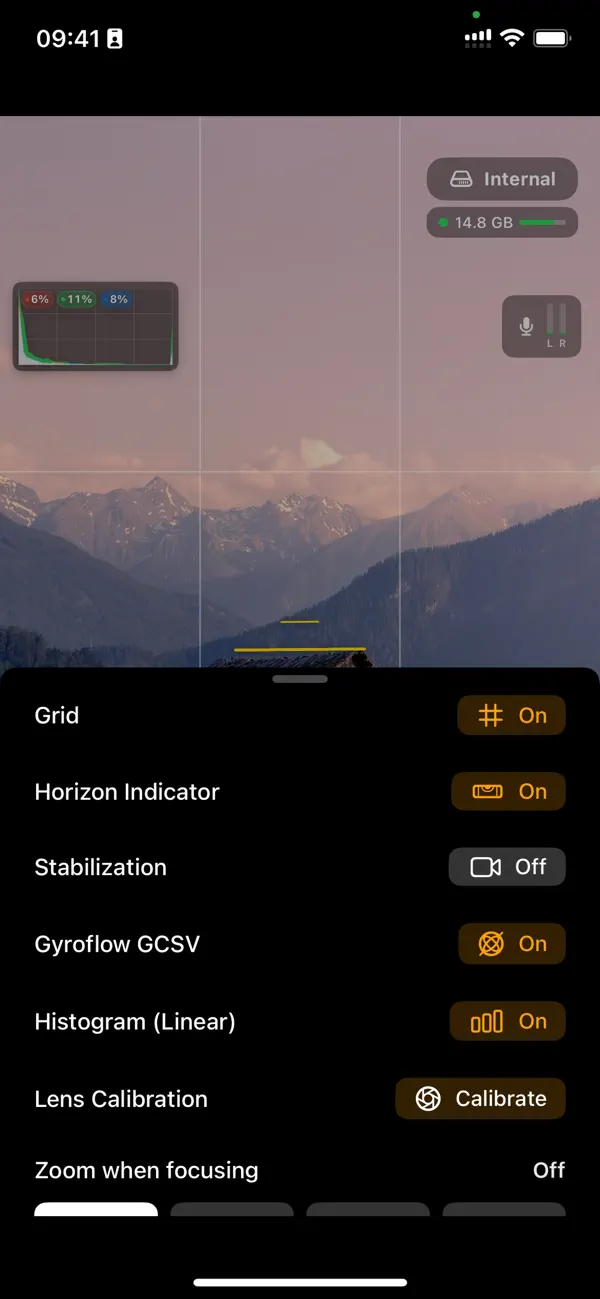
For stability, RAW Cam features Optical image stabilization and Gyroflow GCSV support. This means your shots will be smooth and professional, no matter the situation. There's also a horizon indicator, which helps you keep your shots level.
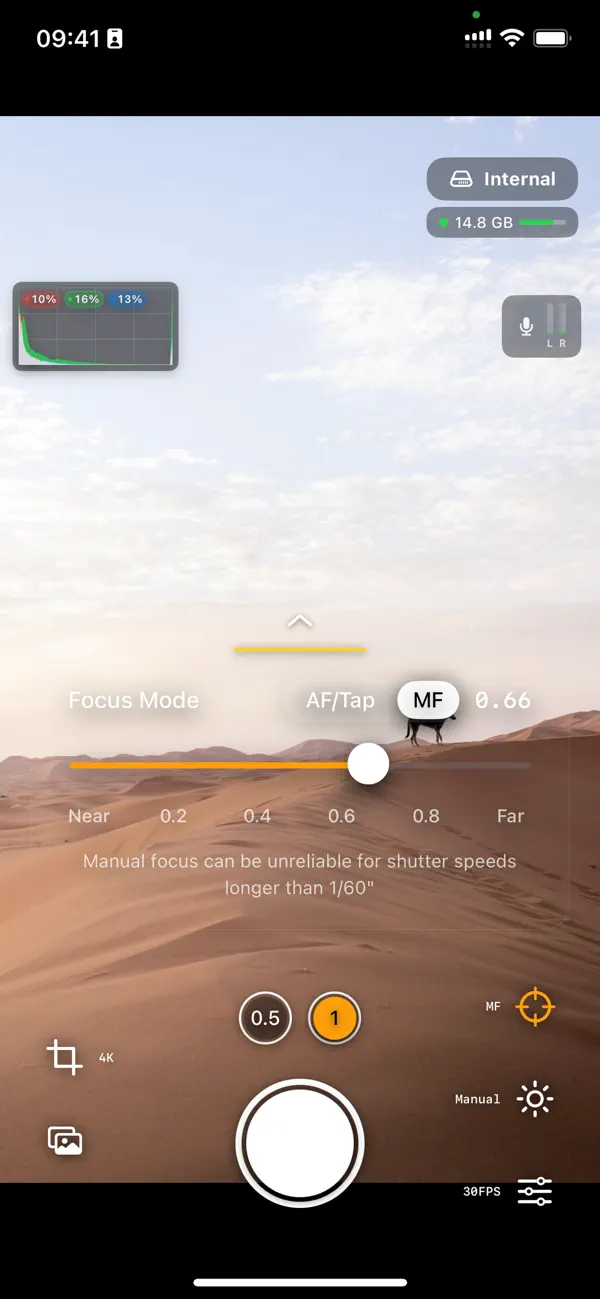
You can trigger recording using a Bluetooth trigger, specifically with the volume-up button. This allows you to start and stop filming without having to touch your phone. When you’re manually focusing, you can also zoom in, making it easier to get that perfect shot. The app includes an audio input selector, allowing you to use either Bluetooth or wired microphones, depending on what you prefer.
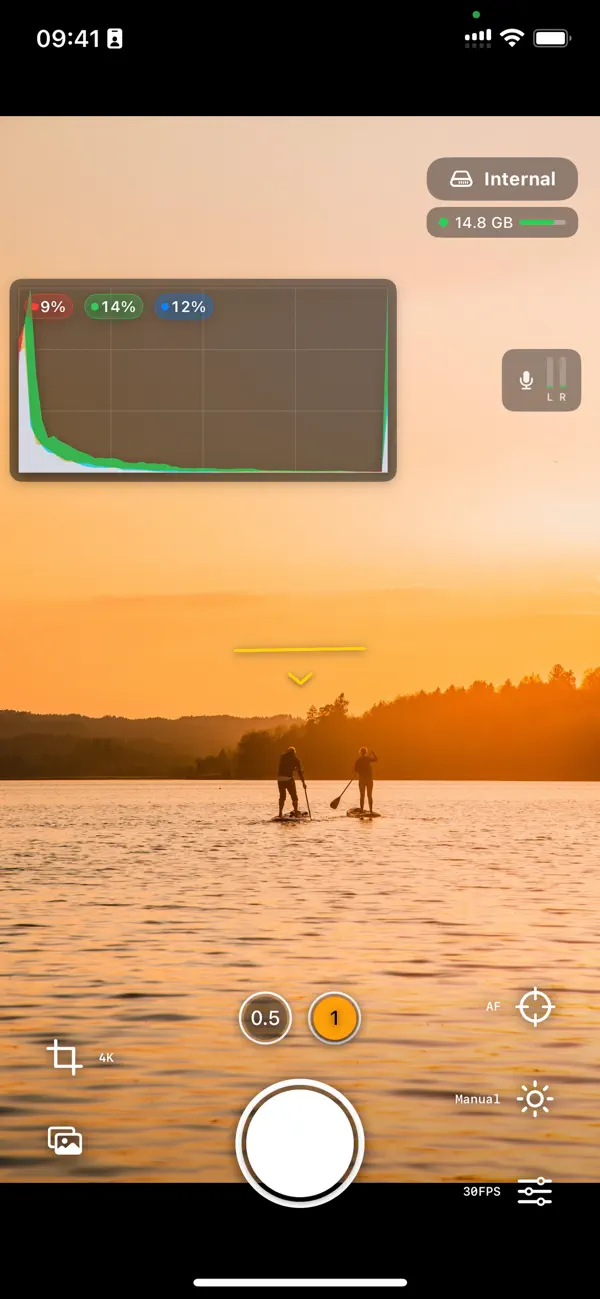
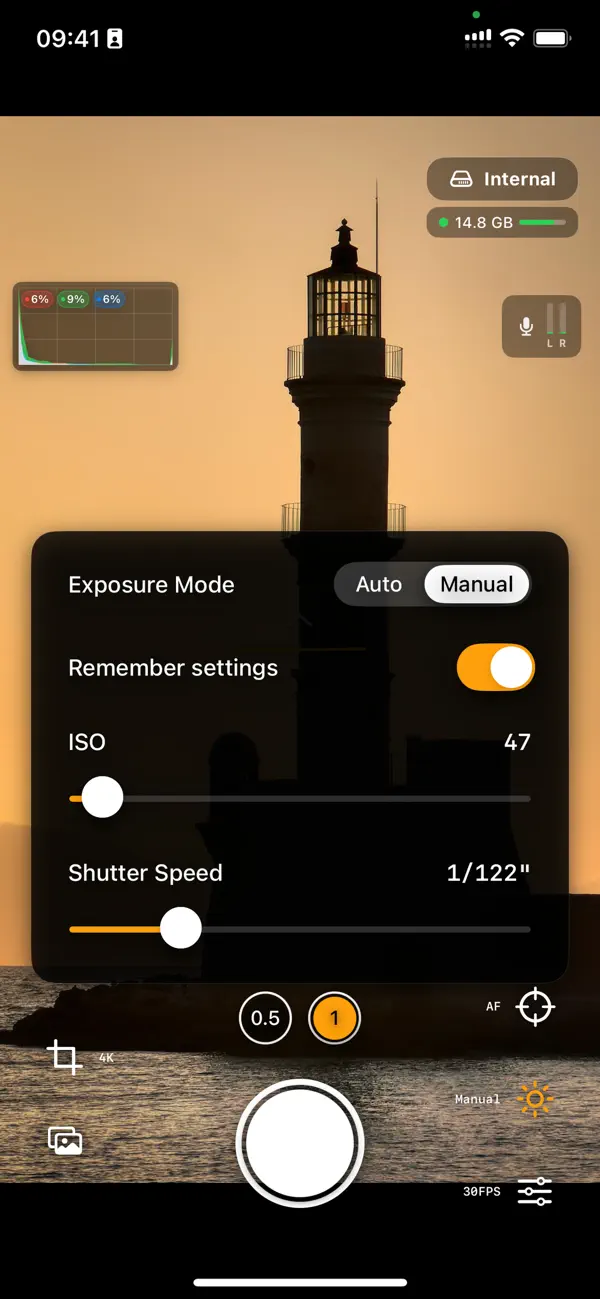
RAW Cam gives you professional controls for your shooting. It has a histogram display with a highlight clipping indicator, which helps you monitor exposure. You can make ISO adjustments, control shutter speed, and modify focus all manually. During recording, you can adjust focus and exposure using smooth on-screen controls. The tap-to-focus feature allows for precise focusing before you start, and there’s continuous autofocus for added convenience.
A rule-of-thirds grid is available to help you with composition, ensuring your videos look great. Additionally, there’s an available storage indicator, so you always know how much space you have left.
When it comes to storage and workflow, RAW Cam offers flexible options. You can save videos directly to the app's internal gallery or user-chosen folders. It also supports external SSDs for expanded storage. For quick sharing, you can use AirDrop video transfer to send your videos to other devices fast. A helpful tip is to turn on your personal hotspot and connect your devices for maximum transfer speeds.
You can easily watch your recorded videos, whether they are saved on internal storage or external devices. RAW Cam helps you streamline your mobile video editing while providing all the tools you need for creative video production. It's perfect for anyone looking to improve their filmmaking skills with professional video quality and a user-friendly interface.
In conclusion, RAW Cam: Open Gate DNG Video is more than just an app; it’s your gateway to creating stunning, cinematic video. Whether you're a seasoned professional or just starting out, this app has the features you need to elevate your video projects.
This app turns your iPhone into a cinema camera, allowing you to shoot stunning RAW video with complete creative control. It is designed for filmmakers and creators who demand the best image quality.
With RAW Cam, you can shoot in DNG or MCRAW file formats. These formats offer high dynamic range and enhanced color depth, giving your videos a professional look. You have options for full sensor recording, or you can choose to record at half resolution or in the classic 16:9 aspect ratio. This means you can work with 4K or Full HD video easily.
When filming, you can select video frame rates of 18, 24, 25, or 30 fps. This flexibility helps you achieve a true film look. If you need to make adjustments in post-production, highlight reconstruction is available in your editing suite, giving you more control over your videos. All DNG files come with recording timecode, making it easier to sync audio and video later.
For stability, RAW Cam features Optical image stabilization and Gyroflow GCSV support. This means your shots will be smooth and professional, no matter the situation. There's also a horizon indicator, which helps you keep your shots level.
You can trigger recording using a Bluetooth trigger, specifically with the volume-up button. This allows you to start and stop filming without having to touch your phone. When you’re manually focusing, you can also zoom in, making it easier to get that perfect shot. The app includes an audio input selector, allowing you to use either Bluetooth or wired microphones, depending on what you prefer.
RAW Cam gives you professional controls for your shooting. It has a histogram display with a highlight clipping indicator, which helps you monitor exposure. You can make ISO adjustments, control shutter speed, and modify focus all manually. During recording, you can adjust focus and exposure using smooth on-screen controls. The tap-to-focus feature allows for precise focusing before you start, and there’s continuous autofocus for added convenience.
A rule-of-thirds grid is available to help you with composition, ensuring your videos look great. Additionally, there’s an available storage indicator, so you always know how much space you have left.
When it comes to storage and workflow, RAW Cam offers flexible options. You can save videos directly to the app's internal gallery or user-chosen folders. It also supports external SSDs for expanded storage. For quick sharing, you can use AirDrop video transfer to send your videos to other devices fast. A helpful tip is to turn on your personal hotspot and connect your devices for maximum transfer speeds.
You can easily watch your recorded videos, whether they are saved on internal storage or external devices. RAW Cam helps you streamline your mobile video editing while providing all the tools you need for creative video production. It's perfect for anyone looking to improve their filmmaking skills with professional video quality and a user-friendly interface.
In conclusion, RAW Cam: Open Gate DNG Video is more than just an app; it’s your gateway to creating stunning, cinematic video. Whether you're a seasoned professional or just starting out, this app has the features you need to elevate your video projects.
PhotInfo
Enrico Bonaldo
$2.99
$0.99
PXL – mosaic art
Norikazu Muramoto
$3.99

logol – Add Watermark and Logo
YiChing Kuo
$3.99