

$1.99
$0.99
50% Off
SSH Server
Banana Studio


About the App
SSH Server is a powerful tool that lets you run an SSH/SFTP Server right from your Android device. It comes with a fully functional terminal, making it easy to manage your files and data.
With SSH Server, you can use various network interfaces on your device. Whether you connect through Wi-Fi, an Ethernet connection, or even tethering, you can easily access your server. The app also features QR code generation, allowing you to share your server address quickly.
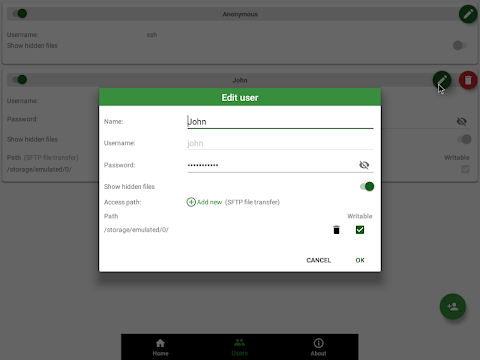
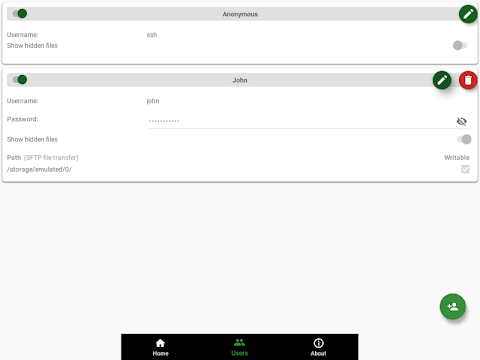
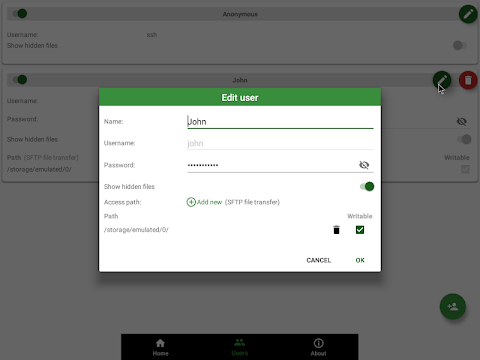
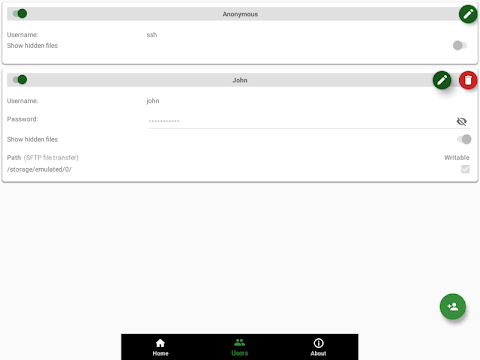
One of the standout features of SSH Server is its support for multiple users. Each user can have their own settings. For example, there’s an anonymous user option where you can log in with the username "ssh" without a password. The app also supports public key authentication, enhancing security. Users can choose whether to show hidden files, making it easy to manage what is visible.
The SFTP feature allows each user to access specific folders in both your internal storage and external SD card. You can set read-only user access or allow full write access to control what they can do with those files. This level of detail in user access path management gives you complete control over how your server is used.
SSH Server also includes automatic server start options. You can set it to start automatically when a designated Wi-Fi network is detected or to launch on boot. This ensures that your server is always ready to use without needing to start it manually.
Managing your server is simple with the user management features built into SSH Server. You can add users, manage their access paths, and enable or disable them as needed. The app also allows you to add public key authentication for additional security.
For those who want advanced functionality, SSH Server supports Tasker integration. This means you can automate server actions by creating tasks within Tasker. You just need to send specific intents when you want to start or stop the server.
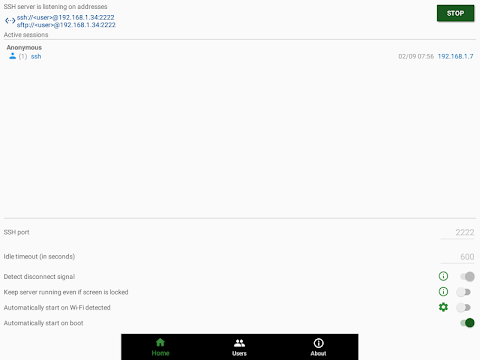
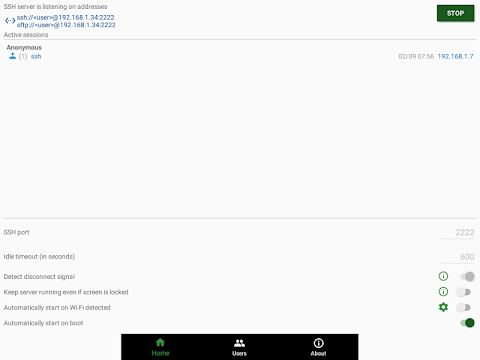
The home screen of SSH Server provides a server monitoring dashboard. From here, you can see connected clients and even change the server port if necessary. Depending on your device's ROM, you might be able to use the standard port 22 for even easier access.
To ensure that everything runs smoothly, SSH Server requires some Android permissions. You will need to grant permissions for writing to external storage, allowing external storage access, and accessing the internet. If you want the server to start automatically when a Wi-Fi network is detected, your location services may also need to be enabled.
You can connect to your SSH/SFTP Server using a variety of SSH clients. The app is compatible with popular clients like FileZilla, WinSCP, Bitvise SSH client, and even the Finder on Mac OS. You can use terminal applications or file managers on Linux as well as Total Commander and ES File Explorer for Android.
If you run into any issues while using SSH Server or if you have suggestions for new features, you can contact the support team through email. Your feedback is important, and it's the best way to help improve the app.
In summary, SSH Server is an easy-to-use application that provides a full range of server functionalities right on your Android device. You can connect via various networks, manage multiple users, and automate actions with ease. Whether you need to access files on internal storage or via external SD cards, SSH Server gives you the tools to do so safely and efficiently.
With SSH Server, you can use various network interfaces on your device. Whether you connect through Wi-Fi, an Ethernet connection, or even tethering, you can easily access your server. The app also features QR code generation, allowing you to share your server address quickly.
One of the standout features of SSH Server is its support for multiple users. Each user can have their own settings. For example, there’s an anonymous user option where you can log in with the username "ssh" without a password. The app also supports public key authentication, enhancing security. Users can choose whether to show hidden files, making it easy to manage what is visible.
The SFTP feature allows each user to access specific folders in both your internal storage and external SD card. You can set read-only user access or allow full write access to control what they can do with those files. This level of detail in user access path management gives you complete control over how your server is used.
SSH Server also includes automatic server start options. You can set it to start automatically when a designated Wi-Fi network is detected or to launch on boot. This ensures that your server is always ready to use without needing to start it manually.
Managing your server is simple with the user management features built into SSH Server. You can add users, manage their access paths, and enable or disable them as needed. The app also allows you to add public key authentication for additional security.
For those who want advanced functionality, SSH Server supports Tasker integration. This means you can automate server actions by creating tasks within Tasker. You just need to send specific intents when you want to start or stop the server.
The home screen of SSH Server provides a server monitoring dashboard. From here, you can see connected clients and even change the server port if necessary. Depending on your device's ROM, you might be able to use the standard port 22 for even easier access.
To ensure that everything runs smoothly, SSH Server requires some Android permissions. You will need to grant permissions for writing to external storage, allowing external storage access, and accessing the internet. If you want the server to start automatically when a Wi-Fi network is detected, your location services may also need to be enabled.
You can connect to your SSH/SFTP Server using a variety of SSH clients. The app is compatible with popular clients like FileZilla, WinSCP, Bitvise SSH client, and even the Finder on Mac OS. You can use terminal applications or file managers on Linux as well as Total Commander and ES File Explorer for Android.
If you run into any issues while using SSH Server or if you have suggestions for new features, you can contact the support team through email. Your feedback is important, and it's the best way to help improve the app.
In summary, SSH Server is an easy-to-use application that provides a full range of server functionalities right on your Android device. You can connect via various networks, manage multiple users, and automate actions with ease. Whether you need to access files on internal storage or via external SD cards, SSH Server gives you the tools to do so safely and efficiently.

Spy Camera Network Scanner PRO
Ai Apps SRL
$2.49

SunOnTrack: Sun Path & Shadows
Plan the sun
$9.99
$7.99

Number to word convert offline
Power Mind Apps
$0.99
FREE