
$3.99
$2.00
50% Off
Ace Smart Launcher Prime
App Mania Software Development


About the App
Ace Smart Launcher Prime is a user-friendly launcher designed for all Android devices, including popular models like Samsung Galaxy series, One Plus phones, and Xiaomi phones. It offers a simplistic yet futuristic experience that enhances how you interact with your device.
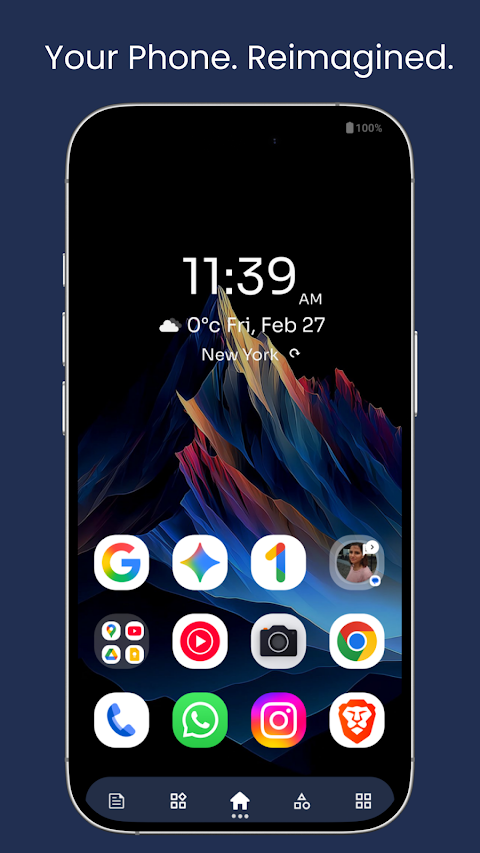
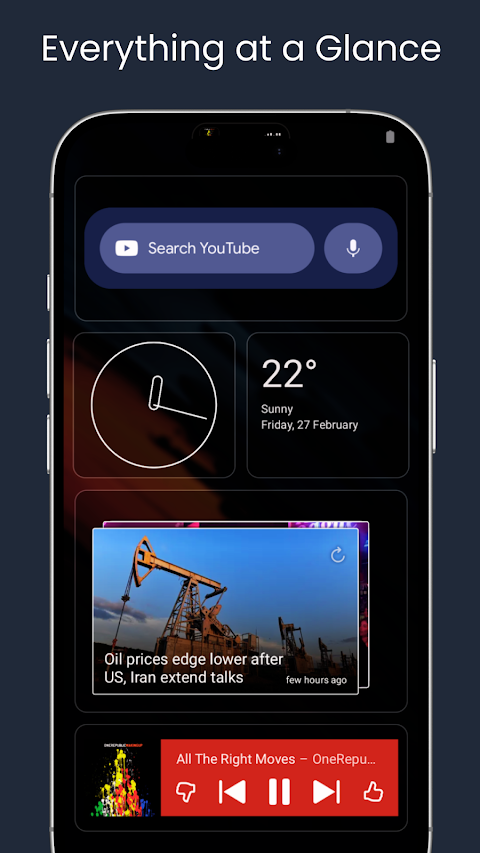
The Ace Smart Launcher Prime organizes your screen into six smart pages, making it easy to find what you need quickly. The stylish home page is themed with a futuristic and sci-fi look. Here, you can access your favorite apps with a drag-and-drop feature, allowing you to customize your layout effortlessly. You can also change icon packs and choose whether to hide or show app names. A search button helps you find other applications, while a convenient weather widget allows you to search for local weather by city name or zip code. Additionally, you can check the time with a detailed clock widget and monitor your phone’s vitals, including battery progress, RAM progress with an integrated RAM cleaner, and storage progress.
The search page presents a quick and functional way to access information. You can search for applications and contacts, look for queries directly on the Play Store, maps, or Google. It even remembers your recently searched applications and contacts for easy access later.
For those who use widgets, the widget page in Ace Smart Launcher Prime is dedicated to resizing and moving your system widgets. This page also supports other app widgets, such as the WhatsApp chat widget and a system analog clock.
Stay updated with the latest news from around the world on the news feed, which features various categories like general news, sports, entertainment, and business. You can tailor your news feed with a location filter to see the updates that matter most to you.
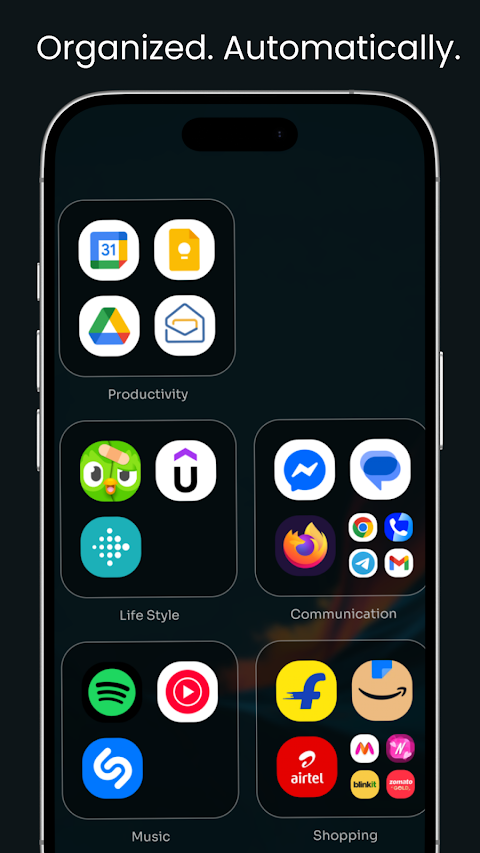
Organizing your applications is a breeze with the category page. You can create smart folders by simply clicking on the pre-made options, which helps organize all your apps efficiently. There are several categories available, including media applications, video applications, shopping applications, and even lifestyle applications. Whatever your interests, Ace Smart Launcher Prime has a category for you.
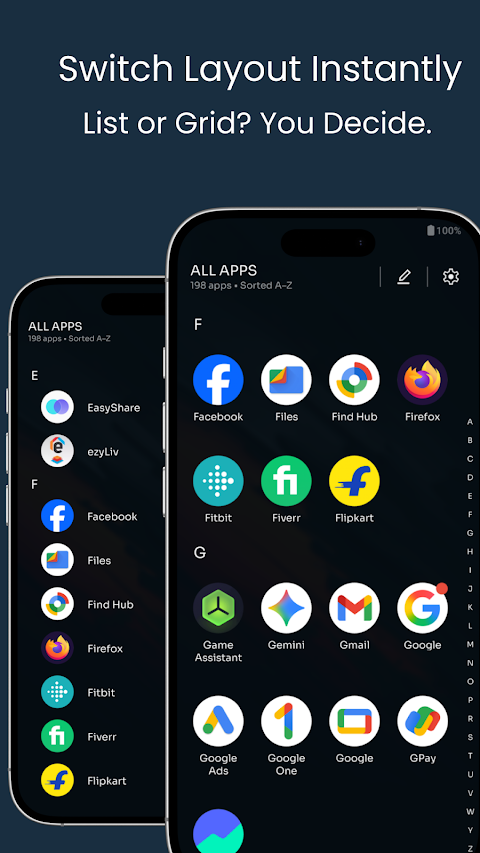
The app drawer is where all your applications can be found. It displays them in both grid view and list view, with a fast scroll feature that includes an alphabetic index to quickly find what you need. You can filter apps by the last installed or alphabetically, ensuring easy access at all times.
Ace Smart Launcher Prime also comes packed with features that enhance security and customization. The app locker ensures your privacy with both fingerprint access and pin access. If you have apps that you want to keep hidden, the hide apps feature allows you to conceal them from view. You can access these hidden apps through a secret hide app drawer, which is also protected by fingerprint and pin.
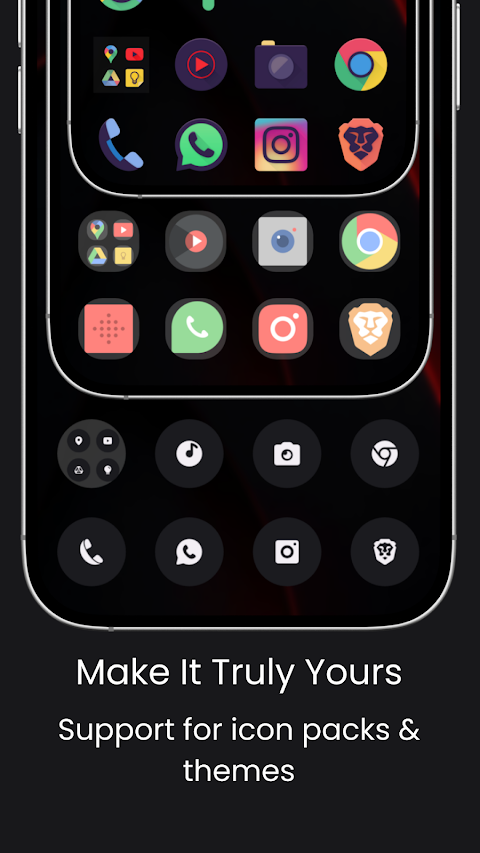
Customization is at your fingertips with a vast selection of custom wallpapers. You can download a variety of hand-picked wallpapers, including abstract wallpapers, AMOLED wallpapers, and more. Also, you can explore themes and accent colors to give your launcher a unique touch. With cool fonts available, you can choose bold or thin typography, or even opt for a sci-fi style.
For users requiring accessibility features, simply enable the accessibility service to perform global actions like going back, opening notifications, and taking screenshots. Ace Smart Launcher Prime is designed with user privacy in mind, ensuring that no personal information is collected.
Thank you for choosing Ace Smart Launcher Prime. We hope it enhances your Android experience. If you enjoy using the app, please take a moment to review it and support our development efforts.
The Ace Smart Launcher Prime organizes your screen into six smart pages, making it easy to find what you need quickly. The stylish home page is themed with a futuristic and sci-fi look. Here, you can access your favorite apps with a drag-and-drop feature, allowing you to customize your layout effortlessly. You can also change icon packs and choose whether to hide or show app names. A search button helps you find other applications, while a convenient weather widget allows you to search for local weather by city name or zip code. Additionally, you can check the time with a detailed clock widget and monitor your phone’s vitals, including battery progress, RAM progress with an integrated RAM cleaner, and storage progress.
The search page presents a quick and functional way to access information. You can search for applications and contacts, look for queries directly on the Play Store, maps, or Google. It even remembers your recently searched applications and contacts for easy access later.
For those who use widgets, the widget page in Ace Smart Launcher Prime is dedicated to resizing and moving your system widgets. This page also supports other app widgets, such as the WhatsApp chat widget and a system analog clock.
Stay updated with the latest news from around the world on the news feed, which features various categories like general news, sports, entertainment, and business. You can tailor your news feed with a location filter to see the updates that matter most to you.
Organizing your applications is a breeze with the category page. You can create smart folders by simply clicking on the pre-made options, which helps organize all your apps efficiently. There are several categories available, including media applications, video applications, shopping applications, and even lifestyle applications. Whatever your interests, Ace Smart Launcher Prime has a category for you.
The app drawer is where all your applications can be found. It displays them in both grid view and list view, with a fast scroll feature that includes an alphabetic index to quickly find what you need. You can filter apps by the last installed or alphabetically, ensuring easy access at all times.
Ace Smart Launcher Prime also comes packed with features that enhance security and customization. The app locker ensures your privacy with both fingerprint access and pin access. If you have apps that you want to keep hidden, the hide apps feature allows you to conceal them from view. You can access these hidden apps through a secret hide app drawer, which is also protected by fingerprint and pin.
Customization is at your fingertips with a vast selection of custom wallpapers. You can download a variety of hand-picked wallpapers, including abstract wallpapers, AMOLED wallpapers, and more. Also, you can explore themes and accent colors to give your launcher a unique touch. With cool fonts available, you can choose bold or thin typography, or even opt for a sci-fi style.
For users requiring accessibility features, simply enable the accessibility service to perform global actions like going back, opening notifications, and taking screenshots. Ace Smart Launcher Prime is designed with user privacy in mind, ensuring that no personal information is collected.
Thank you for choosing Ace Smart Launcher Prime. We hope it enhances your Android experience. If you enjoy using the app, please take a moment to review it and support our development efforts.
【Analog】Central Rotor
ZKin
$2.99
$0.99
Dream 146 Hybrid watch face
Monkey's Dream
$1.79
$0.19
TVV Minimal Analog Watch Face
ThemeVerse Visuals
$1.49
$0.52